https://gfazioli.github.io/mantine-split-pane/
A React component that manages split panes allows users to divide and resize content areas within a layout efficiently.
https://gfazioli.github.io/mantine-split-pane/
mantine pane react split splitpane typescript ui
Last synced: 11 months ago
JSON representation
A React component that manages split panes allows users to divide and resize content areas within a layout efficiently.
- Host: GitHub
- URL: https://gfazioli.github.io/mantine-split-pane/
- Owner: gfazioli
- License: mit
- Created: 2024-02-22T13:29:59.000Z (over 2 years ago)
- Default Branch: master
- Last Pushed: 2024-10-24T10:02:33.000Z (over 1 year ago)
- Last Synced: 2024-10-25T05:05:47.847Z (over 1 year ago)
- Topics: mantine, pane, react, split, splitpane, typescript, ui
- Language: TypeScript
- Homepage: https://gfazioli.github.io/mantine-split-pane/
- Size: 7.21 MB
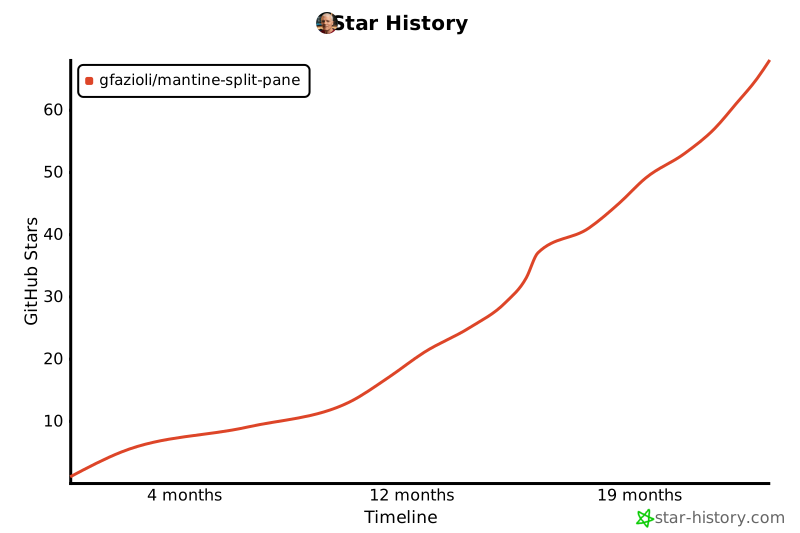
- Stars: 10
- Watchers: 1
- Forks: 1
- Open Issues: 2
-
Metadata Files:
- Readme: README.md
- Changelog: CHANGELOG.md
- Contributing: CONTRIBUTING.md
- Funding: .github/FUNDING.yml
- License: LICENSE
- Code of conduct: CODE_OF_CONDUCT.md
Awesome Lists containing this project
- awesome-mantine - Mantine Split Pane - A Mantine component that manages split panes allows users to divide and resize content areas within a layout efficiently (Libraries)
README
# Mantine Split pane Component
https://github.com/user-attachments/assets/2e45af2b-60c7-4cb3-9b9a-6cf0e710af1c
---
[](https://www.npmjs.com/package/@gfazioli/mantine-split-pane)
[](https://www.npmjs.com/package/@gfazioli/mantine-split-pane)
[](https://www.npmjs.com/package/@gfazioli/mantine-split-pane)

## Overview
This component is created on top of the [Mantine](https://mantine.dev/) library.
[](https://mantine.dev/)
Utilizing Mantine UI, enables users to create a flexible layout with resizable split panes. It supports both vertical and horizontal splitting, allowing the arrangement of content in various configurations. The component seamlessly handles nested split panes, enabling complex layouts with ease.
With intuitive resizing functionality, users can adjust the size of each pane effortlessly. This component provides a responsive and user-friendly interface for organizing and displaying content in a way that best suits the application's needs.
[](https://www.youtube.com/playlist?list=PL85tTROKkZrWyqCcmNCdWajpx05-cTal4)
[](https://gfazioli.github.io/mantine-split-pane/)
[](https://mantine-extensions.vercel.app/)
👉 You can find more components on the [Mantine Extensions Hub](https://mantine-extensions.vercel.app/) library.
## Installation
```sh
npm install @gfazioli/mantine-split-pane
```
or
```sh
yarn add @gfazioli/mantine-split-pane
```
After installation import package styles at the root of your application:
```tsx
import '@gfazioli/mantine-split-pane/styles.css';
```
## Usage
```tsx
import { Split } from '@gfazioli/mantine-split-pane';
import { Paper } from '@mantine/core';
function Demo() {
return (
Pane 1
Pane 2
);
}
```
[](https://www.star-history.com/#gfazioli/mantine-split-pane&Timeline)