https://github.com/0xrelogic/webhook-catcher-cli
A tiny Go CLI to instantly catch, inspect, and debug webhooks on your localhost, with built-in optional ngrok tunneling.
https://github.com/0xrelogic/webhook-catcher-cli
api api-tes cli debugging developer-tools go golang http learn localtunnel ngrok tui webhook
Last synced: 6 days ago
JSON representation
A tiny Go CLI to instantly catch, inspect, and debug webhooks on your localhost, with built-in optional ngrok tunneling.
- Host: GitHub
- URL: https://github.com/0xrelogic/webhook-catcher-cli
- Owner: 0xReLogic
- License: mit
- Created: 2025-08-14T08:33:28.000Z (11 months ago)
- Default Branch: main
- Last Pushed: 2025-08-15T04:27:53.000Z (11 months ago)
- Last Synced: 2025-10-19T09:47:26.636Z (9 months ago)
- Topics: api, api-tes, cli, debugging, developer-tools, go, golang, http, learn, localtunnel, ngrok, tui, webhook
- Language: Go
- Homepage: https://allenarch.dev/
- Size: 45.9 KB
- Stars: 1
- Watchers: 0
- Forks: 0
- Open Issues: 0
-
Metadata Files:
- Readme: README.md
- License: LICENSE
Awesome Lists containing this project
README
# Webhook Catcher CLI

[](https://github.com/0xReLogic/webhook-catcher-cli/actions/workflows/release.yml)
[](https://codecov.io/gh/0xReLogic/webhook-catcher-cli)
[](https://go.dev/)
[](LICENSE)
[](https://github.com/0xReLogic/webhook-catcher-cli/releases)
[](https://github.com/0xReLogic/webhook-catcher-cli/releases)
[](https://github.com/0xReLogic/webhook-catcher-cli/stargazers)
Catch webhooks from Stripe, GitHub, Discord, Midtrans, Slack, Shopify, Telegram, and more no adapters needed.
A tiny CLI to spin up a local HTTP server that logs every incoming request (method, headers, body) with pretty‑printed JSON. Optionally expose it to the internet using an ngrok tunnel and get a public URL instantly.
## Features
- Simple HTTP listener on your machine
- Pretty‑prints JSON request bodies
- Shows method, path, and sorted headers
- Optional ngrok tunneling (choose from interactive menu)
- Interactive ngrok onboarding: if needed, you’ll be prompted for the token and it’s stored automatically for next runs
- Small, single‑binary distribution
- Works with Stripe, GitHub, Discord, Midtrans, Slack, Shopify, Telegram, and more
## Works with any provider
This tool is a generic webhook catcher. No plugins or adapters are required it prints method, path, sorted headers (e.g., Stripe-Signature, X-GitHub-Event), and prettified JSON bodies. It works great with Stripe, GitHub, Discord, Midtrans, Slack, Shopify, Telegram, and more.
## Requirements
- Go 1.21+
- (Optional) ngrok account if you want tunneling
## Releases
- Latest: https://github.com/0xReLogic/webhook-catcher-cli/releases/latest
- All releases: https://github.com/0xReLogic/webhook-catcher-cli/releases
## Download (Windows, Linux, macOS)
Quick start:
- Windows (PowerShell):
```powershell
.\webhook-catcher-cli.exe
```
- macOS / Linux:
```bash
chmod +x ./webhook-catcher-cli
./webhook-catcher-cli
```
## Install
```bash
# From source
git clone https://github.com/0xReLogic/webhook-catcher-cli.git
cd webhook-catcher-cli
go build -o webhook-catcher-cli
# Or install directly
# go install github.com/0xReLogic/webhook-catcher-cli@latest
```
## Usage
### One‑click / Interactive start
If you launch the binary without arguments (e.g., double‑click on Windows), the app will show a simple menu:
```
Select mode: [1] Local (default) [2] Tunnel (ngrok)
Enter 1 or 2 (default 1):
```
- Choose 1 to run locally on `127.0.0.1:3000`.
- Choose 2 to enable ngrok. If needed, you’ll be guided to the ngrok dashboard to copy your token, then paste it once. We store it automatically for future runs.
Send sample requests:
```bash
# JSON
curl -i -X POST http://127.0.0.1:3000/test -H "Content-Type: application/json" --data '{"hello":"world"}'
# Plain text
curl -i -X POST http://127.0.0.1:3000/echo -H "Content-Type: text/plain" --data "hello webhook"
```
### Build and Run
To run from source:
```
go build -o webhook-catcher-cli
# Start the app (interactive menu will appear, choose 1 for local or 2 for tunnel)
go run .
```
## Star History
[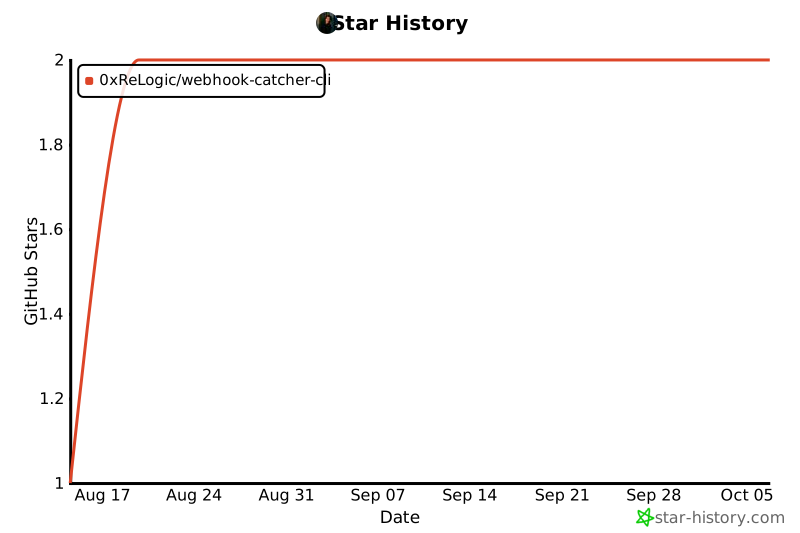](https://www.star-history.com/#0xReLogic/webhook-catcher-cli&Date)
Milestone:
- If this project reaches 100+ GitHub stars, I'll build and host a simple tunnel server on my own VPS so this CLI no longer depends on ngrok.
## Quick Provider Testing (Postman)
Use this ready-to-run Postman Collection to quickly test common providers. The collection uses a `baseUrl` variable so you can easily switch tunnels.
Steps:
- Import the collection below into Postman (Import > Raw text).
- Set the collection variable `baseUrl` to your tunnel, e.g. `https://`.
- Send the requests; this CLI will print method, path, headers, and body.
Postman Collection (v2.1):
```json
{
"info": {
"name": "Webhook Catcher - Quick Provider Testing",
"schema": "https://schema.getpostman.com/json/collection/v2.1.0/collection.json"
},
"variable": [
{ "key": "baseUrl", "value": "https://" }
],
"item": [
{
"name": "GitHub - Issues Webhook",
"request": {
"method": "POST",
"header": [
{ "key": "Content-Type", "value": "application/json" },
{ "key": "X-GitHub-Event", "value": "issues" }
],
"body": {
"mode": "raw",
"raw": "{\n \"action\": \"opened\",\n \"issue\": {\n \"number\": 1347,\n \"title\": \"Found a critical bug!\",\n \"user\": { \"login\": \"0xReLogic\" }\n },\n \"repository\": { \"full_name\": \"0xReLogic/Helios\" }\n}"
},
"url": { "raw": "{{baseUrl}}/github-webhook", "host": ["{{baseUrl}}"], "path": ["github-webhook"] }
}
},
{
"name": "Discord - Notification",
"request": {
"method": "POST",
"header": [ { "key": "Content-Type", "value": "application/json" } ],
"body": {
"mode": "raw",
"raw": "{\n \"username\": \"Server Notif Bot\",\n \"avatar_url\": \"https://i.imgur.com/4M34hi2.png\",\n \"content\": \"Warning! Production CPU usage reached 95%!\",\n \"embeds\": [\n {\n \"title\": \"Metric Details\",\n \"color\": 15258703,\n \"fields\": [\n { \"name\": \"Server ID\", \"value\": \"prod-web-01\", \"inline\": true },\n { \"name\": \"CPU Usage\", \"value\": \"95.2%\", \"inline\": true }\n ]\n }\n ]\n}"
},
"url": { "raw": "{{baseUrl}}/discord-notif", "host": ["{{baseUrl}}"], "path": ["discord-notif"] }
}
},
{
"name": "Midtrans - Payment Notification",
"request": {
"method": "POST",
"header": [ { "key": "Content-Type", "value": "application/json" } ],
"body": {
"mode": "raw",
"raw": "{\n \"transaction_time\": \"2025-08-14 17:35:00\",\n \"transaction_status\": \"settlement\",\n \"transaction_id\": \"a1b2c3d4-e5f6-7890-1234-567890abcdef\",\n \"status_message\": \"midtrans payment notification\",\n \"status_code\": \"200\",\n \"signature_key\": \"xxxxxxxxxxxxxxxxxxxxxxxx\",\n \"payment_type\": \"gopay\",\n \"order_id\": \"ORDER-101-XYZ\",\n \"merchant_id\": \"G123456789\",\n \"gross_amount\": \"50000.00\",\n \"fraud_status\": \"accept\",\n \"currency\": \"IDR\"\n}"
},
"url": { "raw": "{{baseUrl}}/midtrans-callback", "host": ["{{baseUrl}}"], "path": ["midtrans-callback"] }
}
},
{
"name": "Stripe - payment_intent.succeeded",
"request": {
"method": "POST",
"header": [
{ "key": "Content-Type", "value": "application/json" },
{ "key": "Stripe-Signature", "value": "t=1723650000,v1=aaaaaaaaaaaaaaaaaaaaaaaaaaaaaaaaaaaaaaaaaaaaaaaaaaaaaaaaaaaaaaaa" }
],
"body": {
"mode": "raw",
"raw": "{\n \"id\": \"evt_test_123\",\n \"type\": \"payment_intent.succeeded\",\n \"created\": 1723650000,\n \"livemode\": false,\n \"data\": {\n \"object\": {\n \"id\": \"pi_123\",\n \"amount\": 5000,\n \"currency\": \"usd\",\n \"status\": \"succeeded\"\n }\n }\n}"
},
"url": { "raw": "{{baseUrl}}/stripe-webhook", "host": ["{{baseUrl}}"], "path": ["stripe-webhook"] }
}
}
]
}
```
## Examples
### Stripe (payment_intent.succeeded)
Sample capture of a Stripe `payment_intent.succeeded` event received via tunnel:

PowerShell response example (Invoke-WebRequest output):

### Quick send examples (Stripe & Discord only)
Use your current tunnel URL as `` (from the app output: "Public URL: https://xxxxx.ngrok-free.app").
- PowerShell
```powershell
# Stripe
$URL = "https:///stripe-webhook"
Invoke-WebRequest -Method POST -Uri $URL -ContentType "application/json" -Headers @{ "Stripe-Signature"="t=1723650000,v1=aaaa" } -Body '{
"id":"evt_test_123",
"type":"payment_intent.succeeded",
"data": { "object": { "id":"pi_123","amount":5000,"currency":"usd","status":"succeeded" } }
}'
# Discord
$URL = "https:///discord-webhook"
Invoke-WebRequest -Method POST -Uri $URL -ContentType "application/json" -Body '{
"id":"1234567890",
"type":"MESSAGE_CREATE",
"content":"Hello from Discord webhook simulator",
"channel_id":"987654321"
}'
```
- Bash
```bash
# Stripe
curl -i -X POST "https:///stripe-webhook" \
-H "Content-Type: application/json" \
-H "Stripe-Signature: t=1723650000,v1=aaaa" \
--data '{
"id":"evt_test_123",
"type":"payment_intent.succeeded",
"data":{"object":{"id":"pi_123","amount":5000,"currency":"usd","status":"succeeded"}}
}'
# Discord
curl -i -X POST "https:///discord-webhook" \
-H "Content-Type: application/json" \
--data '{
"id":"1234567890",
"type":"MESSAGE_CREATE",
"content":"Hello from Discord webhook simulator",
"channel_id":"987654321"
}'
```
## Development
```bash
go fmt ./...
go vet ./...
go test ./...
go run . -port 3001
```
## License
MIT
---
Made with ❤️ Allen Elzayn