https://github.com/32teeth/cordova-plugin-canvas-gamepad
https://github.com/32teeth/cordova-plugin-canvas-gamepad
Last synced: over 1 year ago
JSON representation
- Host: GitHub
- URL: https://github.com/32teeth/cordova-plugin-canvas-gamepad
- Owner: 32teeth
- Created: 2015-12-11T22:58:43.000Z (over 10 years ago)
- Default Branch: master
- Last Pushed: 2017-05-02T20:22:03.000Z (about 9 years ago)
- Last Synced: 2024-08-11T10:05:17.768Z (almost 2 years ago)
- Language: JavaScript
- Size: 705 KB
- Stars: 6
- Watchers: 3
- Forks: 0
- Open Issues: 1
-
Metadata Files:
- Readme: README.md
Awesome Lists containing this project
README
[]()
[]()
[]()
[]()
# CDVGamepad
So you want to add a gamepad to a html5/canvas based app in [cordova](http://cordova.apache.org/)
***npm i cordova-plugin-canvas-gamepad***
## Cordova
### The Basics
---
install cordova
```
[sudo] npm install -g cordova
```
navigate to the directory where you want to create your app
```
cd [directory]
```
create an app
```
cordova create [app-directory] [reverse domain-style identifier] [application display name] && cd [app-directory]
```
add CDVGamepad plugin
```
cordova plugin add cordova-plugin-canvas-gamepad
```
iOS9 long press fix (optional)
*this prevents the copy/select bubble from coming up in games where the user needs to press and hold)*
```
cordova plugin add cordova-plugin-ios-longpress-fix
```
Add some platforms
```
cordova platform add ios
cordova platform add android
cordova platform add amazon-fireos
cordova platform add blackberry10
cordova platform add firefoxos
```
Prepare your platforms
```
prepare platform add ios
prepare platform add android
prepare platform add amazon-fireos
prepare platform add blackberry10
prepare platform add firefoxos
```
### CDVGamepad setup and configurations
---
in you cordova index.js add *CDVGamepad.setup()*
```
/*
** this is a basic joystick and 1 button setup with start and select buttons
*/
onDeviceReady: function() {
CDVGamepad.setup();
}
```
## Configuration options
*CDVGamepad is fully customizable, from button names, colors, layout and more.*
| property | type | value(s) | description | example |
|---:|:---|:---|:---|:---|
|debug|boolean|true\|false|show or hide event debug info
*default is false*|```debug:false```|
|trace|boolean|true\|false|show or hide gamepad trace info
*default is false*|```trace:false```|
|canvas|string|id of target canvas|*if left out, creates a new canvas object*|```canvas:"game"```|
|buttons|array|[]|collection of button objects|```[{name:"x",color:"rgba(255,255,0,0.5)"}]```|
|button|object|{name:string,color:hex\|rgb\|rgba}|properties for custom buttons|```[{name:"x",color:"rgba(255,255,0,0.5)"},{name:"y",color:"rgba(255,0,255,0.5)"}]```|
|layout|string|TOP_LEFT \| TOP_RIGHT \| BOTTOM_LEFT \| BOTTOM_RIGHT|cardinal position of buttons
*default is **BOTTOM_RIGHT***|```layout:"BOTTOM_RIGHT"```|
|start|boolean|true\|false|display start button
*default is true*|```start:false```|
|select|boolean|true\|false|display select button
*default is false*||```select:false```|
|joystick|boolean|true\|false|display joystick/dpad
*default is false*|```debug:false```|
|hidden|boolean|true\|false|show or hide the gamepad
*default is false*|
this can be used to *hide* the gamepad if you are doing something else on screen|```hidden:false```|
### Config examples
###### *default options*
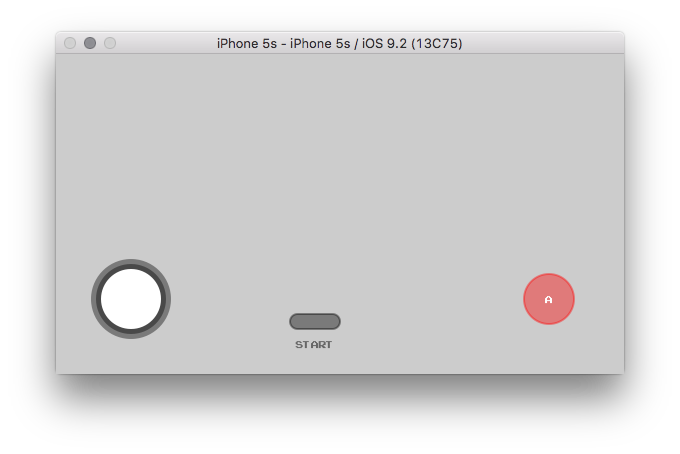
```
CDVGamepad.setup();
```
###### *one button, custom name, no start button*
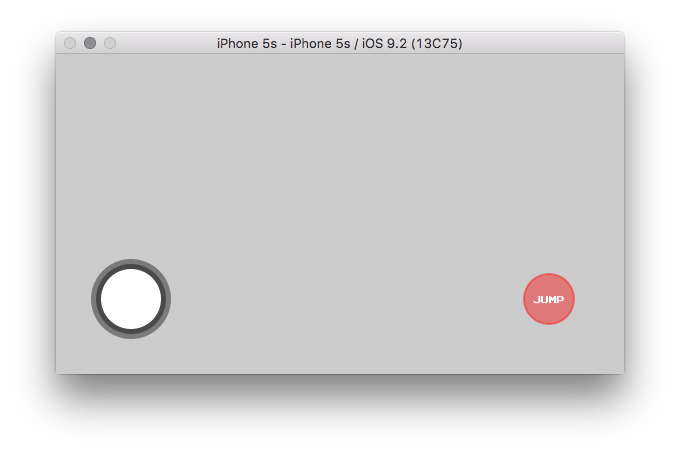
```
CDVGamepad.setup({
start:false,
buttons:[
{name:"jump"}
]
});
```
###### *two buttons, custom names, custom colors, with select button*
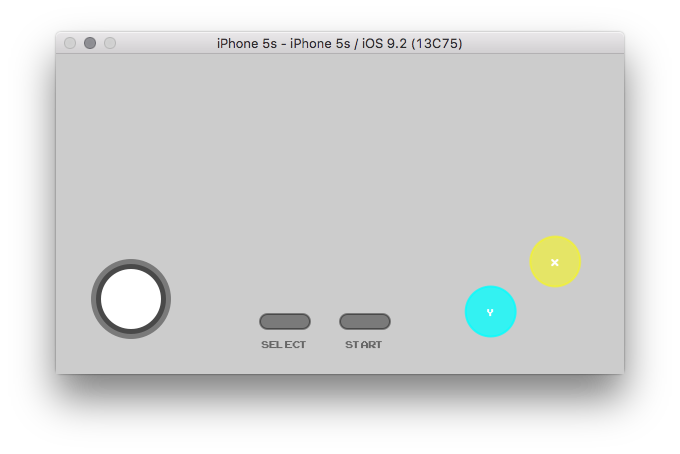
```
CDVGamepad.setup({
select:true,
buttons:[
{name:"x",color:"rgba(255,255,0,0.5)"},
{name:"y",color:"rgba(0,255,255,0.75)"}
]
});
```
###### *target canvas*
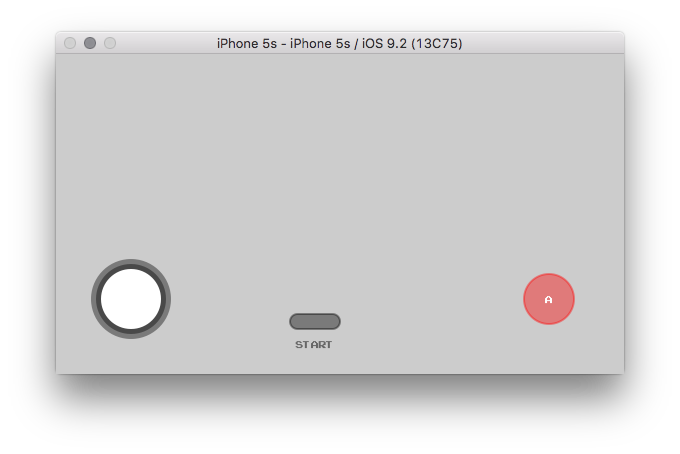
```
CDVGamepad.setup({
canvas:"game"
});
```
###### *change layout canvas*
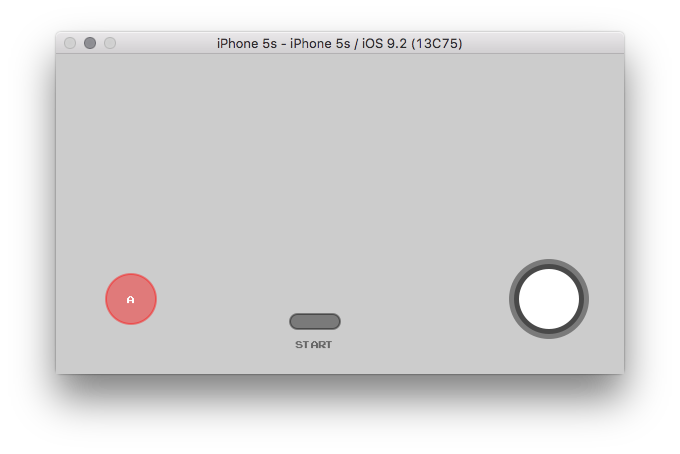
```
CDVGamepad.setup({
layout:"BOTTOM_LEFT"
});
```
###### *show trace & debug info*
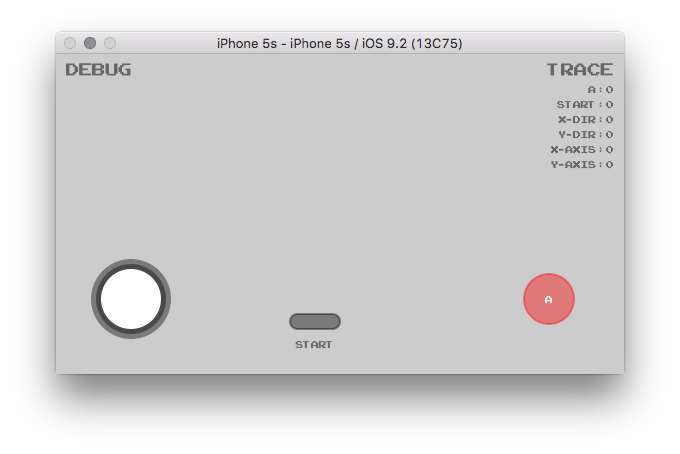
```
CDVGamepad.setup({
trace:true,
debug:true
});
```
###### *all out everything*
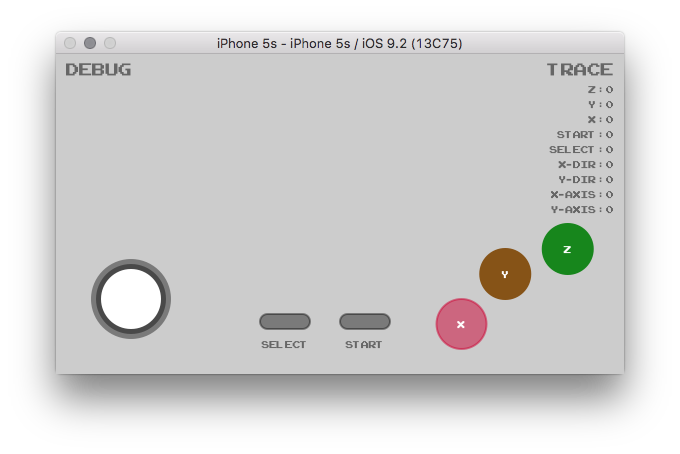
```
CDVGamepad.setup({
select:true,
trace:true,
debug:true,
canvas:"game",
buttons:[
{name:"z", color:"#17861c"},
{name:"y", color:"rgb(134, 83, 23)"},
{name:"x", color:"rgba(204, 0, 51, 0.5)"},
]
});
```
###### *hidden gamepad*
```
CDVGamepad.setup({
hidden:true
});
```
###### *real world example*
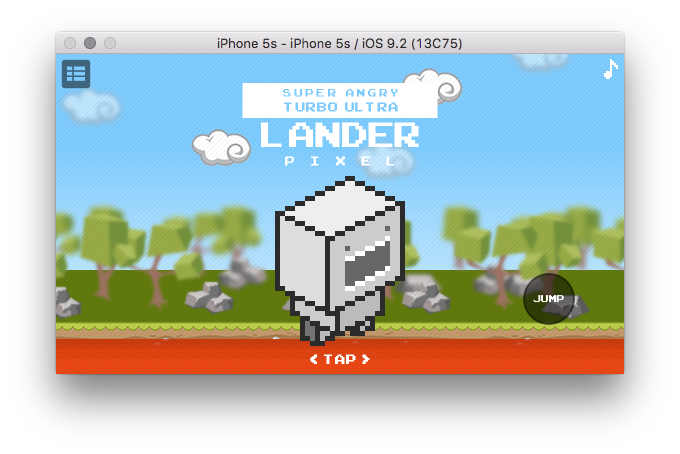
```
onDeviceReady: function() {
/*
** @description start the game
*/
game.init();
/*
** @description setup gamepad, no stick, no start, one button
*/
CDVGamepad.setup({
canvas:"controller",
joystick:false,
start:false,
buttons:[
{name:"jump", color:"rgba(0,0,0,0.25)"}
]
});
}
```
### CDVGamepad observable method
---
CDVGamepad has an observable method that returns the current state map of the gamepad
**observe();**
```
CDVGamepad.setup()
/*
** @description the below example simply logs out the observe method return
*/
setInterval(
function()
{
var map = CDVGamepad.observe();
console.log(new Date() + ":" + JSON.stringify(map))
}
,1000
);
```
```
/*
** @description additionally, you can throw it into your main loop in canvas
*/
function draw()
{
if(CDVGamepad)
{
gamepad(CDVGamepad.observe())
}
}
```