https://github.com/32teeth/wiicontroller32u4
A Wii Extension
https://github.com/32teeth/wiicontroller32u4
Last synced: about 1 month ago
JSON representation
A Wii Extension
- Host: GitHub
- URL: https://github.com/32teeth/wiicontroller32u4
- Owner: 32teeth
- License: cc-by-sa-4.0
- Created: 2019-06-19T14:58:06.000Z (about 7 years ago)
- Default Branch: master
- Last Pushed: 2024-11-13T22:48:49.000Z (over 1 year ago)
- Last Synced: 2025-02-14T16:39:27.970Z (over 1 year ago)
- Language: C
- Size: 338 KB
- Stars: 0
- Watchers: 2
- Forks: 0
- Open Issues: 0
-
Metadata Files:
- Readme: README.md
- Funding: .github/FUNDING.yml
- License: LICENSE.md
- Code of conduct: CODE_OF_CONDUCT.md
Awesome Lists containing this project
README
# WiiController32u4
`WiiController32u4` is an Arduino project that allows you to use a Wii Classic Controller as an input device for your Arduino-based projects. The code reads the button states of the Wii Classic Controller and processes them to be used in various applications.
| Top | Bottom |
|--|--|
| 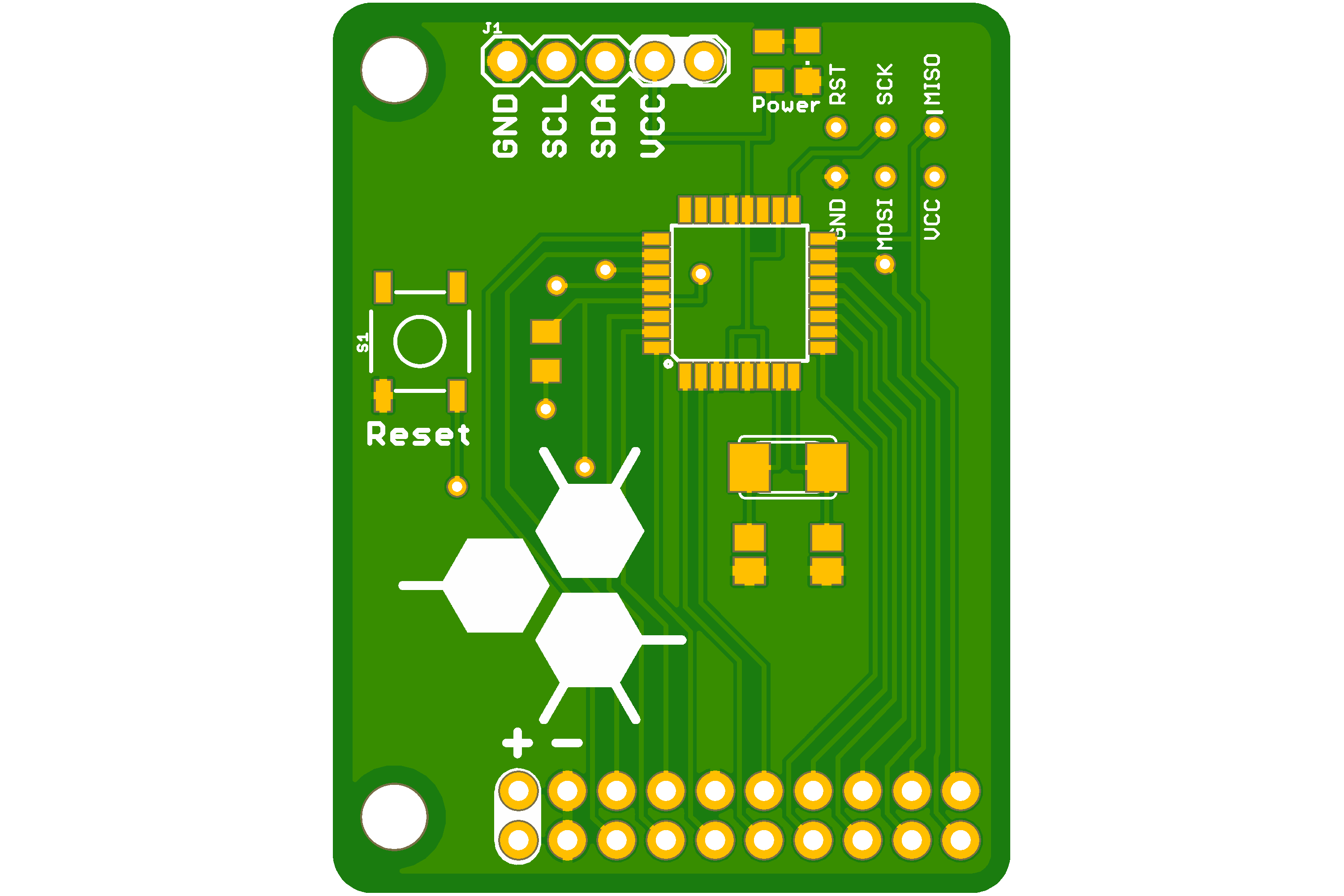 | 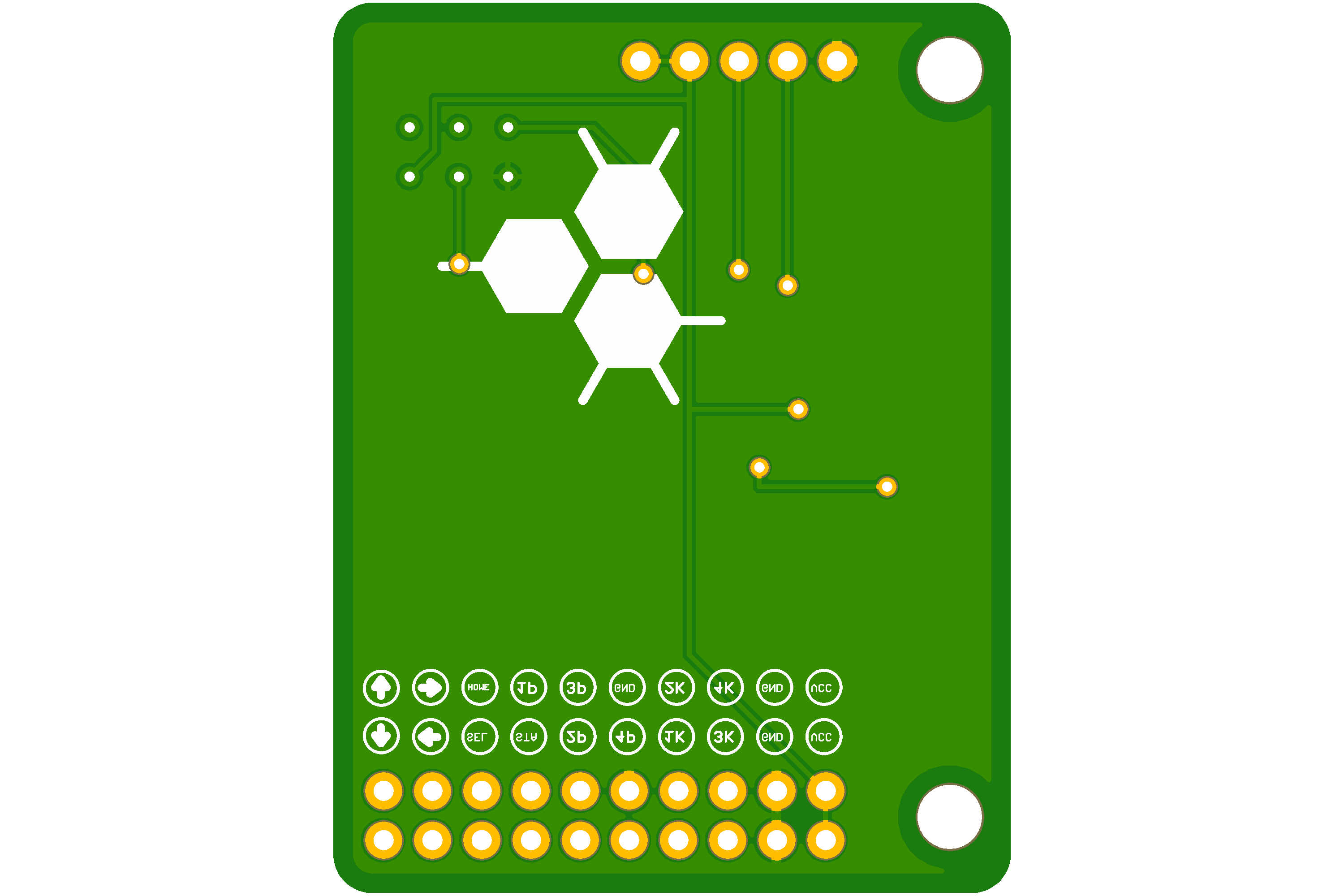 |
## Features
- Supports all buttons on the Wii Classic Controller
- Reads and processes analog stick positions
- Configurable pin mappings for the buttons
- Simple integration with other Arduino projects
## Hardware Requirements
- Arduino board (e.g., Arduino Leonardo)
- Wii Classic Controller
- Necessary wiring to connect the Wii Classic Controller to the Arduino
## Software Requirements
- [Arduino IDE](https://www.arduino.cc/en/software)
- [Wire Library](https://www.arduino.cc/en/Reference/Wire) (included with Arduino IDE)
## Pin Configuration
The following table shows the pin configuration for the Wii Classic Controller buttons:
| Button | Arduino Pin |
|--------------|-------------|
| D-PAD LEFT | A3 |
| D-PAD RIGHT | A2 |
| D-PAD UP | A4 |
| D-PAD DOWN | A5 |
| A BUTTON | 4 |
| B BUTTON | 6 |
| X BUTTON | 10 |
| Y BUTTON | 13 |
| L BUTTON | 9 |
| R BUTTON | 12 |
| MINUS BUTTON | A0 |
| PLUS BUTTON | 5 |
| HOME BUTTON | A1 |
| ZL BUTTON | 8 |
| ZR BUTTON | 2 |
## Usage
1. Clone or download the repository to your local machine.
2. Open the `wcc.ino` file in the Arduino IDE.
3. Connect the Wii Classic Controller to your Arduino board as per the pin configuration.
4. Upload the code to your Arduino board.
## License
This project is licensed under the MIT License - see the [LICENSE](LICENSE) file for details.
## Contributing
Contributions are welcome! Please open an issue or submit a pull request for any changes