https://github.com/5mdld/anki-adjust-sound-volume
Anki add-on for adjusting volume
https://github.com/5mdld/anki-adjust-sound-volume
Last synced: 5 months ago
JSON representation
Anki add-on for adjusting volume
- Host: GitHub
- URL: https://github.com/5mdld/anki-adjust-sound-volume
- Owner: 5mdld
- License: agpl-3.0
- Created: 2024-12-16T04:31:42.000Z (over 1 year ago)
- Default Branch: main
- Last Pushed: 2025-03-14T12:58:15.000Z (over 1 year ago)
- Last Synced: 2025-10-25T15:36:09.420Z (9 months ago)
- Language: Python
- Homepage: https://ankiweb.net/shared/info/2095265391
- Size: 32.2 KB
- Stars: 3
- Watchers: 1
- Forks: 0
- Open Issues: 1
-
Metadata Files:
- Readme: README.md
- License: LICENSE
Awesome Lists containing this project
README
# Adjust Sound Volume (Enhanced by egg rolls)
This add-on enhances the original [Adjust Sound Volume](https://ankiweb.net/shared/info/2123044452) with improved features and usability.
Current issue: Incompatibility with webm format audio on Windows platform.
## How to Install
You can install this add-on through [AnkiWeb](https://ankiweb.net/shared/info/2095265391).
You can also download the source code on my [GitHub](https://github.com/5mdld/anki-adjust-sound-volume) and use the `make` command to package it.
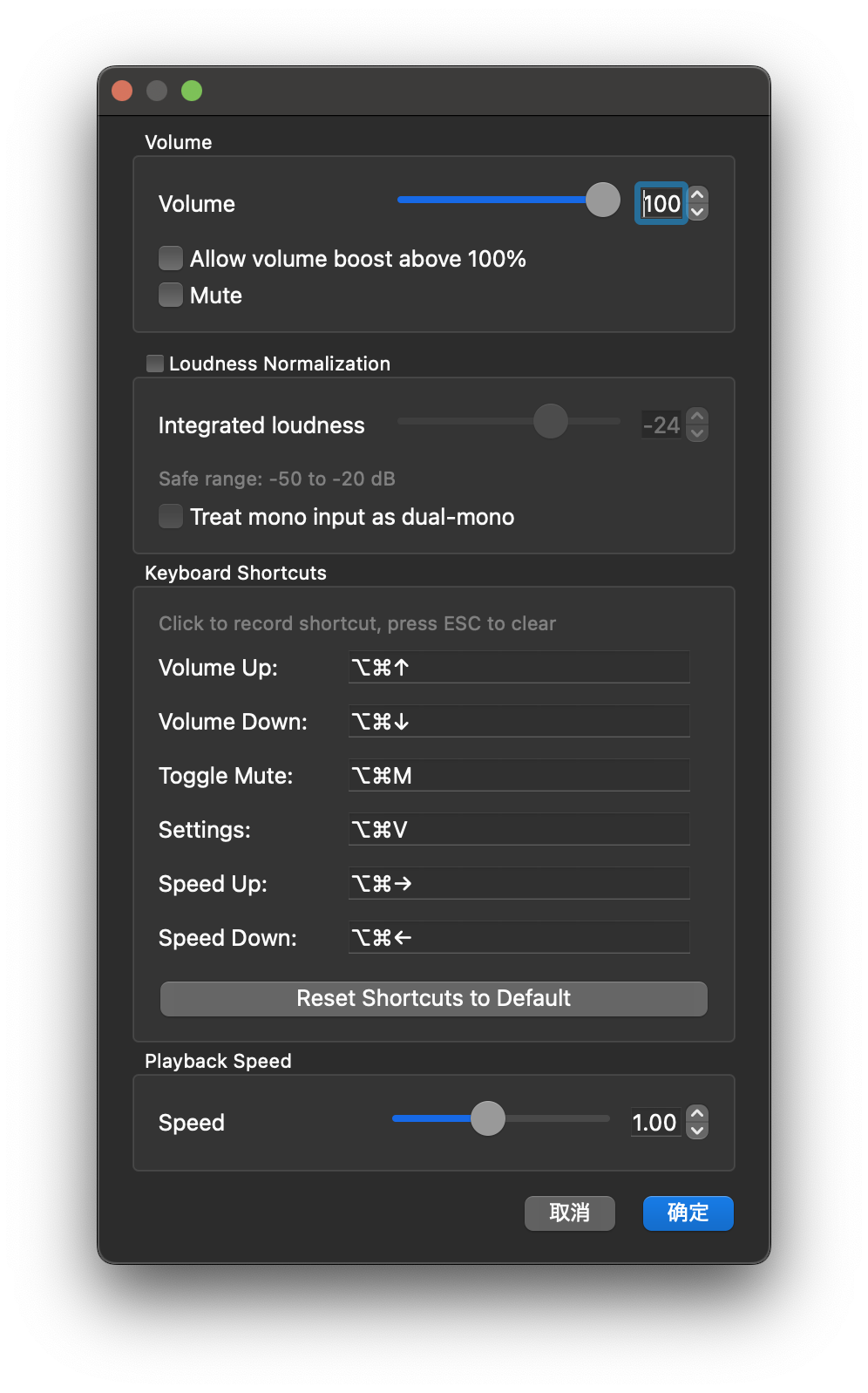
## Original Features
- Access via Tools > Adjust Sound Volume for audio control.
- Adjustable volume slider with numeric input.
- Loudness normalization support when using mpv.
## New Features
### Volume Boost
- Boost audio up to 200% with a simple checkbox.
### Mute Function
- One-click toggle to mute sound instantly.
### Audio Speed Control
- Adjust playback speed between **0.25x** and **2x** for more flexibility.
### Keyboard Shortcuts
Customizable shortcuts for seamless control:
- **Volume Up**: `Ctrl+Alt+Up`
- **Volume Down**: `Ctrl+Alt+Down`
- **Toggle Mute**: `Ctrl+Alt+M`
- **Open Settings**: `Ctrl+Alt+V`
- **Speed Up**: `Ctrl+Alt+Right`
- **Speed Down**: `Ctrl+Alt+Left`
Shortcuts can be edited in the configuration UI.
### UI Enhancements
- Streamlined layout with grouped settings.
- Tooltips display current volume or mute status.
- Improved Tools menu for easier navigation.