https://github.com/824zzy/claude-visor
A macOS Dynamic Island-style notch app for managing multiple Claude Code sessions. Monitor, navigate, and interact with Claude directly from your menu bar.
https://github.com/824zzy/claude-visor
ai claude claude-code developer-tools dynamic-island macos menu-bar notch swift swiftui
Last synced: 3 months ago
JSON representation
A macOS Dynamic Island-style notch app for managing multiple Claude Code sessions. Monitor, navigate, and interact with Claude directly from your menu bar.
- Host: GitHub
- URL: https://github.com/824zzy/claude-visor
- Owner: 824zzy
- License: apache-2.0
- Created: 2026-02-28T05:16:54.000Z (4 months ago)
- Default Branch: main
- Last Pushed: 2026-04-03T05:15:39.000Z (3 months ago)
- Last Synced: 2026-04-03T05:36:30.237Z (3 months ago)
- Topics: ai, claude, claude-code, developer-tools, dynamic-island, macos, menu-bar, notch, swift, swiftui
- Language: Swift
- Homepage: https://github.com/824zzy/claude-visor/releases/latest
- Size: 2.19 MB
- Stars: 0
- Watchers: 0
- Forks: 0
- Open Issues: 0
-
Metadata Files:
- Readme: README.md
- License: LICENSE.md
Awesome Lists containing this project
README

Claude Visor
A Dynamic Island for your Claude Code sessions.
Every running session pinned to your menu bar. See who needs approval, chat, and jump to the right terminal. Without leaving the app you're in.





---


## Why Claude Visor?
Running three Claude Code sessions in parallel is great. Managing them is not.
You lose track of which one is waiting for approval. You alt-tab through terminals just to check progress. You miss the "done" sound because you were in another app. You end up `tmux attach`-ing five times a minute.
Claude Visor pins every session to your menu bar. One glance tells you who's working, who needs approval, who's done. One click jumps you to the right terminal. One message from the notch without switching apps.
## What's New in v1.7
**Chat view revamped to match Claude Code.** Tools render in the same compact `⏺ Name / ⎿ summary` format you see in the terminal. Collapsed by default, one click for the full diff or output.
**Multi-monitor pill widths.** The menu bar pill now adapts to whichever display has the notch, even when the active app lives on an external monitor.
**Faster session clicks, wake-from-sleep recovery, and fewer crashes.** See the [v1.7.1 release notes](https://github.com/824zzy/claude-visor/releases/tag/v1.7.1) for the full list.
## Features
### 🎯 Session Management
Every running session gets its own pill in the menu bar, color-coded at a glance: **orange** working, **yellow** needs approval, **green** done. All sessions are detected automatically on startup, so nothing goes missing after a restart.
### 💬 Inline Chat
Send messages to any session from the notch. Tools render in Claude Code's compact style (contextual names like Update / Create / Search / Agent, collapsible results, ⎿ summary lines). Full markdown rendering for tables, code blocks, and lists. Multi-line input with Enter to submit and Shift+Enter for a new line.
**No tmux required.** Messages go through Ghostty's AppleScript API in the background, so there's zero app switching.
### ✅ Tool Approval
See the full command or diff before approving. Deny with feedback ("use a different approach instead") without typing into the terminal. The panel auto-opens when a session is waiting.
### 🖥️ Multi-Monitor Aware
The pill adapts to whichever display has the notch, even when the active app lives on an external monitor. Pill widths recalculate on every app switch so nothing overlaps the menu bar.
### 🖱️ Terminal Navigation
Click a session pill to jump directly to its Ghostty split pane. Works across any window or split layout via a TTY marker injected into the session for deterministic matching.
### 🔔 Notifications
Configurable sound when a session finishes. Pill bounces on completion. Auto-opens the notch when Claude asks for permission.
## Roadmap
- [x] Multi-session menu bar display
- [x] Click-to-navigate to Ghostty panes
- [x] Inline chat without tmux
- [x] Rich tool approval with feedback
- [x] Markdown table rendering
- [x] Startup session discovery
- [x] Claude Code-style compact tool display
- [x] Multi-monitor pill width detection
- [ ] Homebrew cask distribution
- [ ] Keyboard shortcuts for session switching
- [ ] Custom notch themes
- [ ] iTerm2 / Terminal.app support
- [ ] Quick approve from the pill (no panel open needed)
## Installation
### Homebrew (recommended)
```bash
brew install --cask 824zzy/claude-visor/claude-visor
```
Homebrew takes care of everything: download, checksum verification, moving the app to `/Applications`, and removing the quarantine flag that triggers macOS's security dialog. No Gatekeeper warning, no Terminal workarounds.
### Direct download
Grab the latest `.zip` from the [releases page](https://github.com/824zzy/claude-visor/releases/latest), unzip, and drag `Claude Visor.app` to `/Applications`.
**Expect a scary warning on first launch.** macOS will say *"Apple could not verify that this app is free of malware."* This is not a real malware warning. Claude Visor isn't signed with a paid Apple Developer ID (the $99/year program), so macOS defaults to blocking it. The app is open source. You can read every line of it in this repo.
To open it anyway, run:
```bash
xattr -dr com.apple.quarantine /Applications/Claude\ Visor.app
```
Or go to **System Settings → Privacy & Security**, scroll down, and click **Open Anyway** next to the Claude Visor entry.
Use Homebrew if you want to avoid this entire dance.
### Build from source
```bash
git clone https://github.com/824zzy/claude-visor.git
cd claude-visor
xcodebuild -scheme ClaudeVisor -configuration Release build \
CODE_SIGN_IDENTITY=- CODE_SIGNING_REQUIRED=NO
```
Locally-built apps don't get the quarantine flag, so they open without the warning.
## Setup
1. Launch Claude Visor
2. Grant **Accessibility** permission (System Settings > Privacy & Security > Accessibility)
3. Click the notch pill > menu icon (☰) > enable **Hooks**
4. Start Claude Code in your terminal. Sessions appear automatically.
## How It Works
Claude Visor installs a hook script into `~/.claude/hooks/` that sends session events (tool calls, phase changes, permission requests) via a Unix domain socket. The app renders this state in the menu bar and notch panel.
**Messaging without tmux**: Uses Ghostty's native AppleScript `input text` + `send key` commands to type directly into the correct terminal pane in the background. No focus switching, no app activation.
**Terminal navigation**: Writes a unique marker to the session's TTY, searches Ghostty's accessibility tree for the marker, then clicks the matching pane.
## Permissions
| Permission | Required | Purpose |
|---|---|---|
| Accessibility | Yes | Menu bar width detection, Ghostty pane navigation, window interaction |
Claude Visor will prompt for Accessibility on first launch. That's the only permission it needs.
## FAQ
**Why does it need Accessibility permission?**
Three reasons: to measure the width of the frontmost app's menu bar (so pills don't overlap), to find the right Ghostty split pane when you click a session, and to detect which display has the notch when you're on a multi-monitor setup. Claude Visor never records keystrokes or reads window contents.
**Does it work with Terminal.app or iTerm2?**
Not yet. It's Ghostty-only right now because the messaging and pane navigation rely on Ghostty's AppleScript API and accessibility tree. Terminal.app and iTerm2 are on the roadmap.
**Is any of my data sent anywhere?**
Your Claude Code conversations stay local. They're read from `~/.claude/projects/` and rendered in the notch. The app does send anonymous usage metrics (app launches, version, macOS version) via Mixpanel to help prioritize fixes. No message content, file paths, or personally identifiable data.
**Does it work on Macs without a notch?**
The pill anchors to the top-center of your main display. It still works without a physical notch, you just get a floating pill instead of one that wraps around the notch. MacBook Air M1/M2, Mac mini, iMac, and Mac Studio all work.
**Does it work on Intel Macs?**
macOS 14.0 (Sonoma) or later is required. The release is a universal binary, so it runs natively on both Apple Silicon and Intel.
## Star History
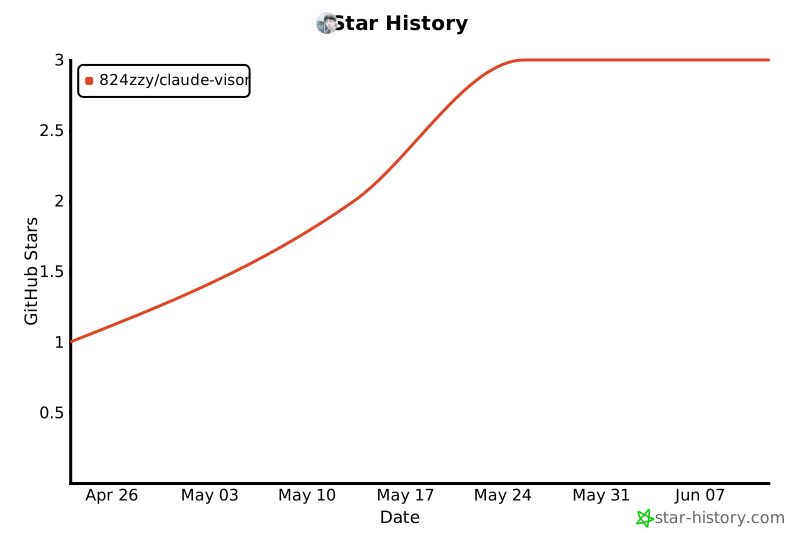
If Claude Visor saves you from alt-tabbing, a star goes a long way. It's how other Claude Code users find the project.
## Credits
Forked from [Claude Island](https://github.com/farouqaldori/claude-island) by [@farouqaldori](https://github.com/farouqaldori). Original project licensed under Apache 2.0.
## License
[Apache 2.0](LICENSE.md)