https://github.com/9boom/godot-android-exporter
For converting the Godot project to an Android APK installer file for those who use the mobile version of Godot Editor.
https://github.com/9boom/godot-android-exporter
android apk-builder exporter godot-engine godot-game godot-game-engine godot4 godotengine python python3 script
Last synced: 3 months ago
JSON representation
For converting the Godot project to an Android APK installer file for those who use the mobile version of Godot Editor.
- Host: GitHub
- URL: https://github.com/9boom/godot-android-exporter
- Owner: 9boom
- License: mit
- Created: 2025-02-23T06:33:20.000Z (over 1 year ago)
- Default Branch: main
- Last Pushed: 2025-02-23T10:22:32.000Z (over 1 year ago)
- Last Synced: 2025-02-23T10:24:56.818Z (over 1 year ago)
- Topics: android, apk-builder, exporter, godot-engine, godot-game, godot-game-engine, godot4, godotengine, python, python3, script
- Language: Python
- Homepage:
- Size: 1000 Bytes
- Stars: 0
- Watchers: 1
- Forks: 0
- Open Issues: 0
-
Metadata Files:
- Readme: README.md
- License: LICENSE
Awesome Lists containing this project
README
# Godot Android Exporter
For converting a Godot project into an Android APK installer file for those using the mobile version of the Godot Editor.
## ⚙️ System Requirements
- 📱 **Termux**: A Linux environment for Android ([Download from F-Droid](https://f-droid.org/repo/com.termux_118.apk))
- 📦 Install basic packages in Termux:
```
pkg update -y && pkg upgrade -y
```
- 📦 Install **git**:
```
pkg install git
```
## 🚀 Installation
1. Clone the repository:
```
git clone https://github.com/9boom/Godot-Android-Exporter
```
2. Navigate to the project directory:
```
cd Godot-Android-Exporter
```
1. Grant permission for the setup script:
```
chmod +x setup.sh
```
2. Run the setup script to install required dependencies:
```
./setup.sh
```
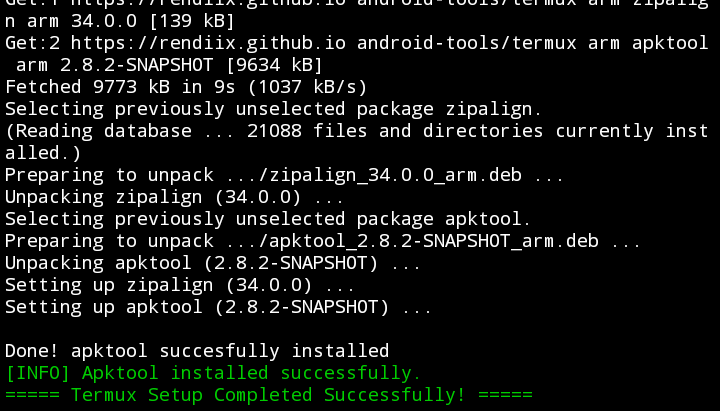
3. If installation is successful, you should see output similar to the following:
---
## 📝 Usage
### 📤 Exporting the Project from Godot
4. Open your project in **Godot Editor**.
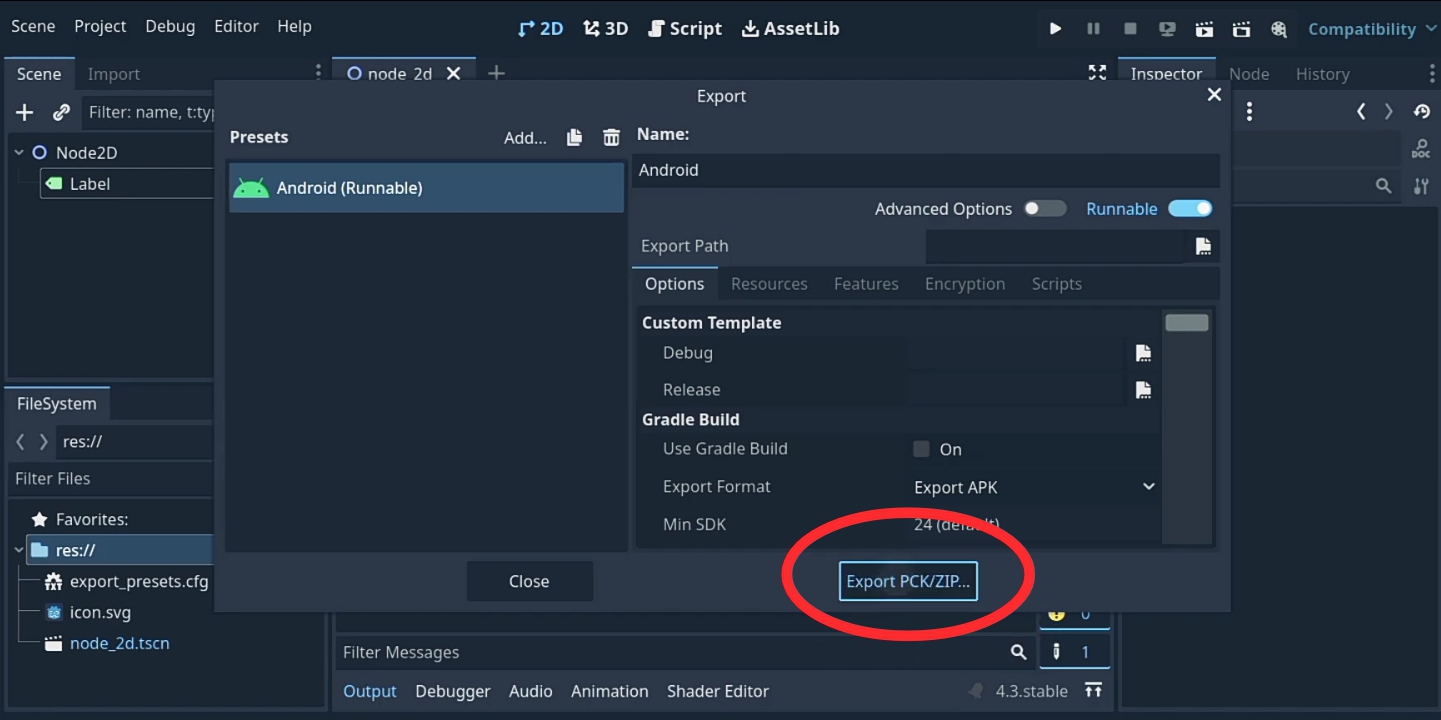
5. Navigate to **Project > Export...**.
6. Select **Android (APK)** and click **Export Project**.
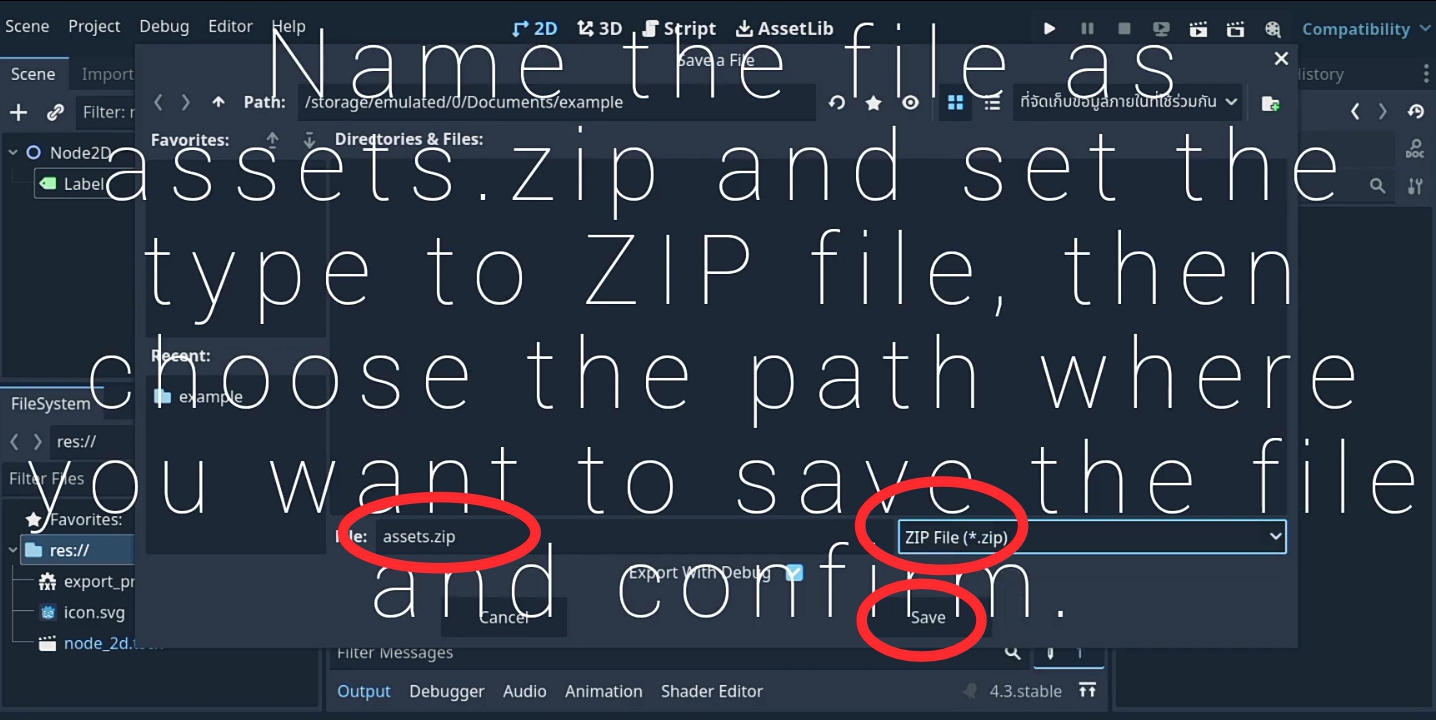
7. Set the file type to **Zip File**, then rename it to **assets.zip**.
8. Choose a save location and click **Save**.
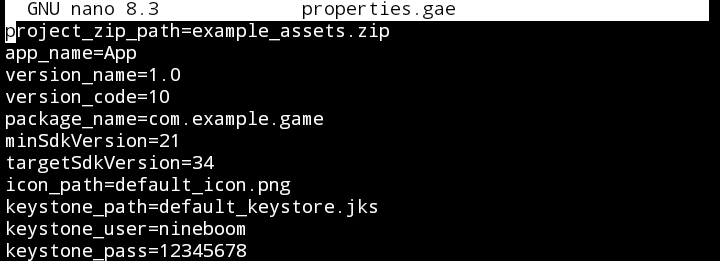
9. Edit **properties.gae** in **Godot-Android-Exporter** to configure your app settings.
- You must set the `project_zip_file` variable to the path of your `assets.zip` file.
- Other variables will use default values if not modified.
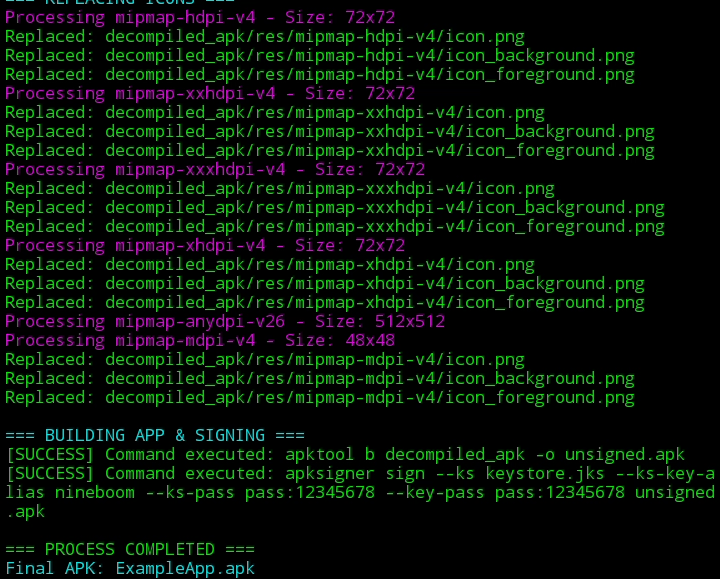
10. Run the following command to generate the APK:
```
python3 gae20.py
```
11. Wait for the process to complete. Once finished, you will find the output file in the same directory as **Godot-Android-Exporter**.
## ☕ Support the Developer
If you like this project, consider buying me a coffee! 😊
[](https://buymeacoffee.com/9boom)
## 📜 License
```
MIT License
Copyright (c) 2025 Pongsakorn Sriwichai
Permission is hereby granted, free of charge, to any person obtaining a copy
of this software and associated documentation files (the "Software"), to deal
in the Software without restriction, including without limitation the rights to use, copy, modify, merge, publish, distribute, sublicense, and/or sell
copies of the Software, and to permit persons to whom the Software is
furnished to do so, subject to the following conditions:
The above copyright notice and this permission notice shall be included in all
copies or substantial portions of the Software.
THE SOFTWARE IS PROVIDED "AS IS", WITHOUT WARRANTY OF ANY KIND, EXPRESS OR
IMPLIED, INCLUDING BUT NOT LIMITED TO THE WARRANTIES OF MERCHANTABILITY,
FITNESS FOR A PARTICULAR PURPOSE AND NONINFRINGEMENT. IN NO EVENT SHALL THE AUTHORS OR COPYRIGHT HOLDERS BE LIABLE FOR ANY CLAIM, DAMAGES OR OTHER
LIABILITY, WHETHER IN AN ACTION OF CONTRACT, TORT OR OTHERWISE, ARISING FROM,
OUT OF OR IN CONNECTION WITH THE SOFTWARE OR THE USE OR OTHER DEALINGS IN THE
SOFTWARE.
```