https://github.com/BinarySenseiii/personal-website
Open Source Personal website powered by Next.js, TypeScript, Tailwind CSS, shadcn/ui, MDX, Framer Motion, Postgres, and Prisma
https://github.com/BinarySenseiii/personal-website
blog mdx nextjs personal-website portfolio postgres prisma react seo shadcn-ui velite
Last synced: 10 months ago
JSON representation
Open Source Personal website powered by Next.js, TypeScript, Tailwind CSS, shadcn/ui, MDX, Framer Motion, Postgres, and Prisma
- Host: GitHub
- URL: https://github.com/BinarySenseiii/personal-website
- Owner: BinarySenseiii
- License: gpl-3.0
- Created: 2024-04-23T11:52:50.000Z (about 2 years ago)
- Default Branch: main
- Last Pushed: 2025-03-31T14:42:51.000Z (over 1 year ago)
- Last Synced: 2025-03-31T16:03:41.461Z (over 1 year ago)
- Topics: blog, mdx, nextjs, personal-website, portfolio, postgres, prisma, react, seo, shadcn-ui, velite
- Language: TypeScript
- Homepage: https://faisal-dev.vercel.app/
- Size: 5.36 MB
- Stars: 26
- Watchers: 1
- Forks: 5
- Open Issues: 0
-
Metadata Files:
- Readme: README.md
- License: LICENSE
- Code of conduct: CODE_OF_CONDUCT.md
- Security: SECURITY.md
Awesome Lists containing this project
- awesome-shadcnui - Github - dev.vercel.app/) | ★27 | (Boilerplates & Starters)
README
faisal-dev



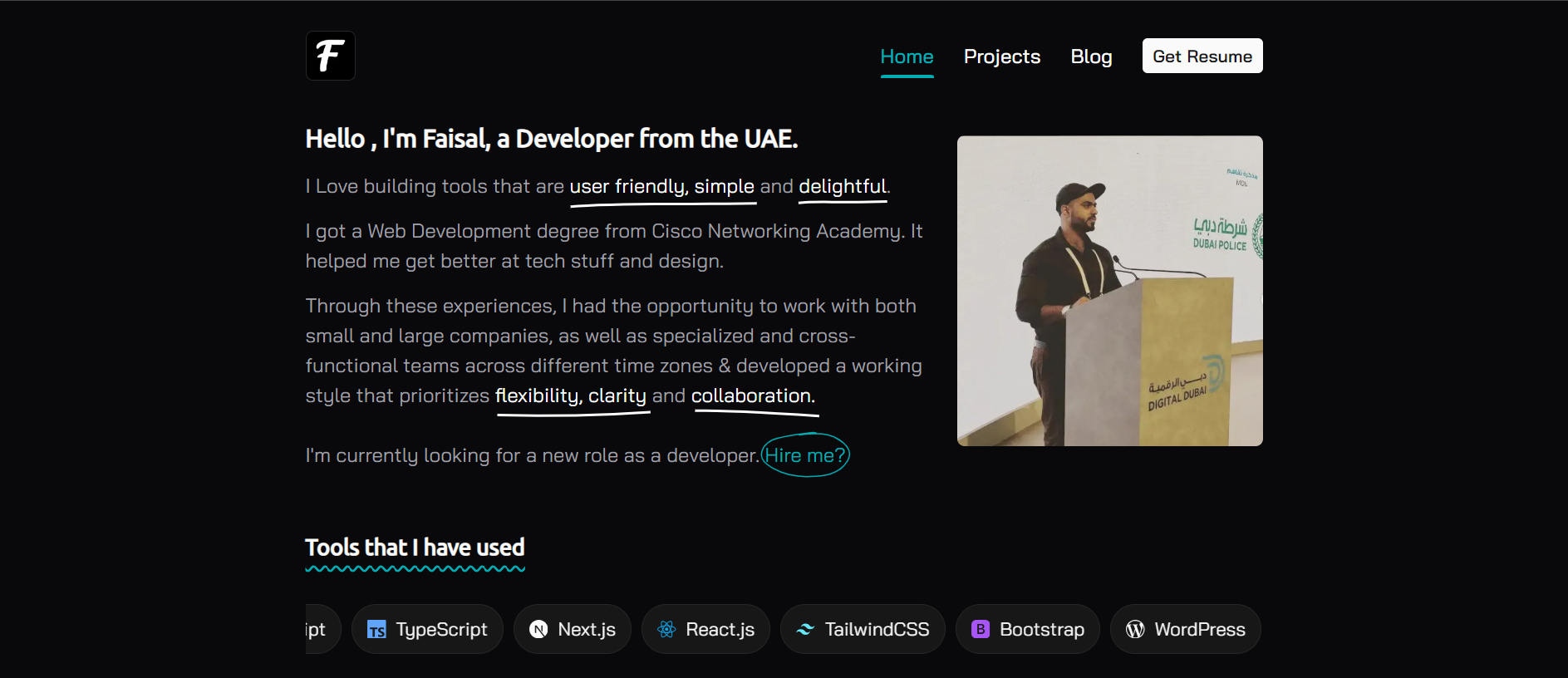
Welcome to my personal website! where I share my thoughts, projects, insights & blogs. Feel free to
explore and get inspired
## ✨ Features
- ⚡️ Next.js 14 with App Router (Turbo)
- 📝 MDX powered by velite
- 🎨 Tailwind CSS - for styling
- 🌈 Shadcn UI - accessible UI components
- 🛡 Strict TypeScript and ESLint configuration
- 📱 Responsive design
- 📈 SEO optimized with meta tags and JSON-LD
- 📰 RSS feed
- 🗺 Sitemap
- 📊 Vercel Analytics
- 📝 Blog with comments, likes, and post views
- 🔎 Blog post search
- 📖 Table of contents for blog posts
- 📝 Code syntax highlighting - using Shiki
- 🎨 Animation - using Framer Motion
- 🏠 LightHouse score of nearly 100
- 💄 Prettier - code formatting
- 〰️ Prisma & Vercel Postgres
- 👷🏻♂️ t3-env - validate environment variables before building
## 🔨 Requirements
- Node, recommended `20.x`
- npm, recommended `10.5.0`
- PostgreSQL, recommended `14.x` check
[https://vercel.com/storage/postgres](https://vercel.com/storage/postgres)
- Visual Studio Code [https://code.visualstudio.com/](https://code.visualstudio.com/)
- For the contact section, I'm using NoCode API [https://nocodeapi.com/](https://nocodeapi.com/).
Simply create an account here and under the marketplace, enable the Excel Sheet API. Once enabled,
you will receive a tabId and an API key.
- For the blog comments, I'm using the Giscus component. Set up your configuration
[https://giscus.app/](https://giscus.app/).
## 👋 Getting Started
Follow these steps to run the project locally on your machine:
```bash
git clone https://github.com/BinarySenseiii/personal-website.git
cd personal-website
npm install
```
Create a `.env.local` file based on the provided `.env.example` file and fill in the necessary
variables.
OR you can skip this by modifying `src/constants/env.ts`:
```ts
export const env = createEnv({
skipValidation: true,
server: {
// ...
},
})
```
It will skip the validation of environment variables. And you may notice that some functionalities
will not work properly. But it's okay for learning.
Then generate prisma client:
```bash
npx prisma generate
npx migrate dev --name any
```
To run the app in development mode:
```bash
npm run dev
```
The app will be available at `localhost:3000`.
## ✈️ TODO
- ESM import { build } from 'velite' may be got a
[webpack.cache.PackFileCacheStrategy/webpack.FileSystemInfo] warning generated during the next
build process, which has little impact, refer to https://github.com/webpack/webpack/pull/15688
## ✍🏻 Author
- [@BinarySenseiii](https://github.com/BinarySenseiii)
## 🪪 License
This project is open source and available under the [GPL3 License](LICENSE).
Design & Developed by ❤️