https://github.com/BleachDev/GarminQ
Highly customizable Daily Diary app for Garmin watches with a built in data visualizer.
https://github.com/BleachDev/GarminQ
daily-diary experience-sampling-method
Last synced: 11 months ago
JSON representation
Highly customizable Daily Diary app for Garmin watches with a built in data visualizer.
- Host: GitHub
- URL: https://github.com/BleachDev/GarminQ
- Owner: BleachDev
- License: mit
- Created: 2024-05-09T14:29:34.000Z (about 2 years ago)
- Default Branch: main
- Last Pushed: 2024-11-22T22:16:20.000Z (over 1 year ago)
- Last Synced: 2024-11-22T23:20:14.559Z (over 1 year ago)
- Topics: daily-diary, experience-sampling-method
- Language: Monkey C
- Homepage: https://apps.garmin.com/apps/b4a4c26b-3b55-41d5-a760-978704c1b263
- Size: 72.3 KB
- Stars: 2
- Watchers: 1
- Forks: 0
- Open Issues: 3
-
Metadata Files:
- Readme: README.md
- License: LICENSE
Awesome Lists containing this project
- awesome-garmin - GarminQ
README
Garmin
[](https://apps.garmin.com/apps/b4a4c26b-3b55-41d5-a760-978704c1b263)
GarminQ is a Daily Diary / [Experience sampling Method](https://en.wikipedia.org/wiki/Experience_sampling_method) app for Garmin watches, which lets you create simple questions (experiments) which periodically triggers throughout the day or over longer periods of time and logs your responses.
By recording your responses in real-time, GarminQ can provide invaluable insights into your behavioral patterns, mood fluctuation and daily habits/experiences.
Data can be easily exported from your watch to the cloud with just 1 click, and once uploaded you can visualize, download and manage all your exports via a web interface! Additional data such as Current Activity, Heart Rate, Body Battery and Stress is also attached to your responses which gives even more insight into your data.
GarminQ has been designed and tested to work on almost all Garmin devices, including Instinct watches.
Want to know more about how it works?
Then take a look at [TagTime](https://tagtime.com), [Tagtime Web](https://ttw.smitop.com/), [Cactus Sampling Profiler](https://getcactus.app/), [Beeminder](https://www.beeminder.com/)
Thank You
[Misha Yagudin](https://yagud.in) for commissioning the initial release of GarminQ!
## Images
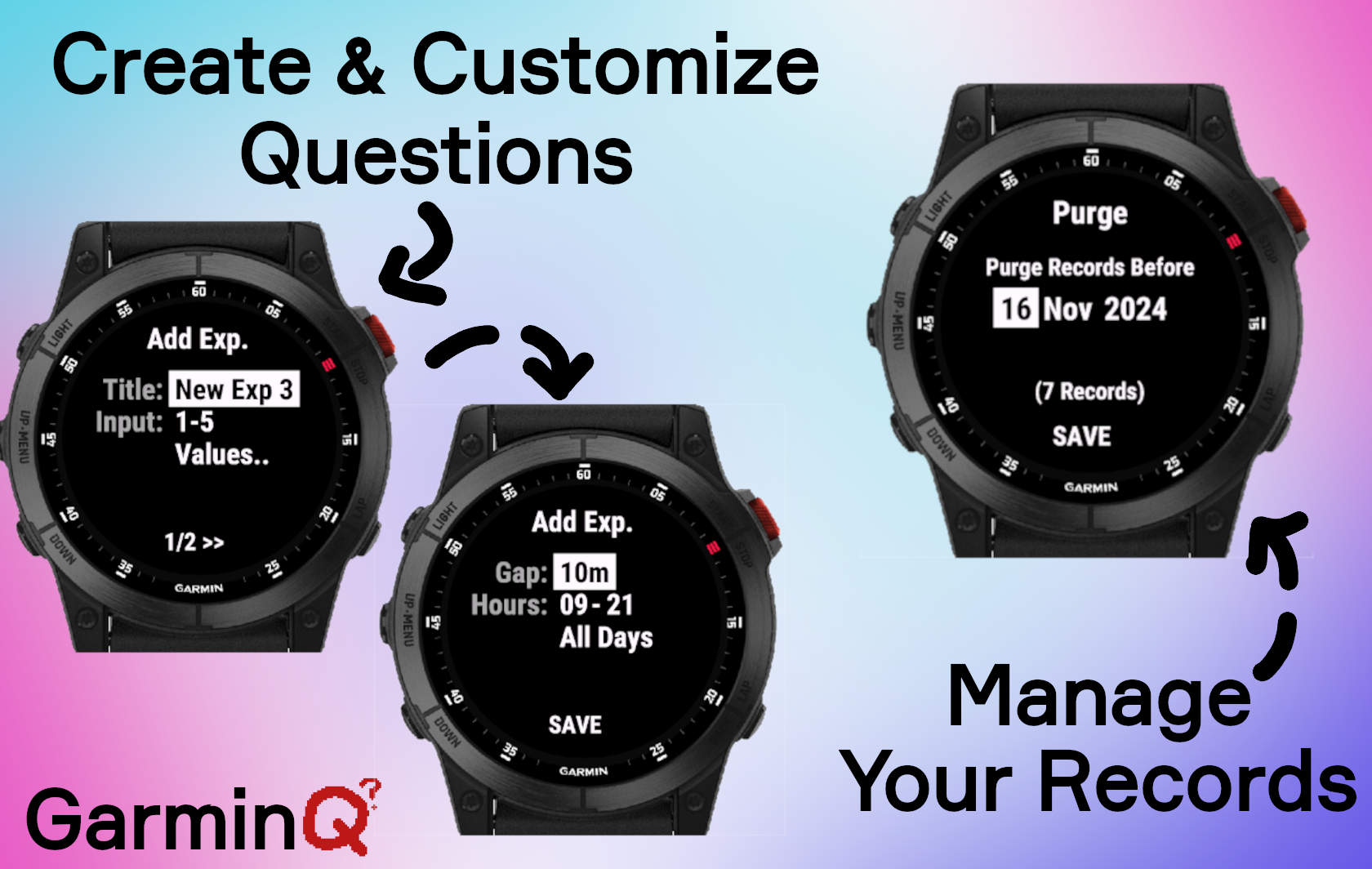
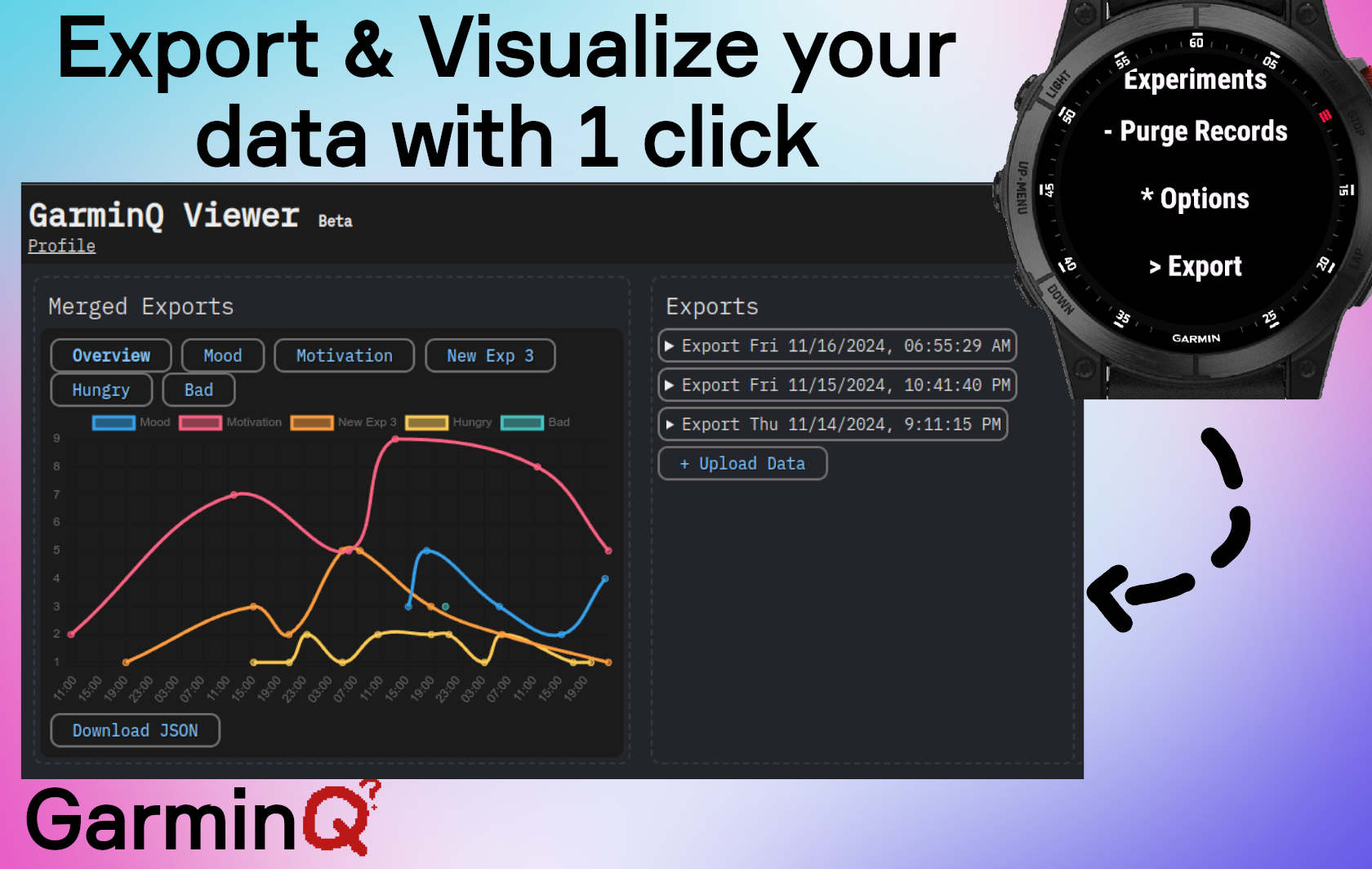
## Contributing
1. Follow [Garmins SDK and VSCode Setup](https://developer.garmin.com/connect-iq/connect-iq-basics/getting-started/).
2. Select **SDK 7** and install all the neccesary watches in Garmins SDK Manager.
3. Clone and Import the project into VSCode.
4. Make your changes.
5. Create a Pull Request.