https://github.com/Breakthrough/DVR-Scan
:vhs: Tool for extracting scenes with motion from videos (e.g. security camera or DVR footage). Written in Python, uses OpenCV.
https://github.com/Breakthrough/DVR-Scan
Last synced: over 1 year ago
JSON representation
:vhs: Tool for extracting scenes with motion from videos (e.g. security camera or DVR footage). Written in Python, uses OpenCV.
- Host: GitHub
- URL: https://github.com/Breakthrough/DVR-Scan
- Owner: Breakthrough
- License: other
- Created: 2016-12-31T05:02:43.000Z (over 9 years ago)
- Default Branch: main
- Last Pushed: 2024-10-06T01:38:43.000Z (almost 2 years ago)
- Last Synced: 2024-10-16T05:46:14.139Z (almost 2 years ago)
- Language: Python
- Homepage: http://www.dvr-scan.com/
- Size: 44.6 MB
- Stars: 375
- Watchers: 20
- Forks: 49
- Open Issues: 29
-
Metadata Files:
- Readme: README.md
- License: LICENSE
Awesome Lists containing this project
- awesome-nina - DVR Scan
README
:vhs: Find and extract motion events in videos.
------------------------------------------------
### Latest Release: v1.7.0.1 (March 11, 2025)
**Website**: [dvr-scan.com](https://www.dvr-scan.com)
**User Guide**: [dvr-scan.com/guide](https://www.dvr-scan.com/guide/)
**Documentation**: [dvr-scan.com/docs](https://www.dvr-scan.com/docs/)
**Discord**: [discord.gg/69kf6f2Exb](https://discord.gg/69kf6f2Exb)
------------------------------------------------------
DVR-Scan is a command-line application that **automatically detects motion events in video files** (e.g. security camera footage). DVR-Scan looks for areas in footage containing motion, and saves each event to a separate video clip. DVR-Scan is free and open-source software, and works on Windows, Linux, and Mac.
## Quick Install
pip install dvr-scan[opencv] --upgrade
Windows builds (installer + portable) are also available on [the Downloads page](https://www.dvr-scan.com/download/).
## Quickstart (UI)
Start DVR-Scan (run `dvr-scan-app` or click the app shortcut), **Add** your input videos, and hit **Start**:
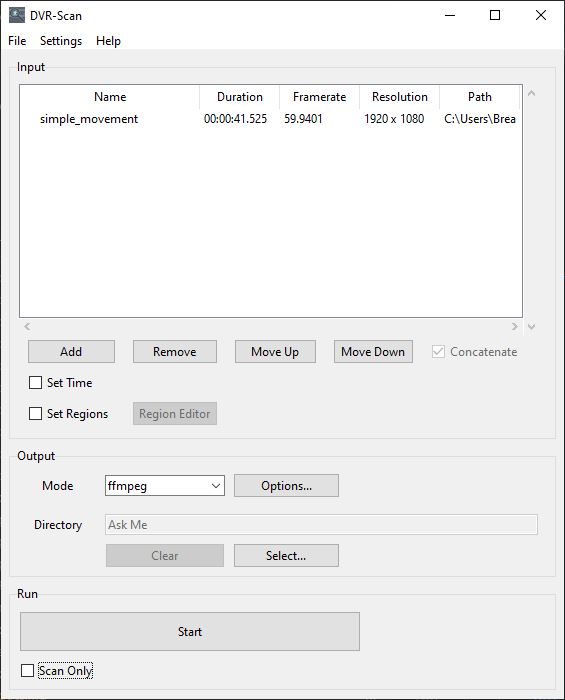
See the [User Guide](https://www.dvr-scan.com/guide/) for a more comprehensive overview.
## Quickstart (CLI)
Scan `video.mp4` (separate clips for each event):
dvr-scan -i video.mp4
Select a region to scan using [the region editor](https://www.dvr-scan.com/guide/):
dvr-scan -i video.mp4 -r
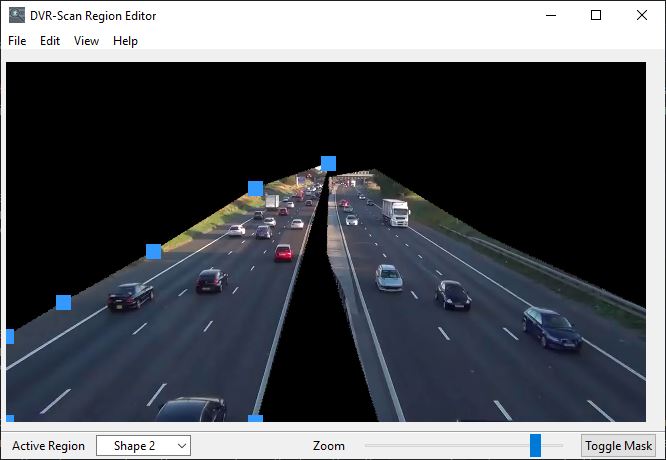
Select a region to scan using command line (list of points as X Y):
dvr-scan -i video.mp4 -a 50 50 100 50 100 100 100 50
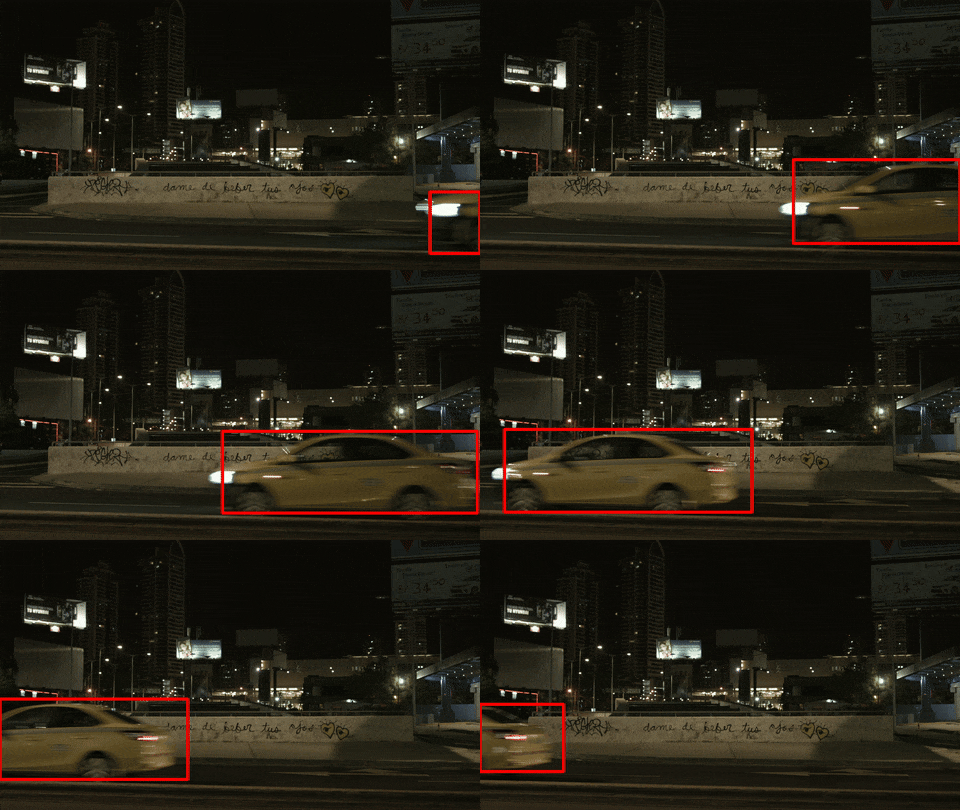
Draw boxes around motion:
dvr-scan -i video.mp4 -bb
Use `ffmpeg` to extract events:
dvr-scan -i video.mp4 -m ffmpeg
See [the documentation](https://www.dvr-scan.com/docs) for a complete list of all command-line and configuration file options which can be set. You can also type `dvr-scan --help` for an overview of command line options. Some program options can also be set [using a config file](https://www.dvr-scan.com/docs/#config-file).
------------------------------------------------
Copyright © 2016-2025 Brandon Castellano. All rights reserved.
Licensed under BSD 2-Clause (see the LICENSE file for details).