https://github.com/CodeWithDennis/filament-select-tree
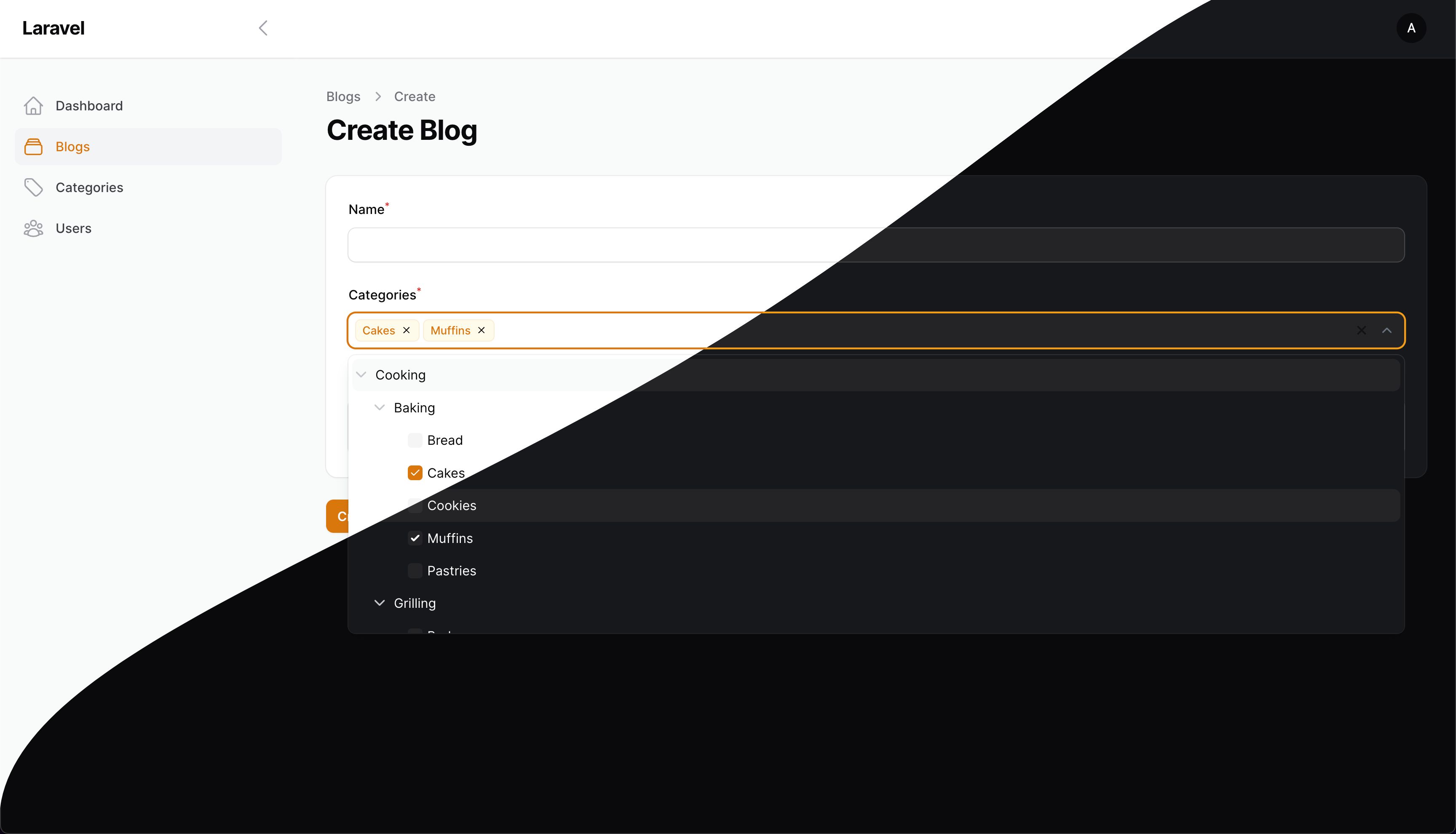
The multi-level select field lets you pick one or multiple options from a list that is neatly organized into different levels.
https://github.com/CodeWithDennis/filament-select-tree
field filament filament-plugin filamentphp laravel php select select-tree tree tree-structure
Last synced: 5 months ago
JSON representation
The multi-level select field lets you pick one or multiple options from a list that is neatly organized into different levels.
- Host: GitHub
- URL: https://github.com/CodeWithDennis/filament-select-tree
- Owner: CodeWithDennis
- License: mit
- Created: 2023-09-09T10:42:26.000Z (almost 3 years ago)
- Default Branch: 4.x
- Last Pushed: 2026-01-19T15:02:10.000Z (6 months ago)
- Last Synced: 2026-01-19T19:38:50.961Z (6 months ago)
- Topics: field, filament, filament-plugin, filamentphp, laravel, php, select, select-tree, tree, tree-structure
- Language: PHP
- Homepage:
- Size: 1.02 MB
- Stars: 311
- Watchers: 4
- Forks: 50
- Open Issues: 1
-
Metadata Files:
- Readme: README.md
- Changelog: CHANGELOG.md
- Contributing: .github/CONTRIBUTING.md
- Funding: .github/FUNDING.yml
- License: LICENSE.md
- Security: .github/SECURITY.md
Awesome Lists containing this project
README
# Filament Select Tree
[](https://packagist.org/packages/codewithdennis/filament-select-tree)
[](https://packagist.org/packages/codewithdennis/filament-select-tree)
If you're using Filament 3.x, check out the compatible version of this package [here](https://github.com/CodeWithDennis/filament-select-tree/tree/3.x).
This package adds a dynamic select tree field to your Laravel / Filament application, allowing you to create interactive hierarchical selection dropdowns based on relationships. It's handy for
building selection dropdowns with various customization options.
## Installation
You can install the package via composer:
```bash
composer require codewithdennis/filament-select-tree:4.x
```
```bash
php artisan filament:assets
```
## Relationships
Use the tree for a `BelongsToMany` relationship
```php
SelectTree::make('categories')
->relationship('categories', 'name', 'parent_id')
```
Use the tree for a `BelongsTo` relationship
```php
SelectTree::make('category_id')
->relationship('category', 'name', 'parent_id')
```
## Usage without relationships
Use the tree without relationship
```php
SelectTree::make('category_id')
->query(fn() => Category::query(), 'name', 'parent_id')
```
## Custom Query
Customize the parent query
```php
SelectTree::make('categories')
->relationship(relationship: 'categories', titleAttribute: 'name', parentAttribute: 'parent_id', modifyQueryUsing: fn($query) => $query));
```
Customize the child query
```php
SelectTree::make('categories')
->relationship(relationship: 'categories', titleAttribute: 'name', parentAttribute: 'parent_id', modifyChildQueryUsing: fn($query) => $query));
```
## Methods
Set a custom placeholder when no items are selected
```php
->placeholder(__('Please select a category'))
```
Enable the selection of groups
```php
->enableBranchNode()
```
Customize the label when there are zero search results
```php
->emptyLabel(__('Oops, no results have been found!'))
```
Display the count of children alongside the group's name
```php
->withCount()
```
Keep the dropdown open at all times
```php
->alwaysOpen()
```
Add the list as a static DOM element so that it doesn't overlap content
```php
->staticList()
```
Set nodes as dependent
```php
->independent(false)
```
Expand the tree with selected values (only works if field is dependent)
```php
->expandSelected(false)
```
Set the parent's null value to -1, allowing you to use -1 as a sentinel value (default = null)
```php
->parentNullValue(-1)
```
All groups will be opened to this level
```php
->defaultOpenLevel(2)
```
Specify the list's force direction. Options include: auto (default), top, and bottom.
```php
->direction('top')
```
Display individual leaf nodes instead of the main group when all leaf nodes are selected
```php
->grouped(false)
```
Return parent node value if all of its children are selected, instead of individual leaf nodes.
```php
->isGroupedValue()
```
Hide tags and display a count of selected items instead
```php
->showTags(false)
```
Customize the text shown if `showTags` is set to `false`, e.g. "{count} {tagsCountText}"
```php
->tagsCountText('elements selected')
```
Hide the clearable icon
```php
->clearable(false)
```
Activate the search functionality
```php
->searchable();
```
Disable specific options in the tree
```php
->disabledOptions([2, 3, 4])
```
Hide specific options in the tree
```php
->hiddenOptions([2, 3, 4])
```
Allow soft deleted items to be displayed
```php
->withTrashed()
```
Specify a different key for your model.
For example: you have id, code and parent_code. Your model uses id as key, but the parent-child relation is established between code and parent_code
```php
->withKey('code')
```
Store fetched models for additional functionality
```php
->storeResults()
```
Now you can access the results in `disabledOptions` or `hiddenOptions`
```php
->disabledOptions(function ($state, SelectTree $component) {
$results = $component->getResults();
})
```
By default, the type of selection in the tree (single or multiple) is determined by the relationship type: `BelongsTo` for single selection and `BelongsToMany` for multiple selection. If you want to
explicitly set the selection type, use:
```php
->multiple(false)
```
you can change the tree key with the following method.
```php
->treeKey('my-cool-tree')
```
If you need to prepend an item to the tree menu, use the `prepend` method. This method accepts an array or a closure. It is useful when the tree-select is used as a filter (see example below).
```php
use Filament\Tables\Filters\Filter;
use Illuminate\Database\Eloquent\Builder;
use CodeWithDennis\FilamentSelectTree\SelectTree;
```
```php
->filters([
Filter::make('tree')
->form([
SelectTree::make('category')
->relationship('categories', 'name', 'parent_id')
->enableBranchNode()
->multiple(false)
->prepend([
'name' => 'Uncategorized Records',
'value' => -1,
'parent' => null, // optional
'disabled' => false, // optional
'hidden' => false, // optional
'children' => [], // optional
])
])
->query(function (Builder $query, array $data) {
return $query->when($data['categories'], function (Builder $query, $categories) {
if (collect($categories)->contains('-1')) {
$query->whereDoesntHave('categories');
}
return $query->orWhereHas('categories',
fn(Builder $query) => $query->whereIn('id', $categories));
});
})
])
```
If you need to append an item to the tree menu, use the `append` method. This method also accepts an array or a closure.
```php
->schema([
SelectTree::make('category')
->relationship('categories', 'name', 'parent_id')
->enableBranchNode()
->multiple(false)
->append([
'name' => 'Uncategorized Records',
'value' => -1,
'parent' => null, // optional
'disabled' => false, // optional
'hidden' => false, // optional
'children' => [], // optional
])
])
```
If you need full control over the tree structure, you can use `getTreeUsing` to provide a custom tree array, or a closure that resolves to an array.
Using an array:
```php
SelectTree::make('categories')
->getTreeUsing([
[
'name' => 'Parent Category',
'value' => '1',
'children' => [
[
'name' => 'Child Category',
'value' => '2',
'children' => [],
],
],
],
[
'name' => 'Another Category',
'value' => '3',
'children' => [],
],
])
```
Using a closure for dynamic data:
```php
SelectTree::make('categories')
->getTreeUsing(function () {
return Category::query()
->get()
->map(fn ($category) => [
'name' => $category->name,
'value' => $category->id,
'children' => $category->children->map(fn ($child) => [
'name' => $child->name,
'value' => $child->id,
'children' => [],
])->toArray(),
])
->toArray();
})
```
The tree structure should follow this format:
```php
[
[
'name' => 'Display Name',
'value' => 'option_value',
'disabled' => false, // optional
'hidden' => false, // optional
'children' => [], // optional
],
]
```
## Filters
Use the tree in your table filters. Here's an example to show you how.
```bash
use Filament\Tables\Filters\Filter;
use Illuminate\Database\Eloquent\Builder;
use CodeWithDennis\FilamentSelectTree\SelectTree;
```
```php
->filters([
Filter::make('tree')
->form([
SelectTree::make('categories')
->relationship('categories', 'name', 'parent_id')
->independent(false)
->enableBranchNode(),
])
->query(function (Builder $query, array $data) {
return $query->when($data['categories'], function ($query, $categories) {
return $query->whereHas('categories', fn($query) => $query->whereIn('id', $categories));
});
})
->indicateUsing(function (array $data): ?string {
if (! $data['categories']) {
return null;
}
return __('Categories') . ': ' . implode(', ', Category::whereIn('id', $data['categories'])->get()->pluck('name')->toArray());
})
])
```
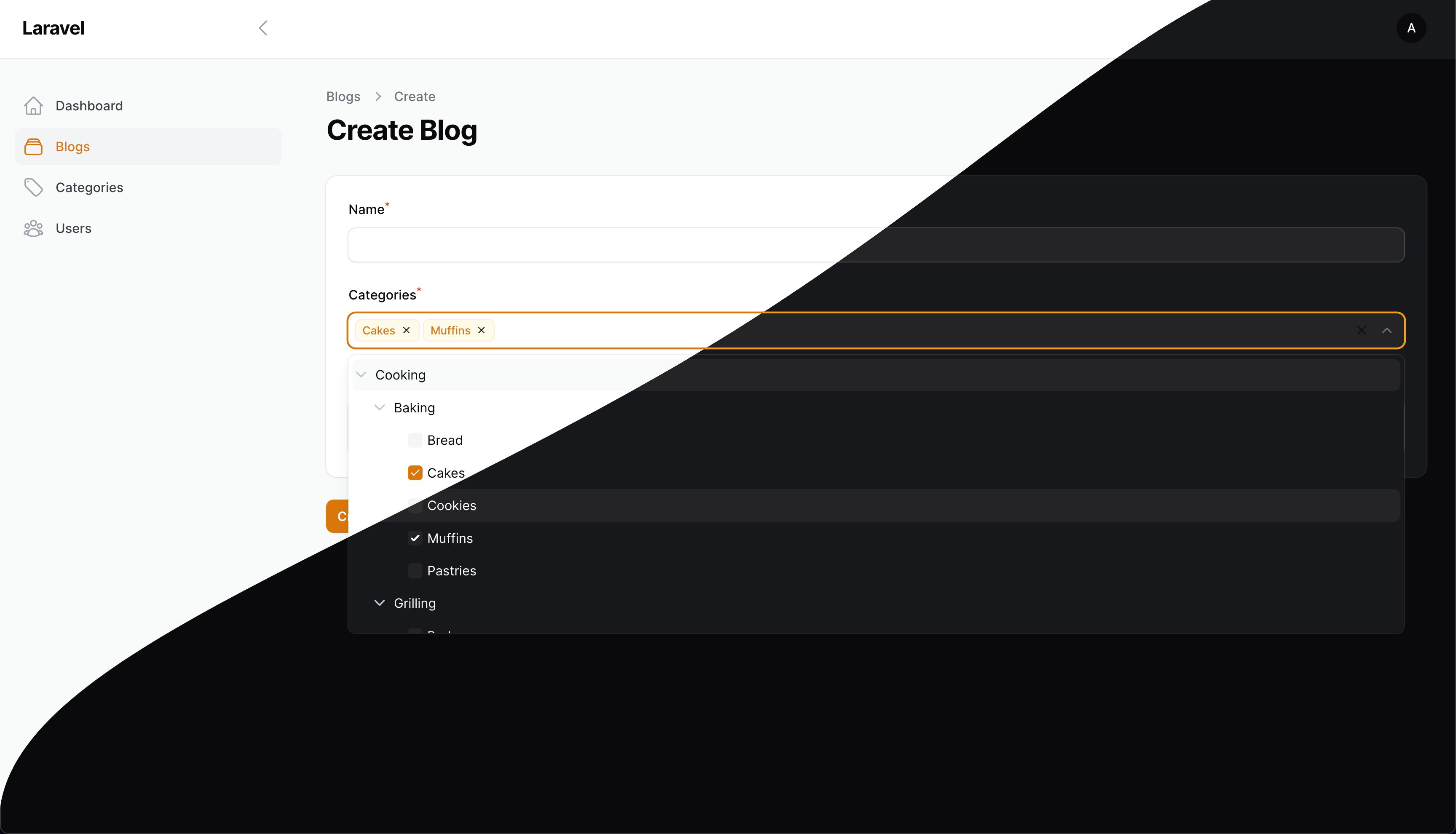
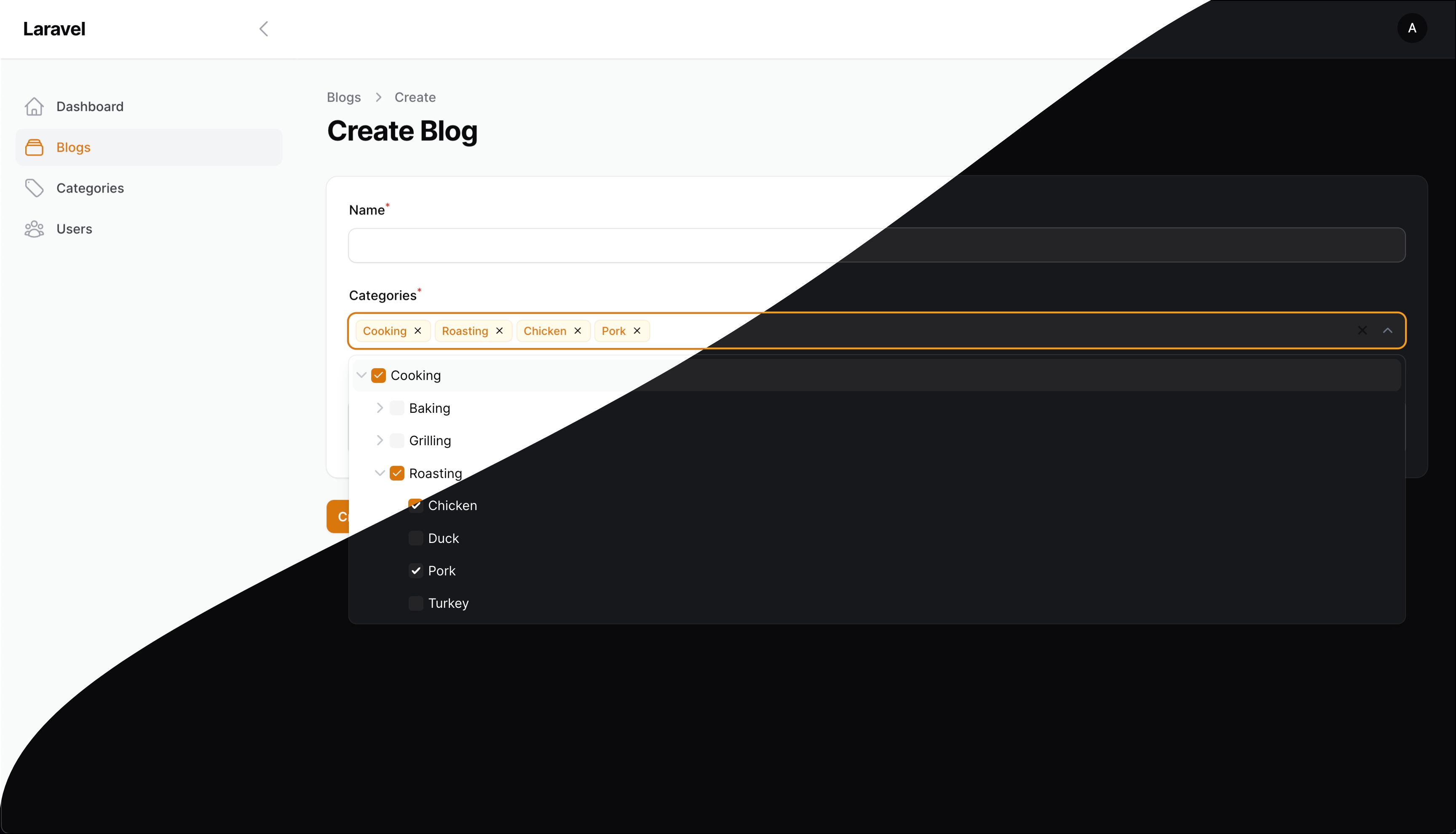
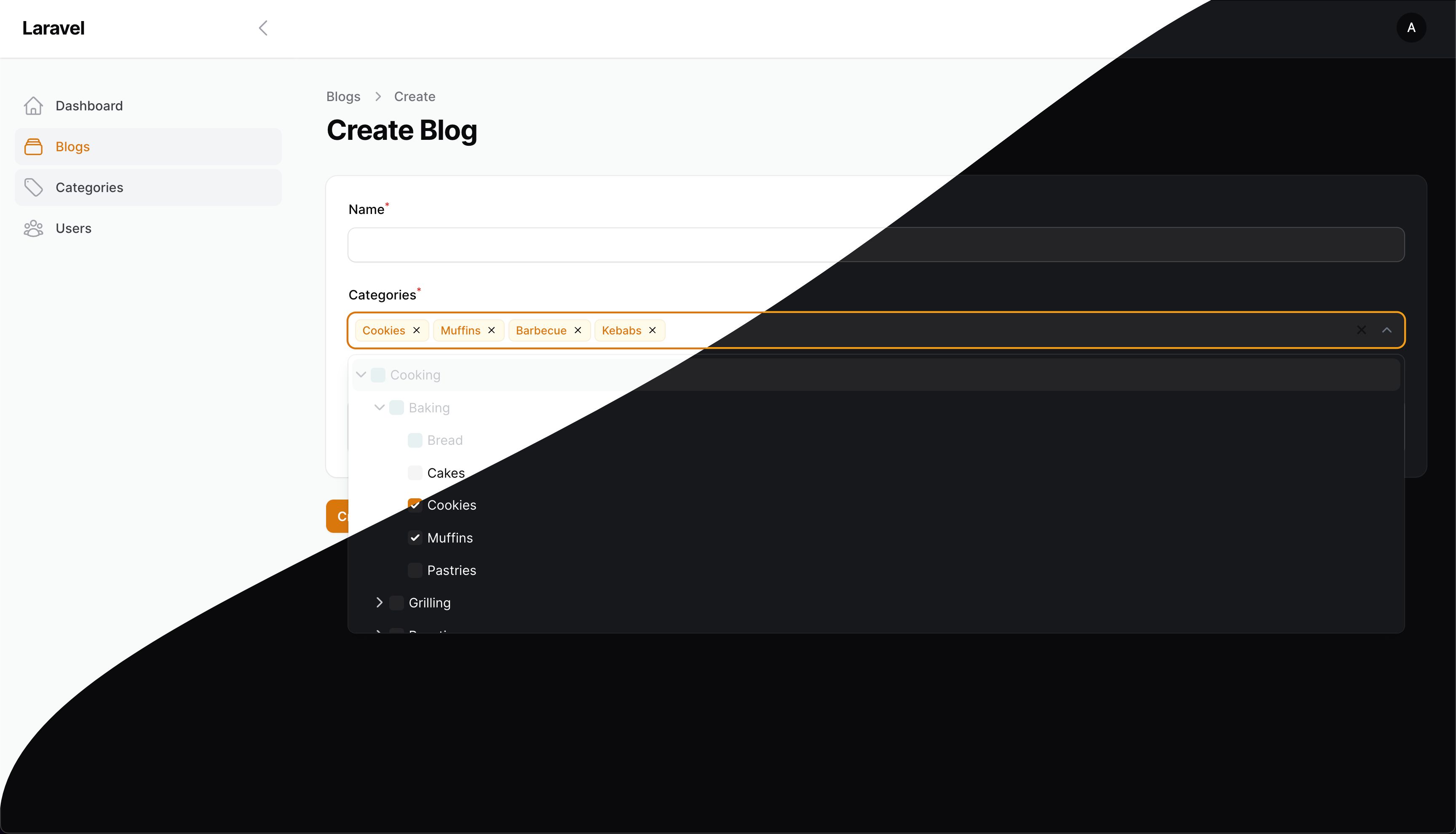
## Screenshots
## Contributing
Please see [CONTRIBUTING](.github/CONTRIBUTING.md) for details.
## Security Vulnerabilities
Please review [our security policy](../../security/policy) on how to report security vulnerabilities.
## Credits
- [CodeWithDennis](https://github.com/CodeWithDennis)
- [Dipson88](https://github.com/dipson88/treeselectjs)
- [All Contributors](../../contributors)
## License
The MIT License (MIT). Please see [License File](LICENSE.md) for more information.