https://github.com/Codectory/AutoActions
Application-based actions to change Windows settings ( display, audio) or run any program or action
https://github.com/Codectory/AutoActions
auto auto-hdr autohdr automate change color-depth display game hdr refresh-rate resolution toggle toggle-hdr togglehdr
Last synced: 4 months ago
JSON representation
Application-based actions to change Windows settings ( display, audio) or run any program or action
- Host: GitHub
- URL: https://github.com/Codectory/AutoActions
- Owner: Codectory
- License: gpl-3.0
- Created: 2020-12-20T15:44:13.000Z (over 5 years ago)
- Default Branch: main
- Last Pushed: 2025-03-05T22:49:56.000Z (over 1 year ago)
- Last Synced: 2025-03-05T23:19:57.333Z (over 1 year ago)
- Topics: auto, auto-hdr, autohdr, automate, change, color-depth, display, game, hdr, refresh-rate, resolution, toggle, toggle-hdr, togglehdr
- Language: C#
- Homepage:
- Size: 11.7 MB
- Stars: 529
- Watchers: 6
- Forks: 19
- Open Issues: 47
-
Metadata Files:
- Readme: README.md
- License: LICENSE
Awesome Lists containing this project
README
# AutoActions
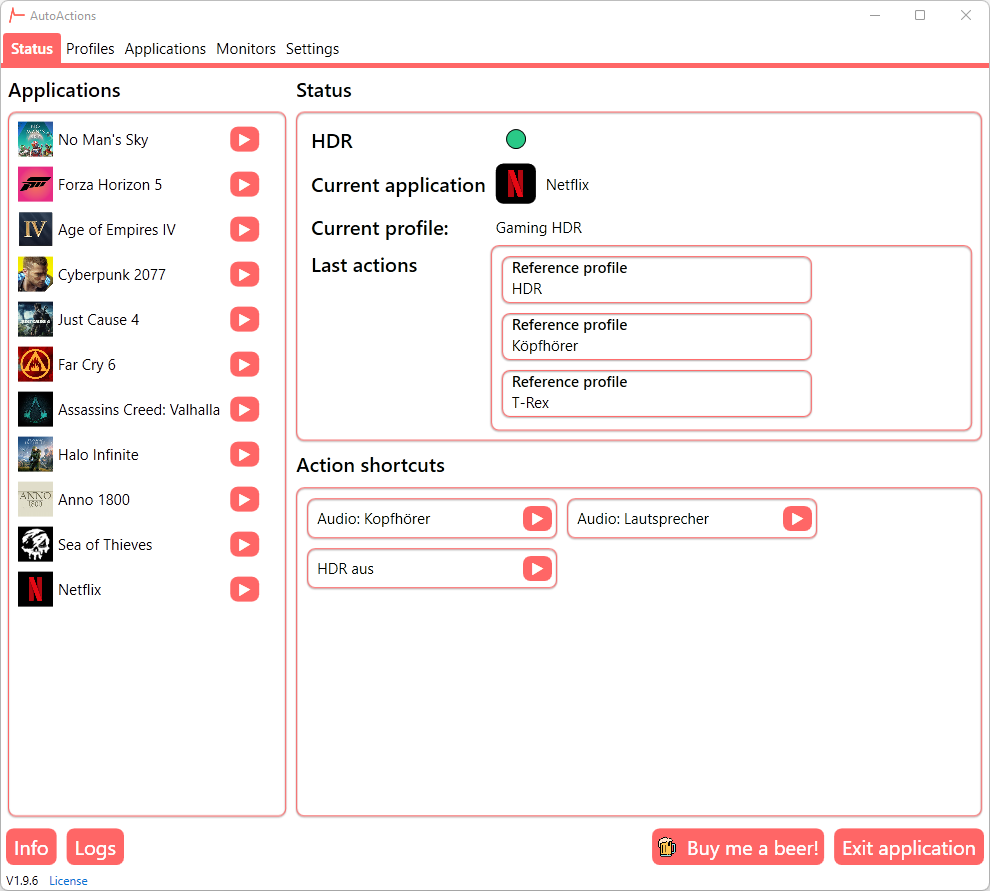
With AutoActions, you can created profiles which included several actions. You can change display settings, set default audio devices or launch any other script or program.
Once you have added an application and assigned a profile to it, AutoActions will monitor this application and will run the actions based on the assigned profile.
## Features
##### Auto-Start
AutoActions will start, after the current user has logged on.
##### Profiles
You can create profiles, which contain actions to be run on application events. The possible events are "Started", "Closed", "Got focus", "Lost focus".
##### Profile actions
###### Display action
Toggle HDR, change resolution, refresh rate and color depth
###### Audio action
Audio actions change default playback or record audio devices.
###### Run or close program action
Run any program or script as you want or kill running proccesses.
###### Reference action
Reference action are referencing to an existing profile.
##### Application assignment
You can assign one profile to different applications.
##### Action shortcuts
Create action shortcuts and access them in the status view or from the tray menu.
##### Compatibility mode (Restart)
In some games, e.g. Cyberpunk 2077, you don't see any HDR options in settings, when HDR was not enabled in Windows before the game was launched. Therefore, the application kills the process on the first occurence, activates hdr and restarts the process.
##### Display settings per monitor
Select which monitors you want to control with AutoActions
## Screenshots: