https://github.com/DamienCassou/shell-switcher
An emacs minor mode to easily switch between shell buffers (like with alt+tab)
https://github.com/DamienCassou/shell-switcher
elisp emacs eshell
Last synced: 12 months ago
JSON representation
An emacs minor mode to easily switch between shell buffers (like with alt+tab)
- Host: GitHub
- URL: https://github.com/DamienCassou/shell-switcher
- Owner: DamienCassou
- License: gpl-3.0
- Created: 2012-06-29T07:12:24.000Z (almost 14 years ago)
- Default Branch: master
- Last Pushed: 2024-12-29T16:57:39.000Z (over 1 year ago)
- Last Synced: 2025-04-13T19:57:52.935Z (about 1 year ago)
- Topics: elisp, emacs, eshell
- Language: Emacs Lisp
- Homepage:
- Size: 82 KB
- Stars: 43
- Watchers: 4
- Forks: 7
- Open Issues: 0
-
Metadata Files:
- Readme: README.md
- Contributing: CONTRIBUTING.md
- License: COPYING
- Authors: AUTHORS
Awesome Lists containing this project
README
Emacs shell-switcher
==========
[](https://travis-ci.org/DamienCassou/shell-switcher)
shell-switcher provides fast switching between shell buffers.
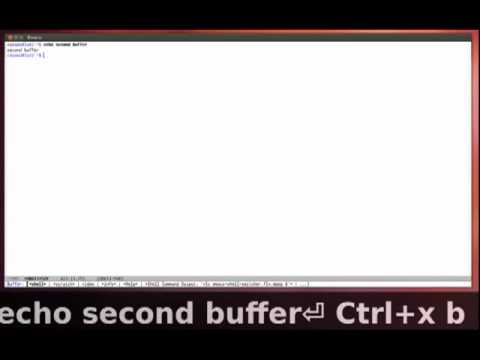
A shell-switcher screencast
# Installation
## With Emacs' packaging system
Make sure you have [marmalade repository](http://marmalade-repo.org/)
ready to use and type `M-x package-install shell-switcher`.
## Manually
Download shell-switcher from
[github](https://github.com/DamienCassou/shell-switcher
"shell-switcher project page") and add it to your `load-path`. Then,
add the following to your init file:
(require 'shell-switcher)
# Configuration
To activate shell-switcher, you have to set the variable
`shell-switcher-mode` to t, either through `customize-variable` or
with:
(setq shell-switcher-mode t)
You have to customize `shell-switcher-new-shell-function` if eshell is
not your shell of choice. For example, if you wanted to use Powershell:
(defun make-powershell ()
"Create a new `powershell'."
(powershell (generate-new-buffer-name "*PowerShell*")))
(setq-default shell-switcher-new-shell-function 'make-powershell)
# Usage
The standard key bindings are:
- `C-'` opens the first 2 buffers (one after the other) and switch between them
- Repeating `'` continues switching after an initial `C-'`
- `C-M-'` forces the creation of a new shell
- `C-x 4 '` is similar to `C-'` but within another window.
You can change them by adapting and adding the following to your
configuration file:
(define-key shell-switcher-mode-map (kbd "C-'")
'shell-switcher-switch-buffer)
(define-key shell-switcher-mode-map (kbd "C-x 4 '")
'shell-switcher-switch-buffer-other-window)
(define-key shell-switcher-mode-map (kbd "C-M-'")
'shell-switcher-new-shell)
If you tend to create shells without using shell-switcher but still
would like to easily switch between them, write the following (to be
adapted if eshell is not your preferred shell):
(add-hook 'eshell-mode-hook 'shell-switcher-manually-register-shell)