https://github.com/DylanCope/Evolving-Protozoa
An interactive environment where protozoa-like entities live, die, and have offspring whose behaviours and morphologies can change.
https://github.com/DylanCope/Evolving-Protozoa
evolutionary-algorithms simulation
Last synced: 6 months ago
JSON representation
An interactive environment where protozoa-like entities live, die, and have offspring whose behaviours and morphologies can change.
- Host: GitHub
- URL: https://github.com/DylanCope/Evolving-Protozoa
- Owner: DylanCope
- License: mit
- Created: 2016-04-23T23:23:56.000Z (about 10 years ago)
- Default Branch: master
- Last Pushed: 2023-06-14T22:52:20.000Z (about 3 years ago)
- Last Synced: 2024-12-06T21:38:24.881Z (over 1 year ago)
- Topics: evolutionary-algorithms, simulation
- Language: Java
- Homepage:
- Size: 23.1 MB
- Stars: 238
- Watchers: 18
- Forks: 25
- Open Issues: 12
-
Metadata Files:
- Readme: README.md
Awesome Lists containing this project
- awesome-java - Evolving Protozoa
README
# Evolving-Protozoa
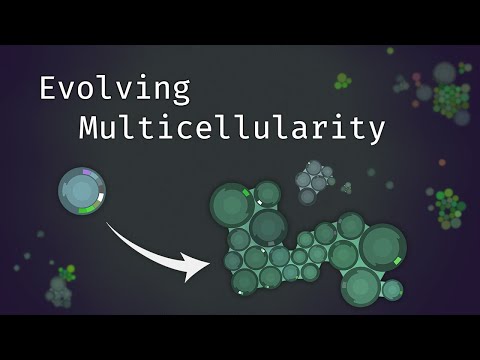
Check the simulation out on YouTube:
[](https://www.youtube.com/watch?v=fEDqdvKO5Y0)
Come discuss the project on [discord](https://discord.com/invite/GY5UJxbBnq)!
## Overview
The aim of this project is to create an environment where protozoa-like entities can evolve their behaviours
and morphologies in order to survive and reproduce.
The simulation takes place in a 2D environment with Newtonian physics implemented with Verlet integration.
The following screenshot shows a zoomed-out view of the entire environment.
In the screenshot below, can see procedurally generated rocks shown as brown-grey triangles that form rigid
boundaries for cells moving around the tank fluids. The bright green cells are plants that serve as a sources
of energy and mass for protozoa.
These plants emit chemical pheromones that spread through the environment,
and gradients of which can be detected by the protozoa.
These pheromones are visualised in the screenshot and can be seen as the glowing green trails dispersed
around and behind plant cells.
## Running the Simulation
**Prerequisites:** Make sure you have [Java version 9 or greater](https://www.techspot.com/downloads/6463-java-se.html) installed.
If you don't know how to install it, then hopefully [this tutorial](https://java.tutorials24x7.com/blog/how-to-install-java-16-on-windows) will help you out!
Start by downloading the latest version from the [Releases page on GitHub](https://github.com/DylanCope/Evolving-Protozoa/releases).
The program will be downloaded as a ZIP file, so unzip it and locate the `Evolving-Protozoa.jar` file. You should
also see a `run.bat`, a `saves` folder, and a `config` folder. If you are on Windows, you can launch the simulation by
double-clicking the `run.bat`, otherwise, you can manually run the jar file from the terminal using the command in the `run.bat`.
You should be met with a launch screen where you can reload a previous save or start a new one.
**Accessing Simulation Data:** The simulation records a lot of data as it runs, and makes back-ups of the tank at various stages.
In the save's folder you can find CSV files containing the genomes of each protozoan, and overall statistics from the simulation polled
at different moments in time.
**Configuring the Simulation:** There are various parameters that can be changed by editing the `config/default_settings.yaml` file before creating a new simulation. For an existing save, you can change the parameters by editing the `settings.yaml` file in the folder corresponding to the save. These changes will not take effect until you close and reload the simulation.
**Linux:** The project is developed and tested on Windows, but a user has created a [build of the software on the Arch Linux Repository](https://aur.archlinux.org/packages/evolving-protozoa). _Note:_ This is not maintained by the original developer. It may be out-of-date or untested.
#### Controls
Once you have the simulation running, there are a few controls that you might want to
utilise.
- F1: Toogle Pause
- F10: Toggle rendering chemical grid - useful for increasing performance
- F11: Toggle anti-aliasing - useful for increasing performance
- F12: Toggle showing the UI
**Using the REPL.**
Another useful feature is the ability to interact with the simulation through the
commandline REPL. You can access it through the terminal that launched the program,
in IntelliJ this will be in the run tab. The REPL is a simple commandline interface,
you can start by typing help to see the available commands.

The most useful command is the `toggleui` command, which completely closes the program
window and runs the simulation headless at maximum speed. The `settime` and `gettime` commands
will allow you to control the simulation time, i.e. the amount of time that the simulation is
stepped with each update. For instance, `settime 2` will run the simulation twice as fast.
However, this can change the behaviour of the simulation and lead to glitchy physics or cells that
die fast, so be careful. Ancedotally, people have managed to increase it to x10 or x20, and still
get interesting results.
## Tips for Increasing Performance
The simulation requires a relatively powerful machine to run with acceptable framerates, but there are still
several options available to increasing the performance.
- Toggling anti-aliasing makes a big difference for rendering.
- Toggling rendering the background "pheromones"/"chemicals" dramatically increases FPS.
- Adjust the settings in the `config/default_settings.yaml` file. The following settings are key for performance:
```
physics_substeps: 3
spatial_hash_resolution: 100
chemical_field_resolution: 400
chemical_update_interval: 10
max_interact_range: 0.15
max_protozoa: 1500
max_plants: 7000
max_meat: 1000
```
- The first thing to change is to set the `physics_substeps` to 1. This will reduce physics precision,
but running the simulation at x1 speed shouldn't result in many problems (you might even be able to get away with x5).
It will be up to you to experiment with what level of physics bugginess is acceptable.
- Playing with different settings for the `spatial_hash` resolution. Increasing this will generally make collision detection
faster.
- Decrease `chemical_field_resolution` or turn off the chemical field all together by setting `enable_chemical_field: false`.
- Reducing the maximum number of different cell types can make it easier, however, to get good results you will likely want to fiddle
with other simulation parameters to ensure that good balances are maintained throughout the simulation. If the protozoans are constantly
hitting up against the capacity limit it will limit the *selective pressure* of natural selection. In other words, it will be more up-to
luck whether a protozoan splitting event results in children that survive. This is because the simulation will immediately kill any
children if adding them to the simulation would exceed the total number of allowed cells of that type. Thus, if you reduce the maximum number
of protozoans I would also recommend decreasing the `tank_radius` (along with other world generation parameters to get nice terrain), and/or
the various growth-rate and death-rate parameters.
- Decreasing the `max_interact_range` will reduce the load on the collision detection, but it comes at the price of protozoans that cannot see as far.
- If you are experiencing lag later in the simulation, it might be because of a large number of "retina" calculations, so setting
`max_retina_size` to a lower number may help.
- On some lower end machines, the simulation can get laggier the longer it is run for. This is often fixed by closing the simulation
and reloading the save.
- Running the simulation on "headless mode" by typing `toggleui` in the REPL allows you to leave the simulation running and then
you can come back it later to look around at what has emerged. If you pause the simulation (pressing F1) it will increase FPS and
allow you to look around more easily.
## Features
The primary objective of this project is to investigate the emergence of multicellular structures,
i.e. the development of coordinated groups of attached cells that incur a survival benefit by being attached.
So far, by implementing cell-adhesion and allowing protozoa to share resources I have seen the
emergence of some quite cool multi-cell behaviour. However, the next step is to achieve cell differentiation
via the evolution of gene-regulatory networks.

In the next screenshot we see a close-up of tracking a protozoa in the environment.
The tracked cell is fixed at the centre of the screen as it moves around, and the neural network that controls
its actions is illustrated on the right-hand side of the screen.
This network evolved using a variation of the NEAT algorithm.
The protozoa have a variety of other evolvable traits, including (but not limited to) their size, growth rate, colour,
speed, herbivore factor, and the growth of offensive spikes for harming and killing other protozoa.

Zooming in more on a protozoan, we can see one of their key evolvable traits: vision by light-sensitive "retinas".
These retinas can have variable fields-of-view and acuity, mediated by a ray-casting procedure that feeds into their
control circuits. However, developing such capabilities' comes with a cost. Retinas require a complex molecule call
_retinal_ that is sensitive to light, which itself requires mass and energy to produce from raw material extracted
from feeding on plants. The introduction a prerequisite material for developing such a useful trait that has a cost
to produce opens up the interesting possibility for predation as an alternative strategy for meeting the requirement.

This final screenshot shots an example of the kinds of multi-cell structures that can evolve in this simulator.
This is facilitated as the cells have the ability to evolve _Cell-adhesion molecules (CAMs)_
that allow them to bind to other cells and transmit mass, energy, signals, and complex molecules.

## Next Steps
* Evolvable gene regulation to promote cell differentiation.
* Temporal control of gene expression ([regulation of transcription](https://en.wikipedia.org/wiki/Transcriptional_regulation)).
* Environmental and internal temperature to add ecological variety and new cell interaction dynamics.
* Signal relaying channels for cells bound together.
* Improved visualisations of protozoa genes.
* Lineage tracking UI tools.
## Developer Set-up
The simulation is written in Java and uses the built-in Java Swing library for the UI.
I developed this project using the [IntelliJ IDEA](https://www.jetbrains.com/idea/) IDE,
so I recommend doing the same. To get set-up, first clone the repository,
open the project in IntelliJ, and run the `protoevo.core.Application` class build adding an
"Application" build configuration. Be sure to include `-Xmx16G -Dsun.java2d.opengl=true`
as program arguments.

The dependencies should be handled by Maven. You can check that they are properly configured
by looking at the Modules tab in Project Structure window in IntelliJ.
