https://github.com/GravityCloudAI/matter-ai
Matter AI is open-source AI Code Reviewer Agent 🤖 for Code Review, Summary Generation, Bug Detection, Security Vulnerabilities and Tests Generation
https://github.com/GravityCloudAI/matter-ai
agentic-ai ai code-review codereview codingassistant devtools matter-ai openai pull-request
Last synced: 9 months ago
JSON representation
Matter AI is open-source AI Code Reviewer Agent 🤖 for Code Review, Summary Generation, Bug Detection, Security Vulnerabilities and Tests Generation
- Host: GitHub
- URL: https://github.com/GravityCloudAI/matter-ai
- Owner: GravityCloudAI
- License: mit
- Created: 2025-01-10T09:21:41.000Z (over 1 year ago)
- Default Branch: main
- Last Pushed: 2025-06-29T04:12:06.000Z (about 1 year ago)
- Last Synced: 2025-06-29T05:19:26.029Z (about 1 year ago)
- Topics: agentic-ai, ai, code-review, codereview, codingassistant, devtools, matter-ai, openai, pull-request
- Language: TypeScript
- Homepage: https://matterai.so
- Size: 136 KB
- Stars: 31
- Watchers: 2
- Forks: 4
- Open Issues: 0
-
Metadata Files:
- Readme: README.md
- Contributing: .github/CONTRIBUTING.md
- License: LICENSE
- Code of conduct: .github/CODE_OF_CONDUCT.md
- Security: .github/SECURITY.md
- Support: .github/SUPPORT.md
Awesome Lists containing this project
README

Matter AI
Release Code with Confidence. Everytime.


[](https://github.com/GravityCloudAI/matter-ai/blob/matter-ai/LICENSE)


[](https://twitter.com/intent/tweet?url=&text=Check%20out%20%40matteraidev)
# Matter AI
Matter is open-source AI Code Reviewer Agent. This enables developers to review code changes and provide feedback on the code.
## Features
### AI Generated Summaries
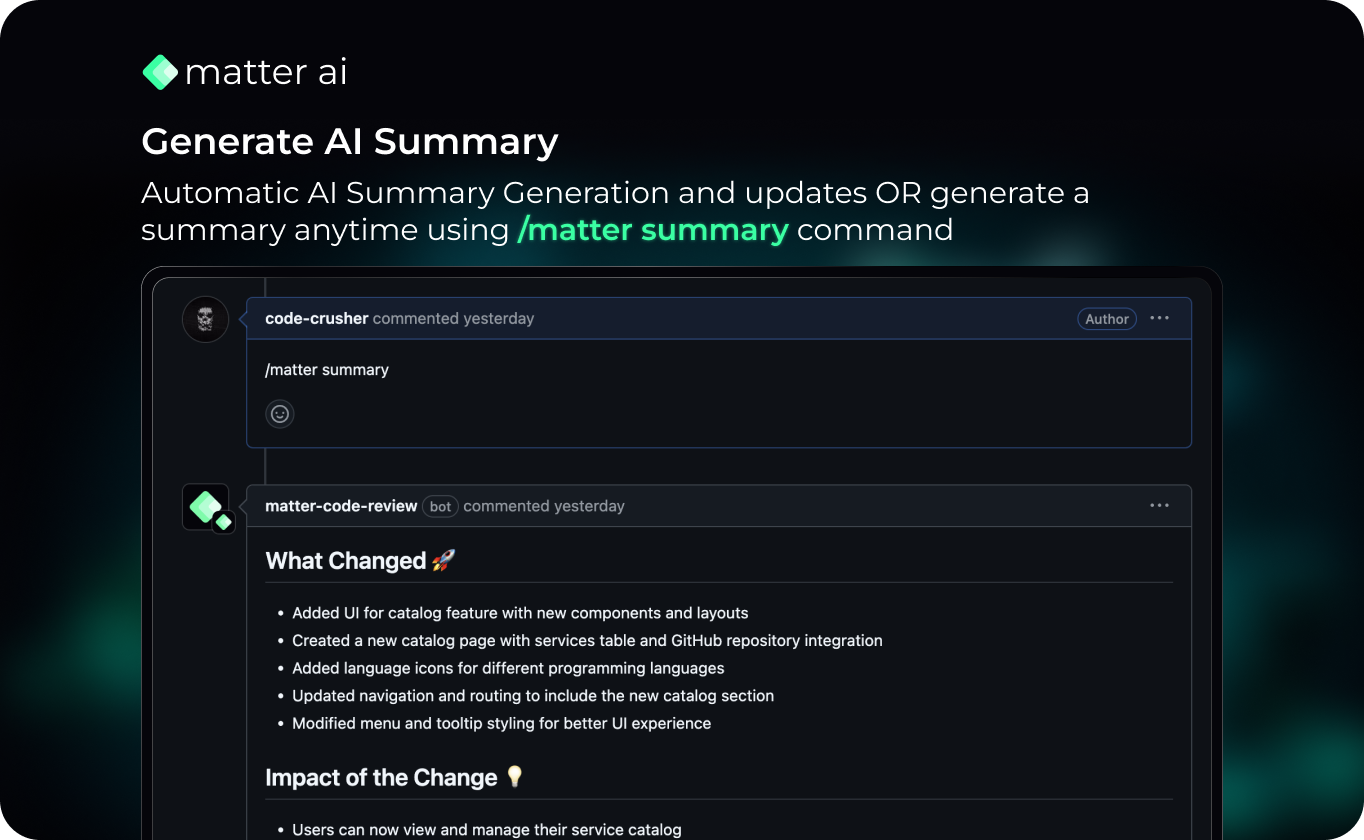
- Automatically generates AI Summaries and updates the PR description.
- If you are using any PR template, the PR template will be used and updated accordingly with summary.
- Generate static AI Summary as a comment by using /matter summary command in the PR.
### AI Review
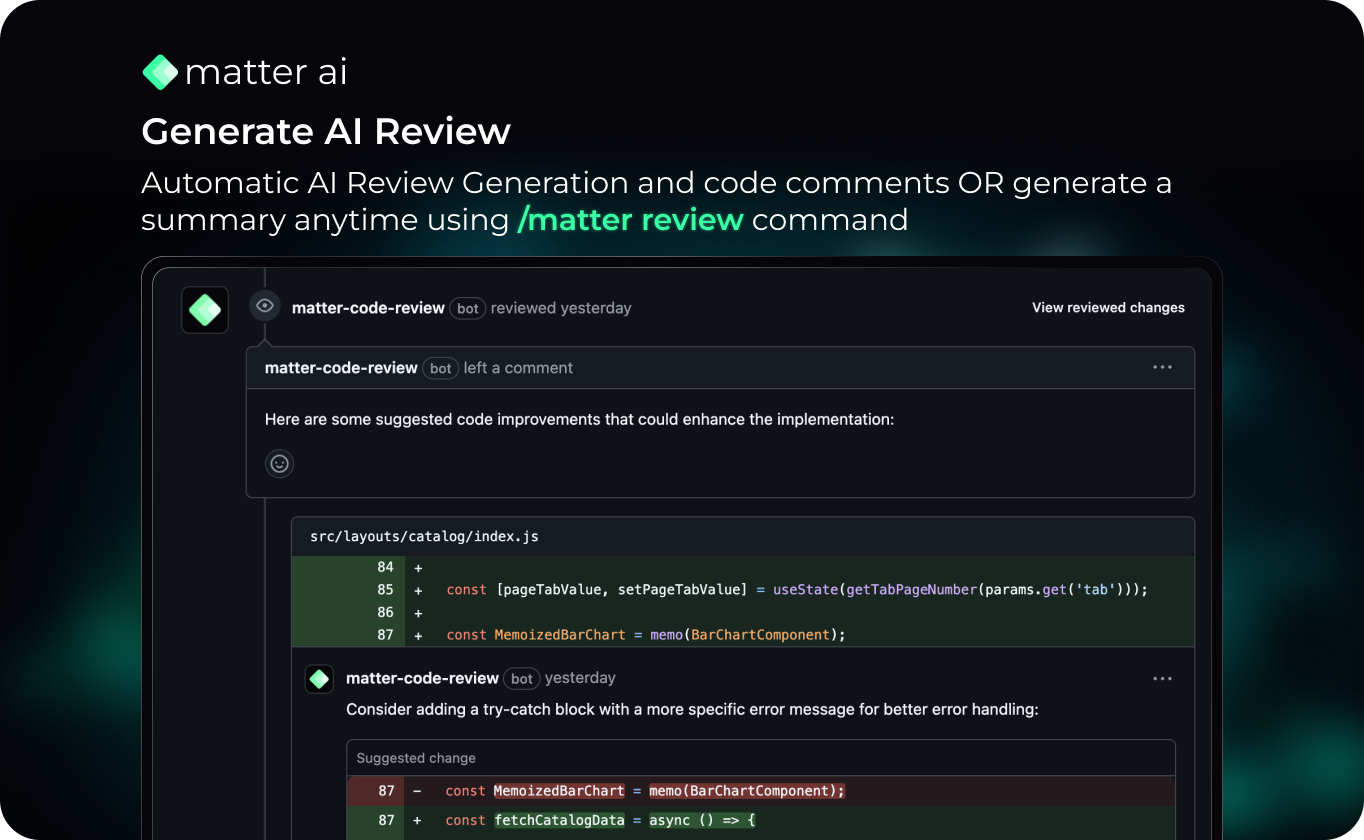
- Code quality and Bug fix recommendation in the PR
- Code change suggestion patches in the PR
- Generate static AI Review by using /matter review command in the PR.
### AI Explanation
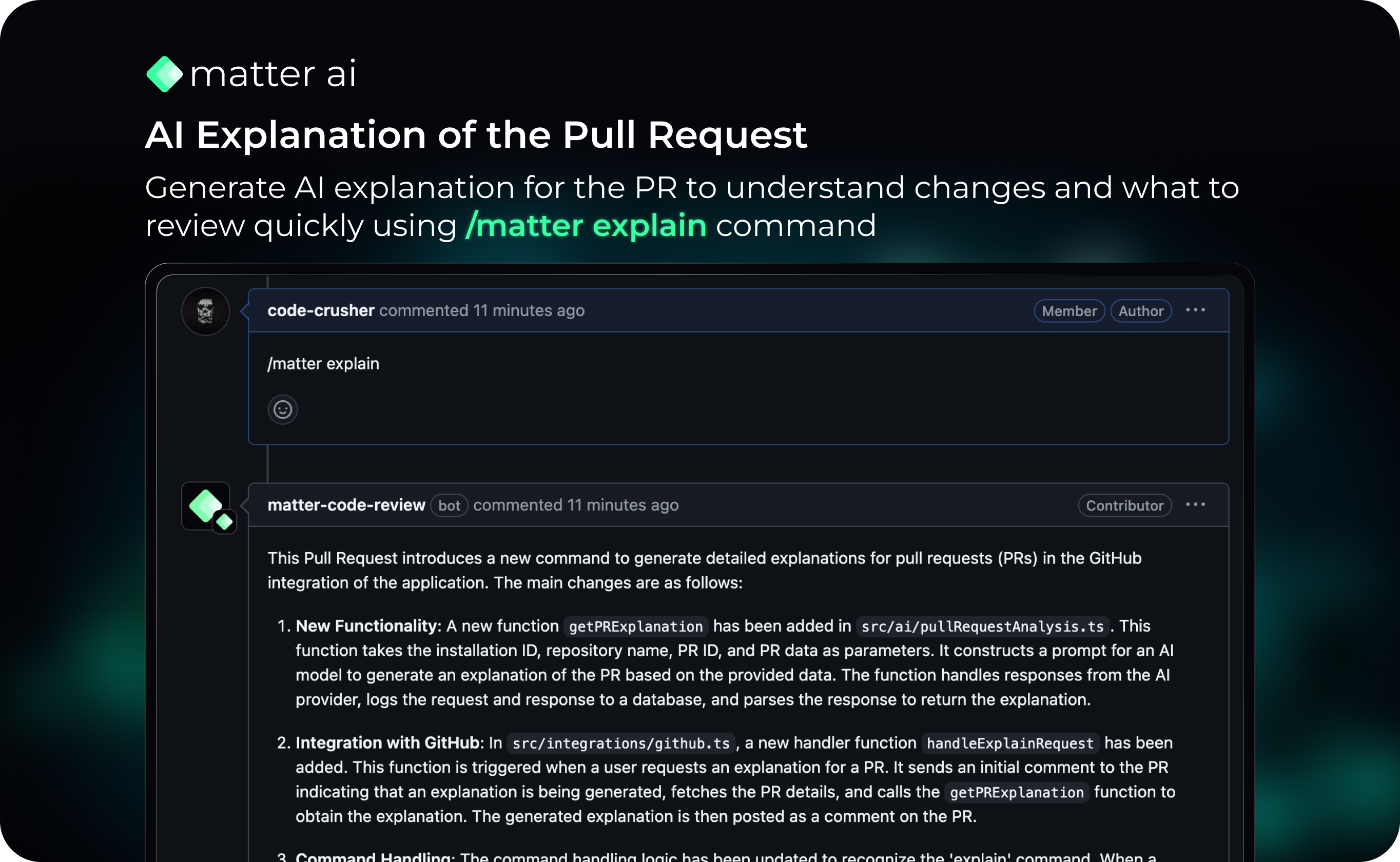
- Get a quick explanation of the Pull Request
- Use the command /matter explain
### Supported Platforms
- [X] Github
- [ ] Gitlab
- [ ] Bitbucket
- [ ] Azure DevOps
### Features
| Feature | Status | Pricing |
|---------|--------|---------|
| AI Pull Request Summary | ✅ |  |
| AI Code Review Comments | ✅ |  |
| AI Code Suggestions | ✅ |  |
| AI PR Explanation | ✅ |  |
| AI Code Quality score and Suggestions | ✅ |  |
| Internal Documentation Support | ✅ |  |
| Generate AI Release Notes | ✅ |  |
| Generate AI Security Vulnerability | ✅ |  |
| Generate AI Tests | ✅ |  |
## Differentiators
1. 1-click installation for all(or selected) org-level repositories. No need to integrate for each one.
2. Runs a stack of generation from Summary, Reviews, Bugs, Security and Tests together.
3. Day-0 ready self-hosted Helm Charts.
## Installation
### 1. Cloud Hosted
- You can signup on the Cloud Hosted version here: https://app.gravitycloud.ai
### 2. Docker
#### Prerequisites
1. Generate a Github Personal Access Token(Classic) here: https://github.com/settings/tokens/new
#### Steps
1. Download the docker-compose.yaml file from here: [https://github.com/GravityCloudAI/matter-ai/blob/main/docker-compose.yaml](https://github.com/GravityCloudAI/matter-ai/blob/main/docker-compose.yaml)
2. Update the ENV for the backend service in the docker-compose.yaml file. You can get your Gravity API key here: https://app.matterai.so/settings
3. Run `docker compose up -d`
4. The app will start syncing with your Github Repositories and store the data.
5. Create a new PR or update a PR to see the AI analysis.
6. You can connect your hosted backend URL also in https://app.matterai.so/home?tab=Settings to view the PRs in the UI.
### 3. Local Installation
#### Prerequisites
1. Node.js
2. Update .env file with the required values. You can get the template here: [https://github.com/GravityCloudAI/matter-ai/blob/main/.env.example](https://github.com/GravityCloudAI/matter-ai/blob/main/.env.example)
#### Installation
1. `npm install`
2. `npm run dev`
3. Tunnel the local server to the cloud using [ngrok](https://ngrok.com/)
4. Update the webhook url in the Github App settings with the ngrok url
### Community
- Join our Discord Server here: https://discord.gg/fJU5DvanU3