https://github.com/HassanXTech/GitSpicefy
AI-powered README generator that creates beautiful, professional documentation for your GitHub repositories
https://github.com/HassanXTech/GitSpicefy
ai automation developer-tools documentation generator github huggingface markdown nextjs open-source openai readme repository supabase typescript
Last synced: 3 months ago
JSON representation
AI-powered README generator that creates beautiful, professional documentation for your GitHub repositories
- Host: GitHub
- URL: https://github.com/HassanXTech/GitSpicefy
- Owner: anomusly
- License: mit
- Created: 2025-06-10T11:12:00.000Z (about 1 year ago)
- Default Branch: main
- Last Pushed: 2025-06-12T18:07:13.000Z (about 1 year ago)
- Last Synced: 2025-06-18T19:05:27.963Z (about 1 year ago)
- Topics: ai, automation, developer-tools, documentation, generator, github, huggingface, markdown, nextjs, open-source, openai, readme, repository, supabase, typescript
- Language: TypeScript
- Homepage: https://gitspicefy.vercel.app
- Size: 232 KB
- Stars: 2
- Watchers: 1
- Forks: 1
- Open Issues: 0
-
Metadata Files:
- Readme: README.md
- Changelog: CHANGELOG.md
- Contributing: CONTRIBUTING.md
- License: LICENSE
- Roadmap: docs/ROADMAP.md
Awesome Lists containing this project
README

GitSpicefy
### *Transform Your Repositories with AI-Powered README Generation*
[](https://gitspicefy-a0w3y42xl-hassans-projects-d32dd452.vercel.app)
[](https://github.com/anomusly/gitspicefy)
[](https://nextjs.org/)
[](https://www.typescriptlang.org/)
[](https://tailwindcss.com/)
---
### ✨ **Create Professional READMEs in Seconds**
GitSpicefy is an intelligent README generator that analyzes your GitHub repositories and creates comprehensive, professional documentation using advanced AI technology.
## 🎯 **Features**
| 🤖 **AI-Powered** | 📊 **Smart Analysis** | 🎨 **Beautiful Design** | ⚡ **Lightning Fast** |
|:---:|:---:|:---:|:---:|
| Multiple AI providers | Repository structure analysis | Professional templates | Instant generation |
| OpenAI, Hugging Face | Language detection | Custom styling | Real-time preview |
| Advanced algorithms | Framework identification | Responsive layouts | One-click export |
### 🔥 **Core Capabilities**
- **🔍 Repository Analysis**: Automatically detects languages, frameworks, and project structure
- **🤖 Multiple AI Providers**: Choose from OpenAI, Hugging Face, and local processing
- **📝 Professional Templates**: Generate comprehensive READMEs with proper sections
- **🎨 Custom Styling**: Beautiful, responsive designs with modern UI components
- **👤 User Management**: GitHub OAuth integration with usage tracking
- **📊 Analytics Dashboard**: Admin panel with detailed usage statistics
- **⚡ Real-time Generation**: Live preview and instant README creation
- **💾 Export Options**: Download or copy generated READMEs
## 🛠️ **Tech Stack**
### **Frontend**



### **Backend & Database**


### **AI & APIs**


### **Deployment**

## 🚀 **Quick Start**
### **1. Clone the Repository**
```bash
git clone https://github.com/anomusly/gitspicefy.git
cd gitspicefy
```
### **2. Install Dependencies**
```bash
npm install
```
### **3. Environment Setup**
Create a `.env.local` file with the following variables:
```env
# Supabase Configuration
NEXT_PUBLIC_SUPABASE_URL=your_supabase_url
NEXT_PUBLIC_SUPABASE_ANON_KEY=your_supabase_anon_key
SUPABASE_SERVICE_ROLE_KEY=your_service_role_key
# GitHub API
GITHUB_TOKEN=your_github_token
# AI Providers
OPENAI_API_KEY=your_openai_api_key
HUGGINGFACE_API_KEY=your_huggingface_api_key
# Admin Configuration
ADMIN_JWT_SECRET=your_admin_secret
ADMIN_PASSWORD_HASH=your_hashed_password
```
### **4. Run Development Server**
```bash
npm run dev
```
Visit `http://localhost:3000` to see GitSpicefy in action! 🎉
## 📖 **Usage**
1. **🔗 Connect Repository**: Enter your GitHub repository URL
2. **⚙️ Choose Settings**: Select AI provider and generation options
3. **🤖 Generate**: Let AI analyze and create your README
4. **📥 Download**: Export your professional README
## 🏗️ **Project Structure**
```
gitspicefy/
├── 📁 app/ # Next.js App Router
│ ├── 📁 api/ # API routes
│ ├── 📁 admin/ # Admin dashboard
│ └── 📁 generate/ # Generation pages
├── 📁 components/ # React components
├── 📁 lib/ # Utilities & AI providers
├── 📁 public/ # Static assets
└── 📄 README.md # This file
```
## 🤝 **Contributing**
We welcome contributions! Please feel free to submit a Pull Request.
1. Fork the repository
2. Create your feature branch (`git checkout -b feature/AmazingFeature`)
3. Commit your changes (`git commit -m 'Add some AmazingFeature'`)
4. Push to the branch (`git push origin feature/AmazingFeature`)
5. Open a Pull Request
## 📄 **License**
This project is open source and available under the [MIT License](LICENSE).
## 👨💻 **Author**
**Hassan Shafique**
[](https://github.com/anomusly)
[](https://anomusly.vercel.app)
*Passionate developer creating tools to make coding life easier* ✨
---
### 🌟 **Star this repository if you found it helpful!** 🌟
[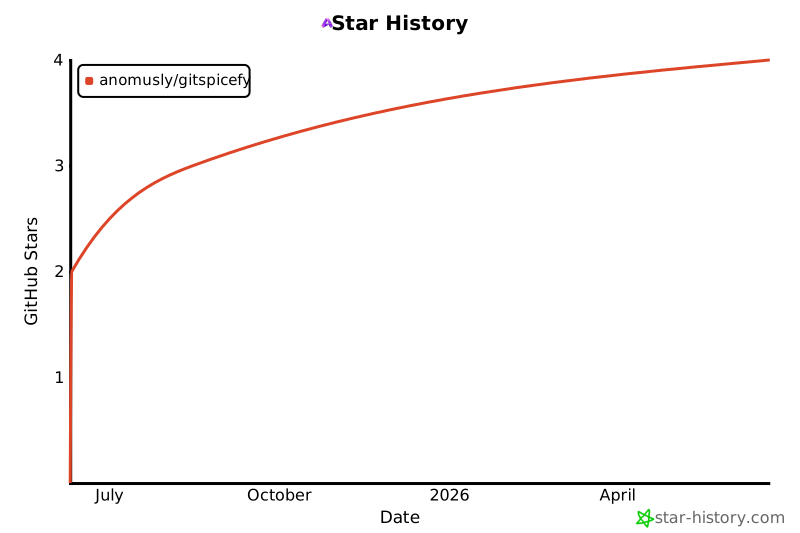](https://star-history.com/#anomusly/gitspicefy&Date)
**Made with ❤️ by [Hassan Shafique](https://github.com/anomusly)**