https://github.com/Johannes11833/rclone_python
rclone python wrapper
https://github.com/Johannes11833/rclone_python
cloud python rclone sync wrapper
Last synced: about 1 year ago
JSON representation
rclone python wrapper
- Host: GitHub
- URL: https://github.com/Johannes11833/rclone_python
- Owner: Johannes11833
- License: mit
- Created: 2022-08-17T23:34:36.000Z (almost 4 years ago)
- Default Branch: master
- Last Pushed: 2025-05-05T02:07:20.000Z (about 1 year ago)
- Last Synced: 2025-05-05T03:23:15.832Z (about 1 year ago)
- Topics: cloud, python, rclone, sync, wrapper
- Language: Python
- Homepage:
- Size: 733 KB
- Stars: 159
- Watchers: 2
- Forks: 29
- Open Issues: 13
-
Metadata Files:
- Readme: README.md
- License: LICENSE
Awesome Lists containing this project
README
[](https://choosealicense.com/licenses/mit/)
[](https://badge.fury.io/py/rclone-python)
# rclone-python ☁️
A python wrapper for rclone that makes rclone's functionality usable in python.
rclone needs to be installed on the system for the wrapper to work.
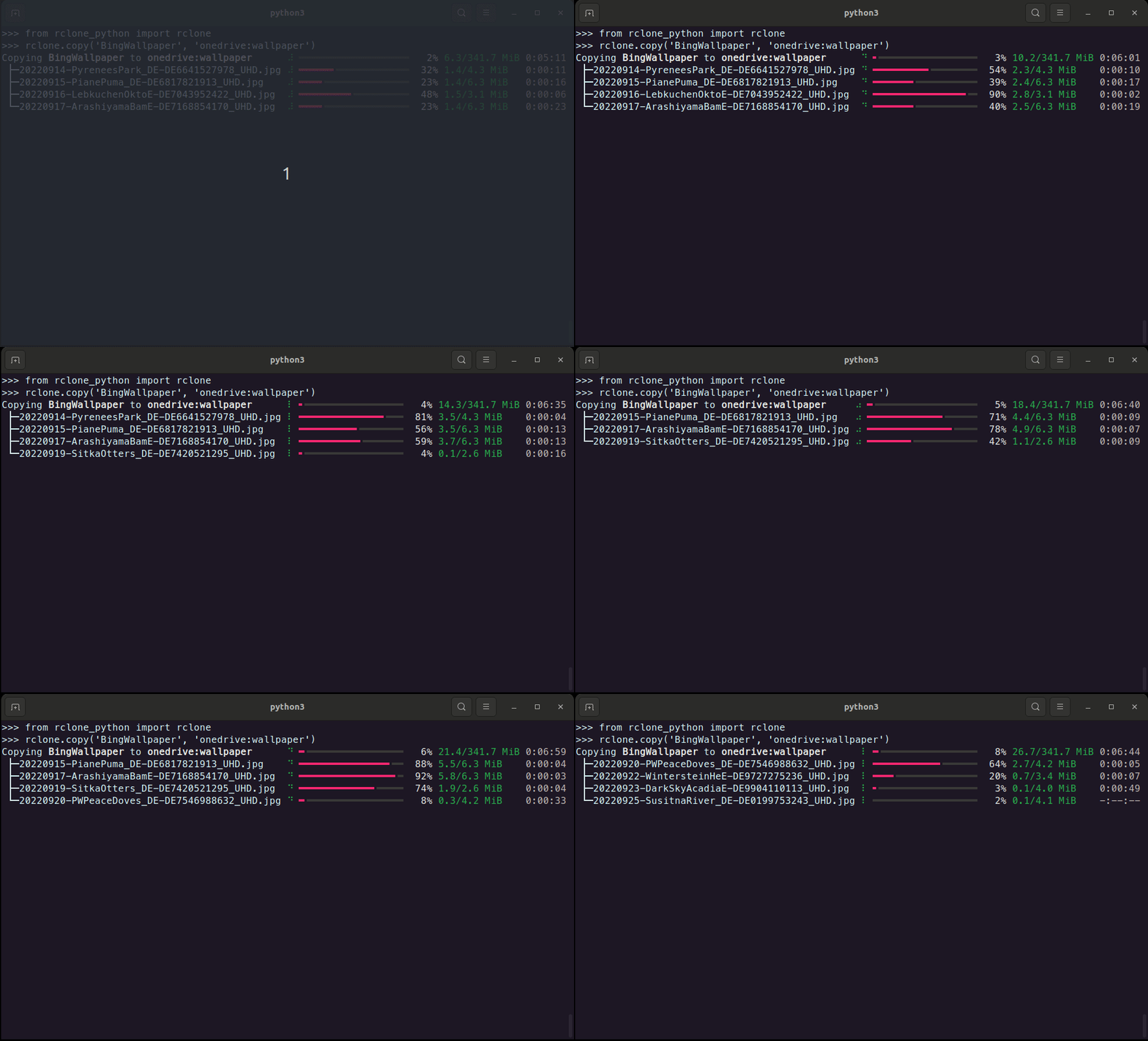
## Features ⚒️
- Copy, move and sync files between remotes
- Delete and prune files/directories
- List files in a directory including properties of the files.
- List available remotes.
- Generate hashes from files or validate them with their hashsum.
- Create new remotes
- Check available remotes
- Create and manage public links.
- Check the currently installed rclone versions and if updates are available.
## Installation 💾
_rclone_python_ can be installed using pip
```shell
pip install rclone-python
```
or by cloning this repository and running from within the root of the project
```shell
pip install .
```
## How to use 💡
All functionally of this wrapper is accessible through `rclone`.
The following example checks if rclone is installed.
```python
from rclone_python import rclone
print(rclone.is_installed())
```
```console
True
```
### Create new remote
Create a new rclone remote connection with rclone's default client-id and client-secret.
```python
from rclone_python import rclone
from rclone_python.remote_types import RemoteTypes
rclone.create_remote('onedrive', RemoteTypes.onedrive)
```
Additionally, client-id and client-secret can be used with many cloud providers.
```python
from rclone_python import rclone
from rclone_python.remote_types import RemoteTypes
rclone.create_remote('onedrive', RemoteTypes.onedrive, client_id='YOUR_CLIENT_ID', client_secret='YOUR_CLIENT_SECRET')
```
### Copy
```python
from rclone_python import rclone
# copy all file in the test_dir on OneDrive to the local data folder.
rclone.copy('onedrive:data', 'data', ignore_existing=True, args=['--create-empty-src-dirs'])
```
```console
Copying onedrive:data to data ⠸ ━━━━━━━━━━━━━━━━━━╸━━━━━━━━━━━━━━━━━━━━━ 47% 110.0/236.5 MiB 0:00:04
├─video1.webm ⠸ ━━━━━━━━━━━━╺━━━━━━━━━━━━━━━━━━━━━━━━━━━ 31% 24.4/78.8 MiB 0:00:06
├─video2.webm ⠸ ━━━━━━━━━━━━━━━━━━╺━━━━━━━━━━━━━━━━━━━━━ 45% 35.5/78.8 MiB 0:00:03
└─video3.webm ⠸ ━━━━━━━━━━━━━╸━━━━━━━━━━━━━━━━━━━━━━━━━━ 35% 27.6/78.8 MiB 0:00:05
```
### Delete
Delete a file or a directory. When deleting a directory, only the files in the directory (and all it's subdirectories)
are deleted, but the folders remain.
```python
from rclone_python import rclone
# delete a specific file on onedrive
rclone.delete('onedrive:data/video1.mp4')
```
### Prune
```python
from rclone_python import rclone
# remove the entire test_dir folder (and all files contained in it and it's subdirectories) on onedrive
rclone.purge('onedrive:test_dir')
```
### Get Hash
```python
from rclone_python import rclone
from rclone_python.hash_types import HashTypes
print(rclone.hash(HashTypes.sha1, "box:data")
```
```console
{'video1.webm': '3ef08d895f25e8b7d84d3a1ac58f8f302e33058b', 'video3.webm': '3ef08d895f25e8b7d84d3a1ac58f8f302e33058b', 'video2.webm': '3ef08d895f25e8b7d84d3a1ac58f8f302e33058b'}
```
### Check
Checks the files in the source and destination match.
- "=" path means path was found in source and destination and was identical
- "-" path means path was missing on the source, so only in the destination
- "+" path means path was missing on the destination, so only in the source
- "*" path means path was present in source and destination but different.
- "!" path means there was an error reading or hashing the source or dest.
```python
from rclone_python import rclone
print(rclone.check("data", "box:data"))
```
```console
(False, [('*', 'video1.webm'), ('=', 'video2.webm'), ('=', 'video2.webm')])
```
## Custom Progressbar
You can use your own rich progressbar with all transfer operations.
This allows you to customize the columns to be displayed.
A list of all rich-progress columns can be found [here](https://rich.readthedocs.io/en/stable/progress.html#columns).
```python
from rclone_python import rclone
from rich.progress import (
Progress,
TextColumn,
BarColumn,
TaskProgressColumn,
TransferSpeedColumn,
)
pbar = Progress(
TextColumn("[progress.description]{task.description}"),
BarColumn(),
TaskProgressColumn(),
TransferSpeedColumn(),
)
rclone.copy("data", "box:rclone_test/data1", pbar=pbar)
```
```console
Copying data to data1 ━━━━━━╸━━━━━━━━━━━━━━━━━━━━━━━━━━━━━━━━━ 17% 5.3 MB/s
├─video1.mp4 ━━━━━━━━━━━━━━━╺━━━━━━━━━━━━━━━━━━━━━━━━ 38% 4.2 MB/s
├─video2.mp4 ━╸━━━━━━━━━━━━━━━━━━━━━━━━━━━━━━━━━━━━━━ 5% 1.6 MB/s
└─another.mp4 ━╸━━━━━━━━━━━━━━━━━━━━━━━━━━━━━━━━━━━━━━ 4% 1.4 MB/s
```
## Set the log level
The log level can be set using:
```python
rclone.set_log_level(logging.DEBUG)
```
This will make the wrapper print the raw rclone progress.
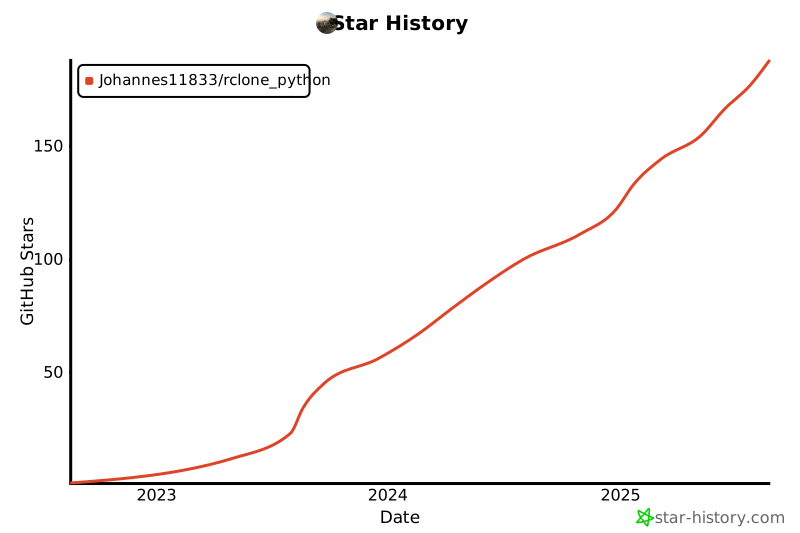
## Star History
[](https://star-history.com/#Johannes11833/rclone_python&Date)