https://github.com/Kanaries/GWalkR
Turn your data frame into a tableau style drag and drop UI interface to build visualization in R.
https://github.com/Kanaries/GWalkR
data-visualization ggplot2 r tableau-alternative visualization
Last synced: about 7 hours ago
JSON representation
Turn your data frame into a tableau style drag and drop UI interface to build visualization in R.
- Host: GitHub
- URL: https://github.com/Kanaries/GWalkR
- Owner: Kanaries
- License: apache-2.0
- Created: 2023-07-10T03:23:42.000Z (about 3 years ago)
- Default Branch: main
- Last Pushed: 2025-07-03T13:48:38.000Z (about 1 year ago)
- Last Synced: 2026-07-04T06:18:16.993Z (14 days ago)
- Topics: data-visualization, ggplot2, r, tableau-alternative, visualization
- Language: TypeScript
- Homepage:
- Size: 205 KB
- Stars: 557
- Watchers: 10
- Forks: 55
- Open Issues: 14
-
Metadata Files:
- Readme: README.md
- License: LICENSE
Awesome Lists containing this project
- awesome-shiny-extensions - GWalkR - Interactive Tableau-like exploratory data analysis htmlwidget for Shiny. (Visualization / General-Purpose)
README
[English](README.md) | [中文](https://github.com/Kanaries/GWalkR/blob/main/docs/README.zh.md)

# GWalkR: Your One-Stop R Package for Exploratory Data Analysis with Visualization
[](https://arxiv.org/abs/2406.11637)
[](https://CRAN.R-project.org/package=GWalkR)


[](https://twitter.com/kanaries_data)
[](https://discord.com/invite/WWHraZ8SeV)
[](https://CRAN.R-project.org/package=GWalkR)
Start Exploratory Data Analysis (EDA) in R with a Single Line of Code!
[GWalkR](https://github.com/Kanaries/GWalkR) is an interactive Exploratory Data Analysis (EDA) Tool in R.
It integrates the htmlwidgets with [Graphic Walker](https://github.com/Kanaries/graphic-walker).
It can simplify your R data analysis and data visualization workflow, by turning your data frame into a Tableau-style User Interface for visual exploration.

> If you prefer using Python, you can check out [PyGWalker](https://github.com/Kanaries/pygwalker)!
> [!TIP]
> If you want more AI features, we also build [runcell](https://runcell.dev), an AI Code Agent in Jupyter that understands your code/data/cells and generate code, execute cells and take actions for you. It can be used in jupyter lab with `pip install runcell`
https://github.com/user-attachments/assets/9ec64252-864d-4bd1-8755-83f9b0396d38
## Getting Started
### 📦 Setup GWalkR
```R
install.packages("GWalkR")
library(GWalkR)
```
### 📈 Start Your Data Exploration in a Single Line of Code
```R
data(iris)
gwalkr(iris)
```
### 🚀 Switch to Kernel Computation for Large Datasets
```R
gwalkr(large_df, kernelComputation = TRUE)
```
Here is a [tutorial](https://medium.com/@bruceyu0416/eda-reimagined-in-r-gwalkr-duckdb-for-lightning-fast-visualizations-05b011e8ae39) with more details.
Please note that the kernel mode will be running in a Shiny app which will block your R console. You can stop the app to use the console.
## Main Features
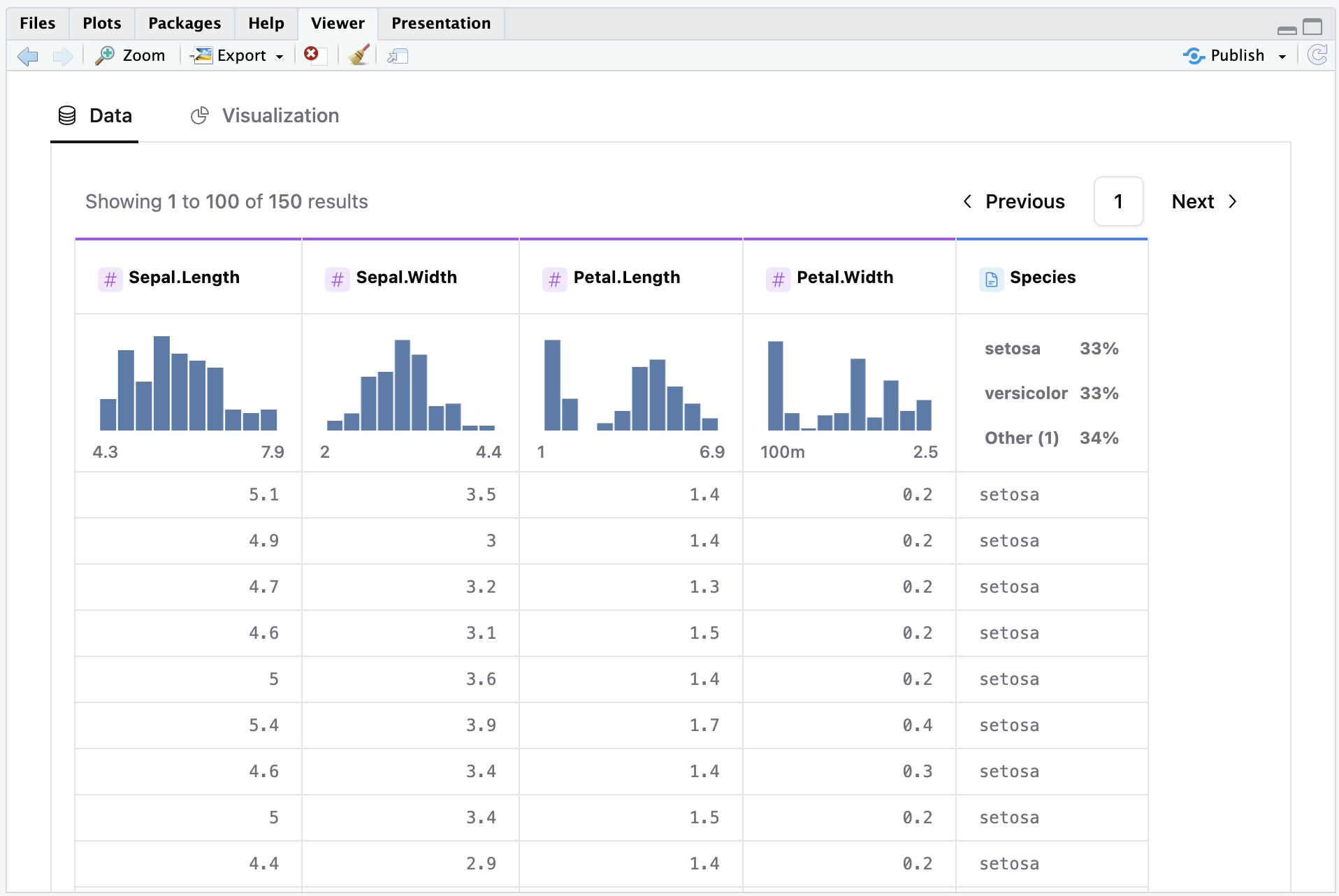
### Get an overview of your data frame under 'Data' tab.
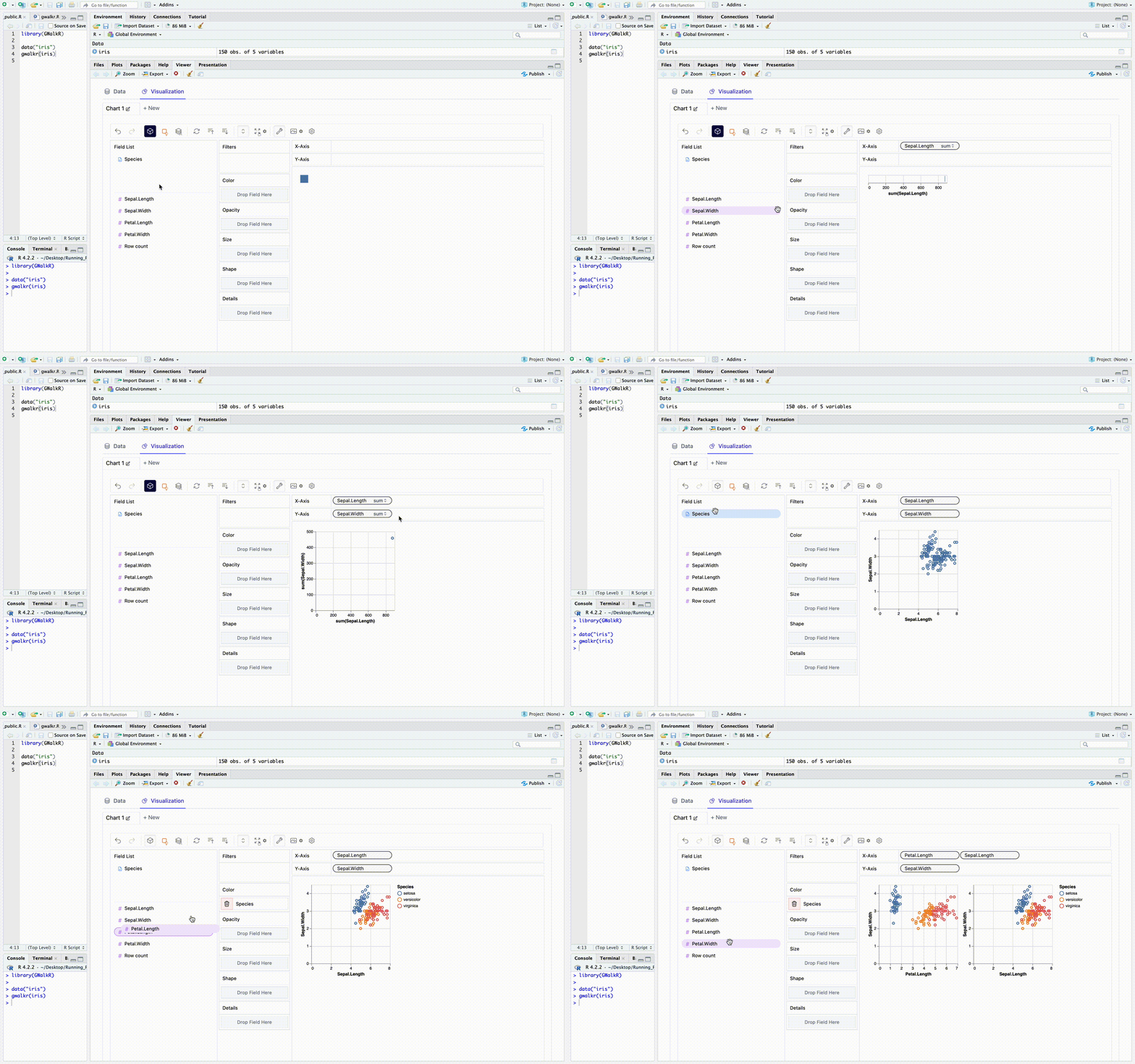
### Creat data viz with simple drag-and-drop operations.
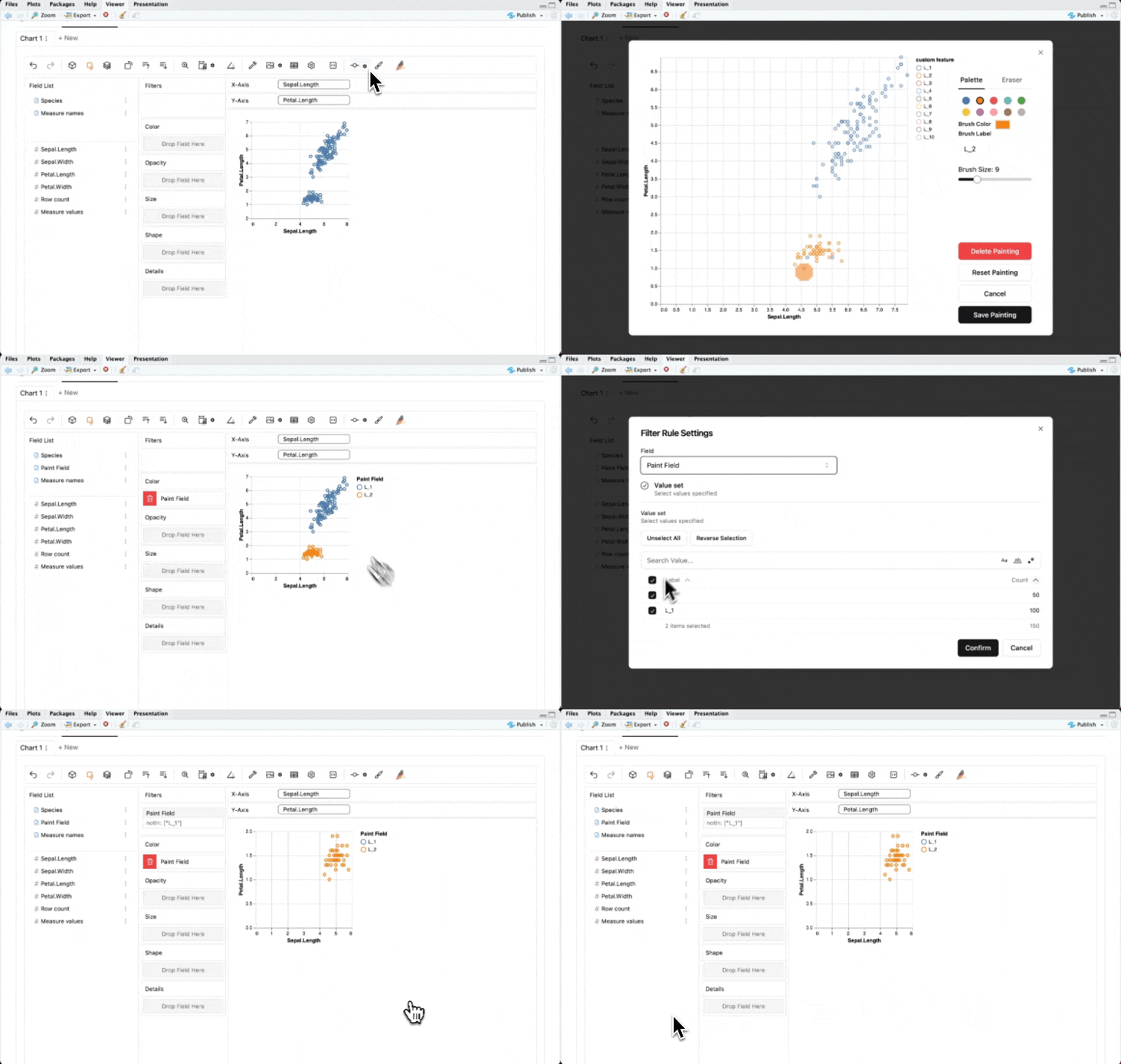
### Find interesting data points? Brush them and zoom in!
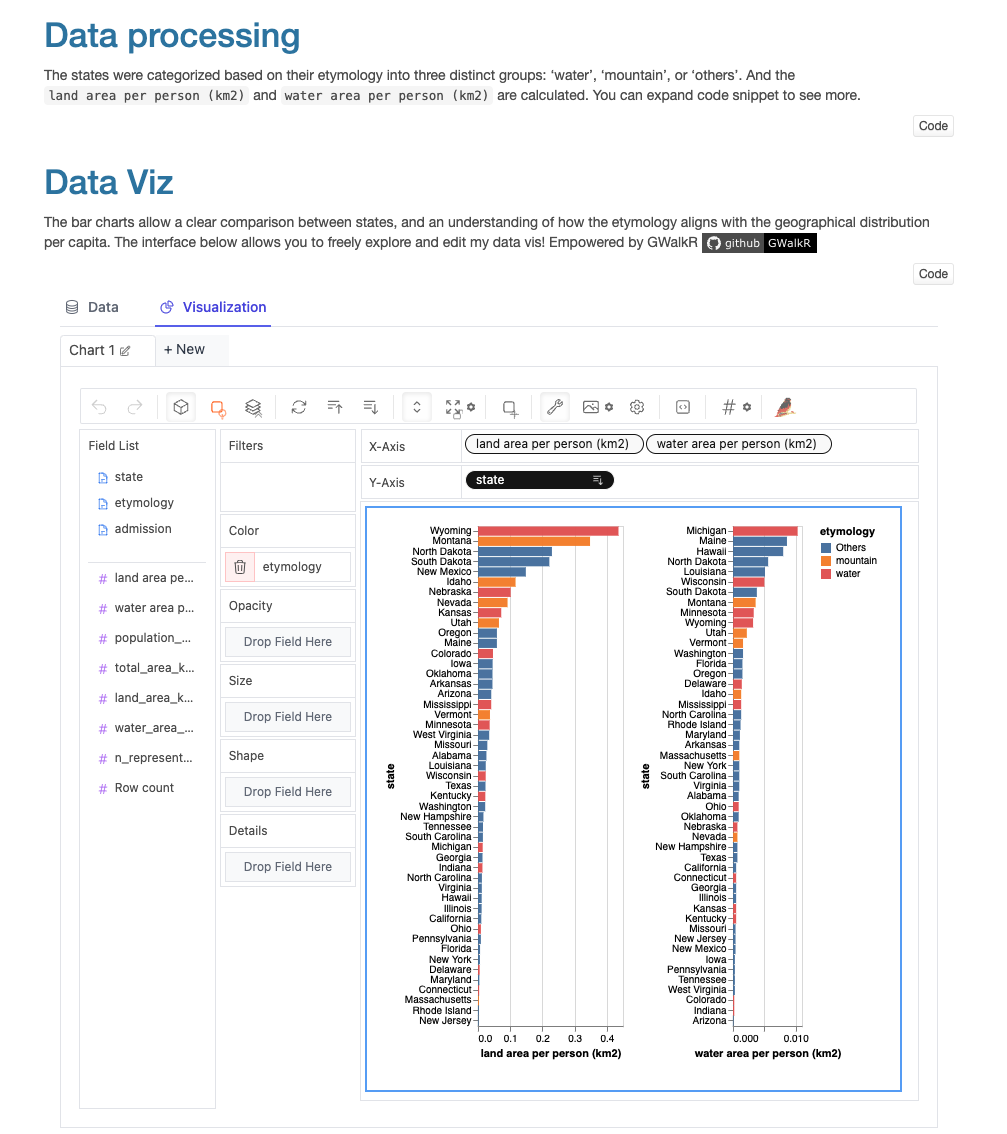
### Empower your R notebook (R Markdown).
Showcase your data insights with editable and explorable charts on a webpage ([example](https://bruceyyu.github.io/show/tidytuesday_etymology.nb.html))!
## Development
We encourage developers from the amazing open-source community to help improve this R package!
Because the built web library is not tracked by git, the source code here is not directly runnable.
Please follow the steps below to run the source code on your own device:
1. Run `git clone https://github.com/Kanaries/GWalkR.git` to clone this repository.
2. Go to `/web_app` and `yarn install`.
3. You can now implement your features either in the web app by changing the TypeScript code, or in the R scripts under `/R`.
4. Run `yarn run build` to build the web app, and make sure the built library can be found under `/inst/htmlwidgets/lib/`.
5. In R Studio, run `devtools::load_all("{DIR_OF_GWALKR}")` to load the package (make sure you've removed the installed GWalkR from CRAN before that).
For more information about R package development, please refer to this book, [*R Packages*](https://r-pkgs.org/).