https://github.com/LayBacc/rumin-web-clipper
Web clipper browser extension for saving highlights, screenshots, and automatically extracting content from web pages.
https://github.com/LayBacc/rumin-web-clipper
Last synced: about 1 year ago
JSON representation
Web clipper browser extension for saving highlights, screenshots, and automatically extracting content from web pages.
- Host: GitHub
- URL: https://github.com/LayBacc/rumin-web-clipper
- Owner: LayBacc
- License: mit
- Created: 2020-09-13T11:38:13.000Z (almost 6 years ago)
- Default Branch: master
- Last Pushed: 2021-11-29T19:49:36.000Z (over 4 years ago)
- Last Synced: 2024-11-08T13:03:24.200Z (over 1 year ago)
- Language: JavaScript
- Size: 304 KB
- Stars: 368
- Watchers: 14
- Forks: 25
- Open Issues: 2
-
Metadata Files:
- Readme: README.md
- License: LICENSE
Awesome Lists containing this project
- awesome-list - rumin-web-clipper
README
# Rumin Web Clipper
Browser extension for [Rumin](https://getrumin.com) which allows you to save learnings from online resources. ([Chrome Web Store link](https://chrome.google.com/webstore/detail/rumin/eboiffdknchlbeboepkadciilgmaojbj), [Firefox Add-on link](https://addons.mozilla.org/en-US/firefox/addon/rumin/))
It comes with site-specific logic for automatically extracting key information, such as video playing time on YouTube, course info and reference on edX, metadata on Kindle notes etc. This can be easily extended to add extraction logic to any web page.
This is useful for learning, research, and saving interesting ideas for creative work.
You can also search / look up existing content (defaulting to the Rumin backend) using the "Lookup" tab.
### Demo video
[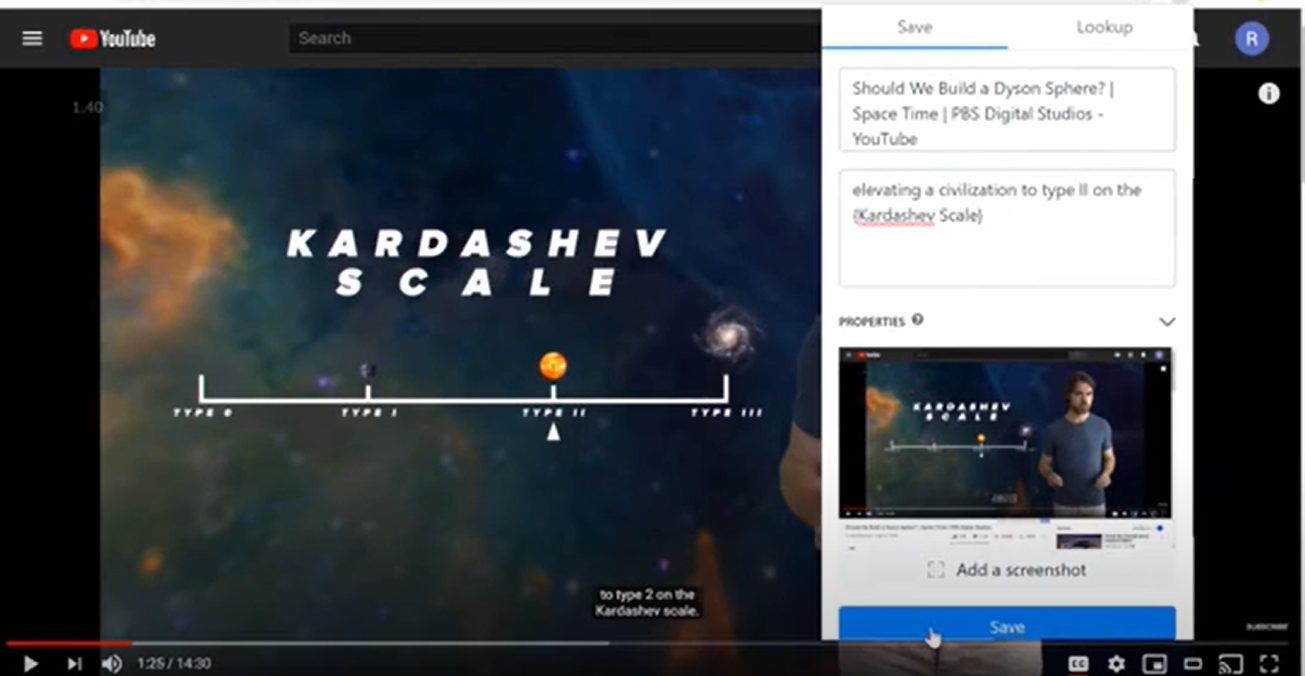](https://www.youtube.com/watch?v=auZGwCc1B_o)
### Saving with one click
You can use the extension to bookmark a page, or select a particular passage by simply highlighting it.
By default, the extension can be opened using the `Ctrl / Cmd + K` keyboard shortcut.
### Screenshot
Take a screenshot in one click, using the "Screenshot" button. It captures the content in the current browser window.
### Page-specific Parsing Logic
The extension comes with page-specific logic extracts the key metadata, and turns page content into structured data. This way, you don't have to copy and paste back and forth.
Currently supported sites include:
- YouTube video
- Skillshare
- edX
- Linkedin Learning
- Netflix
- Messages on Slack
- Comments on Reddit
and more
### Lookup
The "Lookup" tab fetches existing captured notes/snippets from the current url by default. You can also use it to search your knowledge base.
## Extensible
It is easy to add support for automatic extraction on more sites. All you need is logic to check the url (or content) of the current page, and add logic to update `customFields` accordingly.
For example, it can be extended to save the top Hacker News comments on a thread, or save metadata of an answer on Quora.
## Custom Backend
To use this extension for a different project, simply swap out the getrumin.com API calls with your custom endpoints.
## Upcoming work
- Replace jQuery code with React components.
- Support custom logic for extraction on each page. e.g. saved extraction scripts
- Allow editing of automatically extracted fields
- Support multi-capture on the same page
- Allow for adjustment of the dimensions of the screenshot
- Add OCR to captured images
- Support PDF format
- Faster fetching of existing collections
- Navigate nested collections (similar to nested folders)