https://github.com/MatthewYork/Colours
A beautiful set of predefined colors and a set of color methods to make your Android development life easier.
https://github.com/MatthewYork/Colours
Last synced: 11 months ago
JSON representation
A beautiful set of predefined colors and a set of color methods to make your Android development life easier.
- Host: GitHub
- URL: https://github.com/MatthewYork/Colours
- Owner: MatthewYork
- License: mit
- Created: 2014-01-25T04:31:10.000Z (over 12 years ago)
- Default Branch: master
- Last Pushed: 2017-12-13T06:30:09.000Z (over 8 years ago)
- Last Synced: 2024-08-04T10:08:34.064Z (almost 2 years ago)
- Language: Java
- Homepage:
- Size: 761 KB
- Stars: 635
- Watchers: 38
- Forks: 102
- Open Issues: 3
-
Metadata Files:
- Readme: README.md
- License: LICENSE
Awesome Lists containing this project
- awesome-android-ui - https://github.com/MatthewYork/Colours
README

Colours is a port of the Colours Library for iOS made by my good friend [**Ben Gordon**](https://github.com/bennyguitar). You can find that project [**here**](https://github.com/bennyguitar/Colours).
## Installation
#### Maven Central
Colours is available in Maven Central under the groupId com.github.matthewyork and the artifactId ColoursLibrary
Incorporate Colours via Gradle with:
`compile 'com.github.matthewyork:ColoursLibrary:1.0.+@aar'`
#### Manual Installation
- **Import** the Colours library into your workspace, found in the ColoursLibrary Folder.
- Right-click on your android **project folder** and click on the project properties.
- Click on the "Android" tab and then "Add" under the **Library** section.
- Select the **ColoursLibrary** project to link it with your project
## Color Palette
 infoBlueColor
 successColor
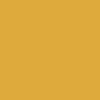 warningColor
 dangerColor
 antiqueWhiteColor
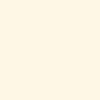 oldLaceColor
 ivoryColor
 seashellColor
 ghostWhiteColor
 snowColor
 linenColor
 black25PercentColor
 black50PercentColor
 black75PercentColor
 warmGrayColor
 coolGrayColor
 charcoalColor
 tealColor
 steelBlueColor
 robinEggColor
 pastelBlueColor
 turquoiseColor
 skyBlueColor
 indigoColor
 denimColor
 blueberryColor
 cornflowerColor
 babyBlueColor
 midnightBlueColor
 fadedBlueColor
 icebergColor
 waveColor
 emeraldColor
 grassColor
 pastelGreenColor
 seafoamColor
 paleGreenColor
 cactusGreenColor
 chartreuseColor
 hollyGreenColor
 oliveColor
 oliveDrabColor
 moneyGreenColor
 honeydewColor
 limeColor
 cardTableColor
 salmonColor
 brickRedColor
 easterPinkColor
 grapefruitColor
 pinkColor
 indianRedColor
 strawberryColor
 coralColor
 maroonColor
 watermelonColor
 tomatoColor
 pinkLipstickColor
 paleRoseColor
 crimsonColor
 eggplantColor
 pastelPurpleColor
 palePurpleColor
 coolPurpleColor
 violetColor
 plumColor
 lavenderColor
 raspberryColor
 fuschiaColor
 grapeColor
 periwinkleColor
 orchidColor
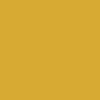 goldenrodColor
 yellowGreenColor
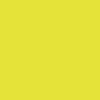 bananaColor
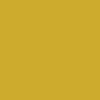 mustardColor
 buttermilkColor
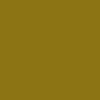 goldColor
 creamColor
 lightCreamColor
 wheatColor
 beigeColor
 peachColor
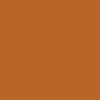 burntOrangeColor
 pastelOrangeColor
 cantaloupeColor
 carrotColor
 mandarinColor
 chiliPowderColor
 burntSiennaColor
 chocolateColor
 coffeeColor
 cinnamonColor
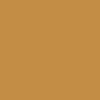 almondColor
 eggshellColor
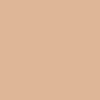 sandColor
 mudColor
 siennaColor
 dustColor
**Note** all of the colors in ActionBarCompat included [Holo Colors](https://code.google.com/p/actionbarcompat/source/browse/res/values/holo__colors.xml?r=a03d3fd20e4b7b04740d7541dbcd756a7fa760ca).
## Using Predefined Colors
Colours works exactly like the predefined Android colors. In fact, the Colour class is a subclass of android.graphics.Color, so you can actually use the Colour class where you normally use Color to gain access to the cool new methods of the Colour Library without losing any methods in the Color class.
### XML
To use your **HUGE** new palette of colors in XML, reference a color just as you would a color in a local Color.xml resource file:
```xml
```
Huzzah! Colours automagically integrates all of its colors to your project, just as if you had defined them yourself. (You can tell all your friends that you made them. We won't tell!)
### Code
Let's say, however, that you would like to set the color of something in code. Colours has you covered. Every single color available in XML is also avalable as a static method, much like the android system colors. To retrieve a predefined color's int representation, simply call it's corresponding method:
```java
int seashellColor = Colour.seashellColor();
```
## Color Spaces
Android comes pre-baked with RGB and HSV color space methods. However, this may not be enough. This library adds CMYK, which is normally used for printing, and CIE_LAB, a color space meant for modeling an equal space between each color. You can access these methods like so:
```java
float[] cmyk = Colour.colorToCMYK(inputColor);
int color = Colour.CMYKToColor(cmyk);
float[] cie_lab = Colour.colorToCIE_LAB(inputColor);
int color = Colour.CIE_LABToColor(cie_lab);
```
## Color Helper Methods
Beyond giving you a list of a ton of colors with no effort, this category also gives you some methods that allow different color manipulations and translations. Here's how you use these:
**Generating white or black that contrasts with a Color**
A lot of times you may want to put text on top of a view that is a certain color, and you want to be sure that it will look good on top of it. With this method you will return either white or black, depending on the how well each of them contrast on top of it. Here's how you use this:
```java
int contrastingColor = Colour.blackOrWhiteContrastingColor(inputColor)
```
**Generating a complementary color**
This method will create a color int that is the exact opposite color from another color int on the color wheel. The same saturation and brightness are preserved, only the hue is changed.
```java
int complementaryColor = Colour.complementaryColor(inputColor);
```
## Distance between 2 Colors
Detecting a difference in two colors is not as trivial as it sounds. One's first instinct is to go for a difference in RGB values, leaving you with a sum of the differences of each point. It looks great! Until you actually start comparing colors. Why do these two reds have a different distance than these two blues *in real life* vs computationally? Human visual perception is next in the line of things between a color and your brain. Some colors are just perceived to have larger variants inside of their respective areas than others, so we need a way to model this human variable to colors. Enter CIELAB. This color formulation is supposed to be this model. So now we need to standardize a unit of distance between any two colors that works independent of how humans visually perceive that distance. Enter CIE76,94,2000. These are methods that use user-tested data and other mathematically and statistically significant correlations to output this info. You can read the wiki articles below to get a better understanding historically of how we moved to newer and better color distance formulas, and what their respective pros/cons are.
**Finding Distance**
```java
double distance = Colour.distanceBetweenColorsWithFormula(colorA, colorB, ColorDistanceFormulaCIE94);
boolean isNoticablySimilar = distance < threshold;
```
**Resources**
* [Color Difference](http://en.wikipedia.org/wiki/Color_difference)
* [Just Noticeable Difference](http://en.wikipedia.org/wiki/Just_noticeable_difference)
* [CIELAB Specification](http://en.wikipedia.org/wiki/CIELAB)
## Generating Color Schemes ##
You can create a 5-color scheme based off of a color using the following method. It takes in a color int and one of the ColorSchemeTypes defined in Colours. It returns an int[] of 4 new colors to create a pretty nice color scheme that complements the root color you passed in.
```java
int[] complementaryColors = Colour.colorSchemeOfType(inputColor, ColorScheme.ColorSchemeComplementary);
```
**ColorSchemeTypes**
* ColorSchemeAnalagous
* ColorSchemeMonochromatic
* ColorSchemeTriad
* ColorSchemeComplementary
Here are the different examples starting with a color scheme based off of Colour.seafoamColor().
**ColorSchemeAnalagous**

**ColorSchemeMonochromatic**

**ColorSchemeTriad**

**ColorSchemeComplementary**

## Credits
* [**Matthew York**](https://github.com/MatthewYork) - Author of Colours for Android
* [**Ben Gordon**](https://github.com/bennyguitar) - Author of original iOS version of Colours
* [**Aaron Fleshner**](https://github.com/adfleshner) - Teaching me Android and being awesome like that. (Also adding holo to the mix)
I would also like to thank **God** through whom all things live and move and have their being. [Acts 17:28](http://www.biblegateway.com/passage/?search=Acts+17%3A16-34&version=NIV)
## License
The MIT License (MIT)
Copyright (c) 2014 Matthew York
Permission is hereby granted, free of charge, to any person obtaining a copy of
this software and associated documentation files (the "Software"), to deal in
the Software without restriction, including without limitation the rights to
use, copy, modify, merge, publish, distribute, sublicense, and/or sell copies of
the Software, and to permit persons to whom the Software is furnished to do so,
subject to the following conditions:
The above copyright notice and this permission notice shall be included in all
copies or substantial portions of the Software.
THE SOFTWARE IS PROVIDED "AS IS", WITHOUT WARRANTY OF ANY KIND, EXPRESS OR
IMPLIED, INCLUDING BUT NOT LIMITED TO THE WARRANTIES OF MERCHANTABILITY, FITNESS
FOR A PARTICULAR PURPOSE AND NONINFRINGEMENT. IN NO EVENT SHALL THE AUTHORS OR
COPYRIGHT HOLDERS BE LIABLE FOR ANY CLAIM, DAMAGES OR OTHER LIABILITY, WHETHER
IN AN ACTION OF CONTRACT, TORT OR OTHERWISE, ARISING FROM, OUT OF OR IN
CONNECTION WITH THE SOFTWARE OR THE USE OR OTHER DEALINGS IN THE SOFTWARE.