https://github.com/MilanistaDev/Nippochan
This is a sample app that can post daily report by using Slack.
https://github.com/MilanistaDev/Nippochan
applewatch slack swift watchconnectivity
Last synced: 12 months ago
JSON representation
This is a sample app that can post daily report by using Slack.
- Host: GitHub
- URL: https://github.com/MilanistaDev/Nippochan
- Owner: MilanistaDev
- Created: 2018-12-24T17:50:07.000Z (over 7 years ago)
- Default Branch: master
- Last Pushed: 2019-09-24T14:08:09.000Z (over 6 years ago)
- Last Synced: 2024-11-21T02:33:29.381Z (over 1 year ago)
- Topics: applewatch, slack, swift, watchconnectivity
- Language: Swift
- Homepage: https://qiita.com/MilanistaDev/items/b97cab77d6add96c96dc
- Size: 583 KB
- Stars: 4
- Watchers: 2
- Forks: 0
- Open Issues: 0
-
Metadata Files:
- Readme: README.md
Awesome Lists containing this project
- awesome-apple-watch - Nippochan - sample app that can post daily report to Slack by using Watch Connectivity and Slack's webhook URL (Sample Apps / Blog)
README
# Nippochan(日報ちゃん)
## Commentary article
https://qiita.com/MilanistaDev/items/b97cab77d6add96c96dc
## Summary
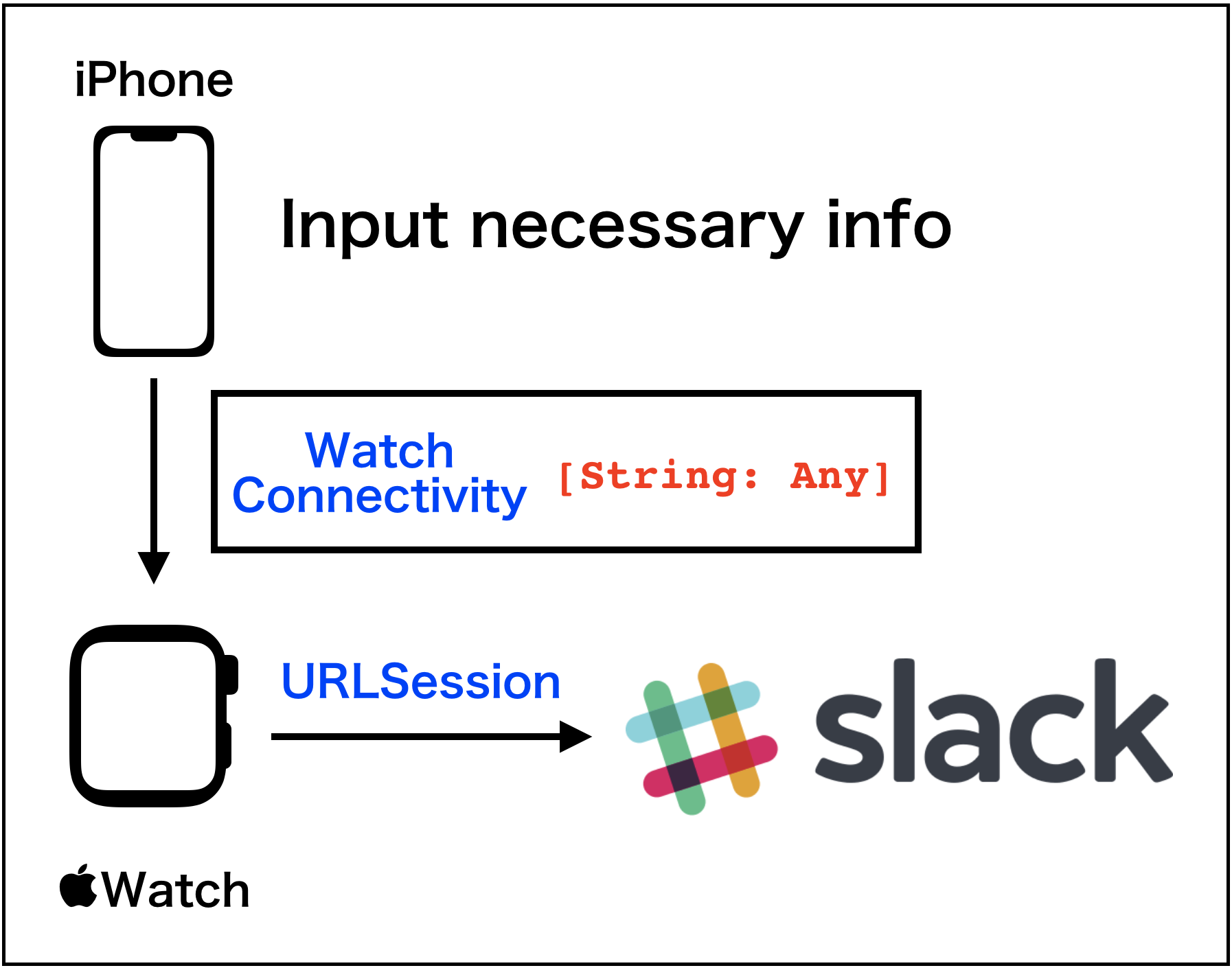
This is a sample app that can post daily report to Slack
by using Watch Connectivity and Slack's webhook URL.
For Apple Watch and iOS Devices.
## Conceptual diagram
## Screen shots
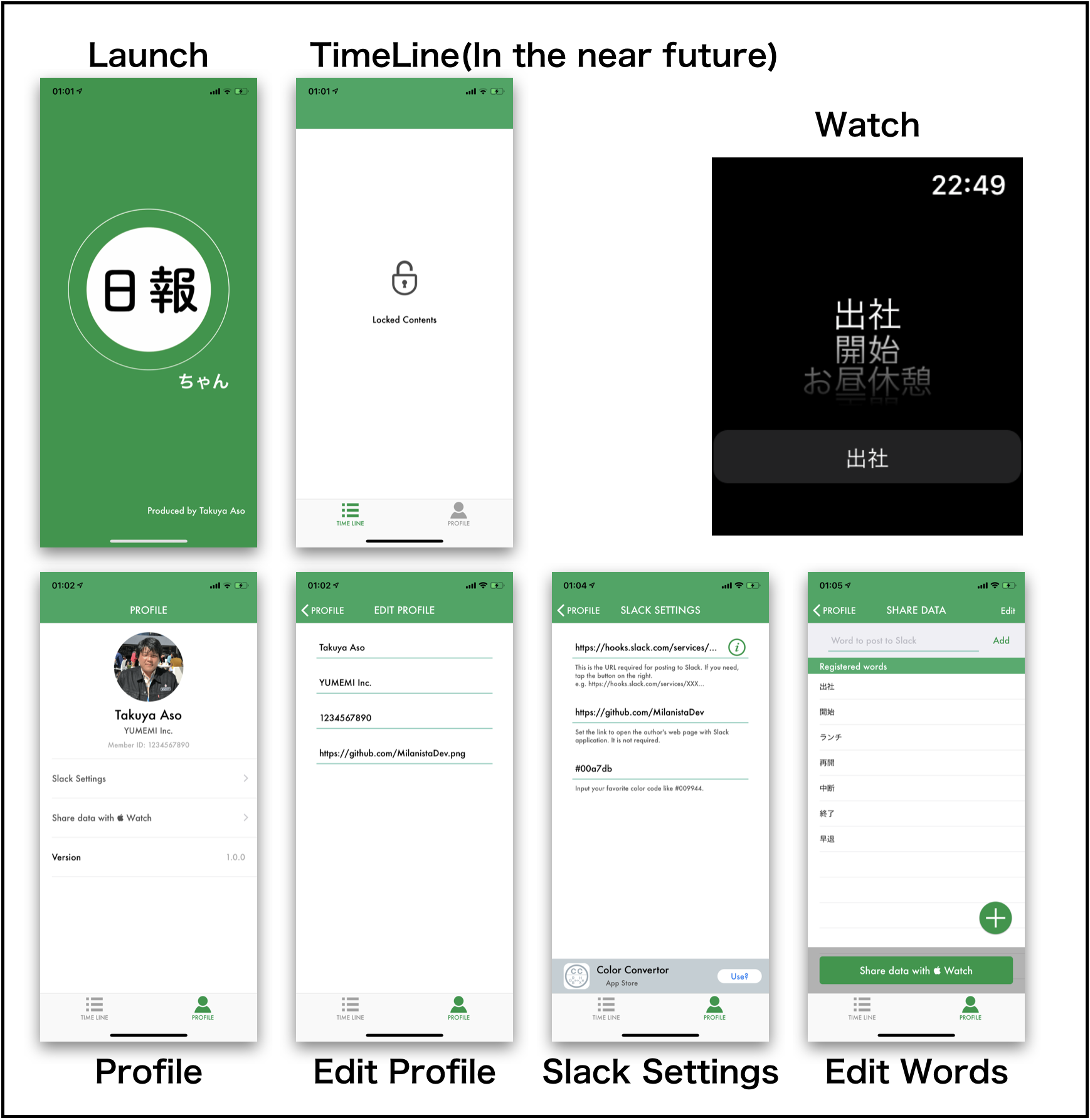
iPhone has six screens and Apple Watch has only one screen.
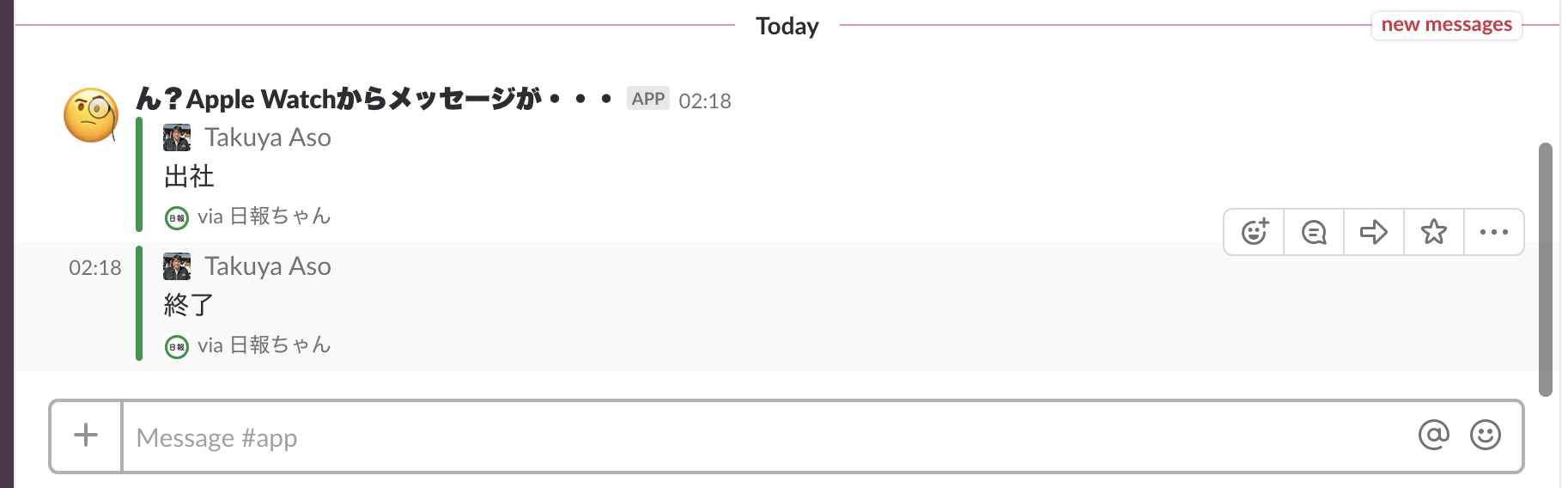
**Slack Post**
## Language
* Swift 4.2
* watchOS 5.0 and later
* iOS 10 and later
## Installation
Please download zip file or use git clone.
```
$ cd ~/Download
$ git clone git@github.com:MilanistaDev/Nippochan.git
```
## Usage
1. Open project file by using Xcode.app.
2. Push the Run button.
3. Please install Watch App via Watch.app of iPhone.
4. At first, please input your profile data.
5. And then please input slack setting data, too.
6. Finally, add words you want to post.
7. Run Apple Watch's App and tap the **Share data with Watch** button.
8. If success, the word list is sent to Apple Watch.
9. Please select word by using Digital Crown and tap bottom button.
10. Enjoy!
## Contributing
If you find bugs, please send pull-request.
1. Fork it!
2. Create your feature branch: `git checkout -b my-new-feature`
3. Commit your changes: `git commit -am 'Add some feature'`
4. Push to the branch: `git push origin my-new-feature`
5. Submit a pull request :D
## History
| Version | Date |
|:--:|:--:|
|ver 1.0.0 | December 25, 2018 |
## Credits
Takuya Aso, 2018
milanista224☆me.com ☆ -> @
## License
Based on the GitHub License.