https://github.com/Mohd-PH/ionic-drop-down-title
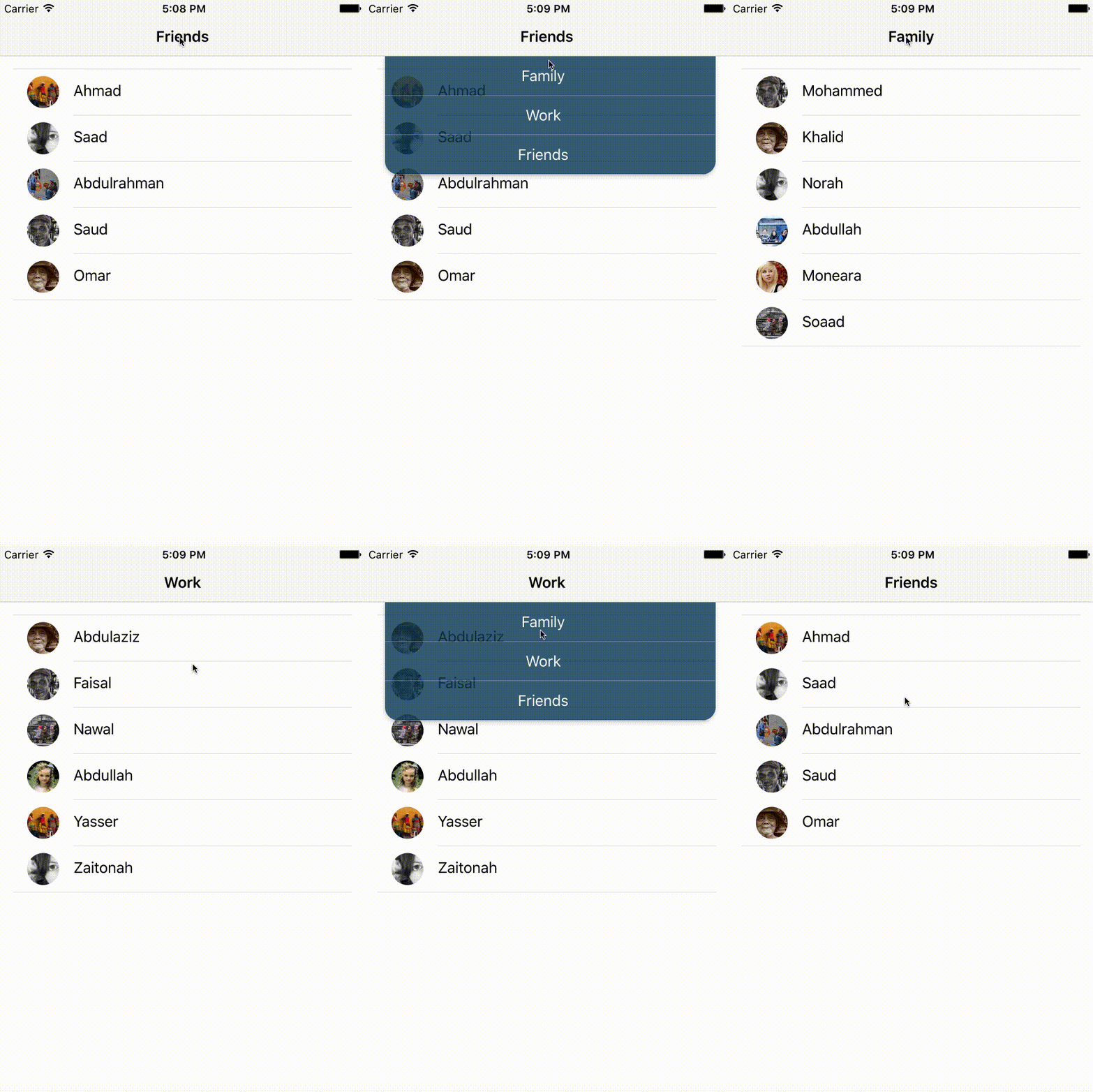
Drop down appears when the user presses the title
https://github.com/Mohd-PH/ionic-drop-down-title
ionic-framework ionic3
Last synced: 9 months ago
JSON representation
Drop down appears when the user presses the title
- Host: GitHub
- URL: https://github.com/Mohd-PH/ionic-drop-down-title
- Owner: Mohd-PH
- License: mit
- Created: 2017-09-12T14:55:04.000Z (almost 9 years ago)
- Default Branch: master
- Last Pushed: 2017-09-12T15:50:09.000Z (almost 9 years ago)
- Last Synced: 2025-10-09T03:23:31.576Z (10 months ago)
- Topics: ionic-framework, ionic3
- Language: TypeScript
- Size: 1.79 MB
- Stars: 2
- Watchers: 1
- Forks: 0
- Open Issues: 0
-
Metadata Files:
- Readme: README.md
- License: LICENSE
Awesome Lists containing this project
- Awesome-Ionic - Drop down Title
- awesome-ionic - Drop down Title
README
# ionic-drop-down-title
Drop down appears when the user presses the title, inspired by the list dropdown on Tweetbot 3 application
## Preview
## Usage
### Downloading the sample project
```
git clone https://github.com/Mohd-PH/ionic-drop-down-title.git
cd ionic-drop-down-title
npm install
ionic lab
```
### To use it on your project
Copy **drop-down-title folder** to your project **src/components/** folder then import the component in app.module.ts file
example:
```
import { DropDownTitleComponent } from "../components/drop-down-title/drop-down-title";
```
and add DropDownTitleComponent to the declaration array.
```
@NgModule({
declarations: [
...
DropDownTitleComponent
...
],
```
then on any page you want to repalce the title with a drop down title you have to replace
```
```
with
```
```
## Theming
You can use these variables on your $colors map on variables.scss file to theme the drop down
```
drop-down-title: rgba(15, 65, 94, 0.8)
drop-down-title-active : rgb(0, 77, 120)
drop-down-title-text: white
```
## License
MIT