https://github.com/PAPAMICA/sshtools
https://github.com/PAPAMICA/sshtools
Last synced: about 1 year ago
JSON representation
- Host: GitHub
- URL: https://github.com/PAPAMICA/sshtools
- Owner: PAPAMICA
- Created: 2025-04-21T19:53:21.000Z (about 1 year ago)
- Default Branch: main
- Last Pushed: 2025-04-24T19:54:01.000Z (about 1 year ago)
- Last Synced: 2025-04-30T00:07:20.607Z (about 1 year ago)
- Language: Shell
- Size: 56.6 KB
- Stars: 18
- Watchers: 1
- Forks: 2
- Open Issues: 1
-
Metadata Files:
- Readme: README.md
Awesome Lists containing this project
README


A collection of powerful tools to enhance your SSH experience with custom configurations for bash, vim, and various utility functions.
## Somes screenshots
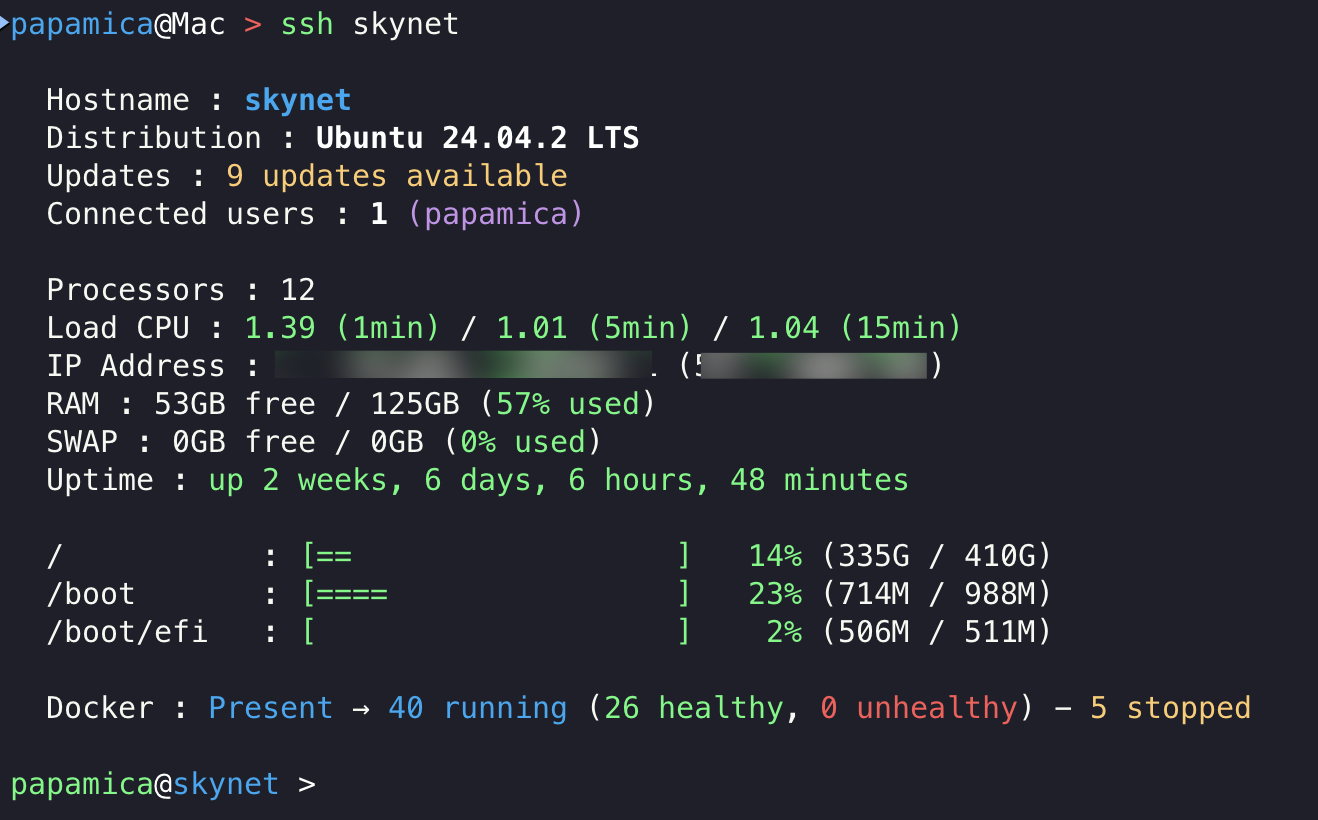
### MOTD
### Benchmark
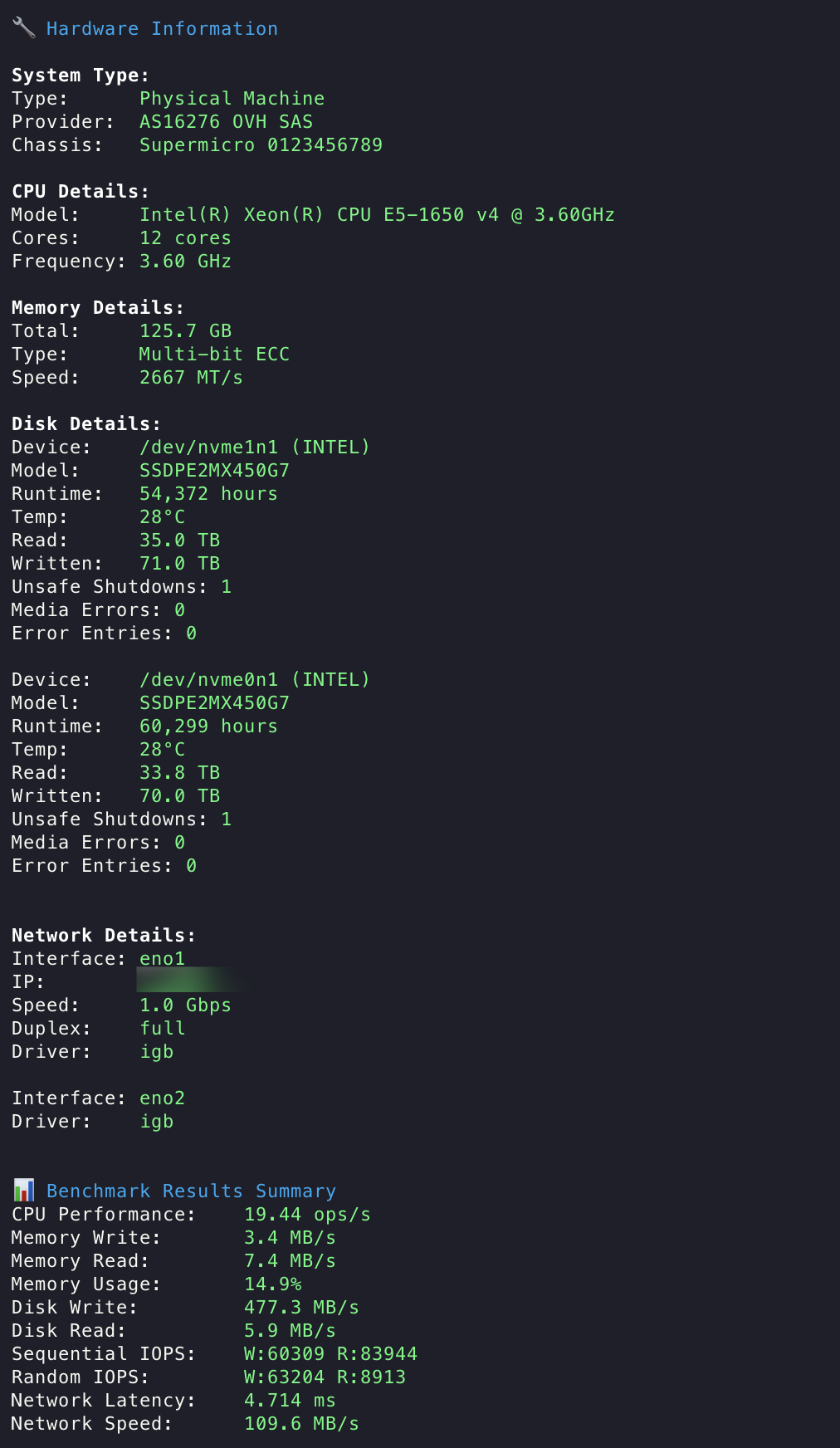
### Webshare
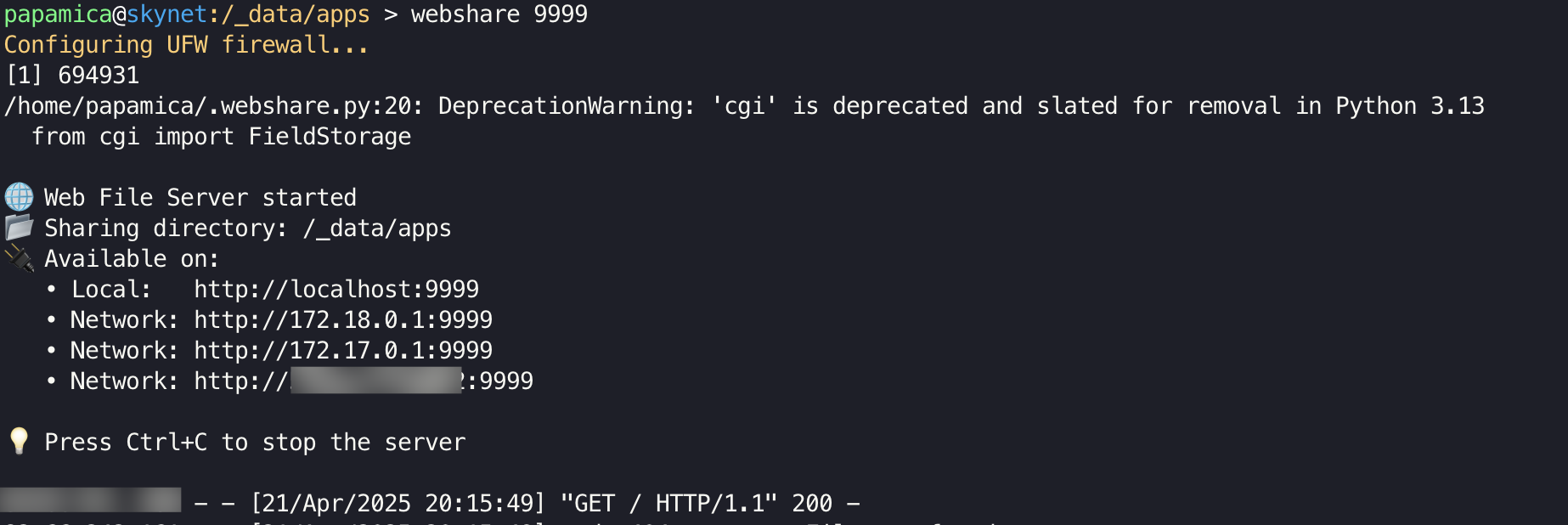
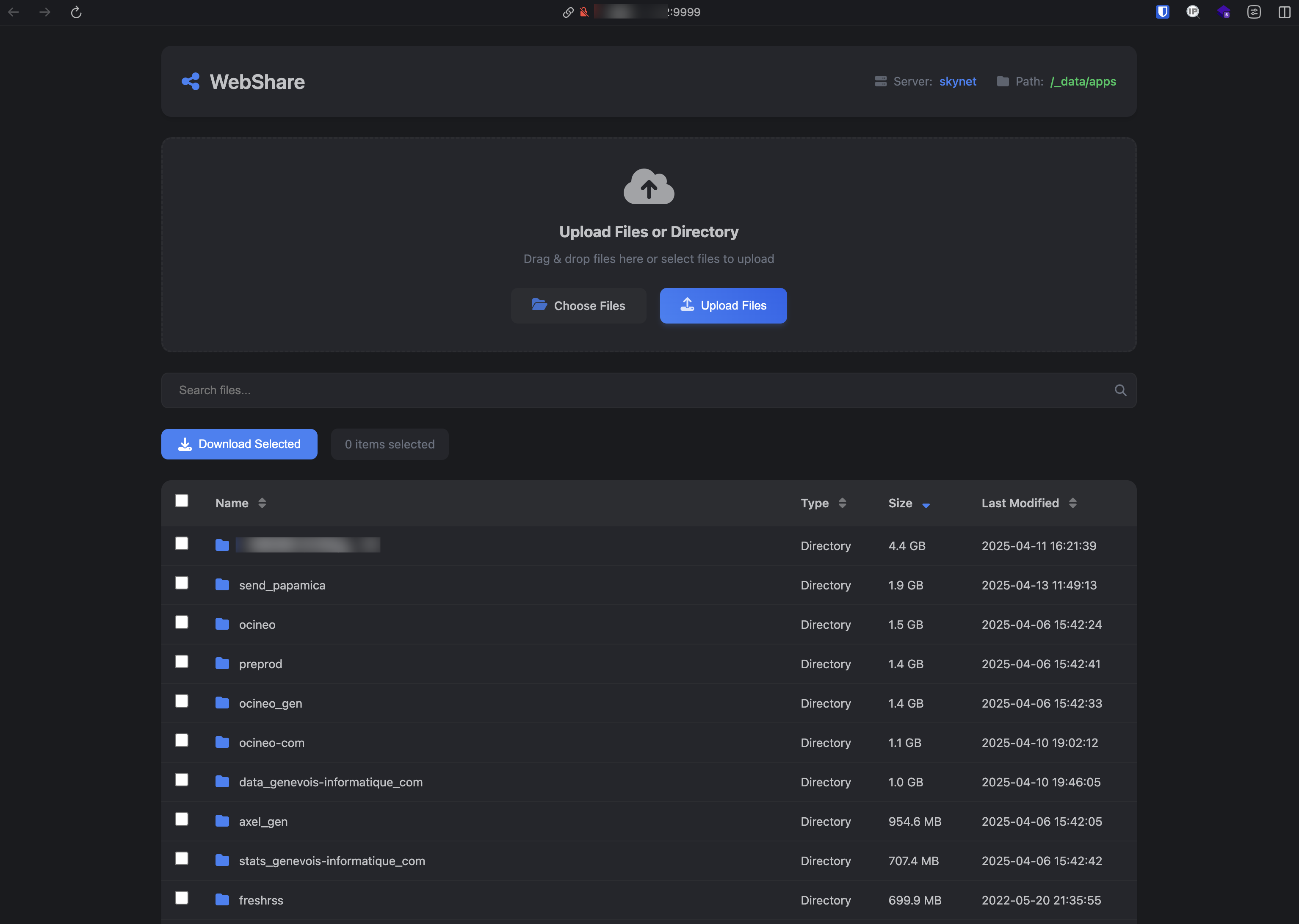
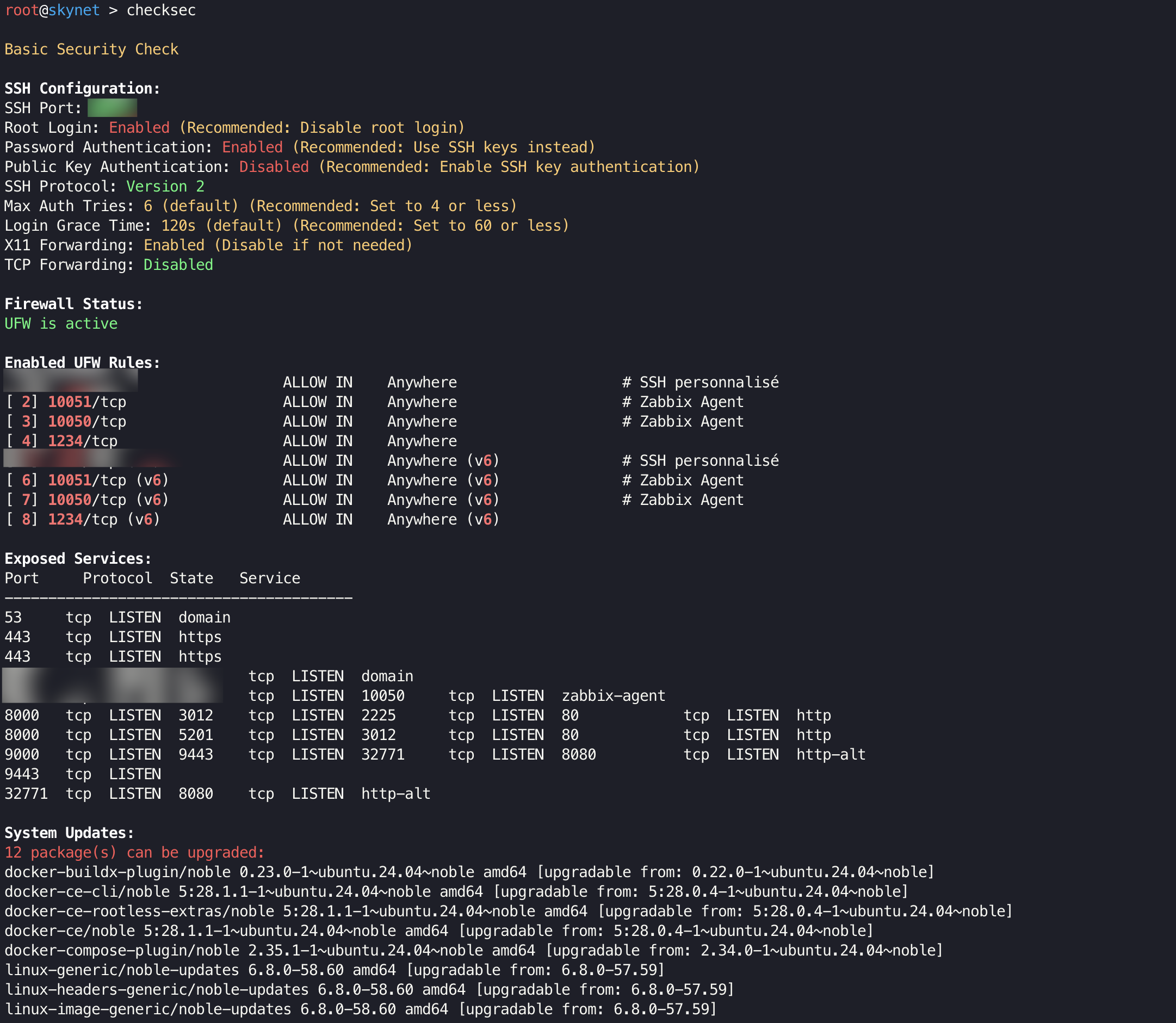
### Checksec
### Less color

## 🌟 Features
### 🔧 Enhanced Shell Experience
- Custom prompt with color-coded usernames
- Comprehensive system information display (MOTD)
- Advanced command history search
- Colored output for logs and commands
- Automatic package management detection and installation
### 📝 Vim Configuration
- Modern dark theme optimized for readability
- Line numbers and syntax highlighting
- Enhanced status line with mode indicator
- Mouse support
- Improved key mappings for navigation
- File type specific settings
### 🛠️ Utility Functions
- `benchmark`: Comprehensive system performance testing
- `checksec`: Security audit and recommendations
- `webshare`: Easy file sharing via HTTP
- `logwatch`: Real-time log monitoring with color highlighting
- `extract`: Universal archive extraction
- `compress`: File compression with multiple formats
- And many more...
### 🎨 Color-Enhanced Commands
- Enhanced `less` with syntax highlighting
- Colored `tail` output
- Improved directory listings
- Better log readability
## 🚀 Installation
1. Clone this repository:
```bash
git clone https://github.com/PAPAMICA/sshtools.git ~/.sshtools
```
2. Add the following function to your `~/.bashrc` or `~/.zshrc`:
```bash
ssh() {
if [ -f "$HOME/.sshtools/.bashrc_remote" ] && [ -f "$HOME/.sshtools/.vimrc_remote" ] && [ -f "$HOME/.sshtools/.webshare.py" ]; then
# Compress and encode files
REMOTE_BASHRC=$(gzip -c "$HOME/.sshtools/.bashrc_remote" | base64)
REMOTE_VIMRC=$(gzip -c "$HOME/.sshtools/.vimrc_remote" | base64)
REMOTE_WEBSHARE=$(gzip -c "$HOME/.sshtools/.webshare.py" | base64)
/usr/bin/ssh -t $1 "
echo '$REMOTE_BASHRC' | base64 -d | gunzip > /tmp/.bashrc_remote && \
echo '$REMOTE_VIMRC' | base64 -d | gunzip > /tmp/.vimrc_remote && \
echo '$REMOTE_WEBSHARE' | base64 -d | gunzip > /tmp/webshare.py && \
bash --rcfile /tmp/.bashrc_remote
"
else
/usr/bin/ssh "$@"
fi
}
alias sshc="/usr/bin/ssh"
```
3. Source your shell configuration:
```bash
source ~/.bashrc # or source ~/.zshrc
```
4. SSH your server:
```bash
ssh your_server
```
Note : Add your server to your ssh_config.
## 📚 Available Commands
### System Information
- `motd`: Display welcome message with system information
- `benchmark`: Run comprehensive server performance tests
- `checksec`: Perform security audit
- `logwatch`: Watch system logs in real-time
### File Management
- `extract`: Extract any type of archive
- `compress`: Compress files/directories
- `findfile`: Search for files with color highlighting
- `tree`: Display directory structure
- `diskspace`: Analyze disk usage
- `webshare`: Start a web file sharing server
- `webshare_cleanup`: Clean up webshare server
### Editor Commands
- `p` / `hp`: Show/hide current path in prompt
- `vic`: Vim with custom configuration
### System Commands
- `start/stop/restart`: Service management
- `status`: Service status
- `enable/disable`: Enable/disable services
- `reload`: Reload service configuration
- `oomanalyser`: Analyze out of memory events
### Network Commands
- `ports`: Show listening ports
- `myip`: Show public IP
- `localip`: Show local IP
### Monitoring Commands
- `topcpu`: Show top 10 CPU processes
- `topmem`: Show top 10 memory processes
- `df`: Show disk usage
- `du`: Show directory usage
- `free`: Show memory usage
### Git Commands
- `gs`: Git status
- `ga`: Git add
- `gc`: Git commit
- `gp`: Git push
- `gl`: Git pull
- `gd`: Git diff
### Docker Commands
- `dps`: List running containers
- `dls`: List all containers
- `dim`: List images
- `dlog`: Show container logs
- `dstop`: Stop container
- `drm`: Remove container
- `drmi`: Remove image
## 🤝 Contributing
Contributions are welcome! Please feel free to submit a Pull Request.
## 🙏 Acknowledgments
- Thanks to all contributors who have helped enhance these tools
- Inspired by various shell customization projects and system administration tools