https://github.com/ProgressPlanner/pdf-xml-sitemap
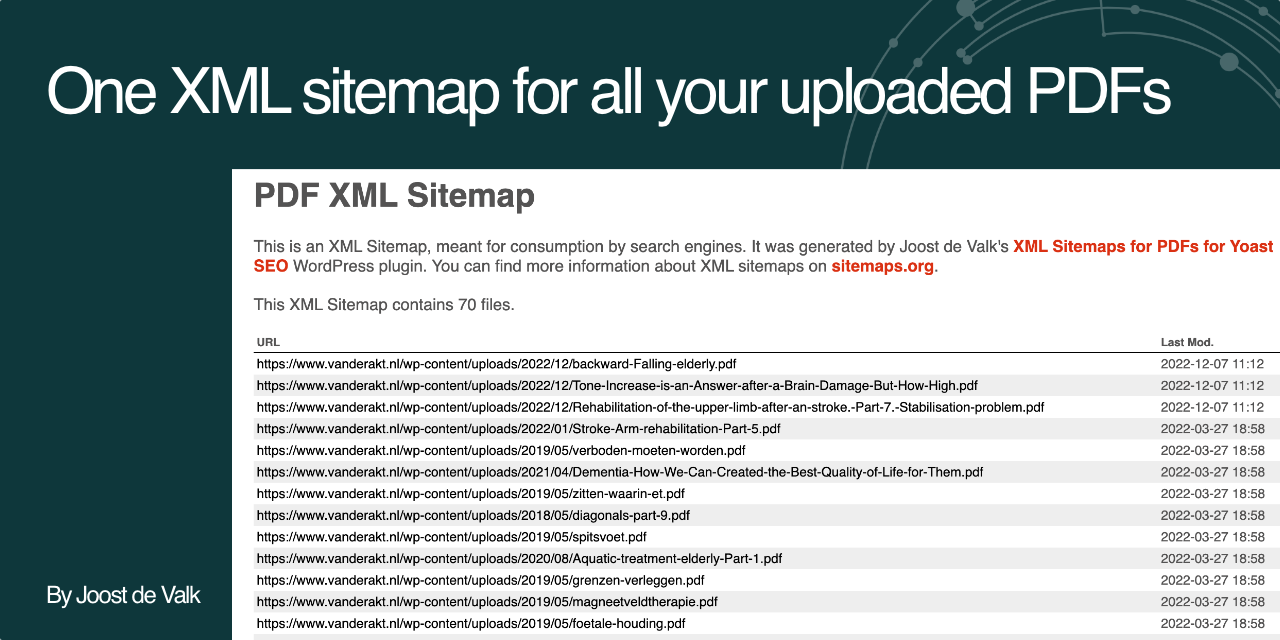
This plugin creates an XML sitemap for the PDFs in your uploads folder. It requires Yoast SEO.
https://github.com/ProgressPlanner/pdf-xml-sitemap
wordpress wordpress-plugin
Last synced: 10 months ago
JSON representation
This plugin creates an XML sitemap for the PDFs in your uploads folder. It requires Yoast SEO.
- Host: GitHub
- URL: https://github.com/ProgressPlanner/pdf-xml-sitemap
- Owner: jdevalk
- License: gpl-3.0
- Created: 2022-12-07T12:34:04.000Z (over 3 years ago)
- Default Branch: main
- Last Pushed: 2024-08-15T13:57:34.000Z (almost 2 years ago)
- Last Synced: 2024-11-08T23:19:02.466Z (over 1 year ago)
- Topics: wordpress, wordpress-plugin
- Language: PHP
- Homepage: https://joost.blog/plugins/pdf-xml-sitemap/
- Size: 554 KB
- Stars: 2
- Watchers: 1
- Forks: 1
- Open Issues: 0
-
Metadata Files:
- Readme: README.md
- Contributing: .github/CONTRIBUTING.md
- License: LICENSE
- Code of conduct: .github/CODE_OF_CONDUCT.md
- Security: .github/SECURITY.md
Awesome Lists containing this project
README
[](https://github.com/jdevalk/pdf-xml-sitemap/actions/workflows/cs.yml)
[](https://github.com/jdevalk/pdf-xml-sitemap/actions/workflows/lint.yml)
[](https://github.com/jdevalk/pdf-xml-sitemap/releases/latest)
[](https://github.com/devalk/pdf-xml-sitemap/blob/main/LICENSE)
# XML Sitemap for PDFs for Yoast SEO
This WordPress plugin adds an XML sitemap for PDFs. It adds this XML sitemap to the `sitemap_index.xml` that [Yoast SEO](https://yoast.com/wordpress/plugins/seo/) generates.
It has no settings.
## Installation
1. Upload the files to the `/wp-content/plugins/pdf-sitemap/` directory or install through WordPress directly.
2. Activate the 'XML Sitemap for PDFs for Yoast SEO' plugin through the 'Plugins' menu in WordPress
3. Go to your site's `sitemap_index.xml` file and click on from there.
## Frequently Asked Questions
### Will this include PDFs uploaded through forms?
The plugin only scans folders with numeric names, so it won't add files that have been uploaded through forms.
### Does this plugin cache its output?
Yes, the plugin scans the uploads folder once per day and saves that data to a transient. When you upload a new PDF file
that cache is cleared automatically.
### Does this plugin work on multisite?
This plugin has **not** been tested on multisite.
### Does this plugin have filters?
Yes, it does. It has the following filters:
| Filter | Description |
|:--------------------------------------|:--------------------------------------------------------------------------------------------------------------------------------------------------------------------------------------|
| `JoostBlog\WP\pdf-sitemap\filetypes` | Allows filtering which filetypes we're adding to the XML sitemap. Just `pdf` by default. |
| `JoostBlog\WP\pdf-sitemap\cache_time` | Allows filtering how long the plugin caches the scanned PDFs for. Value needs to be in seconds. Defaults to one day. Note: setting to 0 will mean cache indefinitely, not disable it. |
| `JoostBlog\WP\pdf-sitemap\pdfs` | Allows filtering the PDFs being output. |
## Changelog
### 1.0.1
* Fixed a potential notice for an unset variable.
* Renamed some filters for consistency.
### 1.0
* First version.