https://github.com/Pylogmon/earth_wallpaper
🌏Simple and easy to use multifunctional wallpaper software
https://github.com/Pylogmon/earth_wallpaper
24h earth linux wallpaper
Last synced: over 1 year ago
JSON representation
🌏Simple and easy to use multifunctional wallpaper software
- Host: GitHub
- URL: https://github.com/Pylogmon/earth_wallpaper
- Owner: Pylogmon
- License: gpl-3.0
- Archived: true
- Created: 2022-07-23T12:01:01.000Z (almost 4 years ago)
- Default Branch: main
- Last Pushed: 2023-02-23T08:26:03.000Z (over 3 years ago)
- Last Synced: 2024-01-27T20:42:52.833Z (over 2 years ago)
- Topics: 24h, earth, linux, wallpaper
- Language: Python
- Homepage: https://pypi.org/project/earth-wallpaper/
- Size: 14.7 MB
- Stars: 48
- Watchers: 2
- Forks: 8
- Open Issues: 1
-
Metadata Files:
- Readme: README.md
- Changelog: CHANGELOG.md
- License: LICENSE
Awesome Lists containing this project
README

earth-wallpaper
简单好用的多功能壁纸软件
[](https://github.com/Pylogmon/earth_wallpaper/releases)
[](https://github.com/Pylogmon/earth_wallpaper/releases)
[](https://github.com/Pylogmon/earth_wallpaper/blob/main/LICENSE)
[](https://github.com/Pylogmon/earth_wallpaper)
[](https://pypi.org/project/earth-wallpaper/)
[](https://aur.archlinux.org/packages/earth-wallpaper-bin)
[](https://aur.archlinux.org/packages/earth-wallpaper-nightly)
## [English](https://github.com/Pylogmon/earth_wallpaper/blob/main/docs/README.md)
## 安装
### Linux
#### Debian
下载`earth-wallpaper-amd64.deb`后使用apt或dpkg安装
#### Arch
通过[AUR](https://aur.archlinux.org/packages?O=0&K=earth-wallpaper-)安装
```shell
# paru
paru -S earth-wallpaper-bin # or earth-wallpaper-nightly
# yay
yay -S earth-wallpaper-bin # or earth-wallpaper-nightly
```
### Windows
Windows推荐使用pip安装
需要事先安装好python3
```shell
pip install earth-wallpaper # 安装
pip install earth-wallpaper --upgrade # 更新
```
要取消启动时的命令行窗口,可以使用vbs脚本启动:
脚本内容如下:
```vbs
CreateObject("WScript.Shell").Run "earth-wallpaper",0,True
```
将此vbs脚本复制到`C:\Users\用户名\AppData\Roaming\Microsoft\Windows\Start Menu\Programs\Startup`目录可以实现开机启动
## 使用须知
第一次运行时会弹出设置窗口,点击```应用```即可开始运行
## 支持接口
- [x] 向日葵八号
- [x] 风云四号
- [x] 必应壁纸 (调用 [@xCss](https://github.com/xCss/bing) API)
- [x] 动漫壁纸 (调用 [waifu.im](https://waifu.im/) API)
- [x] 本地壁纸 (注:目前Windows下使用本地壁纸,路径需要全英文且无空格)
- [x] 24h壁纸 (灵感来自于[windynamicdesktop](https://github.com/t1m0thyj/windynamicdesktop))
- [x] wallhaven.cc ([wallhaven.cc](https://wallhaven.cc))
> 24h壁纸推荐下载地址:
>
> [https://github.com/MiniBusiest/24Hour-Wallppe](https://github.com/MiniBusiest/24Hour-Wallppe)
>
> [https://windd.info/themes/index.html](https://windd.info/themes/index.html)
## 支持桌面环境
### Linux
- [x] KDE Plasma
- [x] Deepin
- [x] GNOME
- [x] ubuntu:GNOME
- [x] Cinnamon
- [x] XFCE
- [x] MATE
- [x] Cutefish
- [x] LXQt (pcmanfm-qt)
- [x] LXDE (pcmanfm)
- [x] 自定义脚本设置壁纸
### Windows
- [x] Windows 10 (测试环境:Windows 10 专业版 21H1,其他版本自行测试)
## 依赖
- Pillow
- PySide6
- requests
- setuptools
- pywin32 (Only Windows)
- dbus-python (Only Linux)
## 手动安装
```shell
git clone https://github.com/Pylogmon/earth_wallpaper.git
cd earth_wallpaper
python3 setup.py install
```
## 开放API
bing 壁纸: [https://github.com/xCss/bing](https://github.com/xCss/bing)
waifu.im 动漫壁纸: [https://waifu.im/](https://waifu.im/)
ipapi 获取ip地理位置: [https://ipapi.co](https://ipapi.co)
wallhaven 壁纸: [https://wallhaven.cc/help/api](https://wallhaven.cc/help/api)
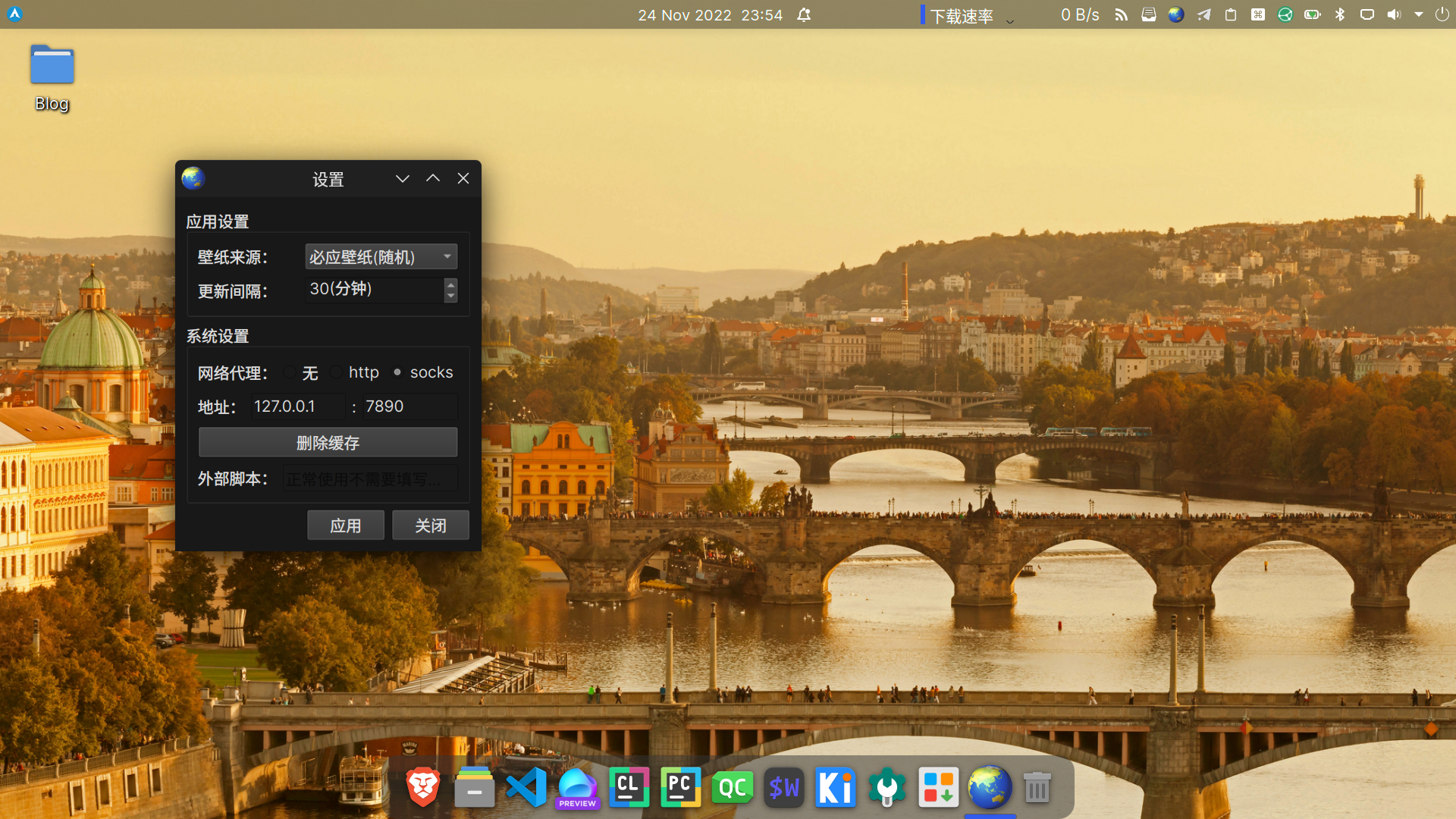
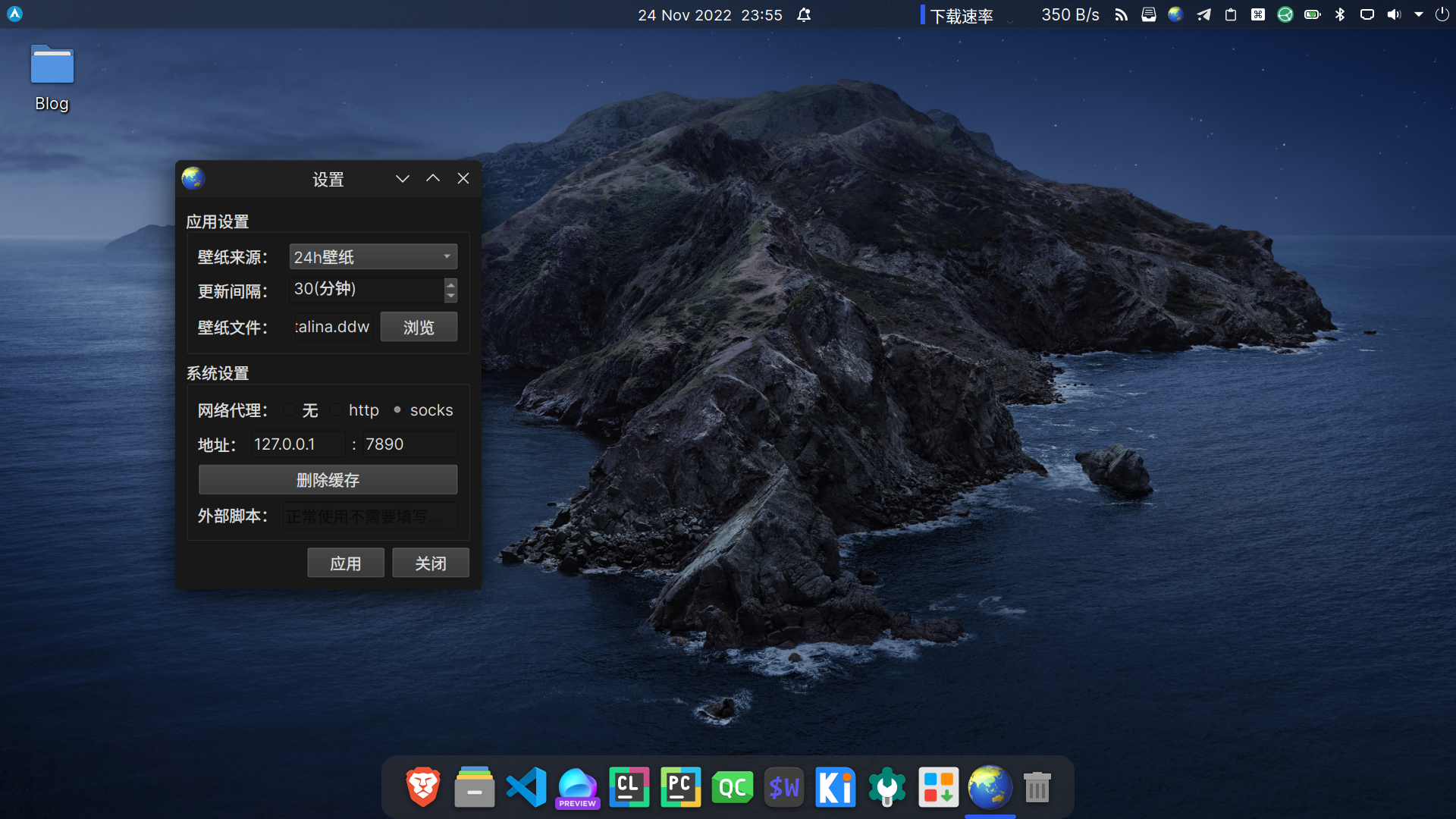
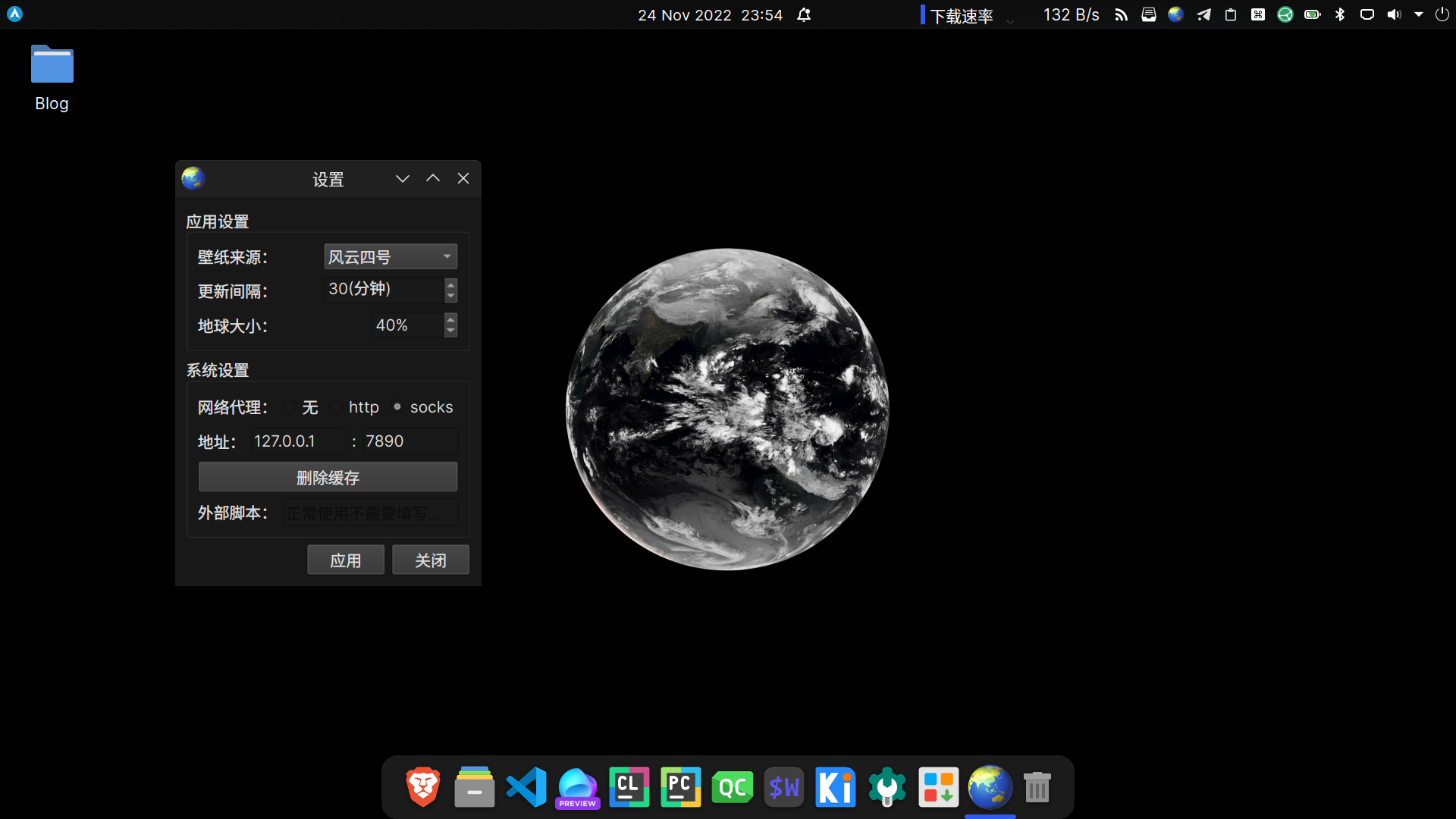
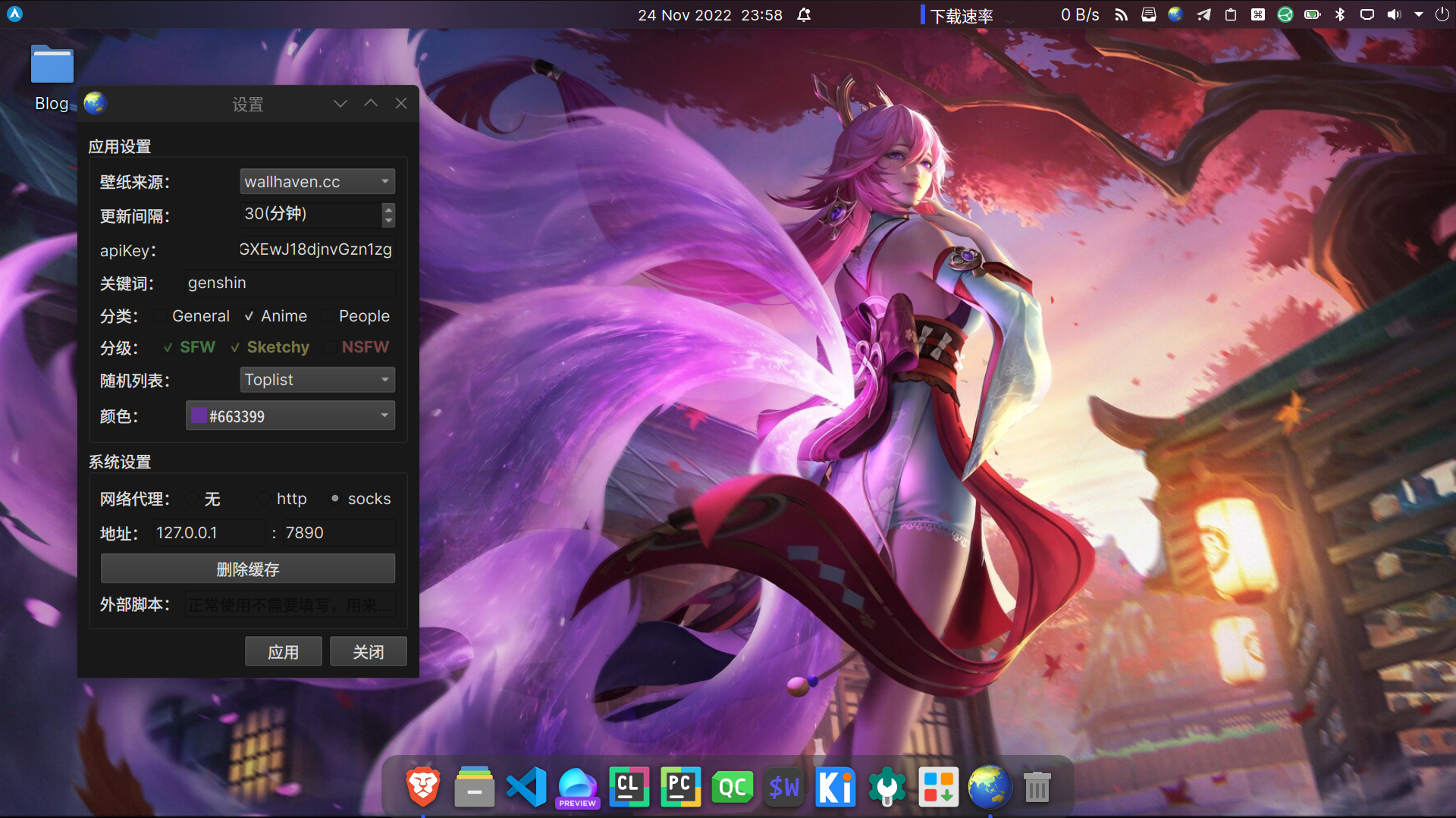
## 软件截图
## 感谢

感谢由 [Jetbrains](https://www.jetbrains.com) 提供的 [开源许可证书](https://www.jetbrains.com/community/opensource/)
此项目部分内容通过 [PyCharm](https://www.jetbrains.com/pycharm/) 进行开发.