https://github.com/STAIRlab/veux
Finite element visualization framework
https://github.com/STAIRlab/veux
finite-element-analysis opensees openseespy post-processing structural-engineering visualization xara
Last synced: 8 months ago
JSON representation
Finite element visualization framework
- Host: GitHub
- URL: https://github.com/STAIRlab/veux
- Owner: STAIRlab
- Created: 2022-04-19T00:13:36.000Z (about 4 years ago)
- Default Branch: master
- Last Pushed: 2025-09-26T18:24:01.000Z (9 months ago)
- Last Synced: 2025-10-29T13:37:00.629Z (8 months ago)
- Topics: finite-element-analysis, opensees, openseespy, post-processing, structural-engineering, visualization, xara
- Language: Python
- Homepage: http://veux.io/
- Size: 368 MB
- Stars: 31
- Watchers: 0
- Forks: 11
- Open Issues: 0
-
Metadata Files:
- Readme: README.md
- Contributing: .github/CONTRIBUTING.md
- Code of conduct: .github/CODE_OF_CONDUCT.md
- Citation: CITATION.cff
- Security: .github/SECURITY.md
Awesome Lists containing this project
- awesome-opensees - `sees` Python package - A visualization framework for creating high quality and responsive renderings using glTF technology with support for both Python and Tcl. ![oss][oss] ![python][python] ![mac][mac] ![win][win] (Visualiser)
README
**Finite element visualization**
[](https://doi.org/10.5281/zenodo.13367076)
[](https://pypi.python.org/pypi/veux)
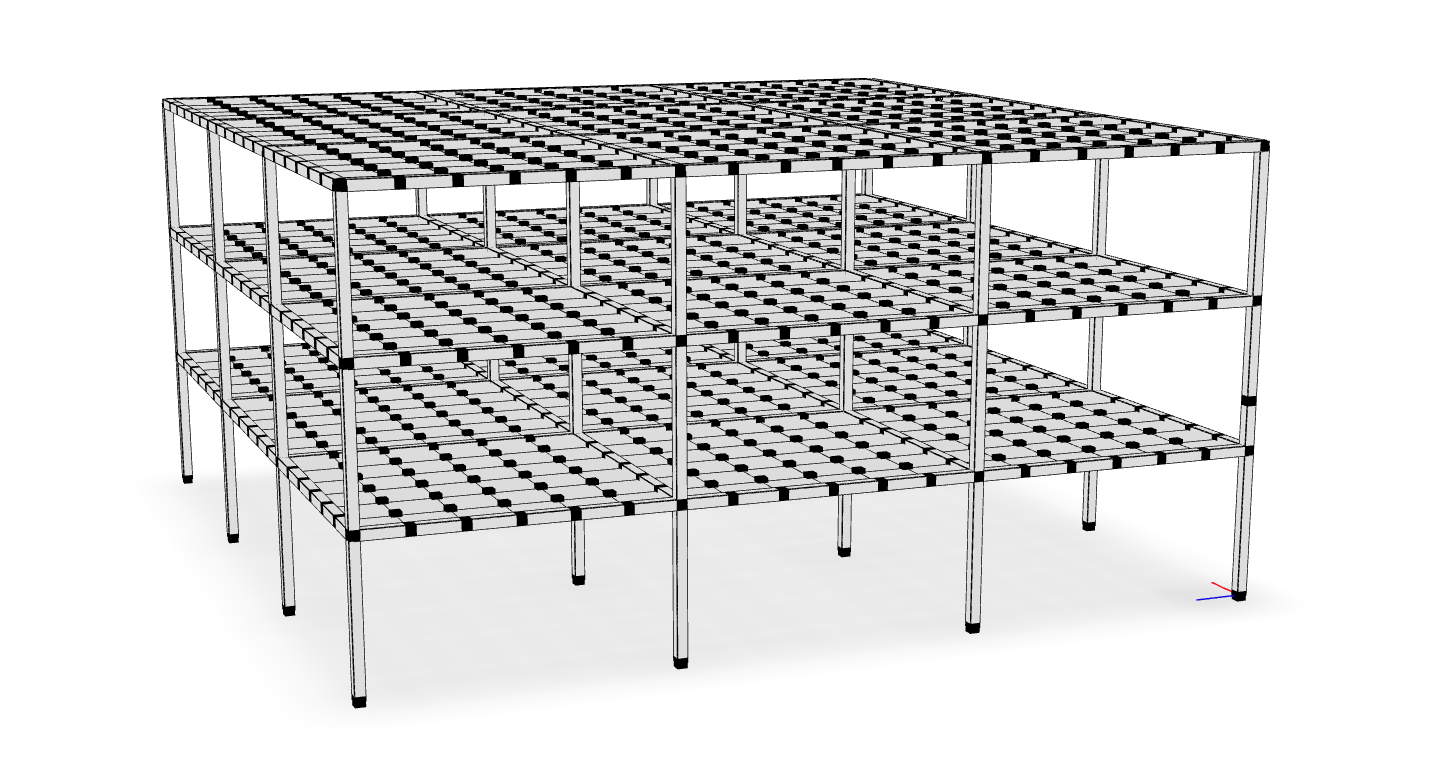
`veux` is a visualization library for finite element analysis that is built on the idea that your renderings should be easy to save, share, and revisit.
`veux` is a finite element visualization library that leverages modern
web technologies to produce sharable, efficient, and detailed renderings.
--------------------------------------------------------------------
Unlike most tools that only provide temporary visualization, `veux` generates
persistent 3D models that can be stored in files, shared with colleagues, and
viewed with any standard 3D model viewer. This means anyone can interact with
the renderings without needing to install specialized software or even Python.
Simply open the 3D object with your computer’s 3D viewer (e.g., 3D Viewer on
Windows) or load it into a free online viewer in like [gltf-viewer](https://gltf-viewer.donmccurdy.com/).
`veux` is further distinguished by its features for geometrically exact simulations
of constrained bodies like rods and shells.
Documentation is available at [https://veux.io/](https://veux.io) and an extensive set of
examples at [https://gallery.stairlab.io](https://gallery.stairlab.io).
## Features
- **Detailed** Render frames with extruded cross sections
- **Persistence**: Save finite element visualizations as persistent 3D models that can be revisited and analyzed at any time.
- **Portability**: Share renderings effortlessly with colleagues, enabling seamless collaboration and review.
- **Accessibility**: View and interact with the models using any standard 3D model viewer, eliminating the need for specialized software or Python installation.
--------------------------------------------------------------------
## Getting Started
To install `veux` run:
```shell
pip install veux
```
### Python Interface
To render a model directly from Python, use the `veux.render` function:
```python
artist = veux.render(model, canvas=canvas)
```
- **model**: the `model` parameter can be of several types
- `str` (string) variables are treated like file paths. Supported files are `.json` and `.tcl`
- `dict` variables are treated
- [`Model`](https://xara.so/user/manual/model/model_class.html) variables from the [`xara`](https://xara.so) Python package can be passed directly
- The `openseespy.opensees` module to render the current OpenSeesPy model.
- **canvas**: The `canvas` parameter is a string which indicates which "backend" technology to use. The options are:
- `"gltf"` is the default canvas and produces the highest quality renderings. You can save renderings drawn by this backend to either `.html` or `.glb` files. `.glb` files are preferred as they are a natural format for 3D objects and can be viewed by standard 3D viewing applications.
- `"plotly"` is best for model debugging as it is able to embed model details like node/element numbers and properties with hover annotations. However, the renderings produced by this backend dont look quite as good as with `gltf`.
- `"matplotlib"`: can be used to programatically create `.png` files.
Once the `artist` is created, the rendering can either be displayed or saved to a file. Each `canvas` supports slightly different options:
- **viewing** To view a rendering that is generated either with `canvas="gltf"` or `canvas="plotly"`, use the `veux.serve()` function:
```python
veux.serve(artist)
```
After running you will see a message like the following printed
to your terminal:
```
Bottle v0.13.1 server starting up (using WSGIRefServer())...
Listening on http://localhost:8081/
Hit Ctrl-C to quit.
```
Paste the URL from this message (eg, http://localhost:8081) into
the address bar of a browser and an interactive rendering will
appear.
- **saving** Use the `artist`'s `save()` method to write the rendering to a file. The file type depends on the canvas:
- with `canvas="gltf"`, files are saved in the glTF format with extension `.glb`:
```python
...
artist.save("model.glb")
```
- with `canvas="plotly"`, files are saved in to HTML:
```python
...
artist.save("model.html")
```
- with `canvas="matplotlib"`, files are saved in as PNGs:
```python
...
artist.save("model.png")
```
Note, however, that renderings produced by the `"matplotlib"` canvas are generally very poor quality.
For high quality images, use the `"gltf"` canvas and take screen captures.
### Command Line Interface
To create a rendering, execute the following command from the anaconda prompt (after activating the appropriate environment):
```shell
python -m veux model.json -o model.html
```
where `model.json` is a JSON file generated from executing the following OpenSees command:
```tcl
print -JSON model.json
```
If you omit the `-o ` portion, it will plot immediately in a new
window. You can also use a `.png` extension to save a static image file, as
opposed to the interactive html.
> **Note** Printing depends on the JSON output of a model. Several materials and
> elements in the OpenSeesPy and upstream OpenSees implementations do not
> correctly print to JSON. For the most reliable results, use the
> [`xara`](https://pypi.org/project/xara) package for interpreting OpenSees.
By default, the rendering treats the $y$ coordinate as vertical.
In order to manually control this behavior, pass the option
`--vert 3` to render model $z$ vertically, or `--vert 2` to render model $y$ vertically.
If the [`opensees`](https://pypi.org/project/opensees) package is installed,
you can directly render a Tcl script without first printing to JSON,
by just passing a Tcl script instead of the JSON file:
```shell
python -m veux model.tcl -o model.html
```
To plot an elevation (`elev`) plan (`plan`) or section (`sect`) view, run:
```shell
python -m veux model.json --view elev
```
and add `-o ` as appropriate.
To see the help page run
```shell
python -m veux --help
```
## Related Links
The `veux` packages was used to generate figures for the following publications:
- *On nonlinear geometric transformations of finite elements* [doi: 10.1002/nme.7506](https://doi.org/10.1002/nme.7506)
## Gallery
| | |
| :---------------: | :---------------: |
| ![][glry-0001] | ![][glry-0003] |
| ![][glry-0002] | ![][glry-0005] |
[glry-0001]:
[view-0001]:
[glry-0002]:
[view-0002]:
[glry-0003]:
[view-0003]:
[glry-0005]:
[view-0005]:
## Support