https://github.com/UweGruenefeld/UnityNetworkModel
Package for Unity3D to synchronize GameObjects, Resources and Components with multiple Unity clients over websockets.
https://github.com/UweGruenefeld/UnityNetworkModel
json network nodejs sync unity
Last synced: about 1 year ago
JSON representation
Package for Unity3D to synchronize GameObjects, Resources and Components with multiple Unity clients over websockets.
- Host: GitHub
- URL: https://github.com/UweGruenefeld/UnityNetworkModel
- Owner: UweGruenefeld
- License: mit
- Created: 2017-05-05T17:25:18.000Z (about 9 years ago)
- Default Branch: master
- Last Pushed: 2020-05-06T18:18:24.000Z (about 6 years ago)
- Last Synced: 2024-11-10T16:46:10.421Z (over 1 year ago)
- Topics: json, network, nodejs, sync, unity
- Language: C#
- Homepage:
- Size: 1.21 MB
- Stars: 41
- Watchers: 10
- Forks: 5
- Open Issues: 0
-
Metadata Files:
- Readme: README.md
- License: LICENSE
Awesome Lists containing this project
README
# Unity Network Model
Package for Unity3D, which allows synchronizing GameObjects, Resources, and Components with multiple Unity clients over WebSockets. On the server-side, a NodeJS script opens a WebSocket connection, stores the incoming GameObjects, Resources, and Components as JSON objects and sends updates to the Unity clients to keep them sync.
> Ideal for beginners, to synchronize multiple Unity clients without any knowledge
> about network programming. Perfect as well, to rapidly prototype
> multi-user experiences with a large number of supported devices.
[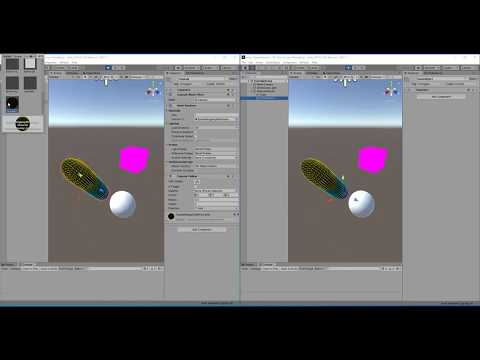](http://www.youtube.com/watch?v=fQcbDtgZxLE)
*Demonstration of Unity Network Model*
## Features
* Bidirectional updates between Unity client and NodeJS server
- Every Unity client shares the same synchronized hierarchy of GameObjects and their Components and Resources
* Unidirectional updates (only receive updates or only send updates)
- One Unity client, for example, can be used to show the copy of GameObjects without sending changes to the NodeJS server
* Selected updates (specify which Components and Resources can send or receive updates)
- Supported components are BoxCollider, Camera, Light, LineRenderer, MeshCollider, MeshFilter, MeshRenderer, Script, SphereCollider, and Transform
- Supported resources are Material, Mesh, and Texture2D
- Extendable to support more components and resources
* Supports multiple channel to synchronize different hierarchies on client and server at the same time
* Synchronizes any hierarchy depth of GameObjects
* Update frequency and decimal places adjustable
* Updates only changed GameObjects, Components and Resources
## Install
To install the UnityNetworkModel follow these five simple steps:
1. Clone this repository to your computer
2. Install the NodeJS package inside the nodejs folder
```sh
npm install
```
3. Start node.js server
```sh
node server.js
```
4. Import UnityNetworkModel.unitypackage in Unity3D
5. Add the script NetworkModelConfiguration.cs to a GameObject
## Requirements
* NodeJS version 4.5 or higher *required*
* Unity version 2017.4 or higher *required*
* Tested on Unity version 2019.3 and 2018.4
* If Clients (Unity) are deployed on different machines and compare timestamps is activated, a clock synchronization on all Clients is required
## Platforms
* Windows (including Hololens und VR headsets)
* Linux
* MacOS
* Android (Oculus Go, Quest)
* iOS
## External Libraries
* WebSocket-Sharp (see https://github.com/sta/websocket-sharp)
-----
## Screenshots

*UnityNetworkModel Configuration Component*

*UnityNetworkModel Rule Component*

*NodeJS server console output*