https://github.com/Velyzo/BetterTkinter
An enhanced tkinter package with custom-styled widgets
https://github.com/Velyzo/BetterTkinter
bettertkinter fancy gui python tkinter ui velis wfxey
Last synced: 8 months ago
JSON representation
An enhanced tkinter package with custom-styled widgets
- Host: GitHub
- URL: https://github.com/Velyzo/BetterTkinter
- Owner: VelisCore
- License: mit
- Created: 2024-11-03T20:43:15.000Z (over 1 year ago)
- Default Branch: main
- Last Pushed: 2024-12-11T21:36:16.000Z (over 1 year ago)
- Last Synced: 2025-01-18T23:19:28.300Z (over 1 year ago)
- Topics: bettertkinter, fancy, gui, python, tkinter, ui, velis, wfxey
- Language: Python
- Homepage: https://discord.gg/CFujE7USpt
- Size: 59.6 KB
- Stars: 1
- Watchers: 1
- Forks: 0
- Open Issues: 0
-
Metadata Files:
- Readme: README.md
- License: LICENSE
Awesome Lists containing this project
README
# BetterTkinter





🎨 A modern, beautiful, and feature-rich Tkinter UI framework for Python
Transform your Python desktop applications with stunning modern interfaces, advanced widgets, and effortless theming.
[📚 **Documentation**](https://velyzo.github.io/BetterTkinterDocs/) • [🎮 **Live Demo**](demo/) • [🚀 **Get Started**](#-quick-start) • [💡 **Examples**](#-examples--demos)
---
## ✨ **Why BetterTkinter?**
**BetterTkinter** revolutionizes Python GUI development by providing a modern, intuitive framework built on Tkinter's solid foundation. Create professional-grade desktop applications with minimal code and maximum visual impact.
### 🎯 **Key Highlights**
| 🌟 **Feature** | 🎨 **Description** |
|---------------|------------------|
| **Modern Design** | Beautiful, contemporary widgets that look native on all platforms |
| **Smart Theming** | Light/Dark/Auto themes with customizable color schemes |
| **Advanced Widgets** | Color pickers, dialogs, navigation bars, progress bars, and more |
| **Developer Friendly** | Intuitive API, comprehensive documentation, rich examples |
| **Production Ready** | Robust, tested, and used in real-world applications |
| **Cross Platform** | Windows, macOS, and Linux support out of the box |
---
## 📦 **Installation**
### Quick Install
```bash
pip install bettertkinter
```
### Development Install
```bash
git clone https://github.com/Velyzo/BetterTkinter.git
cd BetterTkinter
pip install -e .
```
> 💡 **Tip:** Use a virtual environment for better dependency management. See our [Installation Guide](https://velyzo.github.io/BetterTkinterDocs/guides/installation/) for detailed instructions.
---
## 🚀 **Quick Start**
Get up and running in under 2 minutes:
```python
from bettertkinter import BTk, BTkButton, BTkFrame, BTkLabel
# Create a modern window
app = BTk(title="🎨 My Beautiful App", theme="dark", geometry="500x350")
# Add a stylish frame
frame = BTkFrame(app, corner_radius=15)
frame.pack(fill="both", expand=True, padx=20, pady=20)
# Beautiful label
BTkLabel(frame, text="Welcome to BetterTkinter! 🚀",
font_size=18).pack(pady=20)
# Modern buttons with different styles
BTkButton(frame, text="Primary Action", style="primary").pack(pady=5)
BTkButton(frame, text="Success Action", style="success").pack(pady=5)
BTkButton(frame, text="Warning Action", style="warning").pack(pady=5)
app.mainloop()
```
**That's it!** You now have a beautiful, modern GUI application.
---
## 🎮 **Examples & Demos**
### 🔥 **Try the Interactive Demo**
Experience BetterTkinter's full power with our comprehensive demo:
```bash
# Run the main demo
python demo.py
# Or explore the demo folder
cd demo/
python advanced_demo.py
```
### 📂 **Demo Directory**
Our [`demo/`](demo/) folder contains:
- **Complete Applications** - Full-featured apps showcasing real-world usage
- **Component Demos** - Individual widget demonstrations
- **Theme Showcases** - Different styling approaches
- **Integration Examples** - Working with databases, APIs, and more
### 💡 **Code Examples**
Quick examples for common tasks:
📝 Form with Validation
```python
from bettertkinter import BTk, BTkFrame, BTkLabel, BTkEntry, BTkButton, BTkDialog
class LoginForm(BTk):
def __init__(self):
super().__init__(title="Login", geometry="400x300", theme="light")
frame = BTkFrame(self)
frame.pack(fill="both", expand=True, padx=30, pady=30)
BTkLabel(frame, text="🔐 Login", font_size=20).pack(pady=20)
self.username = BTkEntry(frame, placeholder_text="Username")
self.username.pack(fill="x", pady=10)
self.password = BTkEntry(frame, placeholder_text="Password", show="*")
self.password.pack(fill="x", pady=10)
BTkButton(frame, text="Login", style="primary",
command=self.login).pack(pady=20, fill="x")
def login(self):
if self.username.get() and self.password.get():
BTkDialog.show_success("Success", "Welcome back!")
else:
BTkDialog.show_error("Error", "Please fill all fields")
LoginForm().mainloop()
```
🎨 Color Picker App
```python
from bettertkinter import BTk, BTkColorPicker, BTkLabel, BTkFrame
class ColorApp(BTk):
def __init__(self):
super().__init__(title="Color Studio", geometry="600x500")
frame = BTkFrame(self)
frame.pack(fill="both", expand=True, padx=20, pady=20)
BTkLabel(frame, text="🎨 Color Picker Studio", font_size=18).pack(pady=10)
self.color_picker = BTkColorPicker(frame, width=400, height=300)
self.color_picker.pack(pady=20)
self.color_label = BTkLabel(frame, text="Selected: #FF6B35", font_size=14)
self.color_label.pack(pady=10)
self.color_picker.bind_color_change(self.on_color_change)
def on_color_change(self, color):
self.color_label.configure(text=f"Selected: {color}")
ColorApp().mainloop()
```
📊 Dashboard Example
```python
from bettertkinter import BTk, BTkFrame, BTkLabel, BTkProgressBar, BTkNavBar
class Dashboard(BTk):
def __init__(self):
super().__init__(title="Analytics Dashboard", geometry="800x600", theme="dark")
# Navigation
nav = BTkNavBar(self, items=["Overview", "Analytics", "Settings"])
nav.pack(fill="x", padx=10, pady=10)
# Content frame
content = BTkFrame(self)
content.pack(fill="both", expand=True, padx=20, pady=20)
# Metrics
BTkLabel(content, text="📈 Key Metrics", font_size=16).pack(pady=10)
metrics_frame = BTkFrame(content)
metrics_frame.pack(fill="x", pady=10)
# Progress indicators
for metric, value in [("Revenue", 85), ("Users", 92), ("Growth", 78)]:
metric_frame = BTkFrame(metrics_frame)
metric_frame.pack(side="left", fill="both", expand=True, padx=5)
BTkLabel(metric_frame, text=metric).pack(pady=5)
progress = BTkProgressBar(metric_frame)
progress.set_value(value)
progress.pack(fill="x", padx=10, pady=5)
BTkLabel(metric_frame, text=f"{value}%").pack()
Dashboard().mainloop()
```
---
## 🧩 **Component Library**
BetterTkinter provides a comprehensive set of modern widgets:
🪟
BTk
Main Window
🔳
BTkButton
Modern Buttons
🖼️
BTkFrame
Containers
🏷️
BTkLabel
Text Display
📝
BTkEntry
Input Fields
💬
BTkDialog
Message Boxes
🎨
BTkColorPicker
Color Selection
☑️
BTkCheckBox
Checkboxes
📊
BTkProgressBar
Progress Indicators
🧭
BTkNavBar
Navigation
🎚️
BTkSlider
Range Input
🖌️
BTkCanvas
Drawing Surface
> 📖 **Full Component Reference:** [Component Documentation](https://velyzo.github.io/BetterTkinterDocs/components/)
---
## 📚 **Documentation & Resources**
### 🌐 **Complete Documentation Website**
**[📖 velyzo.github.io/BetterTkinterDocs](https://velyzo.github.io/BetterTkinterDocs/)**
Our comprehensive documentation includes:
- 📘 **Getting Started Guide** - Step-by-step tutorials
- 🧩 **Component Reference** - Detailed API documentation
- 💡 **Examples Collection** - Real-world code samples
- 🎨 **Theming Guide** - Customization and styling
- 🚀 **Deployment Guide** - Packaging and distribution
### 📁 **Local Documentation**
- [`docs/`](docs/) - Complete local documentation
- [`docs/guides/`](docs/guides/) - Installation, quick start, deployment
- [`docs/components/`](docs/components/) - Individual component docs
- [`docs/examples/`](docs/examples/) - Code examples and tutorials
- [`docs/api/`](docs/api/) - Full API reference
---
## 🤝 **Community & Support**
[](https://github.com/Velyzo/BetterTkinter/discussions)
[](https://github.com/Velyzo/BetterTkinter/issues)
[](https://velyzo.github.io/BetterTkinterDocs/)
### 💪 **Contributing**
We welcome contributions! Here's how you can help:
- 🐛 **Report bugs** and request features
- 📝 **Improve documentation** and examples
- 🔧 **Submit pull requests** with enhancements
- 💬 **Help others** in discussions
- ⭐ **Star the repository** to show your support
See our [Contributing Guide](docs/CONTRIBUTING.md) for detailed guidelines.
---
## 🏆 **Showcase**
**BetterTkinter** powers a variety of applications:
- 🖥️ **Desktop Applications** - Business tools, utilities, games
- 🔧 **Development Tools** - IDEs, file managers, system monitors
- 🎨 **Creative Software** - Image editors, drawing apps, design tools
- 📊 **Data Applications** - Dashboards, analytics, visualization tools
> 📸 **Share Your Creation:** Built something amazing? [Share it with us](https://github.com/Velyzo/BetterTkinter/discussions)!
---
## 📜 **License**
BetterTkinter is released under the **MIT License**. See [`LICENSE`](LICENSE) for details.
```
MIT License - Feel free to use BetterTkinter in personal and commercial projects!
```
---
## ⭐ **Star History**
[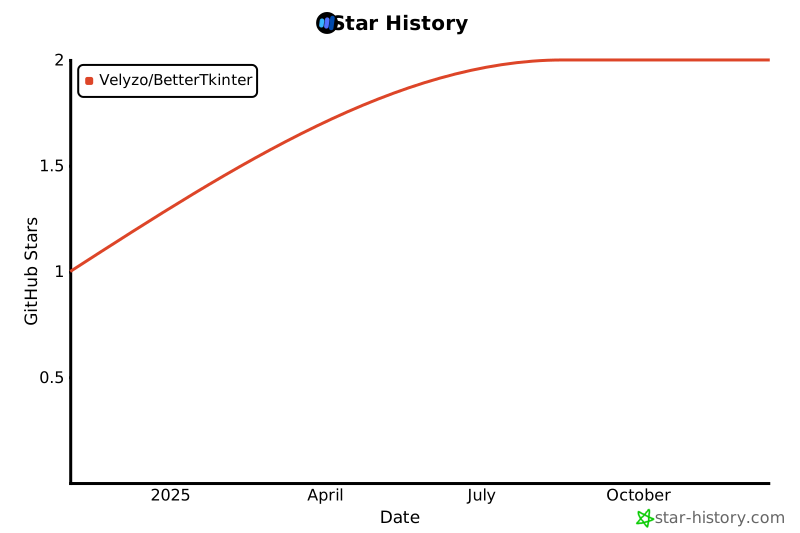](https://star-history.com/#Velyzo/BetterTkinter&Date)
---
### 🚀 **Ready to Build Something Amazing?**
**[📖 Read the Docs](https://velyzo.github.io/BetterTkinterDocs/)** • **[🎮 Try the Demo](demo.py)** • **[⭐ Star the Repo](https://github.com/Velyzo/BetterTkinter)**
**Made with ❤️ by the BetterTkinter Team**
[](https://github.com/Velyzo)