https://github.com/a-jean-andreasian/fut-sbc-assistant
FC25 SBCs Auto
https://github.com/a-jean-andreasian/fut-sbc-assistant
fc25 fifa
Last synced: 10 months ago
JSON representation
FC25 SBCs Auto
- Host: GitHub
- URL: https://github.com/a-jean-andreasian/fut-sbc-assistant
- Owner: a-jean-andreasian
- Created: 2025-08-02T05:38:35.000Z (10 months ago)
- Default Branch: master
- Last Pushed: 2025-08-04T02:14:53.000Z (10 months ago)
- Last Synced: 2025-08-04T04:54:17.862Z (10 months ago)
- Topics: fc25, fifa
- Language: Python
- Homepage:
- Size: 877 KB
- Stars: 0
- Watchers: 0
- Forks: 0
- Open Issues: 0
-
Metadata Files:
- Readme: README.md
Awesome Lists containing this project
README
# FUT SBC Assistant
This is an automation script for SBCs (Squad Building Challenges) in FIFA Ultimate Team (FUT) using the AutoSBC extension.
---
## Current version: v1.2
Types of SBCs supported:
- Option 1: **83+ Player Pick**
- Option 2: **84+ TOTW Upgrade** (added in v1.1)
- Option 3: **89 OVR Squadshifter** (added in v1.2)
- Optionally you can manually pass the `min OVR` and the `option`:
```bash
python main.py --option 3 --min-ovr 89
```
---
## Demo (v1.0.0)
Watch the demo video to see it in action:
[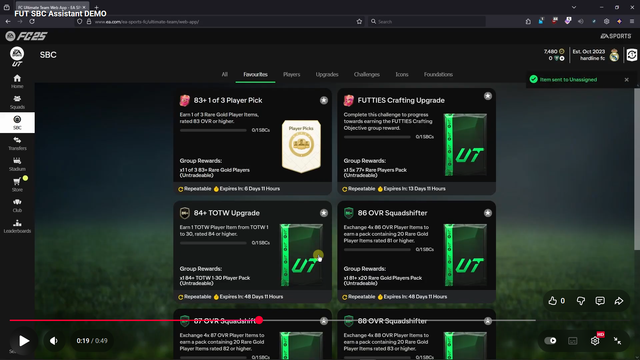](https://youtu.be/c5DOvhQUPJs?si=Jsvoz76Zg0e-Fb1X)
---
## Requirements and presets
- Browser: Mozilla Firefox
- Zoom: 100%
- SBC Position: Left top corner (first row, first column)
- Extension: AutoSBC
- Start: SBC tab where the SBC is located
---
## Usage
1. Download the script:
- Click the "Code" button and select "Download ZIP".
2. Install the AutoSBC extension and enable it:
- Their website: [AutoSBC](https://autosbc.com/). Note: I'm not affiliated with the extension, but it is required for this script to work.
3. Extract the downloaded ZIP file.
4. Download Python programming language from [python.org](https://www.python.org/downloads/) and install it. Just click "Next" on all steps.
5. Organize the "Favorite SBCs" as follows:

- The layout is **important** for the script to work correctly!
6. Open cmd and navigate to the extracted folder:
```bash
cd path\to\extracted\folder
```
6. Run the script:
```bash
python main.py
```
7. Enter:
- **1** or press **Enter**: for 83+ Player Pick
- **2**: for 84+ TOTW Upgrade
8. Alt+Tab to the FC companion browser window. And enjoy.
#### To interrupt the script: **move the mouse to the top left corner of the screen.**
---
## License
Armen-Jean Andreasyan © 2025