https://github.com/a-type/graphql-cypher
A simple but powerful translation layer between GraphQL and Cypher
https://github.com/a-type/graphql-cypher
Last synced: 4 months ago
JSON representation
A simple but powerful translation layer between GraphQL and Cypher
- Host: GitHub
- URL: https://github.com/a-type/graphql-cypher
- Owner: a-type
- Created: 2019-05-20T03:13:57.000Z (about 7 years ago)
- Default Branch: master
- Last Pushed: 2023-01-03T22:12:48.000Z (over 3 years ago)
- Last Synced: 2025-07-04T06:06:32.267Z (12 months ago)
- Language: TypeScript
- Homepage:
- Size: 12.9 MB
- Stars: 17
- Watchers: 4
- Forks: 2
- Open Issues: 18
-
Metadata Files:
- Readme: README.md
Awesome Lists containing this project
README
# graphql-cypher
A simple but powerful translation layer between GraphQL and Cypher.
> **Note** This library is currently coupled to Neo4j as a backing database, but I'd be happy to accept contributions to decrease that coupling if there is another graph database which uses Cypher that someone would like to support.
> **Note** In its current form, certain features of this library require APOC to run. See [Limitations](#limitations)
## Table of Contents
- [graphql-cypher](#graphql-cypher)
- [Table of Contents](#table-of-contents)
- [Key Features](#key-features)
- [🔨 Simple setup](#%F0%9F%94%A8-simple-setup)
- [🌎 Helpful Cypher globals](#%F0%9F%8C%8E-helpful-cypher-globals)
- [🔗 Multi-data-source friendly](#%F0%9F%94%97-multi-data-source-friendly)
- [🔑 Authorization friendly](#%F0%9F%94%91-authorization-friendly)
- [Goals](#goals)
- [Documentation](#documentation)
- [Setup](#setup)
- [Queries](#queries)
- [Basic querying (`@cypher`, `@cypherNode`)](#basic-querying-cypher-cyphernode)
- [`@cypher`: Cypher entry point](#cypher-cypher-entry-point)
- [`@cypherNode`: Traverse a relationship to another node](#cyphernode-traverse-a-relationship-to-another-node)
- [`@cypherRelationship`: Represent a relationship with a type](#cypherrelationship-represent-a-relationship-with-a-type)
- [`@cypherLinkedNodes`: Represent a linked list](#cypherlinkednodes-represent-a-linked-list)
- [`@cypherVirtual`: Add extra layers to the structure of returned data](#cyphervirtual-add-extra-layers-to-the-structure-of-returned-data)
- [`@cypherComputed`: Compute aggregated or altered field values](#cyphercomputed-compute-aggregated-or-altered-field-values)
- [`@cypherCustom`: Custom Cypher queries (only supported with APOC)](#cyphercustom-custom-cypher-queries-only-supported-with-apoc)
- [Mutations](#mutations)
- [Rules for `@cypherCustom` directives](#rules-for-cyphercustom-directives)
- [`@cypher` globals](#cypher-globals)
- [Custom Resolver Logic](#custom-resolver-logic)
- [Example: Authorization](#example-authorization)
- [Example: External Service](#example-external-service)
- [Generated Values](#generated-values)
- [Limitations](#limitations)
- [Inspiration](#inspiration)
- [Local Development](#local-development)
- [`npm start` or `yarn start`](#npm-start-or-yarn-start)
- [`npm run build` or `yarn build`](#npm-run-build-or-yarn-build)
- [`npm test` or `yarn test`](#npm-test-or-yarn-test)
- [`npm run test:integration`](#npm-run-testintegration)
## Key Features
### 🔨 Simple setup
Attach Cypher resolution directives to an field in your schema and they'll be resolved accordingly, no matter where they are in the query.
### 🌎 Helpful Cypher globals
Important data is added automatically to your Cypher queries for you to reference. In addition to `$args` (the field arguments), you get `parent` (the parent node) and `$context` (special values you can add to your GraphQL context to give to every query).
```graphql
type User {
posts(offset: Int = 10): [Post!]!
@cypherCustom(
statement: "MATCH (parent)-[:HAS_POST]->(p:Post) RETURN p SKIP $args.offset LIMIT $context.globalPageSize"
)
}
```
### 🔗 Multi-data-source friendly
"Skip" fields which are resolved from data sources external from your Cypher-powered database easily. `graphql-cypher` will plan all the queries and inter-dependencies for you.
Externally-powered fields are even woven back into Cypher via the `parent` variable, just like any normal Cypher query, so you can reference external data just as easily as graph-native data.
```graphql
type User {
# this field is resolved from an external source...
settings: UserSettings! @cypherSkip
}
# suppose UserSettings is fetched from an external DB or API and
# has a shape like {accountId: String!, userId: String!}
type UserSettings {
account: Account!
@cypher(match: "(a:Account{id: parent.accountId})", return: "a")
}
type Query {
user(id: ID!): User! @cypher(match: "(u:User{id:$args.id})", return: "u")
}
```
### 🔑 Authorization friendly
`graphql-cypher` doesn't require any resolvers by default, but it gives you the option to optionally omit fields based on logic you define in a regular old GraphQL resolver. This means it can better support custom authorization or pre/post-query logic.
```ts
const resolvers = {
Query: {
secret: (parent, args, ctx) => {
if (!ctx.isAdmin) {
return null;
}
// the field on the parent will be passed as a function you can choose
// to call, or omit
return parent.secret();
},
},
};
```
_There are limitations to this functionality, please see [Limitations](#limitations)_
## Goals
- Support application-focused use cases, giving users as much control as possible over their GraphQL query and mutation contracts
- Make it dead simple for a user familiar with Cypher to start resolving complex GraphQL queries with next to no business logic
- Support multi-data-source apps, letting users choose which data store is the right fit for each part of their GraphQL schema and stitch them together with ease
## Documentation
### Setup
Install the library and its dependencies\* (if you don't have them already):
```
npm i -s graphql-cypher graphql graphql-middleware neo4j-driver
```
_\* `graphql-middleware` is not required if you're using `graphql-yoga` or another GraphQL server that supports middleware natively_
The first step to get started is to add the middleware to your schema.
**GraphQL Yoga Server**
```ts
import { middleware as cypherMiddleware } from 'graphql-cypher';
import { GraphQLServer } from 'graphql-yoga';
const server = new GraphQLServer({
// ... typedefs, etc
middlewares: [cypherMiddleware],
});
```
**Other GraphQL Server**
```ts
import { middleware as cypherMiddleware } from 'graphql-cypher';
import { applyMiddleware } from 'graphql-middleware';
import schema from './my-schema';
const schemaWithMiddleware = applyMiddleware(schema, cypherMiddleware);
```
**Providing directive typeDefs**
Some GraphQL implementations want you to specify typeDefs for all your directives. You can do that by importing `directiveTypeDefs` from `graphql-cypher`. It's a function. Call it with no arguments, and it will generate the default typeDefs, which you can then add to your schema string. Or, pass in custom directive names if you have changed those, and it will use the names you provide (see **Renaming the directives** below for the names).
```ts
import { gql } from 'apollo-server';
import { makeExecutableSchema } from 'graphql-tools';
import { directiveTypeDefs } from 'graphql-cypher';
const myOtherTypeDefs = gql`
type Query {
foo: Boolean
}
`;
const fullTypeDefs = [
gql`
${directiveTypeDefs()}
`,
myOtherTypeDefs,
];
const schema = makeExecutableSchema({
typeDefs,
});
```
**Add your Neo4j Driver to Context**
Finally, assign your Neo4j JS driver instance to a `neo4jDriver` field on your GraphQL context object for each request.
```ts
// Apollo example
const neo4jDriver = v1.driver('bolt://localhost:7687');
const apollo = new ApolloServer({
context: ({ req }) => ({
neo4jDriver,
}),
});
```
> Only Neo4j is supported by the library at the moment. Adding support for other Cypher-powered databases is welcome!
Now you're ready to begin adding directives to your schema. Find a field you want to resolve with Cypher and create your directive.
```graphql
type Query {
user(id: ID!): User
@cypher(match: "(user:User {id: $args.id})", return: "user")
}
```
Try a query! If all went well (and data is present in your database to match the query), you should get your node back! No resolvers necessary!
> **Renaming the directives**: if the default directive names don't work for you (for instance, if you're still using `neo4j-graphql-js` `@cypherCustom` directive for part of your schema), you can rename them. Just assign the directives to different properties in `schemaDirectives`, and then create a configured middleware by importing `createMiddleware` from `graphql-cypher` and providing a config object.
>
> _Example:_
>
> ```
> const customMiddleware = createMiddleware({
> directiveNames: {
> cypher: 'myCypher',
> cypherSkip: 'myCypherSkip',
> cypherCustom: 'myCypherCustom',
> cypherNode: 'myCypherNode',
> cypherRelationship: 'myCypherRelationship',
> generateId: 'myGenerateId',
> }
> });
> ```
### Queries
#### Basic querying (`@cypher`, `@cypherNode`)
The basic directives in this library will help you establish which parts of your schema are resolved via Cypher, and how the data is queried.
##### `@cypher`: Cypher entry point
The `@cypher` directive is the starting point for any Cypher-based query. Attach it to a root field, or to a field which has a non-Cypher-resolved parent.
It has a variety of arguments, all of which should feel familiar; they correspond with clauses in Cypher.
- `match` (`String`): The contents will be added to a `MATCH` clause. If you have a `WHERE` statement, it should be included in the string as well. If you want to match multiple paths, you can separate them with commas as usual.
- `optionalMatch` (`String`): Similar to `match`, but for `OPTIONAL MATCH`.
- `create` (`String`): Contents will be added to a `CREATE` clause.
- `createMany` (`[String!]`): If you have multiple `CREATE` clauses, pass them as a list to this argument instead.
- `merge`/`mergeMany`: Similar to `create`/`createMany`, but for `MERGE` clauses.
- `set`/`setMany`: Similar to `create`/`createMany`, but for `SET` clauses.
- `delete`/`deleteMany`: Similar to `create`/`createMany`, but for `DELETE` clauses.
- `detachDelete`/`detachDeleteMany`: Similar to `create`/`createMany`, but for `DETACH DELETE` clauses.
- `remove`/`removeMany`: Similar to `create`/`createMany`, but for `REMOVE` clauses.
- `orderBy` (`String`): Contents will be added to an `ORDER BY` clause.
- `skip` (`String`): Contents will be added to a `SKIP` clause.
- `limit` (`String`): Contents will be added to a `LIMIT` clause.
- `return` (`String!`): **required** The name of the binding which you want to return from the query. Do not add custom property selections; the libray will handle these.
Using all these arguments, you can do almost any basic Cypher query. `@cypher` will be used for both queries and mutations. For queries, use it to find the node or nodes which the field returns. For mutations, use it to make changes to a node by referencing `$args`.
**Example**
```graphql
type Query {
user(id: ID!): User @cypher(match: "(user:User{id:$args.id})", return: "user")
users(first: Int = 10, offset: Int = 0)
@cypher(
match: "(user:User)"
skip: "$args.offset"
limit: "$args.first"
return: "user"
)
}
type Mutation {
createUser(input: UserCreateInput!): User!
@cypher(
create: "(user:User)"
set: "user += $args.input"
return: "user"
)
updateUser(input: UserUpdateInput!): User
@cypher(
match: "(user:User{id: $args.input.id})"
setMany: [
"user.name = $args.input.name",
"user.age = $args.input.age"
]
return: "user"
)
}
```
##### `@cypherNode`: Traverse a relationship to another node
We're working with graphs, so obviously one of the biggest things to do is traverse a relationship and add another node to our query. `@cypherNode` lets us define these connections.
`@cypherNode` should be added to a field which represents another node or list of nodes in the graph relative to the parent type. It supports the following arguments:
- `relationship` (`String!`): **required** The type of the connecting relationship (like "`HAS_POST`")
- `direction` (`RelationshipDirection!`): **required** The direction of the relationship (`IN` or `OUT`). This is an enum, so no quotes are required.
- `label` (`String`): The library will attempt to infer the label to use for the target node based on its GraphQL type name. If your type name does not match your graph node's label, supply one manually to this argument.
- `where` (`String`): Add a `WHERE` clause to your node connection to filter the results. Use the preset `node` and `relationship` bindings to create predicates based on the matched node or relationship: `where: "node.age > $args.ageLimit"`
**Example**
```graphql
type User {
posts: [Post!]! @cypherNode(relationship: "HAS_POST", direction: OUT)
}
```
##### `@cypherRelationship`: Represent a relationship with a type
If you're utilizing properties on relationships in your graph, you can also represent those using the `cypherRelationship` directive. Use it instead of `@cypherNode` on a field which represents a relationship. It accepts the following arguments:
- `type` (`String!`): **required** The type of the relationship (like "`HAS_POST`")
- `direction` (`RelationshipDirection!`): **required** The direction of the relationship (`IN` or `OUT`). This is an enum, so no quotes are required.
- `nodeLabel` (`String`): We need to know the label of the target node of the relationship to make a good query, so we will try to infer it from your schema. If we can't (or if the target node label is different from your GraphQL type name), you can manually supply one here.
- `where` (`String`): Add a `WHERE` clause to your node connection to filter the results. Use the preset `node` and `relationship` bindings to create predicates based on the matched node or relationship: `where: "node.age > $args.ageLimit"`
Once you've added a `@cypherRelationship` directive to a field, you should then add a `@cypherNode` directive to the node field on your relationship type!
**Example**
```graphql
type User {
friends: [UserFriendship!]!
@cypherRelationship(type: "HAS_FRIEND", direction: "OUT")
}
type UserFriendship {
type: String
friend: User! @cypherNode(relationshipType: "HAS_FRIEND", direction: "OUT")
}
```
##### `@cypherLinkedNodes`: Represent a linked list
Linked lists are a powerful concept to utilize for a series of data points in a graph. The `@cypherLinkedNodes` directive can help traverse a linked list with support for basic pagination. It accepts the following arguments:
- `relationship` (`String!`): **required** The type of the relationship between linked nodes
- `where` (`String`): Allows adding a `WHERE` clause to the pattern. This is potentially useful to introduce cursor-based pagination. The value `node` will be automatically bound to the ending node of the current linked list segment, so you can use `(node)` in your `WHERE` clause as you see fit.
- `direction` (`RelationshipDirection`): The direction of the relationship from the source node (`IN` or `OUT`). This defaults to `OUT`.
- `label` (`String`): We need to know the label of the list nodes to make a good query, so we will try to infer it from your schema. If we can't (or if the target node label is different from your GraphQL type name), you can manually supply one here.
- `skip` (`String`): Provide a field parameter path to `skip` to specify how many nodes you want to skip in the list (ex: `$args.input.offset`)
- `limit` (`String`): Provide a field parameter path to `limit` to specify the maximum number of nodes you want to return in the list (ex: `$args.input.first`)
**Example**
```graphql
type User {
posts(first: Int = 10, offset: Int = 0): [Post!]!
@cypherLinkedNodes(
relationship: "HAS_NEXT_POST"
skip: "$args.first"
limit: "$args.offset"
)
# cursor (experimental idea)
# it may be possible to utilize the "node" binding in the where argument
# to enforce that all returned paths come after a particular node,
# selected by ID or some other cursor value.
postsWithCursor(cursor: String, count: Int = 10): [Post!]!
@cypherLinkedNodes(
relationship: "HAS_NEXT_POST"
limit: "$args.count"
where: "(:Post {id:$args.cursor})-[:HAS_NEXT_POST*]->(node)"
)
}
```
> _Tip:_ If your linked list uses multiple types of relationships, you can supply a multi-type matcher to `relationship` like "`HAS_FIRST_POST|HAS_NEXT_POST`".
##### `@cypherVirtual`: Add extra layers to the structure of returned data
Sometimes you may want to introduce a new, intermediate layer between two parts of your GraphQL schema while continuing to fetch all the data from a single connected query. The `@cypherVirtual` directive is a GraphQL Type directive which indicates that a particular named type is "virtual": it only exists in your GraphQL schema, and is "invisible" to your Cypher query (mostly).
If it's still not making sense, here's an example. Suppose you've got a relationship between two nodes in your graph database like so:
```
(:User)-[:HAS_FRIEND]->(:Friend)
```
but you wanted your GraphQL schema to look like this:
```graphql
type User {
friendshipsConnection(type: String = "any"): FriendshipsConnection!
}
type FriendshipsConnection {
edges: [FriendshipEdge!]!
}
type FriendshipEdge {
node: User!
}
```
This can be accomplished by adding a `cypherVirtual` directive to the virual `FriendshipsConnection` type.
```graphql
type User {
friendshipsConnection(type: String = "any"): FriendshipsConnection!
}
type FriendshipsConnection @cypherVirtual {
edges: [FriendshipEdge!]!
@cypherRelationship(
type: "HAS_FRIEND"
direction: "OUT"
where: "$virtual.type = 'any' OR relationship.type = $virtual.type"
)
}
type FriendshipEdge {
node: User! @cypherNode(relationship: "HAS_FRIEND", direction: "OUT")
}
```
There are a few new things to notice when you use virtual nodes. The first is the use of `$virtual` within the Cypher statement on the `edges` field. When you mark a type as Virtual, the parameters which were passed to the field which returned that type will be "copied" onward to child fields as the `$virtual` parameter. This is important, as it allows us to add arguments to our `friendshipsConnection` field which will then be used by the Cypher query to resolve our `edges` field within `FriendshipsConnection`. The library uses `$virtual` for this so that you can still pass in parameters directly to the `edges` field if you want, and they can all be easily differentiated and used in your final query.
#### `@cypherComputed`: Compute aggregated or altered field values
The `@cypherComputed` directive can help derive data from nodes in your graph to expose through your schema. For instance, suppose you stored `firstName` and `lastName` properties on a `:User` node in your graph, but wanted your GraphQL schema to have a `fullName` field. You can use `@cypherComputed(value: "parent.firstName + ' ' + parent.lastName")` to do this.
Computed fields only support one directive argument, `value`, which is a free-form Cypher string you may supply. Use the `parent` variable as usual to reference the parent node as you write your query. Whatever you supply to `value` must only include basic Cypher operator-based computation or user functions. You may not invoke custom procedures or use any Cypher clauses, or the generated query will be invalid.
You may also use `$args` or `$context` as usual when writing your value string. `$args` will reference arguments supplied to the field which you annotated with `@cypherComputed`.
#### `@cypherCustom`: Custom Cypher queries (only supported with APOC)
The `@cypherCustom` directive gives you full control over your Cypher query from start to finish, at the cost of performance. This feature uses APOC's custom Cypher functions under the hood, which can make queries hard for Neo4j to plan effectively. But, for complex queries that require advanced logic, it can help bridge the gap.
`@cypherCustom` can be used as a 'starting point' directive like `@cypher`.
There are a few ways you can write your Cypher statements:
**Simple mode**: one statement per directive, which will be run every time.
```graphql
type Query {
user(id: ID!): User
@cypherCustom(
statement: """
MATCH (user:User {id: $args.id}) RETURN user
"""
)
}
```
**Conditional mode**: multiple statements with conditions; the one that matches will be run.
```graphql
type Query {
posts(filter: PostFilter): [Post!]!
@cypherCustom(
statements: [
{
when: "$args.filter"
statement: """
MATCH (post:Post)
WHERE post.title =~ $args.filter.titleMatch
RETURN post
"""
}
{
statement: """
MATCH (post:Post)
RETURN post
"""
}
]
)
}
```
_In conditional mode, always write your last statement without a condition._
Currently, conditional mode only supports existential conditions: supply an arg name to `when`, and it will choose that statement if that arg exists. This supports deep paths.
`@cypherCustom` arguments:
- `statement` (`String`): A single Cypher statement to run
- `statements` ([`ConditionalCypherStatement`!]): A list of conditional statements to test and run, in order.
- A conditional statement has the form: `{ when: String, statement: String! }`
- `returnsRelationship` (`Boolean`): Indicate if the custom Cypher statement will return a relationship or relationships instead of nodes. This is required if your statement returns relationships, or `@cypherNode` and `@cypherRelationship` directives on nested fields will generate invalid Cypher.
##### Mutations
Like `@cypher`, `@cypherCustom` works just fine as a starting point for a mutation as well. Just add it to a root field in your `Mutation` type and write your Cypher query.
##### Rules for `@cypherCustom` directives
- Don't specify property selections on the returned node ("`{.id, .name}`", etc). These will be managed by the library.
#### `@cypher` globals
We've already seen the `$args` parameter, which is available to our all our Cypher statements and fragments. There are a few other parameters as well:
- `$args`: All the arguments provided to your GraphQL field. This includes defaulted values.
- `parent`: (notice: no `$`) This is the parent of the current field; analagous to the `parent` field in a GraphQL resolver. `parent` works even if the parent of your GraphQL field wasn't resolved from Cypher! Example usage: `MATCH (parent)-[:LIKES]->(post:Post)` (for Cypher parents) or `MATCH (user:User{id: parent.userId})` (for non-Cypher parents)
- `$context`: Pass values via a special `cypherContext` property on your GraphQL context, and they will be populated in this parameter. This is great for context-centric values like the ID or permissions of the current API user.
- `$generated`: Any values generated by `graphql-cypher` will be available as properties on this parameter (see: [Generated Values](#generated-values))
- `$virtual`: Only used in the fields of a type marked `@cypherVirtual`. This parameter is an object that holds the `$args` which were passed to the field which returned the parent `@cypherVirtual` type so they can be used by its child field queries.
### Custom Resolver Logic
You can add your own custom resolver logic into the Cypher execution flow to control user access to data or call out to external services before returning the result.
Simply add your own resolver to a Cypher-powered field, and then be sure to call `await parent.myFieldName()` (where "myFieldName" is the name of the field you're resolving) to retrieve the field's data from your graph database when you're ready for it.
#### Example: Authorization
```ts
const resolvers = {
Query: {
adminData: (parent, args, context) => {
if (!context.isAdmin) {
return null;
}
return parent.adminData();
},
},
};
```
#### Example: External Service
```ts
const resolvers = {
Query: {
monitoredData: async (parent, args, context) => {
const data = await parent.monitoredData();
context.notifier.record('The user fetched the data');
return data;
},
},
};
```
There are limitations to custom resolvers. Currently, there is no way to modify incoming arguments to a Cypher-powered field. This is a limitation of the design of this library and GraphQL itself; by the time your resolver is called, the Cypher query is likely to have already been sent to your database. With the exception of root fields, there is no way for us to modify arguments before making that initial Cypher query, and still retain the benefit of batching up all field Cypher statements into one larger query (which is the whole benefit of the library!) I have some ideas about possible ways to approach this problem, but they are a bit heavy and I'm waiting to see a bit more of how the usage pans out. In the meantime, if there's logic to do, it basically has to be done in Cypher.
### Generated Values
This library ships with utility directive support for generating some values as extra arguments to your Cypher statements. All generated values are available on the `$generated` parameter in Cypher.
`@generateId`: Use it as a directive on a field to generate an ID which will be supplied as an extra argument to that field. This is useful for create mutations.
```graphql
type Mutation {
createPerson(input: PersonCreateInput!): Person!
@generateId(argName: "personId")
@cypher(
create: "(person:Person{id: $generated.personId})"
set: "person += $args.input"
return: "person"
)
}
```
`@generateId` takes one optional argument, `argName`, which can be used to change the property it gets assigned to on `$generated`. That's why the value is available on `$generated.personId` above. The default is `$generated.id`.
## Limitations
- `@cypherCustom` directives rely on the popular APOC library for Neo4j. Chances are if you're running Neo4j, you already have it installed.
- Using `parent.myField()` to selectively fetch data only prevents the data from being queried if the field is the root field in your operation or the direct descendant of a non-Cypher-powered field. Otherwise, the data will still be fetched, but by omitting the call to `parent.myField()` you will just not return it.
- This could probably be changed, but not within the current middleware model. A new traversal to just resolve the Cypher queries before the main resolvers are called would probably need to be introduced.
- `@cypherCustom` custom queries are not going to be as performant as `@cypher` and the other directives, because they run Cypher fragments in user functions, which basically means they get an entirely separate query planning phase. I haven't really profiled it much, but I see a pretty significant performance increase by sticking with the standard directives whenever possible.
## Inspiration
Obviously the official [`neo4j-graphql-js`](https://github.com/neo4j-graphql/neo4j-graphql-js) was a huge inspiration for this library. I learned a lot by reading over their output queries, without which I would probably have struggled for far longer trying to understand how to craft the underlying Cypher queries for this library.
`neo4j-graphql-js` still has a lot of great features which I don't intend to bring to `graphql-cypher`, namely things like automated generation with convention-based parameters. I hope that `graphql-cypher` will become a tool geared toward a specific audience of people like me who want full control over their app, and `neo4j-graphql-js` can continue to evolve in the direction of auto-generated schemas and turnkey prototyping solutions.
---
This project was bootstrapped with [TSDX](https://github.com/jaredpalmer/tsdx).
## Local Development
Below is a list of commands you will probably find useful.
### `npm start` or `yarn start`
Runs the project in development/watch mode. Your project will be rebuilt upon changes. TSDX has a special logger for you convenience. Error messages are pretty printed and formatted for compatibility VS Code's Problems tab.

Your library will be rebuilt if you make edits.
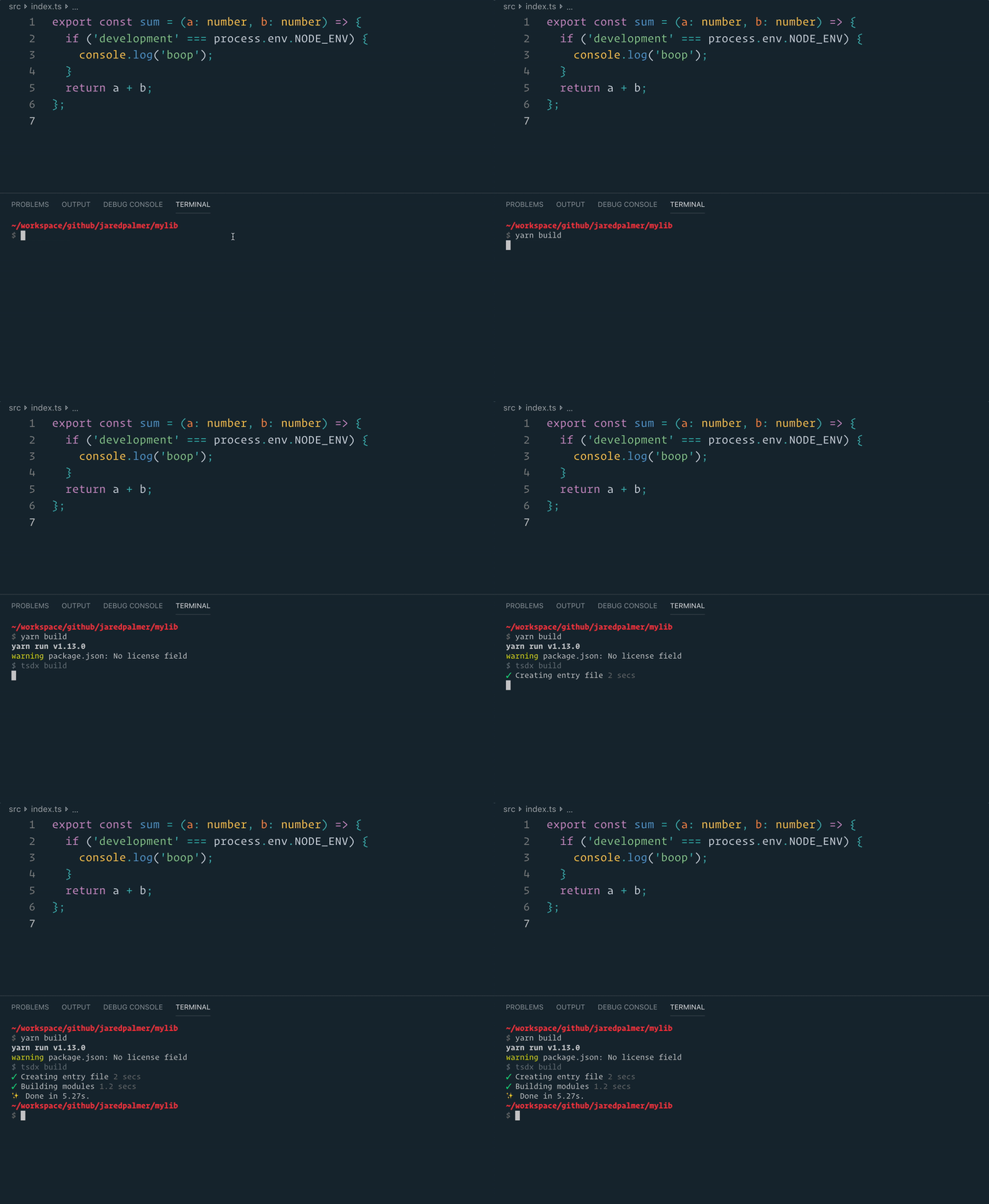
### `npm run build` or `yarn build`
Bundles the package to the `dist` folder.
The package is optimized and bundled with Rollup into multiple formats (CommonJS, UMD, and ES Module).
### `npm test` or `yarn test`
Runs the test watcher (Jest) in an interactive mode.
By default, runs tests related to files changed since the last commit.
### `npm run test:integration`
This library has a full integration tests suite against a real Neo4j database. To run it, you need to have Docker started. It will manage creating Neo4j containers and removing them as needed.