https://github.com/a7alabs/apple-spatial-capture
Flutter plugin for Apple spatial capture workflows on iOS, iPadOS, and macOS.
https://github.com/a7alabs/apple-spatial-capture
flutter lidar photogrammetry point-cloud usdz
Last synced: 8 days ago
JSON representation
Flutter plugin for Apple spatial capture workflows on iOS, iPadOS, and macOS.
- Host: GitHub
- URL: https://github.com/a7alabs/apple-spatial-capture
- Owner: A7ALABS
- License: mit
- Created: 2026-06-04T14:18:44.000Z (24 days ago)
- Default Branch: main
- Last Pushed: 2026-06-05T02:03:31.000Z (23 days ago)
- Last Synced: 2026-06-05T04:04:06.642Z (23 days ago)
- Topics: flutter, lidar, photogrammetry, point-cloud, usdz
- Language: Swift
- Homepage: https://pub.dev/packages/apple_spatial_capture
- Size: 38.3 MB
- Stars: 4
- Watchers: 0
- Forks: 0
- Open Issues: 0
-
Metadata Files:
- Readme: README.md
- Changelog: CHANGELOG.md
- License: LICENSE
Awesome Lists containing this project
README
# apple_spatial_capture
Flutter plugin for Apple spatial capture workflows on iOS, iPadOS, and macOS.
The package exposes:
- Object Capture camera-guided photogrammetry on supported iOS 17+ and iPadOS 17+ devices.
- Photogrammetry reconstruction from existing image paths on supported iOS 17+, iPadOS 17+, and macOS 12+ devices.
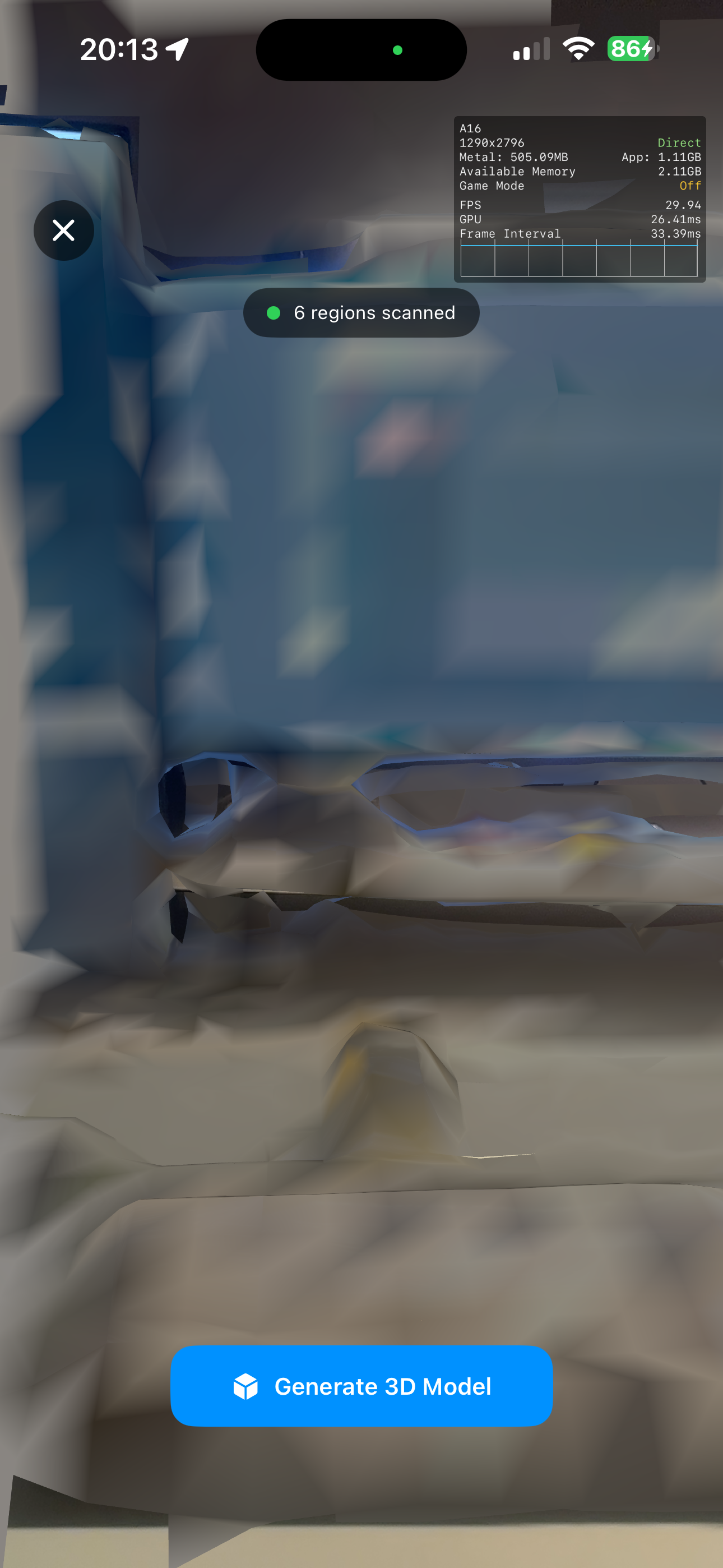
- LiDAR mesh scanning on supported iOS 14+ and iPadOS 14+ devices.
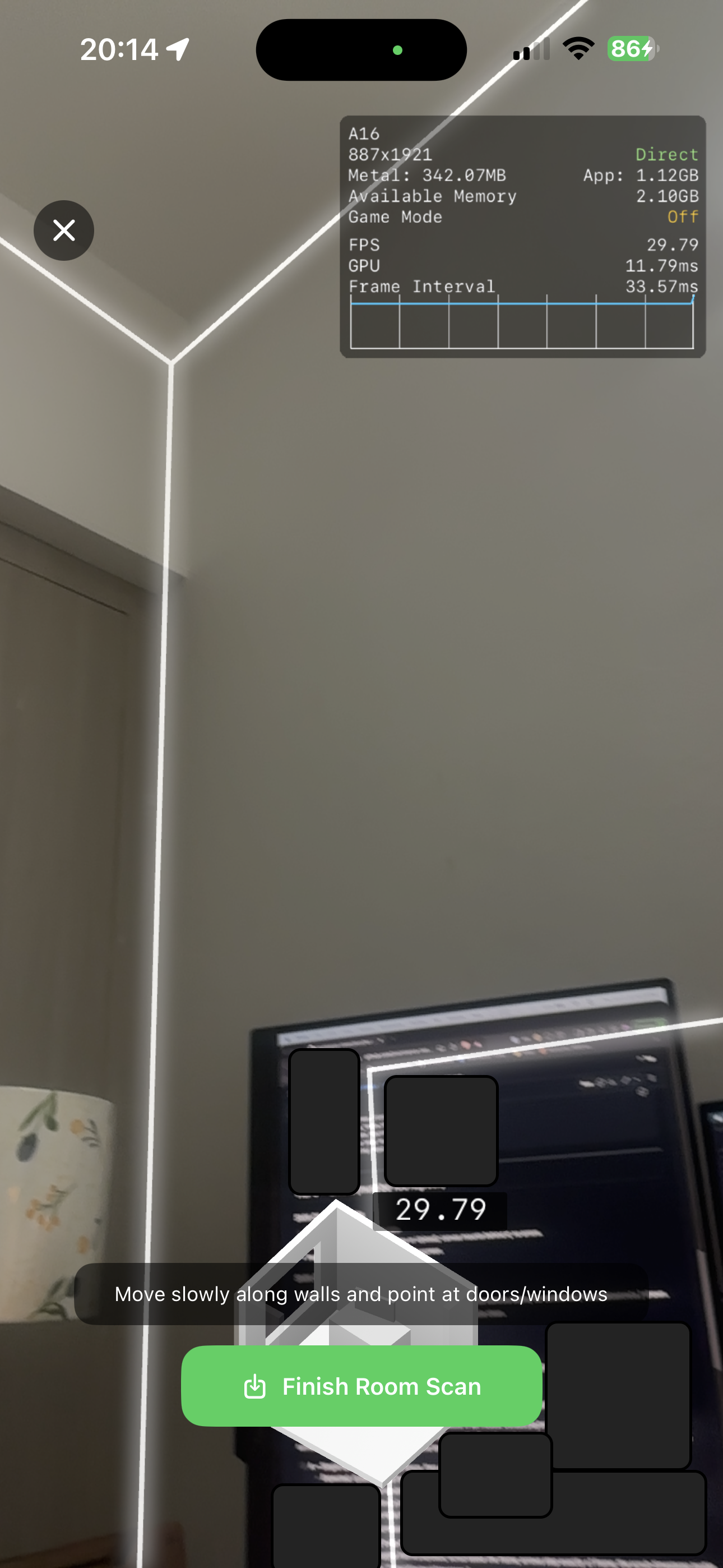
- RoomPlan room scanning on supported iOS 16+ and iPadOS 16+ devices.
- Native previews for local and remote `usdz`, `obj`, `glb`, and `gltf` files.
- Progress events for image-based photogrammetry jobs.
## Installation
Install the published package from pub.dev:
```sh
flutter pub add apple_spatial_capture
```
Or add it manually to your app's `pubspec.yaml`:
```yaml
dependencies:
apple_spatial_capture: ^0.2.0
```
Then fetch dependencies:
```sh
flutter pub get
```
Import the package anywhere you need capture or preview APIs:
```dart
import 'package:apple_spatial_capture/apple_spatial_capture.dart';
```
## Example app
A complete Flutter example app is available in `example/`.
```sh
cd packages/apple_spatial_capture/example
flutter create --platforms=ios,macos --project-name apple_spatial_capture_example .
flutter pub get
flutter run
```
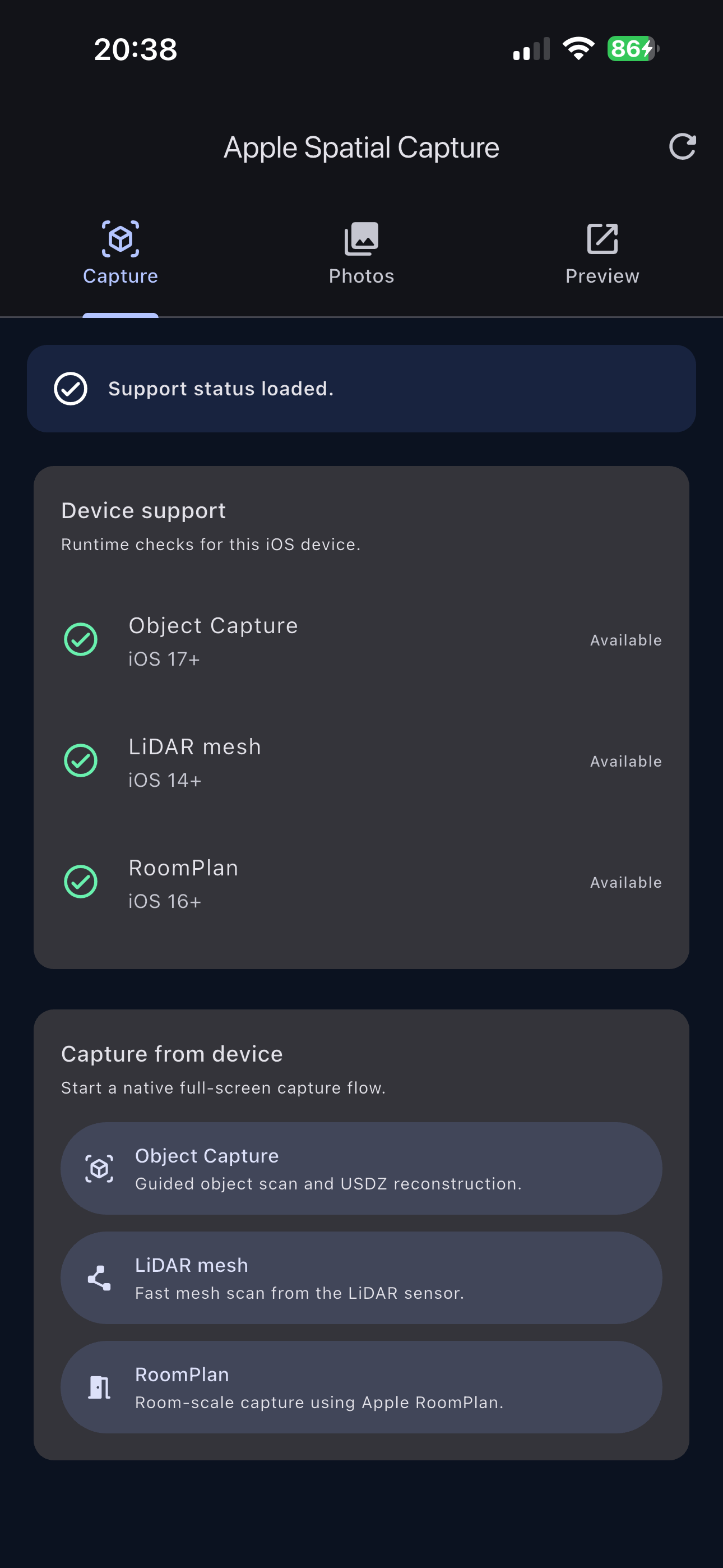
The example includes support checks, all capture entry points,
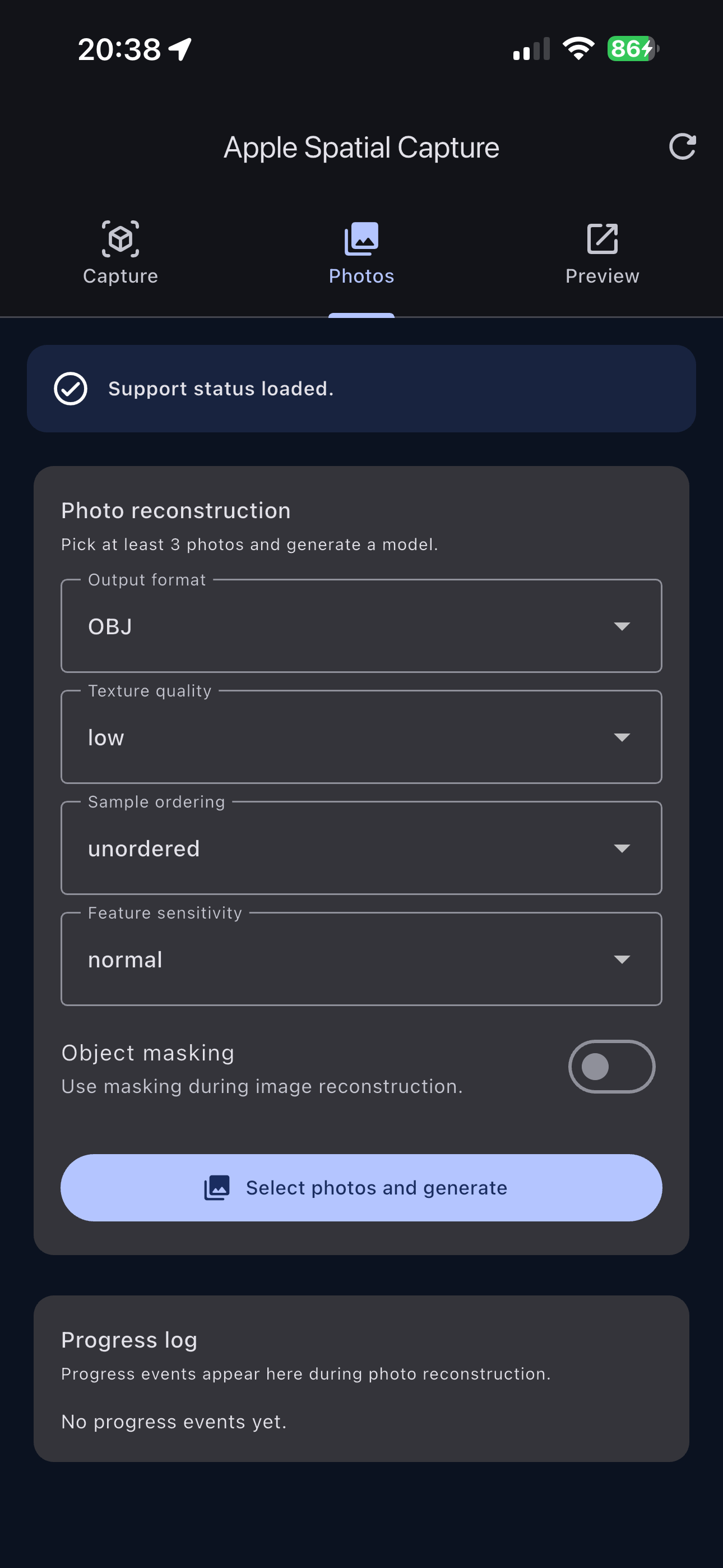
image-based photogrammetry options, progress events, and local/remote preview
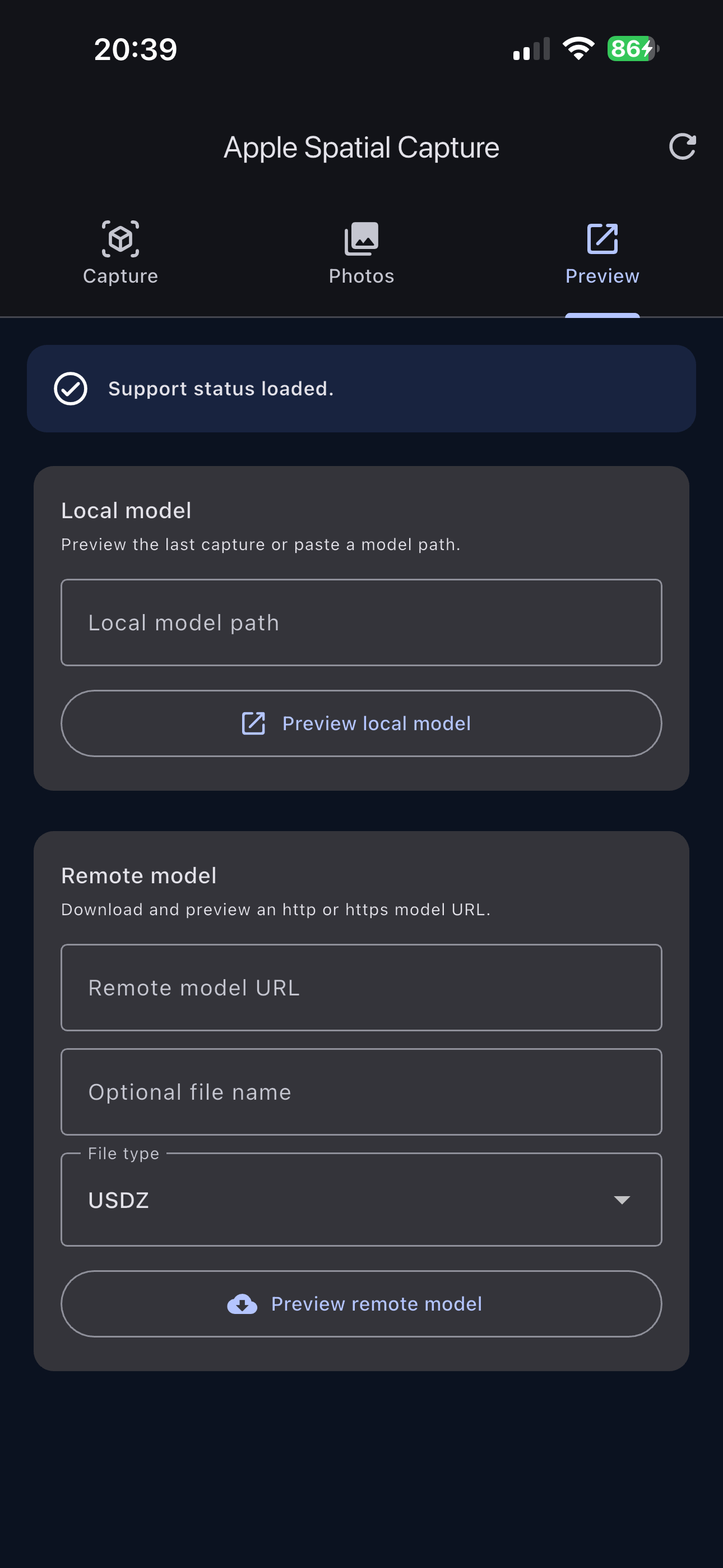
forms.
## Screenshots
### Example app
Capture methods
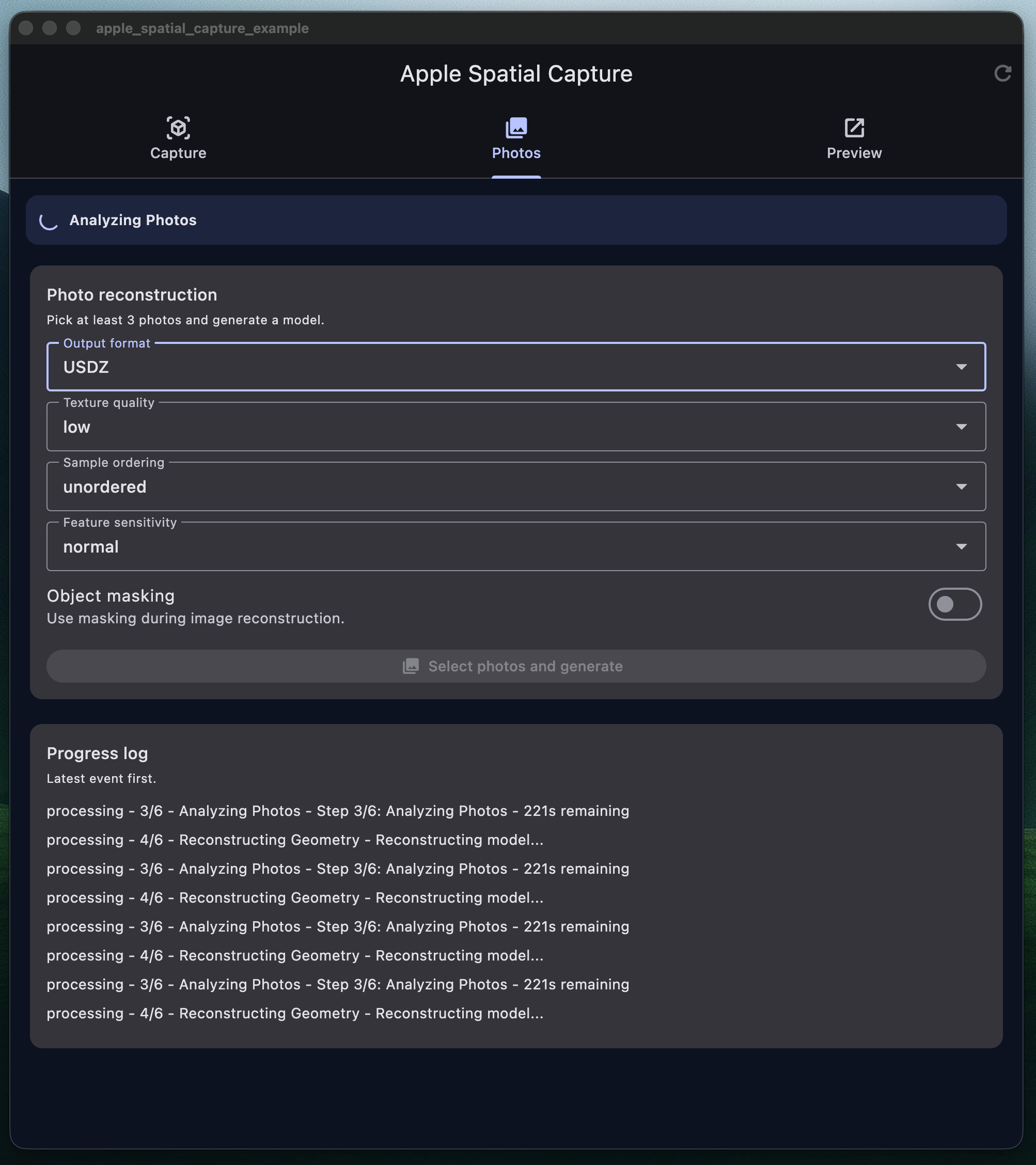
Photo reconstruction
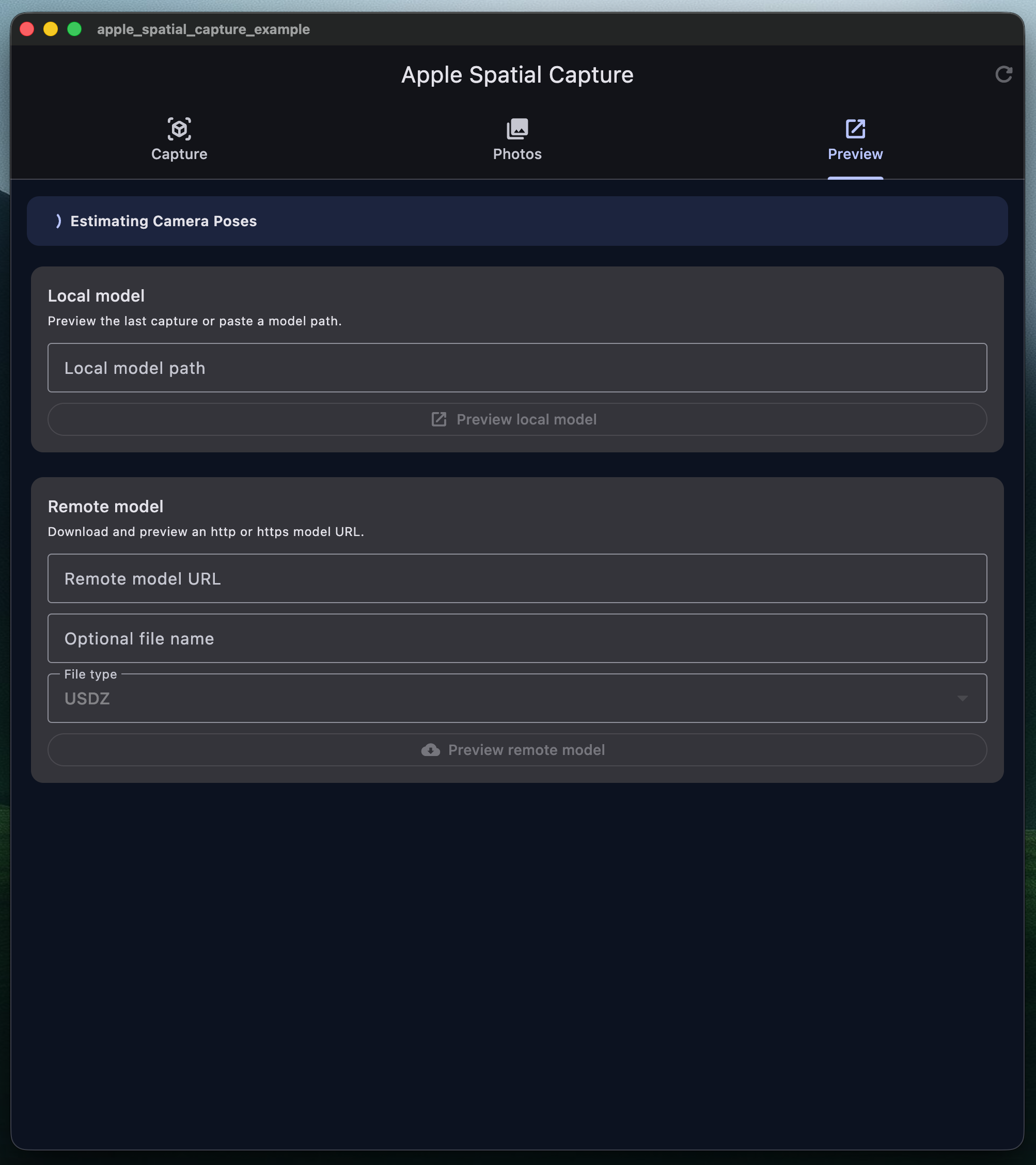
Model previews
### macOS example
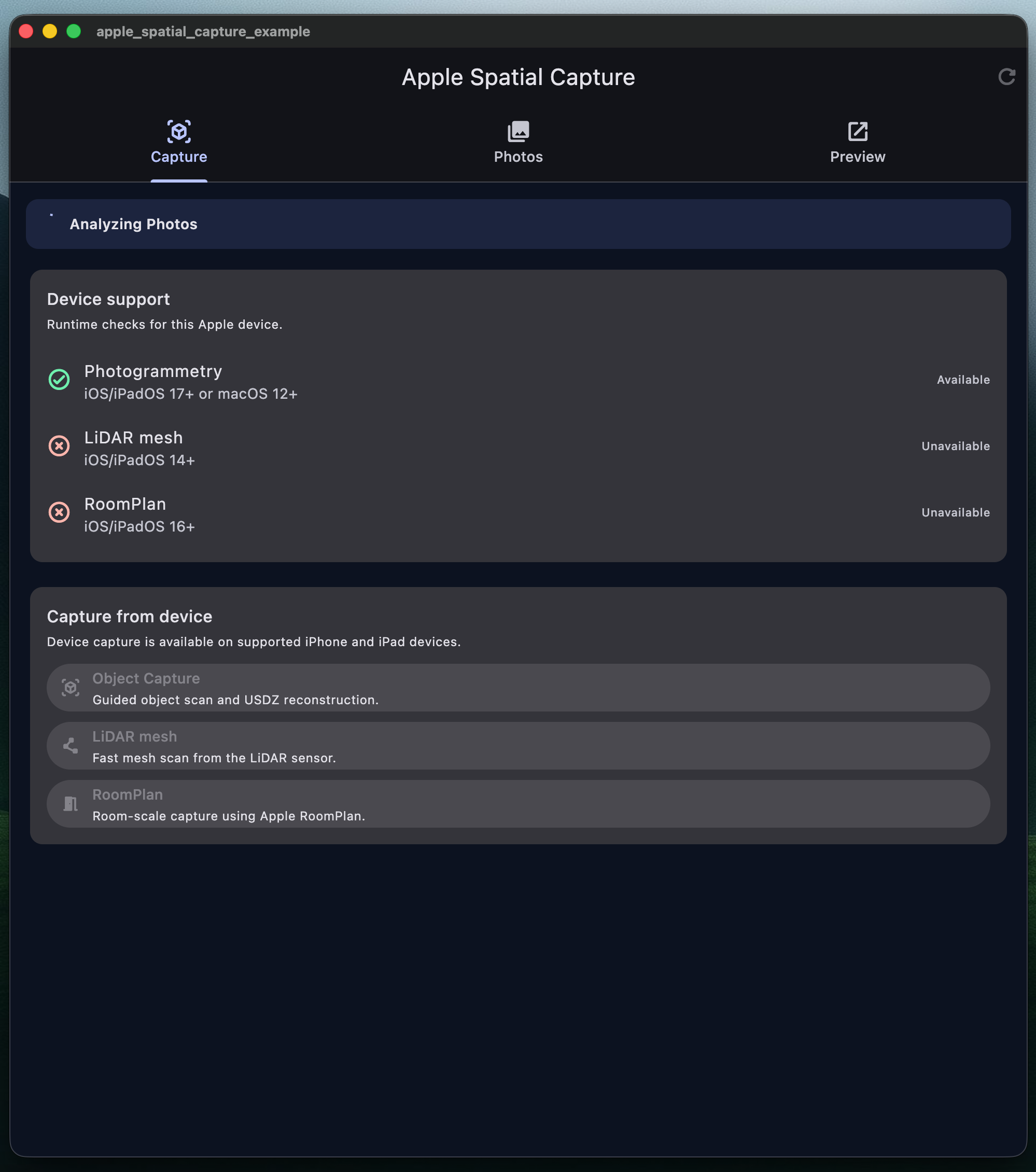
Capture methods
Photo reconstruction
Model previews
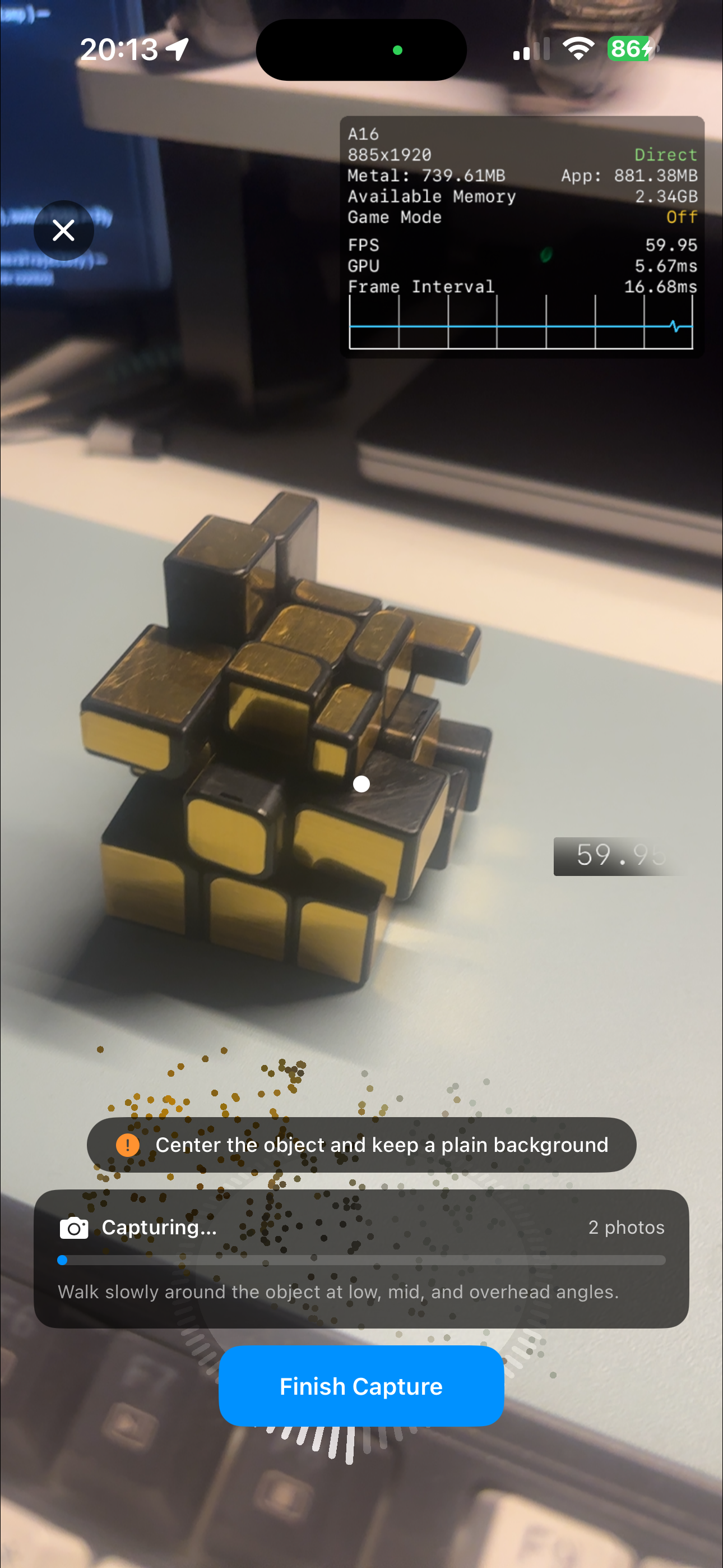
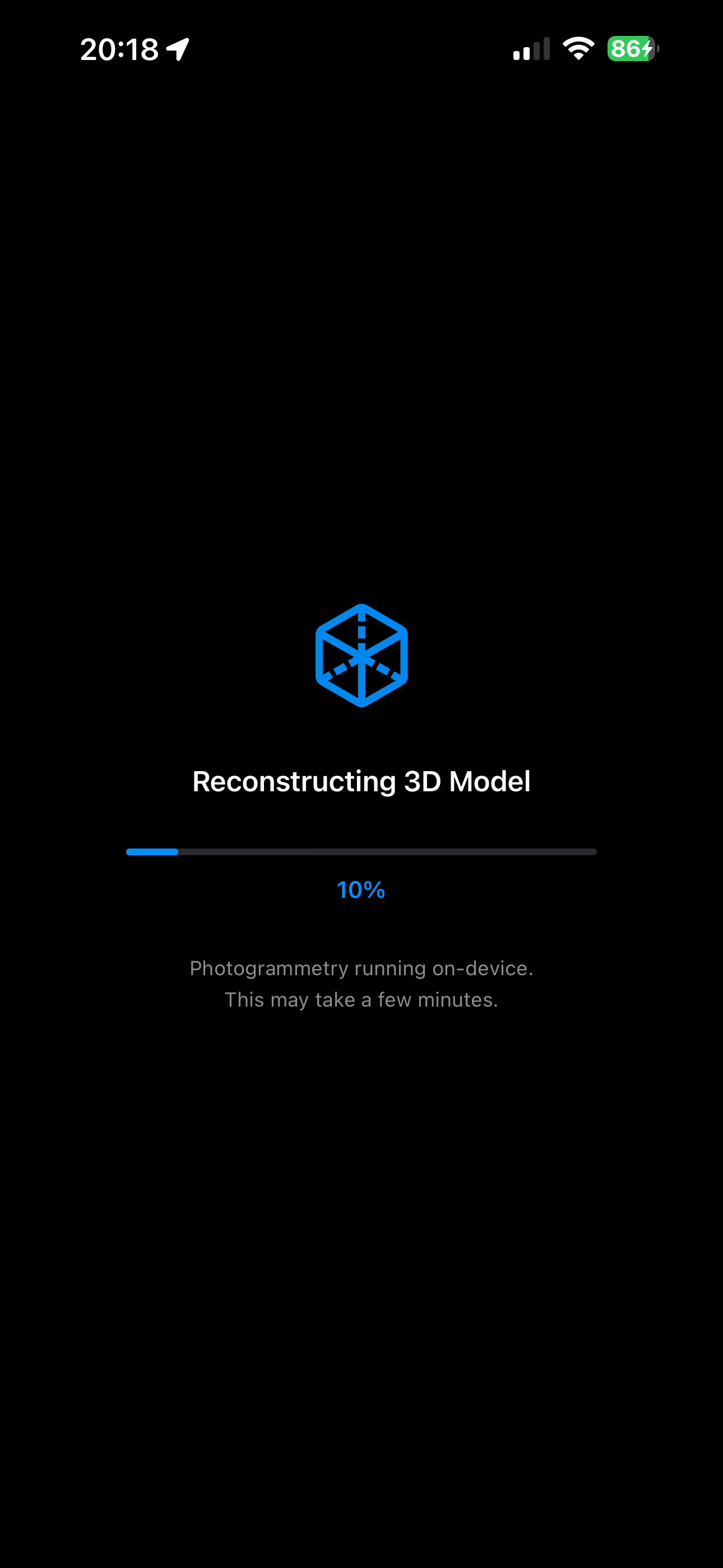
### Object Capture workflow
Start capture
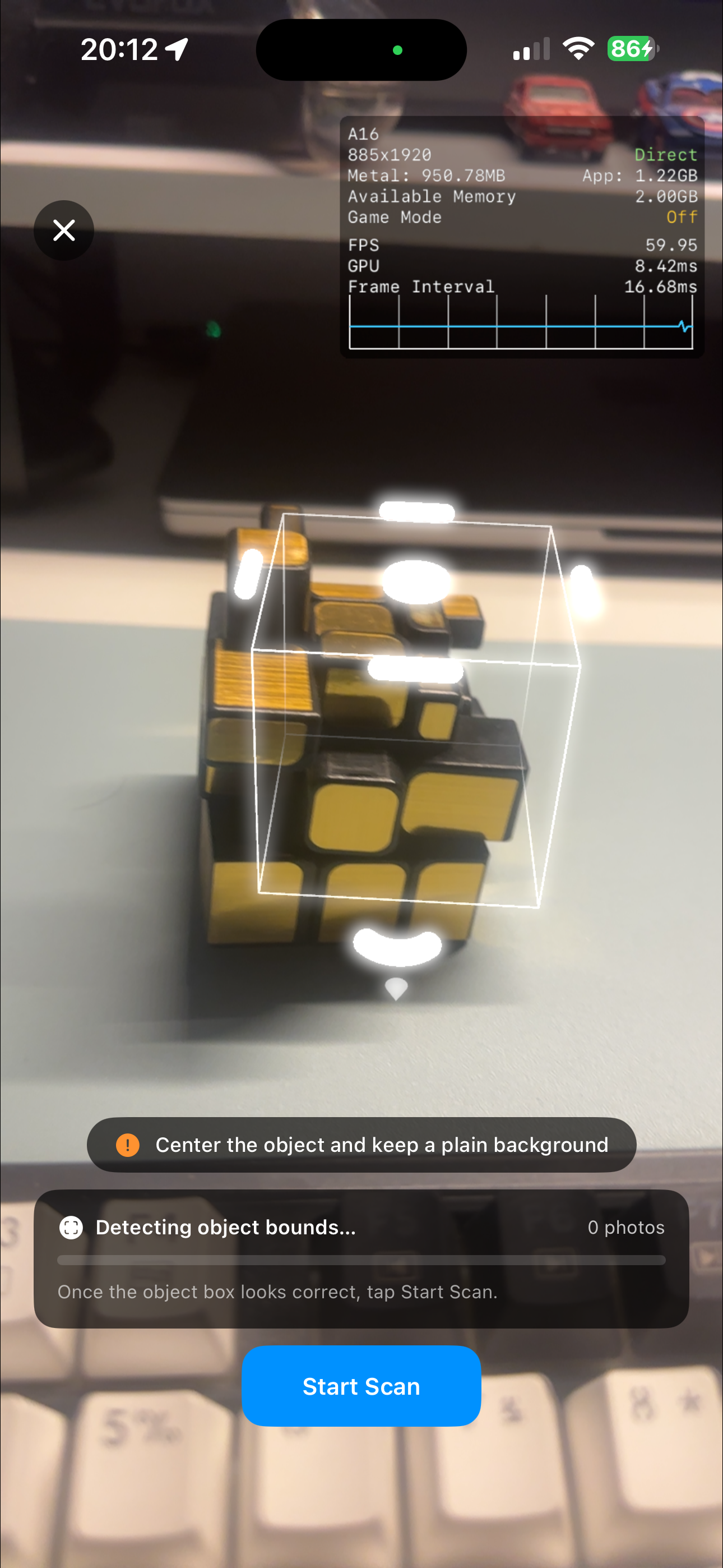
Scan object
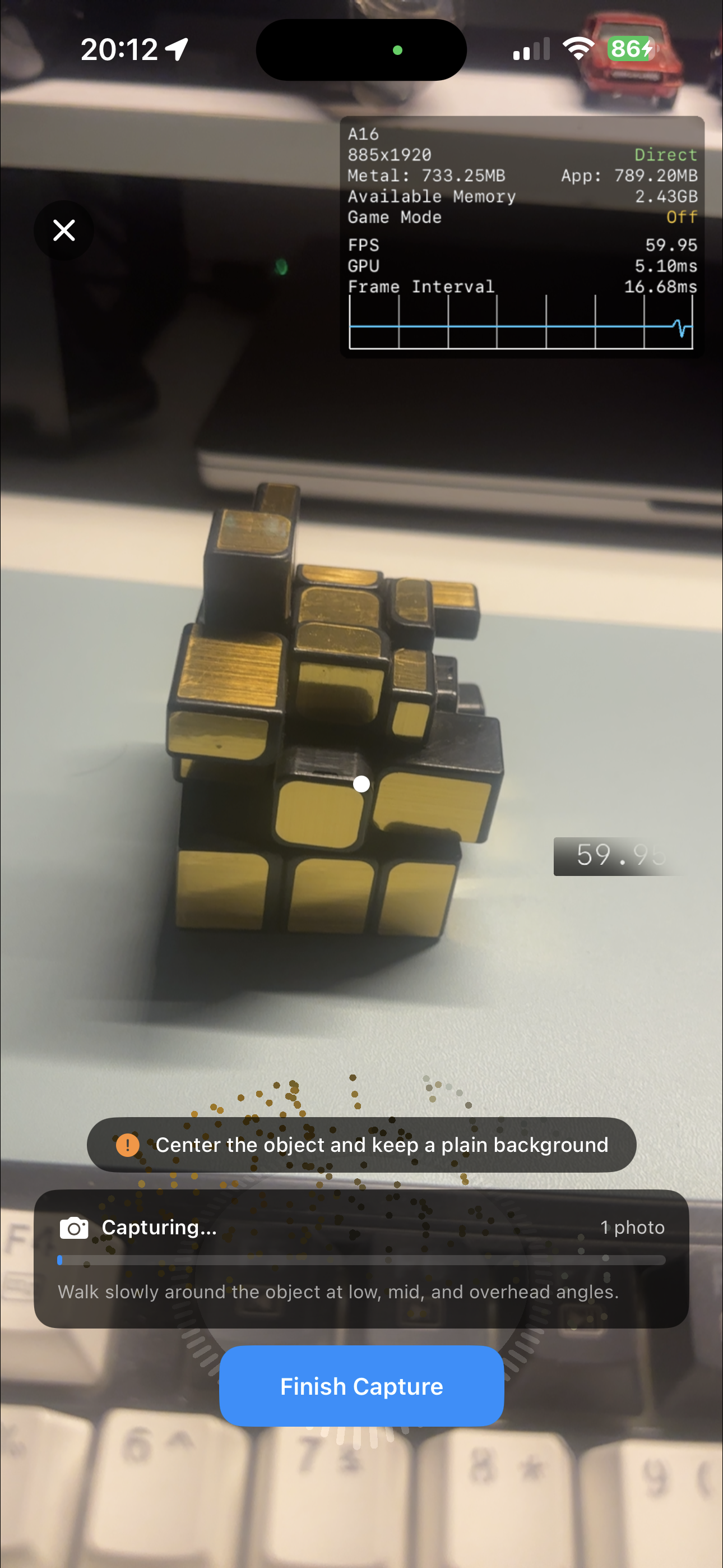
Capture guidance
Reconstruction feedback
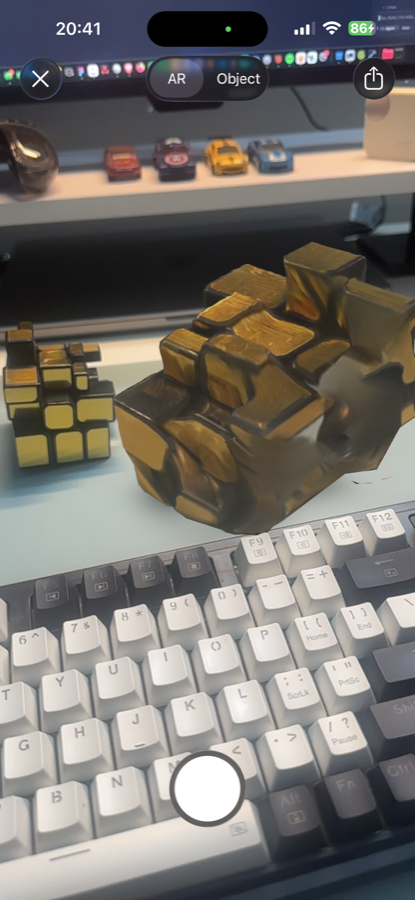
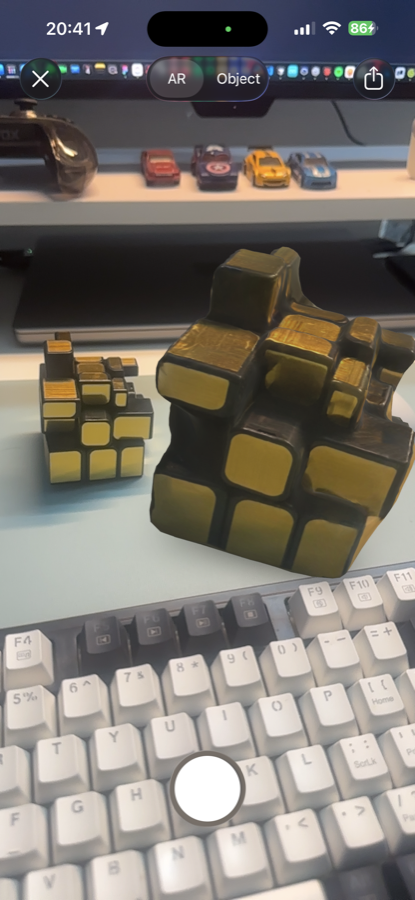
### Capture results and device scanners
Generated result
Result preview
LiDAR scan
RoomPlan scan
## Apple host app requirements
Set the iOS deployment target to at least `14.0`. Flutter and CocoaPods use the `ios` target for both iPhone and iPadOS apps.
```ruby
# ios/Podfile
platform :ios, '14.0'
```
Add camera permission text to `ios/Runner/Info.plist`:
```xml
NSCameraUsageDescription
Scan objects, rooms, and LiDAR meshes.
```
If your app lets the user select photos for photogrammetry, also add:
```xml
NSPhotoLibraryUsageDescription
Select photos to generate a 3D model.
```
The plugin performs runtime support checks, but you should still gate capture UI in Flutter. Apple support depends on OS version and device hardware.
For macOS, set the deployment target to at least `12.0`. macOS supports reconstruction from existing photos and local/remote model preview. Guided Object Capture, LiDAR scanning, and RoomPlan capture are available only on supported iOS and iPadOS devices.
## API overview
Use `AppleSpatialCapture.platform` for all operations:
```dart
final capture = AppleSpatialCapture.platform;
```
Public components:
| Component | Purpose |
| --- | --- |
| `AppleSpatialCapture.platform` | Default platform implementation for method and event channels. |
| `AppleSpatialCapturePlatform` | Interface used by the plugin and by tests/fakes. |
| `AppleSpatialCaptureSupport` | Combined support result for photogrammetry, LiDAR, and RoomPlan. |
| `ApplePhotogrammetryOptions` | Options for `startPhotogrammetryFromImages`. |
| `AppleSpatialCaptureProgress` | Progress payload emitted during image-based photogrammetry. |
| `AppleSpatialCaptureProgressStage` | Stage enum for progress events. |
| `AppleSpatialCaptureFileType` | File type enum for model previews. |
| `inferAppleSpatialCaptureFileType` | Helper that infers a model file type from a path, URL, or filename. |
| `AppleSpatialCaptureError` | Exception type thrown by the Dart wrapper. |
## Check platform support
Call `supportStatus()` before rendering capture actions. Platforms other than iOS, iPadOS, and macOS should be gated in app code before using this plugin.
```dart
import 'dart:io';
import 'package:apple_spatial_capture/apple_spatial_capture.dart';
import 'package:flutter/material.dart';
class SpatialSupportPanel extends StatefulWidget {
const SpatialSupportPanel({super.key});
@override
State createState() => _SpatialSupportPanelState();
}
class _SpatialSupportPanelState extends State {
AppleSpatialCaptureSupport? _support;
String? _error;
@override
void initState() {
super.initState();
_loadSupport();
}
Future _loadSupport() async {
if (!Platform.isIOS && !Platform.isMacOS) {
setState(() => _error = 'Apple spatial capture is only available on Apple platforms.');
return;
}
try {
final support = await AppleSpatialCapture.platform.supportStatus();
if (!mounted) return;
setState(() => _support = support);
} on AppleSpatialCaptureError catch (error) {
if (!mounted) return;
setState(() => _error = error.message);
}
}
@override
Widget build(BuildContext context) {
final support = _support;
if (_error != null) {
return Text(_error!);
}
if (support == null) {
return const CircularProgressIndicator();
}
return Column(
crossAxisAlignment: CrossAxisAlignment.start,
children: [
Text('Object Capture: ${support.photogrammetry ? "available" : "unavailable"}'),
Text('LiDAR: ${support.lidar ? "available" : "unavailable"}'),
Text('RoomPlan: ${support.roomPlan ? "available" : "unavailable"}'),
],
);
}
}
```
You can also call the individual checks when you only need one capability:
```dart
final canUseObjectCapture =
await AppleSpatialCapture.platform.isPhotogrammetrySupported();
final canUseLiDAR = await AppleSpatialCapture.platform.isLiDARSupported();
final canUseRoomPlan = await AppleSpatialCapture.platform.isRoomPlanSupported();
```
## Start Object Capture
`startPhotogrammetryCapture()` opens Apple's guided Object Capture flow. The native view is presented full screen and returns a local model path when the user finishes.
```dart
Future startGuidedObjectCapture(BuildContext context) async {
try {
final isSupported =
await AppleSpatialCapture.platform.isPhotogrammetrySupported();
if (!isSupported) {
_showMessage(context, 'Object Capture is not supported on this device.');
return;
}
final path = await AppleSpatialCapture.platform.startPhotogrammetryCapture();
if (path == null || path.isEmpty) {
_showMessage(context, 'Capture was cancelled.');
return;
}
await AppleSpatialCapture.platform.previewCapturedModel(path: path);
} on AppleSpatialCaptureError catch (error) {
_showMessage(context, error.message);
}
}
void _showMessage(BuildContext context, String message) {
ScaffoldMessenger.of(context).showSnackBar(
SnackBar(content: Text(message)),
);
}
```
## Generate a model from photos
`startPhotogrammetryFromImages()` accepts local image paths. It requires at least 3 images and emits progress through `progressStream`.
The example below uses `image_picker` for photo selection. Add it to your app if you use the same flow:
```yaml
dependencies:
image_picker: ^1.0.0
```
```dart
import 'dart:async';
import 'package:apple_spatial_capture/apple_spatial_capture.dart';
import 'package:flutter/material.dart';
import 'package:image_picker/image_picker.dart';
class PhotoPhotogrammetryButton extends StatefulWidget {
const PhotoPhotogrammetryButton({super.key});
@override
State createState() =>
_PhotoPhotogrammetryButtonState();
}
class _PhotoPhotogrammetryButtonState extends State {
final ImagePicker _picker = ImagePicker();
StreamSubscription? _progressSubscription;
bool _isGenerating = false;
String _status = '';
double? _progress;
@override
void dispose() {
_progressSubscription?.cancel();
super.dispose();
}
Future _generate() async {
final images = await _picker.pickMultiImage();
final imagePaths = images
.map((image) => image.path.trim())
.where((path) => path.isNotEmpty)
.toList();
if (imagePaths.length < 3) {
setState(() => _status = 'Select at least 3 photos.');
return;
}
final operationId = 'photos_${DateTime.now().microsecondsSinceEpoch}';
await _progressSubscription?.cancel();
_progressSubscription = AppleSpatialCapture.platform.progressStream.listen(
(event) {
if (event.operationId != operationId) return;
setState(() {
_status = event.stepLabel ?? event.message;
_progress = event.progress;
});
},
onError: (error) {
setState(() => _status = error.toString());
},
);
setState(() {
_isGenerating = true;
_status = 'Preparing photos...';
_progress = null;
});
try {
final path = await AppleSpatialCapture.platform.startPhotogrammetryFromImages(
imagePaths,
operationId: operationId,
options: const ApplePhotogrammetryOptions(
outputFormat: ApplePhotogrammetryOutputFormat.obj,
textureQuality: ApplePhotogrammetryTextureQuality.low,
sampleOrdering: ApplePhotogrammetrySampleOrdering.unordered,
featureSensitivity: ApplePhotogrammetryFeatureSensitivity.normal,
useObjectMasking: false,
),
);
if (path != null && path.isNotEmpty) {
await AppleSpatialCapture.platform.previewCapturedModel(path: path);
}
} on AppleSpatialCaptureError catch (error) {
setState(() => _status = error.message);
} finally {
await _progressSubscription?.cancel();
_progressSubscription = null;
if (mounted) {
setState(() => _isGenerating = false);
}
}
}
@override
Widget build(BuildContext context) {
return Column(
crossAxisAlignment: CrossAxisAlignment.stretch,
children: [
ElevatedButton(
onPressed: _isGenerating ? null : _generate,
child: Text(_isGenerating ? 'Generating...' : 'Generate from photos'),
),
if (_status.isNotEmpty) Text(_status),
if (_progress != null) LinearProgressIndicator(value: _progress),
],
);
}
}
```
## Configure photogrammetry options
`ApplePhotogrammetryOptions` controls image-based reconstruction.
```dart
const fastObjOptions = ApplePhotogrammetryOptions(
outputFormat: ApplePhotogrammetryOutputFormat.obj,
textureQuality: ApplePhotogrammetryTextureQuality.low,
sampleOrdering: ApplePhotogrammetrySampleOrdering.unordered,
featureSensitivity: ApplePhotogrammetryFeatureSensitivity.normal,
useObjectMasking: false,
);
const higherQualityUsdzOptions = ApplePhotogrammetryOptions(
outputFormat: ApplePhotogrammetryOutputFormat.usdz,
textureQuality: ApplePhotogrammetryTextureQuality.high,
sampleOrdering: ApplePhotogrammetrySampleOrdering.sequential,
featureSensitivity: ApplePhotogrammetryFeatureSensitivity.high,
useObjectMasking: true,
);
```
Defaults in Dart:
| Option | Default |
| --- | --- |
| `detail` | `ApplePhotogrammetryDetail.reduced` |
| `featureSensitivity` | `ApplePhotogrammetryFeatureSensitivity.normal` |
| `sampleOrdering` | `ApplePhotogrammetrySampleOrdering.unordered` |
| `textureQuality` | `ApplePhotogrammetryTextureQuality.low` |
| `outputFormat` | `ApplePhotogrammetryOutputFormat.obj` |
| `useObjectMasking` | `false` |
Current iOS export uses reduced detail for on-device processing. Passing another `detail` value is accepted by Dart, but the native implementation falls back to reduced detail and emits an informational progress event.
## Listen to progress events
`progressStream` is most useful with `startPhotogrammetryFromImages()`. Events include a stage, message, optional normalized progress, optional ETA, and optional step metadata.
```dart
StreamSubscription? _subscription;
void listenForPhotogrammetryProgress(String operationId) {
_subscription = AppleSpatialCapture.platform.progressStream.listen((event) {
if (event.operationId != operationId) return;
final percent = event.progress == null
? null
: (event.progress! * 100).clamp(0, 100).round();
debugPrint(
[
event.stage.name,
if (event.stepIndex != null && event.stepTotal != null)
'${event.stepIndex}/${event.stepTotal}',
event.stepLabel ?? event.message,
if (percent != null) '$percent%',
if (event.etaSeconds != null) '${event.etaSeconds}s remaining',
].join(' - '),
);
});
}
```
Always cancel the subscription in `dispose()` or after the operation completes:
```dart
@override
void dispose() {
_subscription?.cancel();
super.dispose();
}
```
## Start LiDAR mesh capture
`startLiDARCapture()` opens a native LiDAR mesh scanner and returns a local model path.
```dart
Future startLiDARScan(BuildContext context) async {
try {
final isSupported = await AppleSpatialCapture.platform.isLiDARSupported();
if (!isSupported) {
_showMessage(context, 'LiDAR scanning is not supported on this device.');
return;
}
final path = await AppleSpatialCapture.platform.startLiDARCapture();
if (path == null || path.isEmpty) return;
await Navigator.of(context).push(
MaterialPageRoute(
builder: (_) => MeshPreviewScreen(path: path),
),
);
} on AppleSpatialCaptureError catch (error) {
_showMessage(context, error.message);
}
}
```
## Start RoomPlan capture
`startRoomPlanCapture()` opens Apple's RoomPlan capture UI and returns a local USDZ path.
```dart
Future startRoomPlanScan(BuildContext context) async {
try {
final isSupported = await AppleSpatialCapture.platform.isRoomPlanSupported();
if (!isSupported) {
_showMessage(context, 'RoomPlan is not supported on this device.');
return;
}
final path = await AppleSpatialCapture.platform.startRoomPlanCapture();
if (path == null || path.isEmpty) return;
await AppleSpatialCapture.platform.previewCapturedModel(
path: path,
fileType: AppleSpatialCaptureFileType.usdz,
);
} on AppleSpatialCaptureError catch (error) {
_showMessage(context, error.message);
}
}
```
## Preview a local model
Use `previewCapturedModel()` for a model file already on the device. If `fileType` is omitted, the plugin infers it from the path extension.
```dart
class MeshPreviewScreen extends StatelessWidget {
const MeshPreviewScreen({super.key, required this.path});
final String path;
Future _openPreview(BuildContext context) async {
try {
await AppleSpatialCapture.platform.previewCapturedModel(
path: path,
fileType: inferAppleSpatialCaptureFileType(path),
);
} on AppleSpatialCaptureError catch (error) {
_showMessage(context, error.message);
}
}
@override
Widget build(BuildContext context) {
return Scaffold(
appBar: AppBar(title: const Text('Review model')),
body: Center(
child: ElevatedButton(
onPressed: () => _openPreview(context),
child: const Text('Open native preview'),
),
),
);
}
}
```
USDZ uses Quick Look. `obj`, `glb`, and `gltf` use the plugin's SceneKit-based preview.
## Preview a remote model
Use `previewRemoteModel()` for an `http` or `https` model URL. The plugin downloads the file into a temporary location, then opens the same native preview flow as local files.
```dart
Future previewRemoteAsset({
required BuildContext context,
required String url,
required String fileType,
}) async {
final uri = Uri.parse(url);
final providedFileName = uri.pathSegments.isEmpty
? 'model.$fileType'
: uri.pathSegments.last;
final fileName = providedFileName.contains('.')
? providedFileName
: '$providedFileName.$fileType';
try {
await AppleSpatialCapture.platform.previewRemoteModel(
url: url,
fileName: fileName,
fileType: inferAppleSpatialCaptureFileType(fileName),
);
} on AppleSpatialCaptureError catch (error) {
_showMessage(context, error.message);
}
}
```
## Handle errors
The wrapper converts platform failures to `AppleSpatialCaptureError`.
```dart
try {
final path = await AppleSpatialCapture.platform.startLiDARCapture();
debugPrint('Captured model at $path');
} on AppleSpatialCaptureError catch (error) {
debugPrint('Spatial capture failed: ${error.code} ${error.message}');
debugPrint('Details: ${error.details}');
}
```
Common error codes include:
| Code | Meaning |
| --- | --- |
| `UNSUPPORTED` | iOS version or hardware does not support the requested capture API. |
| `NO_VC` | The plugin could not find a root view controller to present native UI. |
| `INVALID_PATH` | Dart received an empty local model path. |
| `INVALID_URL` | Dart received an empty remote URL. |
| `INSUFFICIENT_IMAGES` | Fewer than 3 photo paths were passed to photogrammetry. |
| `FILE_NOT_FOUND` | Native preview could not find the local model file. |
| `DOWNLOAD_FAILED` | Remote preview could not download the model file. |
## Use a fake platform in widget tests
`AppleSpatialCapture.setPlatform()` lets tests replace the real method-channel implementation.
```dart
class FakeAppleSpatialCapturePlatform implements AppleSpatialCapturePlatform {
@override
Stream get progressStream => const Stream.empty();
@override
Future isPhotogrammetrySupported() async => true;
@override
Future isLiDARSupported() async => true;
@override
Future isRoomPlanSupported() async => false;
@override
Future supportStatus() async {
return const AppleSpatialCaptureSupport(
photogrammetry: true,
lidar: true,
roomPlan: false,
);
}
@override
Future startPhotogrammetryCapture() async {
return '/tmp/object.usdz';
}
@override
Future startPhotogrammetryFromImages(
List imagePaths, {
String? operationId,
ApplePhotogrammetryOptions options = const ApplePhotogrammetryOptions(),
}) async {
return '/tmp/photos.obj';
}
@override
Future startLiDARCapture() async => '/tmp/lidar.usdz';
@override
Future startRoomPlanCapture() async => null;
@override
Future previewCapturedModel({
required String path,
AppleSpatialCaptureFileType? fileType,
}) async {}
@override
Future previewRemoteModel({
required String url,
String? fileName,
AppleSpatialCaptureFileType? fileType,
}) async {}
}
void main() {
AppleSpatialCapture.setPlatform(FakeAppleSpatialCapturePlatform());
}
```
## Practical notes
- Test capture flows on a physical iPhone or iPad. Simulators do not provide LiDAR, Object Capture, or RoomPlan hardware support.
- On macOS, use `startPhotogrammetryFromImages()` for reconstruction from existing photos.
- `startPhotogrammetryCapture()`, `startLiDARCapture()`, and `startRoomPlanCapture()` present native full-screen UI.
- `startPhotogrammetryFromImages()` can take several minutes depending on image count, texture quality, and output format.
- Returned paths point to temporary app files. Move or upload the model if your app needs to keep it.
- Remote preview supports only `http` and `https` URLs.