https://github.com/a7ul/secrets.mjs
Manage your team's local environment secrets with gcloud securely.
https://github.com/a7ul/secrets.mjs
Last synced: 10 months ago
JSON representation
Manage your team's local environment secrets with gcloud securely.
- Host: GitHub
- URL: https://github.com/a7ul/secrets.mjs
- Owner: a7ul
- License: mit
- Created: 2022-01-29T20:16:12.000Z (almost 4 years ago)
- Default Branch: main
- Last Pushed: 2022-02-15T19:14:38.000Z (almost 4 years ago)
- Last Synced: 2025-01-09T08:45:44.198Z (12 months ago)
- Language: JavaScript
- Size: 15.6 KB
- Stars: 1
- Watchers: 2
- Forks: 0
- Open Issues: 0
-
Metadata Files:
- Readme: README.md
- License: LICENSE
Awesome Lists containing this project
README
# 🕵️ Secrets.mjs
Effortlessly and securely manage your team's local dev environment secrets with gcloud storage bucket.
## Why?
When you are working in a team of developers often times you are running services locally and you need to share and manage secrets with your team.
Google cloud storage is a great tool for this:
🔒 **Access control**: You can store secrets securely in a private bucket and share the access to that bucket with all your team members.
📚 **Version control**: You can enable versioning in the gcloud bucket which would help you to keep track of changes to your secrets.
✨ **Passwordless authentication**: Gcloud cli uses you gcloud account to authenticate with the cloud storage bucket. This means you can acces, modify and share secrets without having to worry about passwords.
**Secrets.mjs** is a cli which uses the pre installed gcloud sdk to provide an easier interface to manage your secrets. With it you can:
📥 **Download** secrets from the shared cloud storage bucket.
⬆️ **Upload** and make changes to the shared cloud storage bucket.
👀 **View diffs** between the local version and the cloud storage version of the secrets.
## Pre requisites
- Gcloud SDK: Make sure you have gcloud sdk/cli installed and authenticated.
- Google Cloud Storage Bucket: Access to a google cloud storage bucket where you want to store your team's secrets.
## Installation
You can use secrets.mjs by just copying it and commiting it in your repo.
1. Download the secrets.mjs script from the repo to your machine.
```
curl https://raw.githubusercontent.com/a7ul/secrets.mjs/main/secrets.mjs > secrets.mjs
```
2. Now edit the secrets.mjs file with your own variables.
```js
// gcp bucket where all shared secrets are stored. Change this to your own bucket name.
const GCS_BUCKET = "dev-secret-files-gcp-bucket";
// local secrets directory relative to this script where the secrets will be downloaded from the gcp bucket
const LOCAL_SECRETS_DIR = "./secrets";
```
3. Run the script
```sh
node ./secrets.mjs
```
or
```sh
chmod a+x ./secrets.mjs
./secrets.mjs
```
It is recommended you commit secrets.mjs with your repo, so its easier to run whenever you want to sync your team's shared secrets.
## Usage and features
### 📥 Download secrets from shared google cloud storage bucket
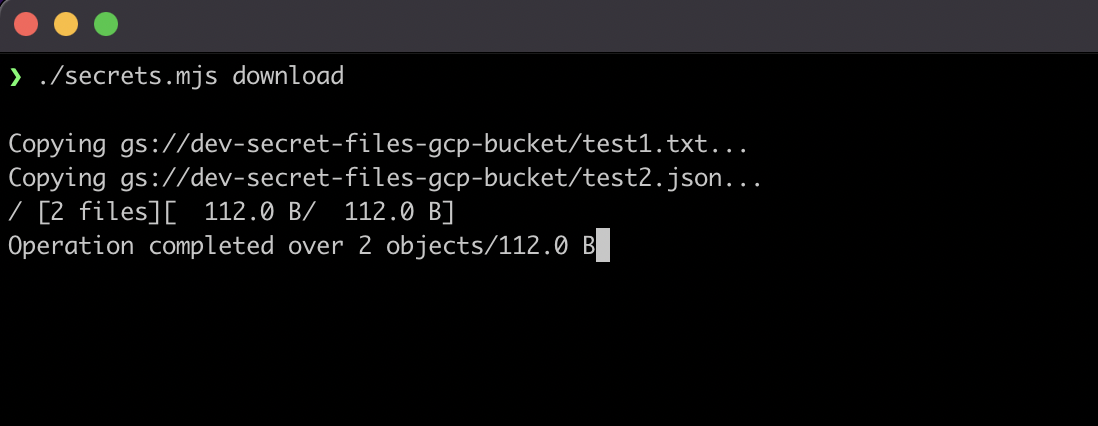
Download all secrets from the shared google cloud storage bucket to the local secrets directory.
```sh
./secrets.mjs download
```
Download only selected secret files from the shared google cloud storage bucket to the local secrets directory.
```sh
./secrets.mjs download ./secrets/file1.json ./secrets/file2.env ./secrets/file3.txt ...
```
### ⬆️ Upload secrets from local to shared google cloud storage bucket
Upload or update all secrets from the local secrets directory to the shared google cloud storage bucket.
```sh
./secrets.mjs upload
```
Upload only selected secret files from the local secrets directory to the shared google cloud storage bucket.
```sh
./secrets.mjs upload ./secrets/file1.json ./secrets/file2.env ./secrets/file3.txt ...
```
https://user-images.githubusercontent.com/4029423/151678242-55dd2571-30e3-4442-a225-eb58288a2781.mov
### ✨ Diff your local secret files with the ones stored in shared google cloud storage bucket
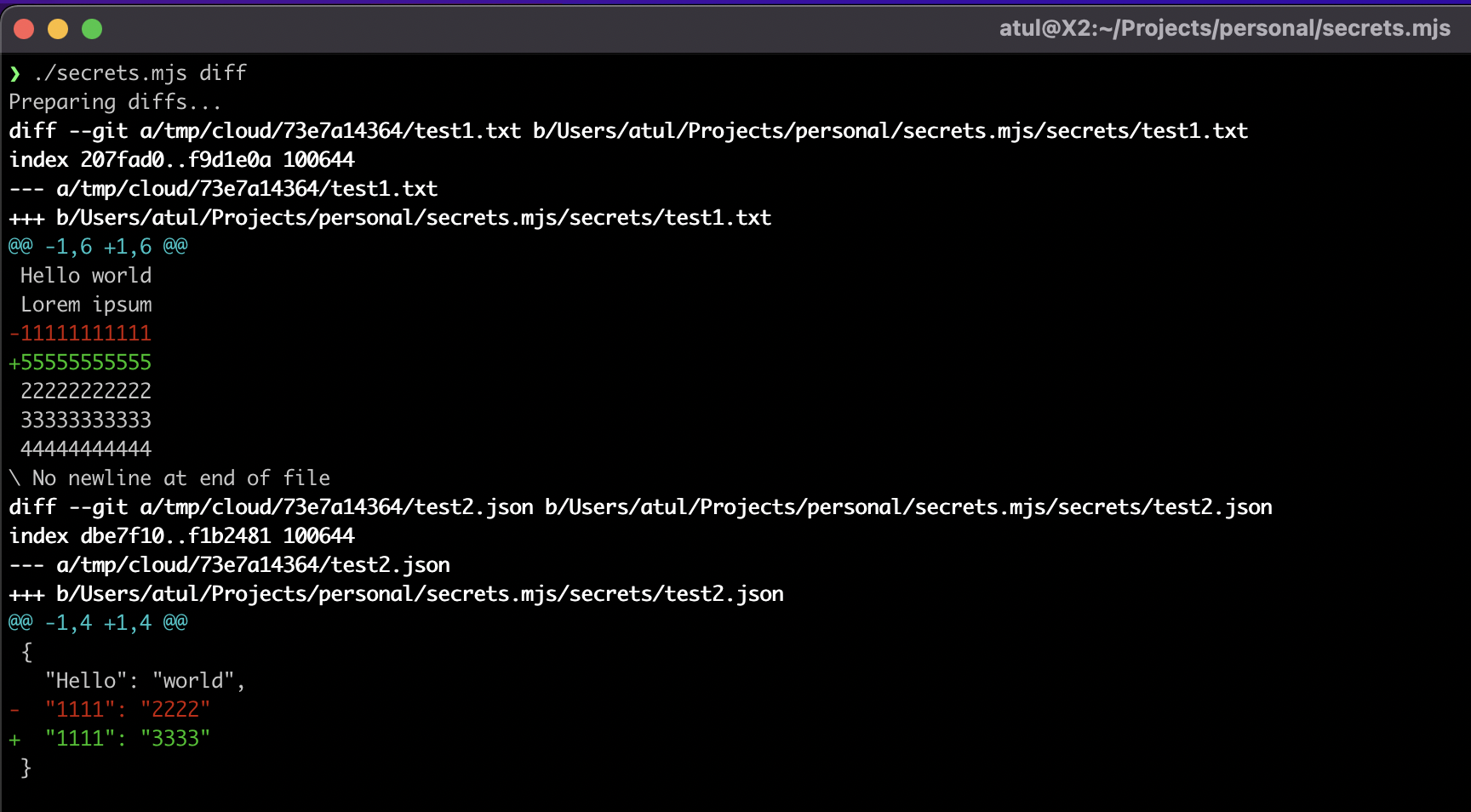
View the diff between all your local secrets and the secret files stored in shared google cloud storage bucket.
```sh
./secrets.mjs diff
```
View the diff between selected local secret files and the secret files stored in shared google cloud storage bucket.
```sh
./secrets.mjs diff ./secrets/file1.json ./secrets/file2.env ./secrets/file3.txt ...
```
## Requirements
- Node v14 and above
# License
MIT