https://github.com/aandergr/serverstat-linux
Collect and Plot Linux System Usage Statistics using RRDtool.
https://github.com/aandergr/serverstat-linux
cgi cgi-script lightweight linux monitoring rrd rrdtool server-monitoring statistics stats system-monitor system-monitoring usage
Last synced: 11 months ago
JSON representation
Collect and Plot Linux System Usage Statistics using RRDtool.
- Host: GitHub
- URL: https://github.com/aandergr/serverstat-linux
- Owner: aandergr
- License: mit
- Created: 2016-02-09T21:18:08.000Z (over 10 years ago)
- Default Branch: master
- Last Pushed: 2018-09-23T14:27:33.000Z (almost 8 years ago)
- Last Synced: 2025-04-02T15:04:42.044Z (over 1 year ago)
- Topics: cgi, cgi-script, lightweight, linux, monitoring, rrd, rrdtool, server-monitoring, statistics, stats, system-monitor, system-monitoring, usage
- Language: C
- Homepage:
- Size: 22.5 KB
- Stars: 17
- Watchers: 3
- Forks: 1
- Open Issues: 0
-
Metadata Files:
- Readme: README.md
- License: LICENSE
Awesome Lists containing this project
README
# Overview
This is a tool providing a CGI page **plotting system usage statistics** using
[rrdtool](http://oss.oetiker.ch/rrdtool/). With only about 400 lines of code,
it is very **simple** and therefore **easy to understand and extend**.
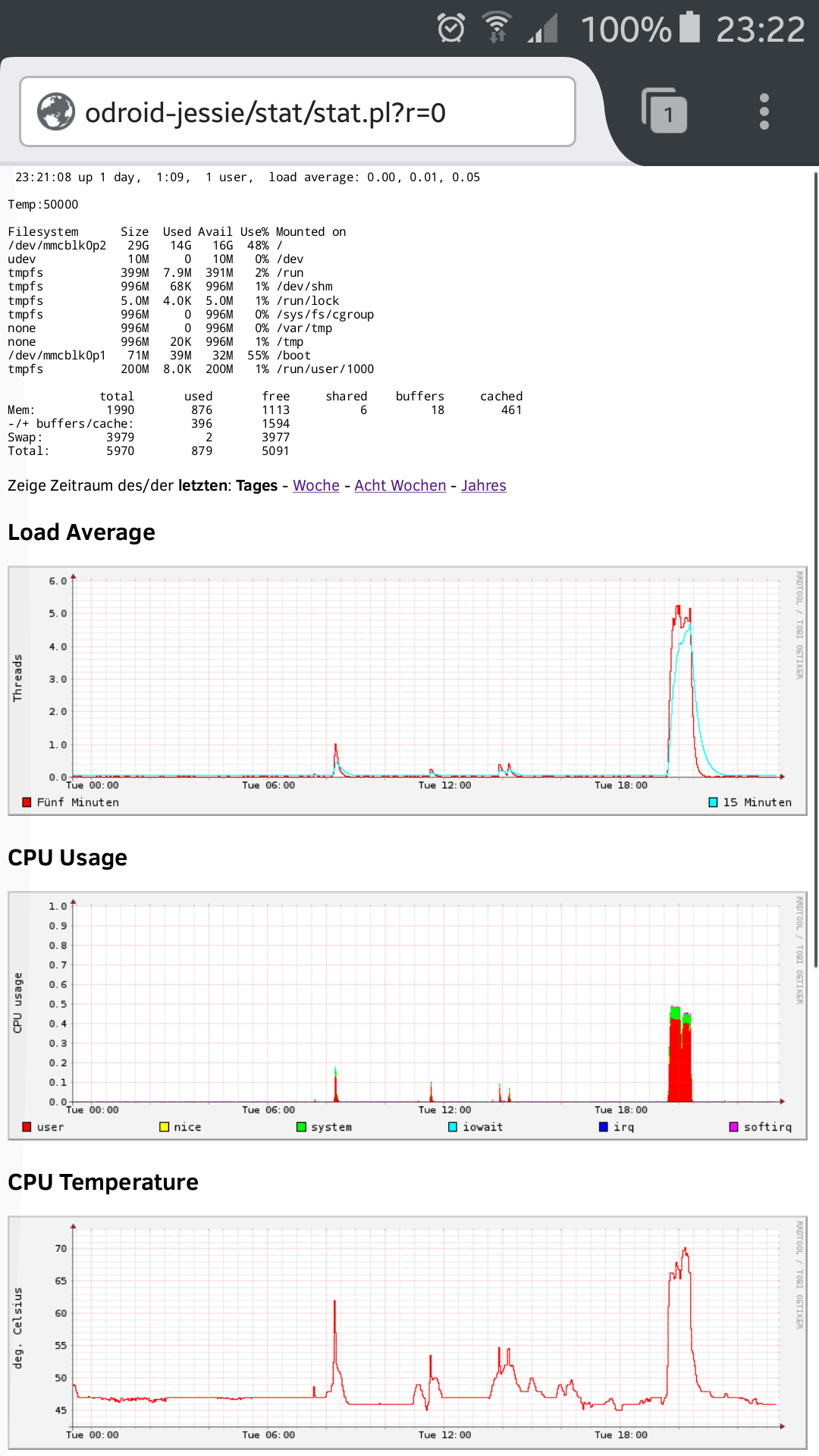
Currently it collects **Load Average**, **CPU usage**, **Temperature**,
**Disk I/O**, **Network Traffic** and **Memory and Swap Usage**, which are plotted over a
period chosen by the user at runtime.
It is build up of two parts:
- stat.pl - **Perl CGI script** to be called by a webserver.
- rrdupd.c - **lightweight** daemon collecting system usage information.
# Installation
You need to have [rrdtool](http://oss.oetiker.ch/rrdtool/) with plotting
capability installed, as well as the common tools for building C programs (i.e.
make and gcc). This program should be installed in a path where your webserver
is able to execute the stat.pl script via its CGI.
When these prerequisites are met, installation is done with following steps:
1. Download serverstat-linux, e.g. by doing `git clone https://github.com/aandergr/serverstat-linux`
2. You might adjust the files to fit your needs
3. Build rrdupd using `make`
4. Run `./mkrrd.sh` to initalize RRD databases
5. Adjust permissions such that your webserver is able to execute stat.pl as
CGI script, able to read .rrd files and able to write/create .png files in
that directory
6. Run `./rrdupd`
`./rrdupd` should be started automatically on system startup. On
debian-alike systems, this can be achieved using:
```
echo "start-stop-daemon -S -x /var/www/html/stat/rrdupd -c stat -b" >> /etc/rc.local
chmod +x /etc/rc.local
```
(Where stat is the name of the user and /var/www/html/stat the path of this
software)
Also, there is a `serverstat-linux.service` systemctl script template in this repository.
Consult the documentation of your operating system for more information.
Now you can point your browser to the direction of your stat.pl and (hopefully)
everything works. Of course it will take a few minutes until you see some data.
# Screenshots
It might look like this: