https://github.com/aaroniker/figma-easometric
With Easometric it's really easy to create isometric layers & groups
https://github.com/aaroniker/figma-easometric
figma figma-plugin figma-plugins isometric
Last synced: 12 months ago
JSON representation
With Easometric it's really easy to create isometric layers & groups
- Host: GitHub
- URL: https://github.com/aaroniker/figma-easometric
- Owner: aaroniker
- Created: 2019-09-03T16:24:31.000Z (almost 7 years ago)
- Default Branch: master
- Last Pushed: 2023-12-30T20:17:56.000Z (over 2 years ago)
- Last Synced: 2025-06-21T02:55:16.734Z (12 months ago)
- Topics: figma, figma-plugin, figma-plugins, isometric
- Language: TypeScript
- Homepage:
- Size: 789 KB
- Stars: 40
- Watchers: 1
- Forks: 12
- Open Issues: 7
-
Metadata Files:
- Readme: README.md
Awesome Lists containing this project
README
# Figma Easometric
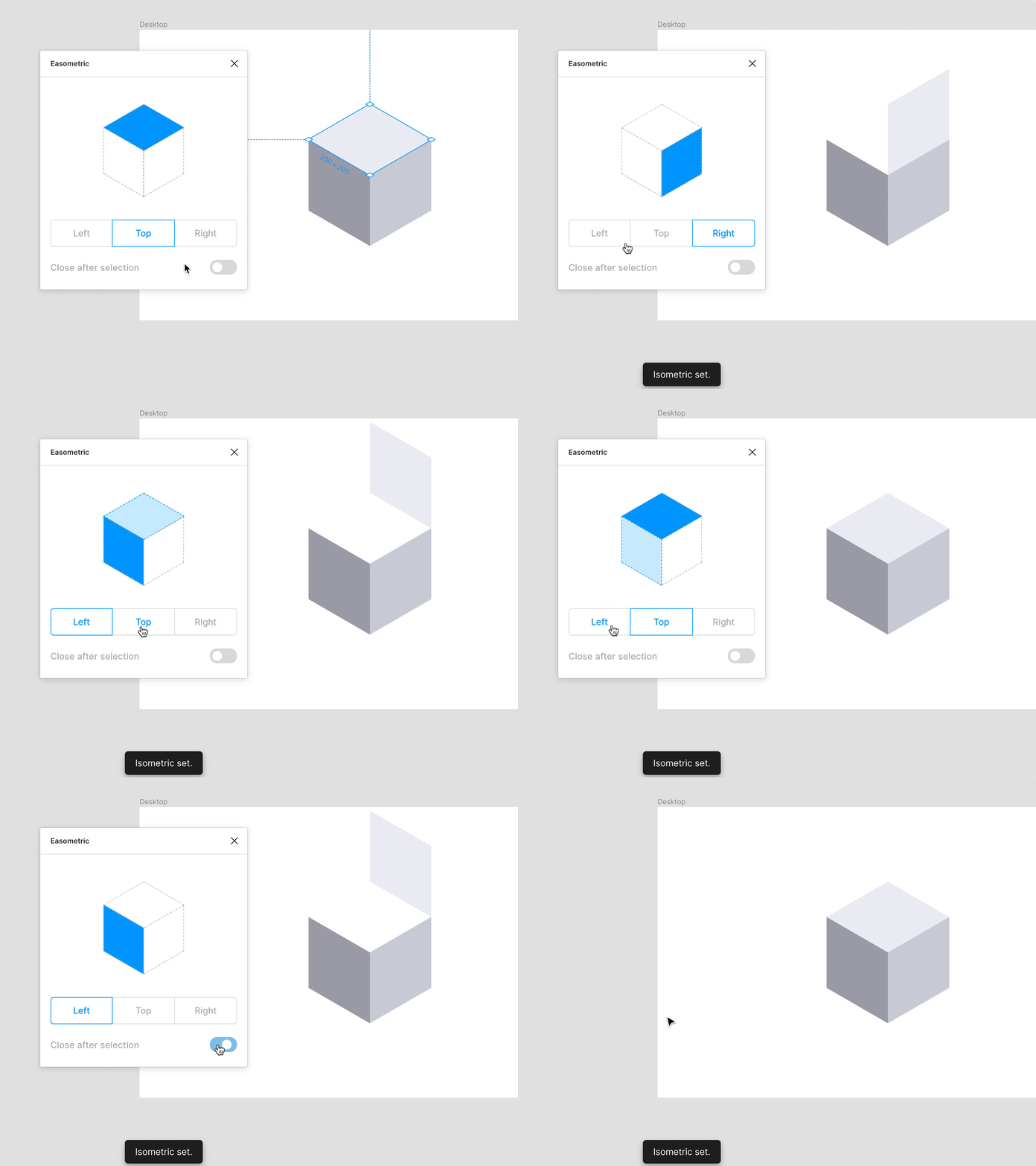
With Easometric it's really easy to create isometric layers & groups.
This plugin using SSR30⁰, which is the most popular and flexible method of creating isometric artworks. With SSR30⁰ you can quickly create top, left and right isometric views.
Simple as that you can either quick apply a top, left or right perspective or using the modal to modify your layer.
## Usage
Download it on the Figma plugin library [figma.com/c/plugin/750743440401413268/Easometric](https://www.figma.com/c/plugin/750743440401413268/Easometric)
## Development
First clone this repository
```shell
git clone https://github.com/aaroniker/figma-easometric.git
cd figma-easometric
```
Install dependencies & build files
```shell
npm install
npm run build
# Or watch: npm run dev
```
After that open a project in Figma Desktop, select _Plugins -> Development -> New Plugin_. Click `Choose a manifest.json` and find the `manifest.json` file in this plugin directory.
Done! Now _Plugins -> Development -> Easometric_
## ToDo
- [ ] Add SR45⁰ method
- [ ] Live Preview
- [ ] Node stay at same position after choose an angle
## Authors
- Aaron Iker ([Twitter](https://twitter.com/aaroniker_me))
- Martin David ([Twitter](https://twitter.com/srioz))