https://github.com/aaronrussell/agentflow
Powerfully simple AI agent framework.
https://github.com/aaronrussell/agentflow
agents ai cli markdown
Last synced: 3 months ago
JSON representation
Powerfully simple AI agent framework.
- Host: GitHub
- URL: https://github.com/aaronrussell/agentflow
- Owner: aaronrussell
- License: apache-2.0
- Created: 2024-08-05T18:38:59.000Z (almost 2 years ago)
- Default Branch: main
- Last Pushed: 2025-01-24T17:47:09.000Z (over 1 year ago)
- Last Synced: 2026-03-26T18:40:34.881Z (4 months ago)
- Topics: agents, ai, cli, markdown
- Language: TypeScript
- Homepage: https://agentflow.2point0.ai
- Size: 1020 KB
- Stars: 42
- Watchers: 2
- Forks: 4
- Open Issues: 1
-
Metadata Files:
- Readme: README.md
- License: LICENSE
Awesome Lists containing this project
README
# Agentflow
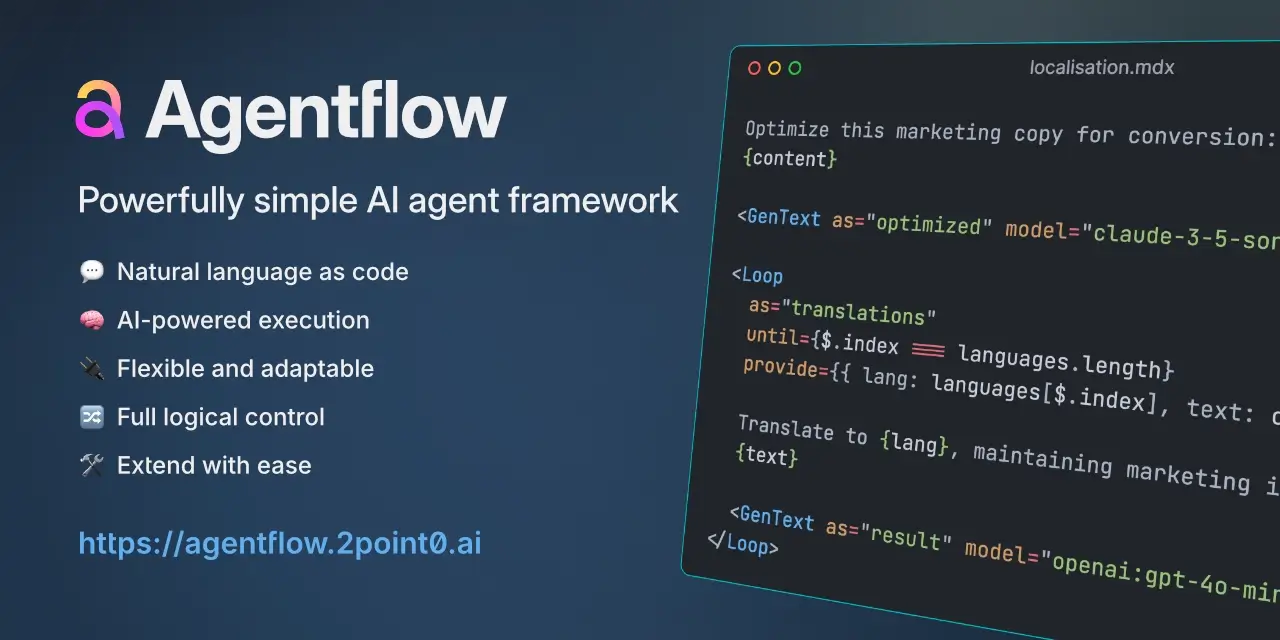


Agentflow is a low-code framework for creating and executing AI-powered workflows using Markdown and natural language.
- 💬 **Natural language as code** - Write powerful workflows using natural language and Markdown, making automation accessible to all.
- 🧠 **AI-powered execution** - Take advantage of cutting-edge AI models to bring super-intelligence to your workflows.
- 🔌 **Flexible and adaptable** - Connect with any AI provider or run models locally, for complete control and flexibility.
- 🔀 **Full logical control** - Create complex workflows with loops and conditional branching, just like traditional programming but in plain English.
- 🛠️ **Extend with ease** - Add custom actions and tools using JavaScript to tailor Agentflow to your specific needs.
> [!WARNING]
> Agentflow is in early development. While it's ready for experimentation and early adoption, the API may change as we continue to improve the framework. Always refer to the [documentation](https://agentflow.2point0.ai) for the latest updates.
## Table of contents
- [Quick start](#quick-start)
- [Writing workflows](#writing-workflows)
- [JavaScript API](#javascript-api)
- [Documentation](#documentation)
- [License](#license)
## Quick start
Agentflow requires a JavaScript runtime (for example, Node.js) to be installed on your system. Once you have that set up, there are two simple ways to get started with Agentflow: using the starter kit to bootstrap a project, or using the CLI to initialize a project manually.
### 1. Using the Agentflow starter kit
The quickest way to get started is using the Agentflow starter kit. Choose your preferred package manager:
```sh
# Using NPM
npm create agentflow@latest my-agents
# Using Yarn
yarn create agentflow my-agents
```
This will scaffold a new project with all the necessary dependencies and configuration. The CLI will be installed locally as a project dependency, which you can use via your package manager:
```sh
# Using NPM
cd my-agents && npm install
npx aflow help
# Using Yarn
cd my-agents && yarn
yarn aflow help
```
### 2. Using the global CLI
Alternatively, you can install the Agentflow CLI globally and initialize a new project via the CLI:
```sh
# Install CLI globally
npm install -g @agentflow/cli
# Create new project
aflow init my-agents
cd my-agents
```
For more detailed instructions and configuration options, check out the [getting started guide](https://agentflow.2point0.ai/guide/getting-started) and [CLI documentation](https://agentflow.2point0.ai/guide/cli).
## Writing workflows
Workflows in Agentflow are written using Markdown files that combine natural language instructions with actions using MDX-like syntax. Actions can do anything from generating text with AI models to implementing control flow and integrating external services.
Here's a simple example:
```mdx
---
data:
languages:
- Spanish
- French
- German
input:
topic:
type: text
message: "Enter a topic to write about"
---
Write a short blog post about {topic}.
Translate this article to {language}:
{original}
```
This workflow prompts for a topic, generates a blog post, then automatically translates it into multiple languages. Actions like `` invoke AI models to generate content, while control flow actions like `` enable complex workflows. Expressions in braces (e.g. `{topic}`) reference previous inputs and results.
Check out the docs to learn more about [workflow structure](https://agentflow.2point0.ai/guide/workflow-structure) and [working with input data](https://agentflow.2point0.ai/guide/input-data).
## JavaScript API
Agentflow provides a JavaScript API for working with workflows programmatically. Using `@agentflow/core`, you can compile Markdown-formatted workflows and control their execution from your code:
```typescript
import { Environment, Workflow } from '@agentflow/core'
// Initialize the environment
const env = new Environment({
providers: {
// configure AI providers
}
})
// Compile a workflow from markdown
const workflow = Workflow.compileSync(`
Write a haiku about {topic}.
`, env)
// Create and run the execution
const ctrl = workflow.createExecution({
topic: { type: 'primitive', value: 'spring rain' }
})
// Handle execution events
ctrl.on('step', (step, event) => {
event.action?.then(({ result }) => console.log(result))
})
ctrl.on('complete', (output) => {
console.log('Done!\n', output)
})
// Run the workflow
await ctrl.runAll()
```
The API provides fine-grained control over workflow execution, including the ability to pause, resume and monitor progress. Check out the [JavaScript API documentation](https://agentflow.2point0.ai/guide/javascript-api) for more details.
## Documentation
For more detailed guides, examples and API documentation, visit [agentflow.2point0.ai](https://agentflow.2point0.ai).
## License
This package is open source and released under the [Apache-2 Licence](https://github.com/lebrunel/agentflow/blob/master/LICENSE).
© Copyright 2024 [Push Code Ltd](https://www.pushcode.com/).