https://github.com/abdulahad968/expense-tracker
Expense Tracker is a modern full-stack web app to manage your income, expenses, and budgets with visual dashboards, real-time analytics, and responsive design. Built with Mongo DB, React and Node.js, it helps users gain insights into their spending and stay financially on track — all in one sleek interface.
https://github.com/abdulahad968/expense-tracker
chartjs mern-stack-development mongodb-database nodejs personalfinanceapp react responsive-design restful-api threejs
Last synced: about 1 year ago
JSON representation
Expense Tracker is a modern full-stack web app to manage your income, expenses, and budgets with visual dashboards, real-time analytics, and responsive design. Built with Mongo DB, React and Node.js, it helps users gain insights into their spending and stay financially on track — all in one sleek interface.
- Host: GitHub
- URL: https://github.com/abdulahad968/expense-tracker
- Owner: AbdulAHAD968
- License: mit
- Created: 2025-05-10T18:43:04.000Z (about 1 year ago)
- Default Branch: main
- Last Pushed: 2025-05-14T06:56:18.000Z (about 1 year ago)
- Last Synced: 2025-05-14T14:34:34.256Z (about 1 year ago)
- Topics: chartjs, mern-stack-development, mongodb-database, nodejs, personalfinanceapp, react, responsive-design, restful-api, threejs
- Language: JavaScript
- Homepage: https://github.com/AbdulAHAD968/EXPENSE-TRACKER
- Size: 1.44 MB
- Stars: 4
- Watchers: 1
- Forks: 0
- Open Issues: 1
-
Metadata Files:
- Readme: README.md
- License: LICENSE
Awesome Lists containing this project
README
# Expense Tracker
[](https://github.com/AbdulAHAD968/EXPENSE-TRACKER/blob/main/LICENSE)
[](https://github.com/AbdulAHAD968/EXPENSE-TRACKER/issues)
[](https://github.com/AbdulAHAD968/EXPENSE-TRACKER/stargazers)
A modern web application to track your expenses, manage budgets, and analyze spending patterns.
---
---
---
---
## Features
- Desktop Application (You can generate a Desktop icon using powershell script).
- Runs totally in background.
- Interactive Dashboard
- Expense Tracking
- Budget Management
- Detailed Reports
- User Settings
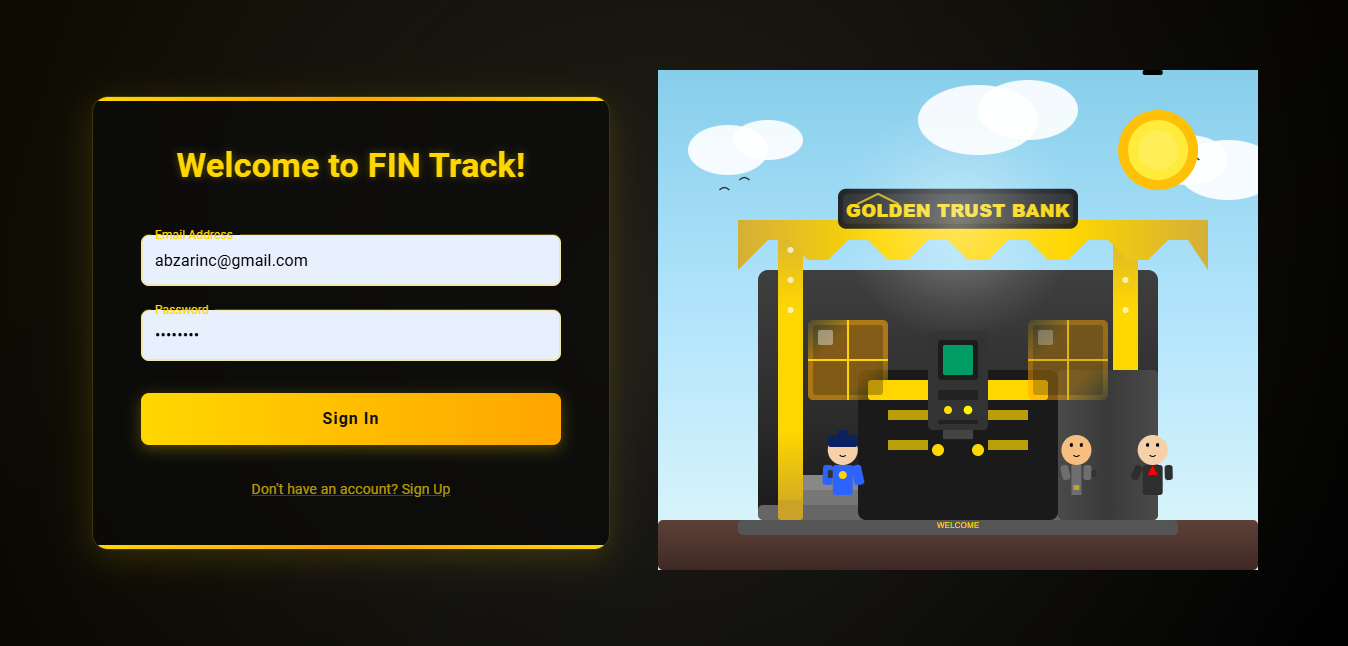
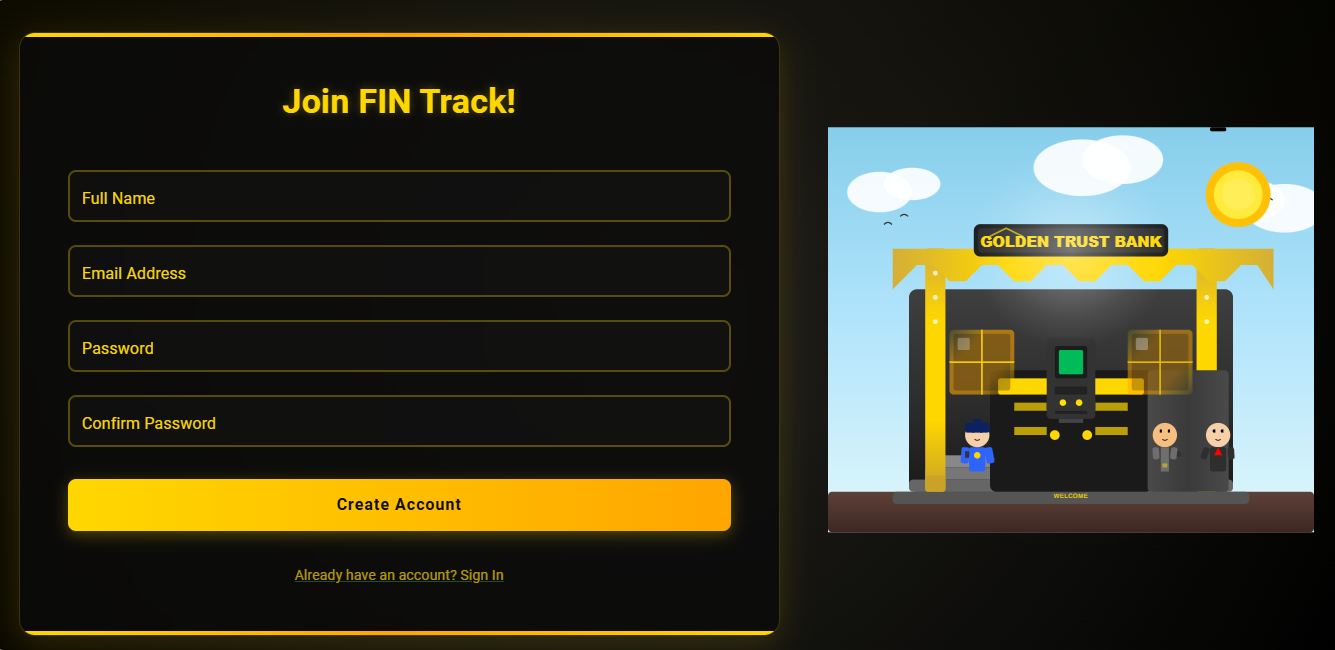
- Secure Authentication
- Responsive Design
## Directory Overview
For a detailed directory structure, view the project on [GitIngest](https://gitingest.com/AbdulAHAD968/EXPENSE-TRACKER).
## User Guides
### Dashboard
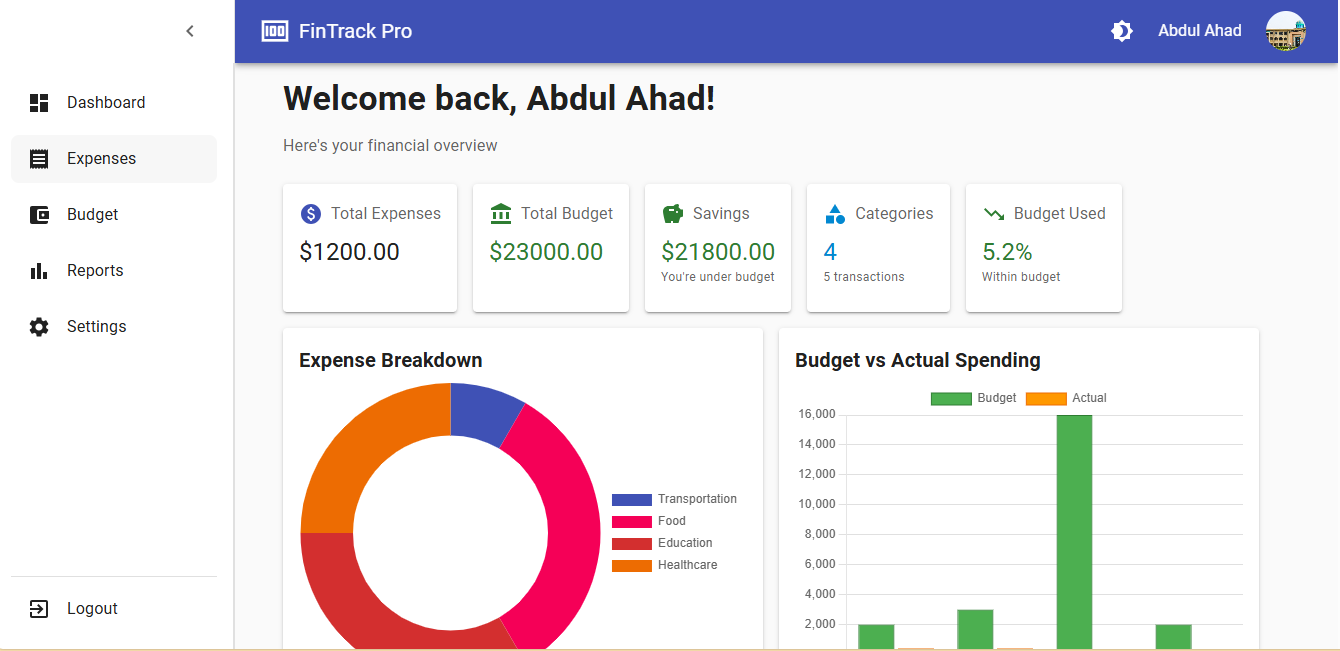
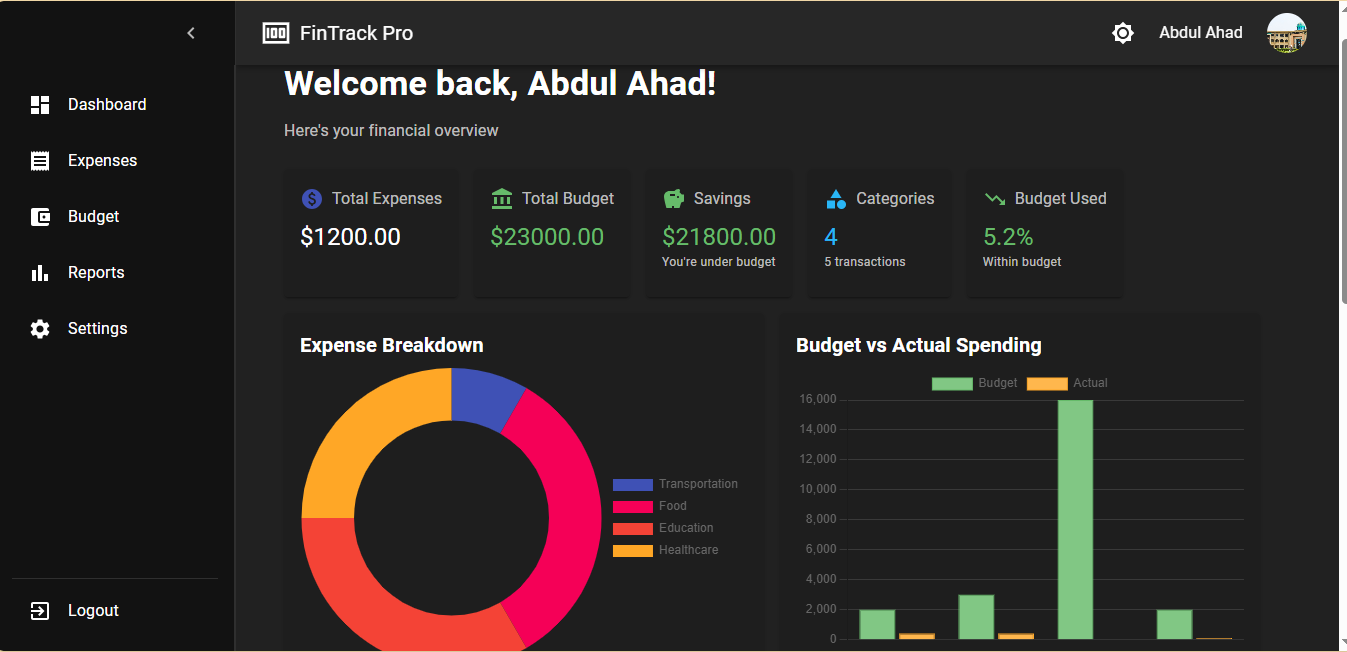
The dashboard provides an overview of your financial status:
1. **Summary Cards**: View your total balance, income, expenses, and savings at a glance
2. **Spending Chart**: Visualize your expenses by category (pie/bar chart)
3. **Recent Transactions**: Quickly see your last 5-10 transactions
4. **Budget Progress**: Track your monthly budget utilization
---
---
---
### Expenses
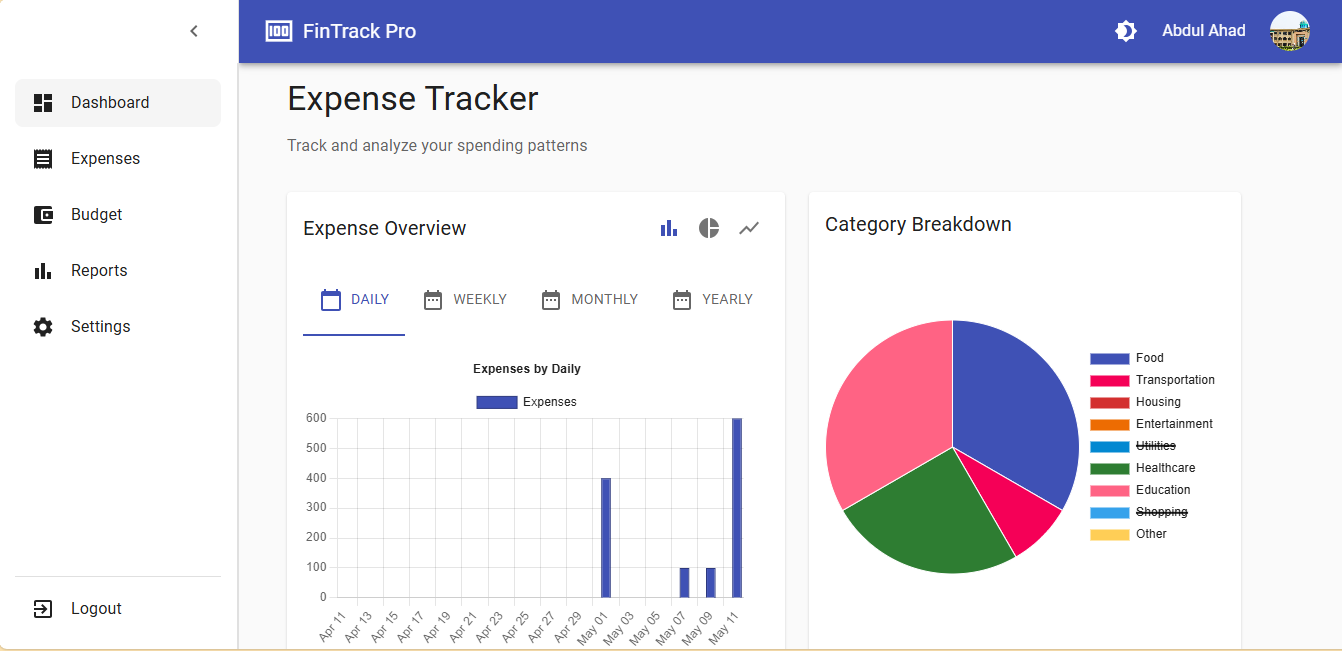
Track and manage your expenses:
1. **Add New Expense**:
- Click "+ Add Expense" button
- Fill in amount, category, date, and description
- Attach receipts (optional)
- Click "Save"
2. **Edit/Delete Expenses**:
- Click on any expense in the list
- Make changes or click "Delete"
- Confirm your action
3. **Filter Expenses**:
- Use date range picker
- Filter by category
- Search by description
### Budget
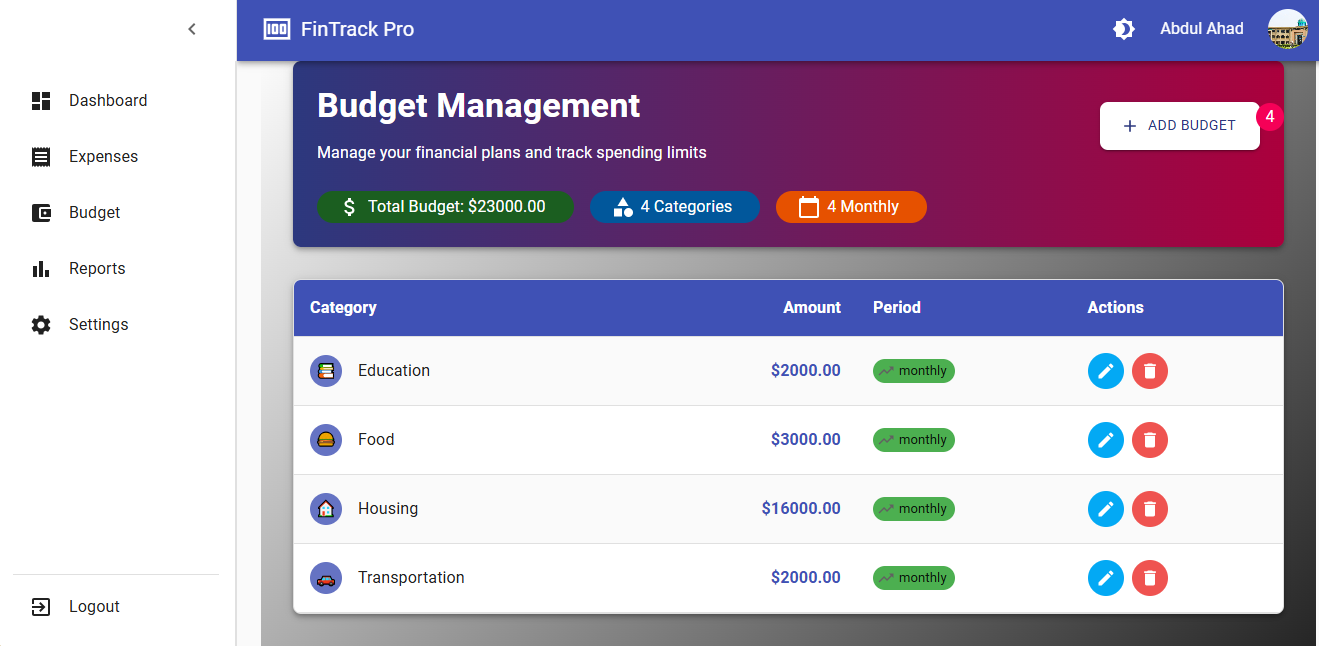
Set and monitor your budgets:
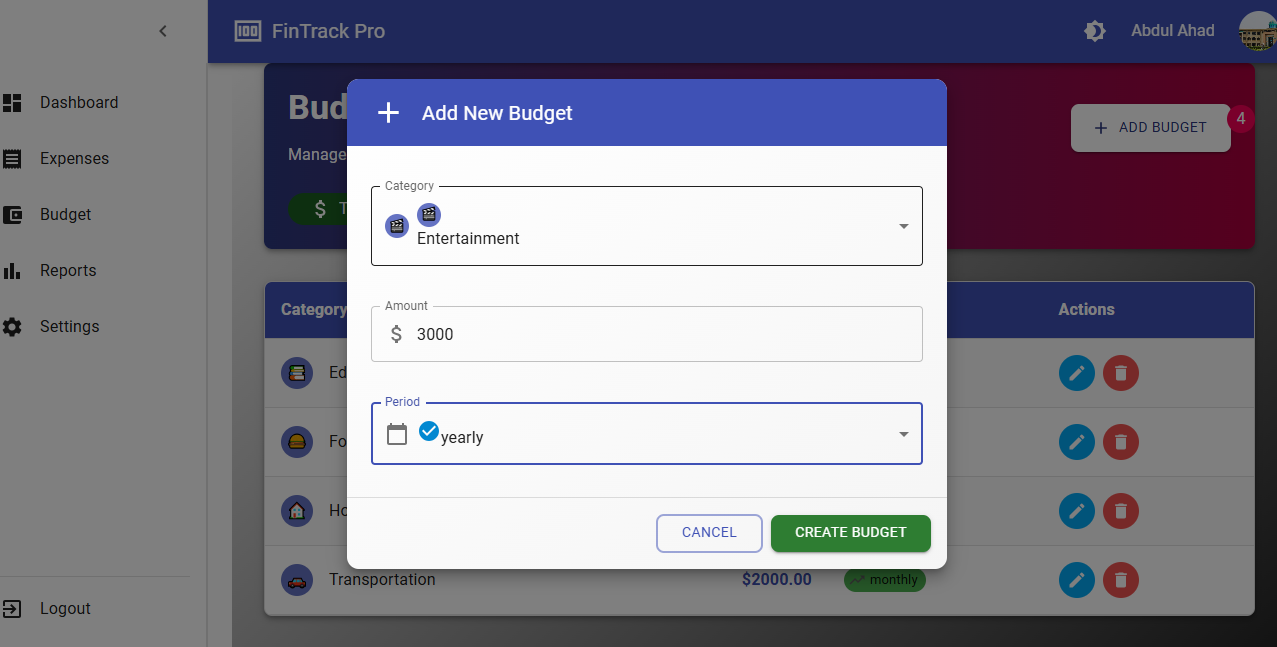
1. **Create Budget**:
- Select a category (Groceries, Entertainment, etc.)
- Set monthly amount
- Choose period (monthly/weekly)
2. **Track Progress**:
- Visual progress bars show spending vs budget
- Color indicators (green/yellow/red) warn when approaching limits
- Receive notifications when exceeding budgets
---
---
---
### Reports
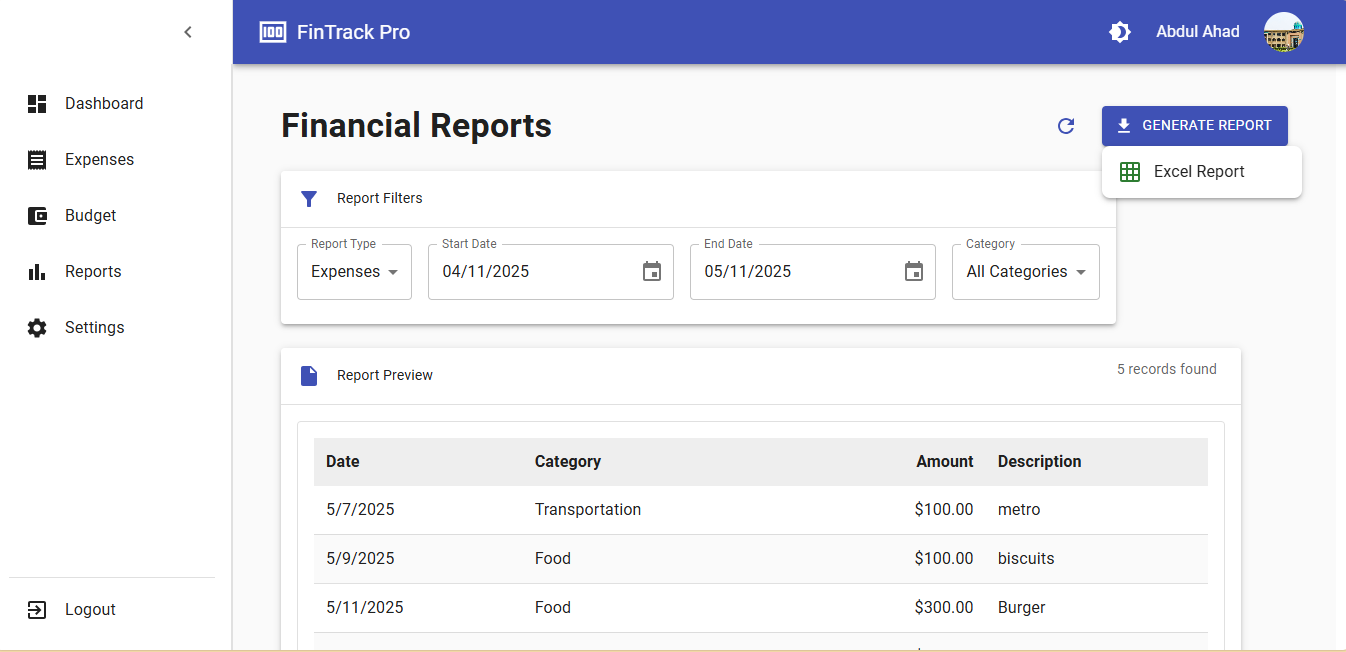
Generate detailed financial reports:
1. **Spending Analysis**:
- View by category, merchant, or payment method
- Compare periods (month-over-month, year-over-year)
2. **Export Data**:
- Export to Excel
- Print reports directly
3. **Custom Reports**:
- Create custom date ranges
- Filter by specific categories or tags
---
---
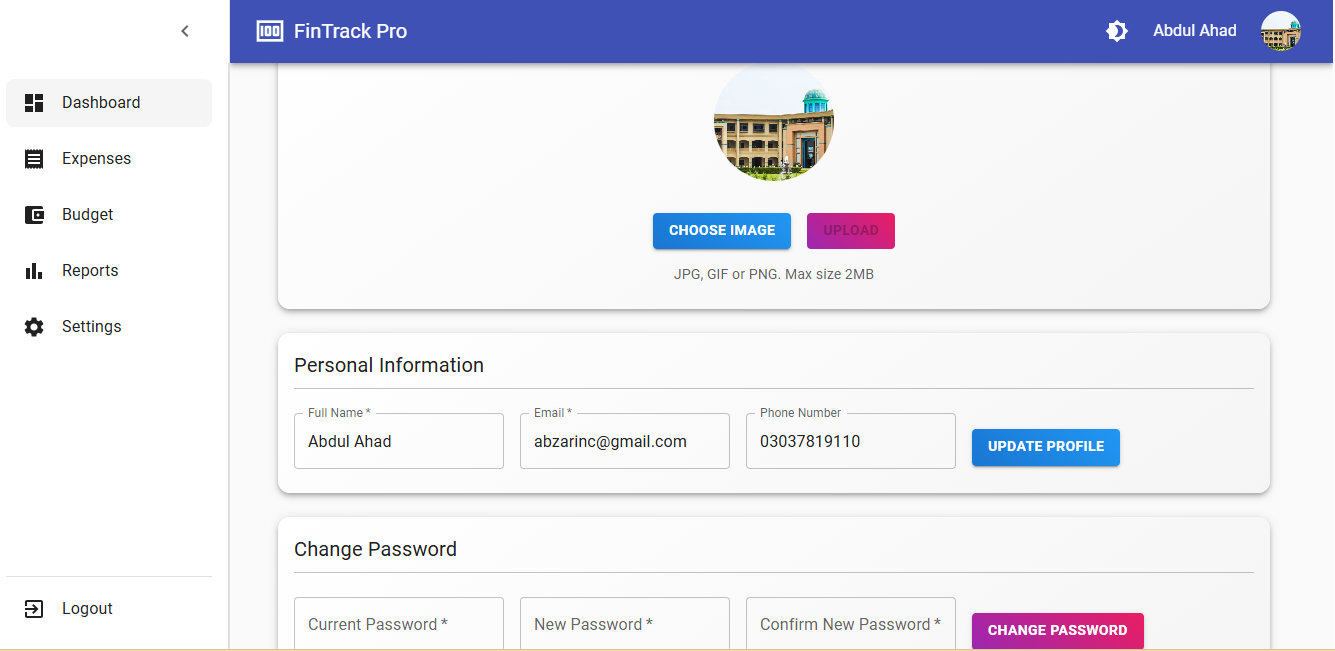
### Settings
Customize your experience:
1. **Profile**:
- Update personal information
- Change profile picture
2. **Preferences**:
- Set default currency
- Choose theme (light/dark)
- Configure notifications
3. **Account**:
- Change password
- Enable two-factor authentication
- Manage connected banks (if applicable)
4. **Data Management**:
- Backup your data
- Export all transactions
- Delete account
---
---
## Installation
1. Clone the repository:
```bash
git clone https://github.com/AbdulAHAD968/EXPENSE-TRACKER.git
cd EXPENSE-TRACKER```
## Launch via Desktop Shortcut (Windows Only)
- launch-expense-tracker.ps1
- Start Backend (Hidden + Adjust the path as needed)
Start-Process "cmd.exe" -ArgumentList "/c cd /d D:\HTML\expense-tracker\server && npm run dev" -WindowStyle Hidden
- Start Frontend (Hidden + Adjust the path as needed)
Start-Process "cmd.exe" -ArgumentList "/c cd /d D:\HTML\expense-tracker && npm start" -WindowStyle Hidden
- Open browser after delay (optional)
Start-Sleep -Seconds 5
Start-Process "http://localhost:3000"
## Future Work:
- Still trying to resolve the error that how to stop the background tasks automatically.
- AI (DeepSeek API) integration for getting insights and plans about budget management.