https://github.com/abdullah0dev/pixify
AI Image Generator 🎨✨: Create stunning AI-generated images with a simple prompt. Fast & easy! 🚀🖼️
https://github.com/abdullah0dev/pixify
Last synced: 9 months ago
JSON representation
AI Image Generator 🎨✨: Create stunning AI-generated images with a simple prompt. Fast & easy! 🚀🖼️
- Host: GitHub
- URL: https://github.com/abdullah0dev/pixify
- Owner: Abdullah0Dev
- Created: 2024-06-25T10:57:29.000Z (about 2 years ago)
- Default Branch: main
- Last Pushed: 2024-07-20T11:39:55.000Z (almost 2 years ago)
- Last Synced: 2025-05-20T06:36:32.603Z (about 1 year ago)
- Language: TypeScript
- Homepage:
- Size: 19.4 MB
- Stars: 0
- Watchers: 1
- Forks: 0
- Open Issues: 0
-
Metadata Files:
- Readme: README.md
Awesome Lists containing this project
README
# AI Image Generator
Welcome to the AI Image Generator! This Full Stack application lets you create stunning images using AI by simply providing a text prompt. It features a user-friendly interface and a straightforward process: just drop your prompt and press generate. You're done! 🎉
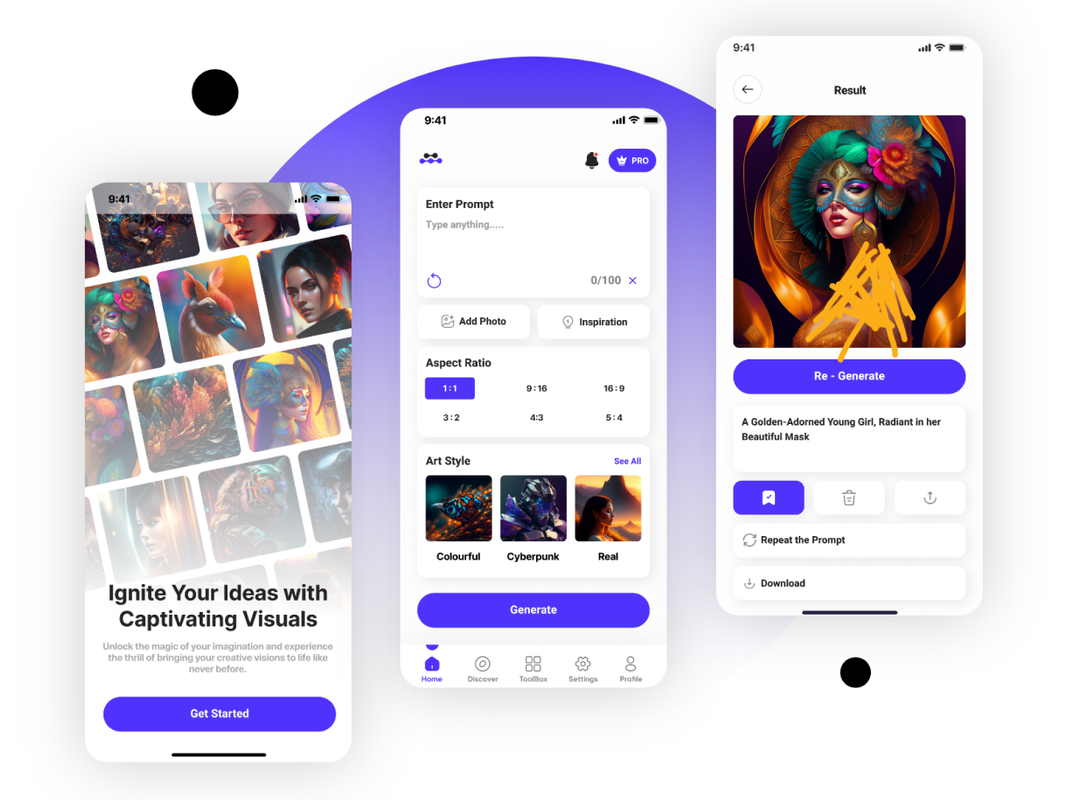
## Features 🌟
- **User-Friendly Interface**: Intuitive and easy-to-use design.
- **Fast Image Generation**: Quickly generate images with AI.
- **Responsive Design**: Works seamlessly on various devices.
- **Secure Data Handling**: Utilizes MongoDB for efficient and secure data storage.
- **Modern Tech Stack**: Built with React Native, TypeScript, Node.js, Express.js, and MongoDB.
## Installation 🔧
1. **Clone the Repository**:
```bash
git clone https://github.com/Abdullah0Dev/pixify.git
cd pixify
```
2. **Backend Setup**:
```bash
cd server
npm install
```
- **Environment Variables**:
Create a `.env` file in the `server` directory and add the following:
```
export REPLICATE_API_TOKEN=your_replicate_api_key
DB_URI=your_mongodb_connection_string
```
- **Start the Backend Server**:
```bash
npm start
```
3. **Frontend Setup**:
```bash
cd ../client
npm install
```
- **Start the Frontend**:
```bash
npm start
```
## Usage 🚀
1. Open the app on your device.
2. Enter a text prompt in the input field.
3. Press the "Generate" button.
4. Wait a few seconds, and your image will be ready!