https://github.com/abdullah2020/image-restoration
The focus of this Lab is to correct the offsets of the image lines in 'fichier2.bmp'
https://github.com/abdullah2020/image-restoration
image image-processing matlab offsets-line
Last synced: about 1 year ago
JSON representation
The focus of this Lab is to correct the offsets of the image lines in 'fichier2.bmp'
- Host: GitHub
- URL: https://github.com/abdullah2020/image-restoration
- Owner: Abdullah2020
- Created: 2022-08-12T22:13:58.000Z (almost 4 years ago)
- Default Branch: master
- Last Pushed: 2022-08-12T22:27:08.000Z (almost 4 years ago)
- Last Synced: 2025-01-31T11:50:25.816Z (over 1 year ago)
- Topics: image, image-processing, matlab, offsets-line
- Language: MATLAB
- Homepage:
- Size: 330 KB
- Stars: 0
- Watchers: 1
- Forks: 0
- Open Issues: 0
-
Metadata Files:
- Readme: README.md
Awesome Lists containing this project
README
# Image-Restoration
The target of this task is to develop a model to correct an image whose lines have been shifted by some pixels. The step by step approach adopted is explained below:
+ The image was read using the “imread()” function. The image is imported as a bmp file, enlarged with a multiplicative factor of 255 and then displayed.
+ The “size()” function was used to store in the dimensions of the image in memory which is 2055 in the y-axis and 3072 in the x-axis
+ To re-adjust the pixels to the right positions, it is assumed that the first horizontal line of the image is correctly placed and the subsequent horizontal lines of the image are shifted either left or right in order to correct the offsets. This means that line 1 is intact and then the remaining 2054 lines are adjusted back to position. To achieve this, the matlab “xcorr()” function and the “max()” function was used. The “xcorr()” function calculate the inter-correlation between two separate subsequent lines of the image and this includes both the correlation magnitude and position. The “max()” function to store this maximum value and the location.
+ The difference between the location and the reference with a width of 3072 gives the shift of that line from the reference. This is cumulatively stored using the “cumsum()” function.
+ Finally, using the “circshift()” function, all the shifts previously evaluated were added to the horizontal lines but we start from line 2 since line 1 is the reference line.
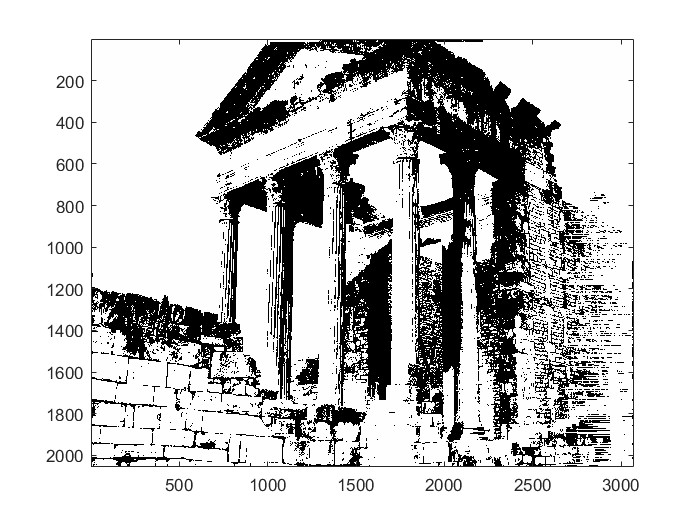
# Result:
### Original Image
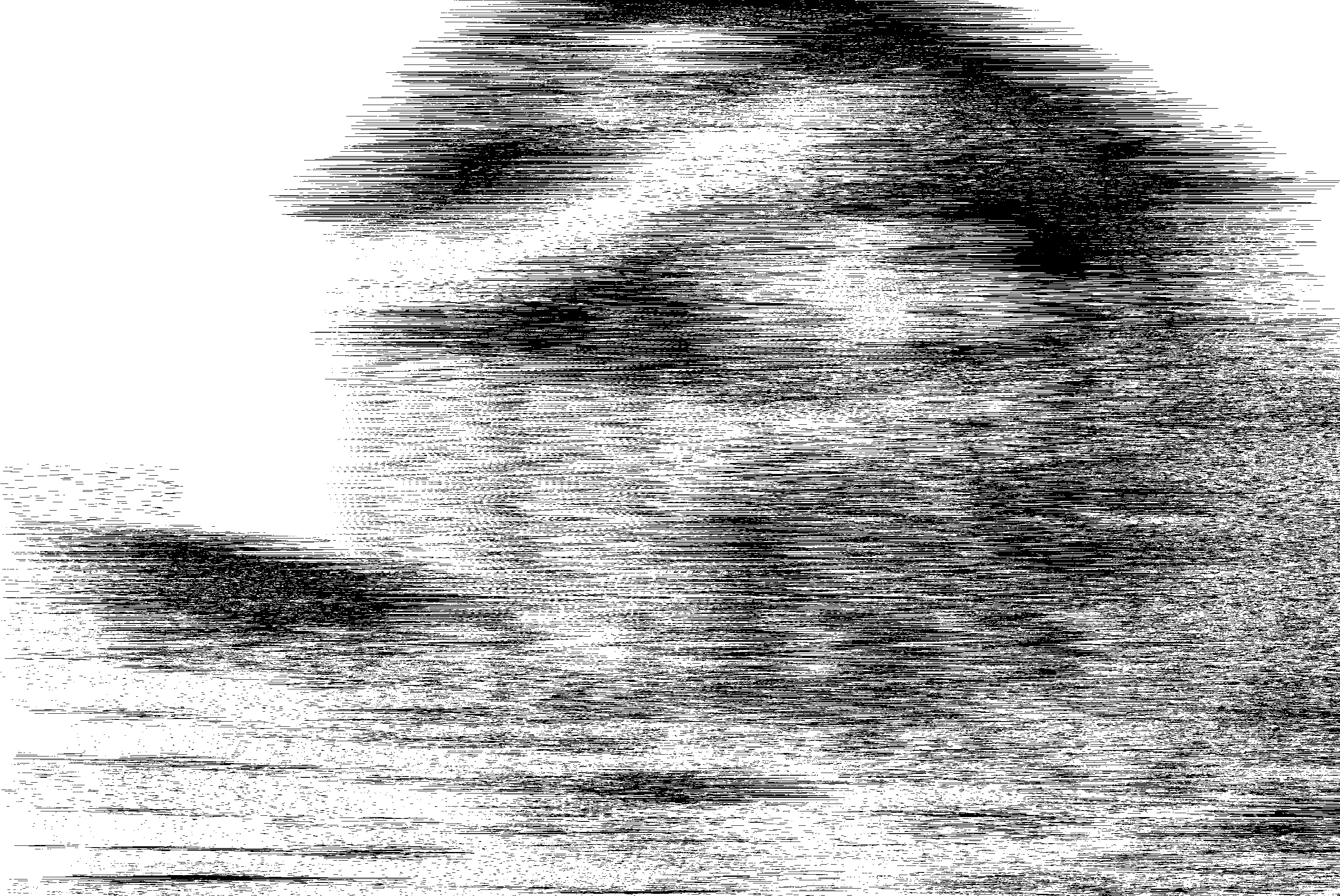
### Restored Image