https://github.com/abhinavk99/codewall
VS Code extension that checks if code goes past your rulers
https://github.com/abhinavk99/codewall
codewall developer-tools ruler vscode vscode-extension
Last synced: 5 months ago
JSON representation
VS Code extension that checks if code goes past your rulers
- Host: GitHub
- URL: https://github.com/abhinavk99/codewall
- Owner: abhinavk99
- License: mit
- Created: 2018-11-14T06:40:16.000Z (over 7 years ago)
- Default Branch: master
- Last Pushed: 2021-06-08T16:23:49.000Z (about 5 years ago)
- Last Synced: 2025-08-08T01:54:38.693Z (12 months ago)
- Topics: codewall, developer-tools, ruler, vscode, vscode-extension
- Language: TypeScript
- Homepage: https://marketplace.visualstudio.com/items?itemName=abhinavk99.codewall
- Size: 484 KB
- Stars: 7
- Watchers: 1
- Forks: 1
- Open Issues: 3
-
Metadata Files:
- Readme: README.md
- Changelog: CHANGELOG.md
- License: LICENSE
Awesome Lists containing this project
README
# CodeWall
[](https://github.com/abhinavk99/codewall/actions)
[](https://marketplace.visualstudio.com/items?itemName=abhinavk99.codewall)
[](https://marketplace.visualstudio.com/items?itemName=abhinavk99.codewall)
[](https://marketplace.visualstudio.com/items?itemName=abhinavk99.codewall)
[](https://github.com/prettier/prettier)
[](https://github.com/abhinavk99/codewall)
[](https://github.com/abhinavk99/codewall/blob/master/LICENSE)
[](http://makeapullrequest.com)
VS Code extension that checks if code goes past your rulers. Install it [here](https://marketplace.visualstudio.com/items?itemName=abhinavk99.codewall)!
## Features
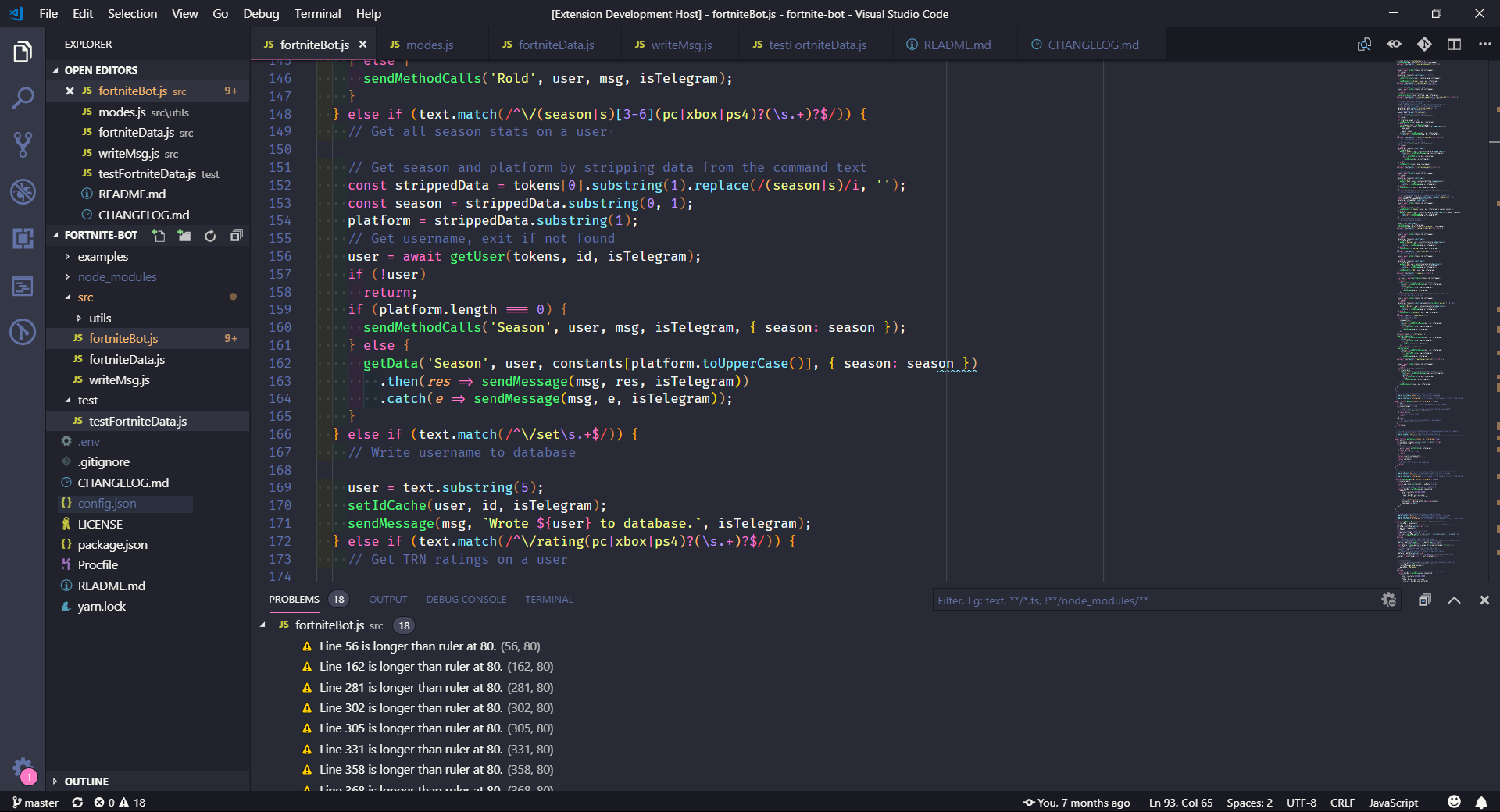
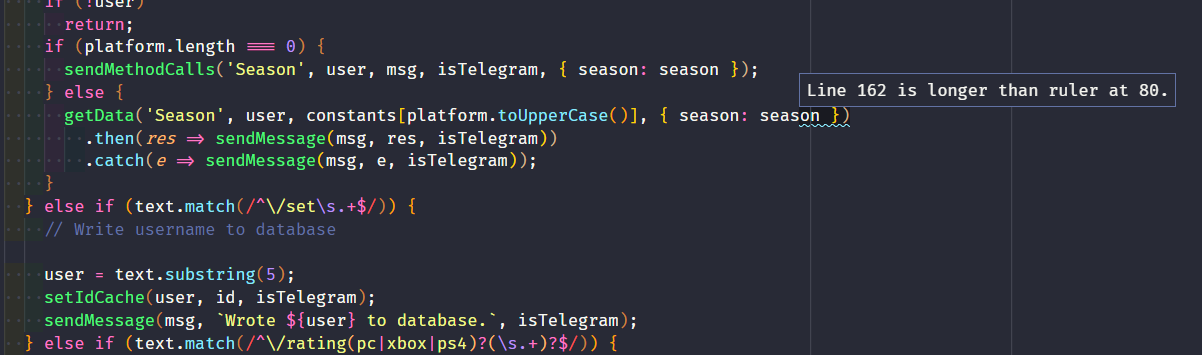
Shows warnings at the specific locations where code goes past your rulers.
## Settings
This extension has the following settings:
- `codewall.openProblemsPane`: Determines whether to open the problems pane to show warnings when lines cross rulers. Is true by default.
## Usage
Add a rulers using the `editor.rulers` setting (`Command Palette -> Preferences: Open Settings (JSON)`).
Valid Values:
```json
"editor.rulers": [
{"column": 90, "color": "#000000"},
{"column": 105, "color": "#ff0000"}
]
```
```json
"editor.rulers": [90, 105]
```
## CodeWall for Atom
Don't use VS Code? Try [CodeWall](https://github.com/Oceanwall/CodeWall) for Atom, made by Oceanwall!