https://github.com/abhiprojectz/alertia
Alertia is a JS library to create awesome beautifull alert messages easily!
https://github.com/abhiprojectz/alertia
alert css generator library notifications popup tools
Last synced: 9 months ago
JSON representation
Alertia is a JS library to create awesome beautifull alert messages easily!
- Host: GitHub
- URL: https://github.com/abhiprojectz/alertia
- Owner: abhiprojectz
- License: mit
- Created: 2020-05-22T08:12:37.000Z (about 6 years ago)
- Default Branch: master
- Last Pushed: 2020-10-08T05:23:07.000Z (almost 6 years ago)
- Last Synced: 2025-07-21T15:44:57.869Z (12 months ago)
- Topics: alert, css, generator, library, notifications, popup, tools
- Language: HTML
- Size: 131 KB
- Stars: 18
- Watchers: 3
- Forks: 1
- Open Issues: 2
-
Metadata Files:
- Readme: README.md
- License: LICENSE
Awesome Lists containing this project
README
# Welcome to Alertia!
Make your notifications *awesome*
.gif)
# Visit a visual guide on
[Live website](https://abhiprojectz.github.io/alertia/)
*Source code* [Alertia on github](https://github.com/abhiprojectz/alertia)
# How it looks?
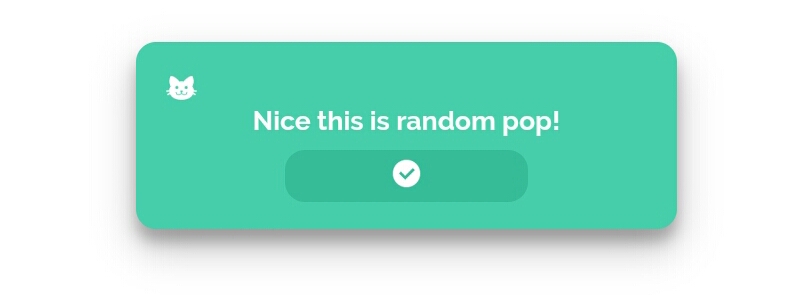
## Want a replacement from old looking js alert ?
Then just don't worry! *Alertia* can do it for you, by just a one line of code you can get a beautifull alert messages!
*Alertia* is a JS library to get awesome instant alert!
Just use:
```
alertia("A simple alert");
```
and you get this:

much better , customizable than simple js alert

## Getting started
Link alertia js script through JSdelivr
1. Insert this script in ``` ```
```
```
2. Now just call alertia
```
alertia("a simple pop");
```
It also supports JSON type formatting to make it simple and easily customizable!
# Installation
All you need is a script via CDN, rest it needs 0 installation
# Syntax
## Basic
The order is "msg" , "type" , "style" & "time"
for eg:
```
alertia("Hi! i'm on", "normal" , 3000);
```
## Advanved
Use json object formatting as:
=> "msg": "a random msg",
"type":"normal",
"style":"slit",
"time":"3000"
for eg:
```
alertia({"msg": "a random msg",
"type":"normal",
"style":"slit",
"time":"3000"});
```
# Features
Alertia have various features that a modern alert should have!
Different types of type, style etc
## Type
it has 3 types
1. normal just a normal noification etc

2. Danger for error, break code etc
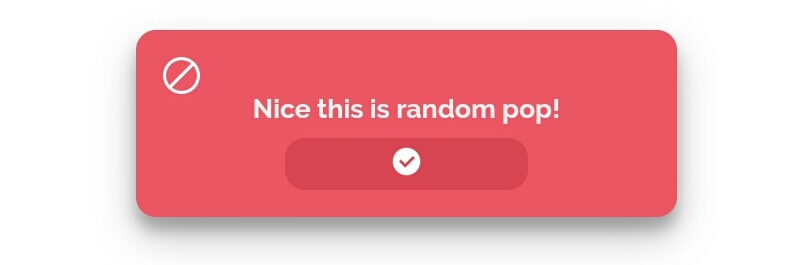
3. success for finishing of task etc

## Style
To change animations you need to use style , alertis has lots of animation including roll , fade , slit , bounce etc...
## Timer
To access use time:
# Preview

# At last
.gif)
If you found this helpfull then do give it a star/upvote etc.
Created with JS by @abhiprojectz