https://github.com/abilian/olapy-pyodide
https://github.com/abilian/olapy-pyodide
Last synced: 5 months ago
JSON representation
- Host: GitHub
- URL: https://github.com/abilian/olapy-pyodide
- Owner: abilian
- Created: 2020-11-14T10:34:33.000Z (over 5 years ago)
- Default Branch: main
- Last Pushed: 2020-11-14T10:44:45.000Z (over 5 years ago)
- Last Synced: 2025-09-10T04:58:08.537Z (11 months ago)
- Language: HTML
- Size: 2.67 MB
- Stars: 0
- Watchers: 2
- Forks: 0
- Open Issues: 0
-
Metadata Files:
- Readme: README.md
Awesome Lists containing this project
README
## Olapy-Pyodide
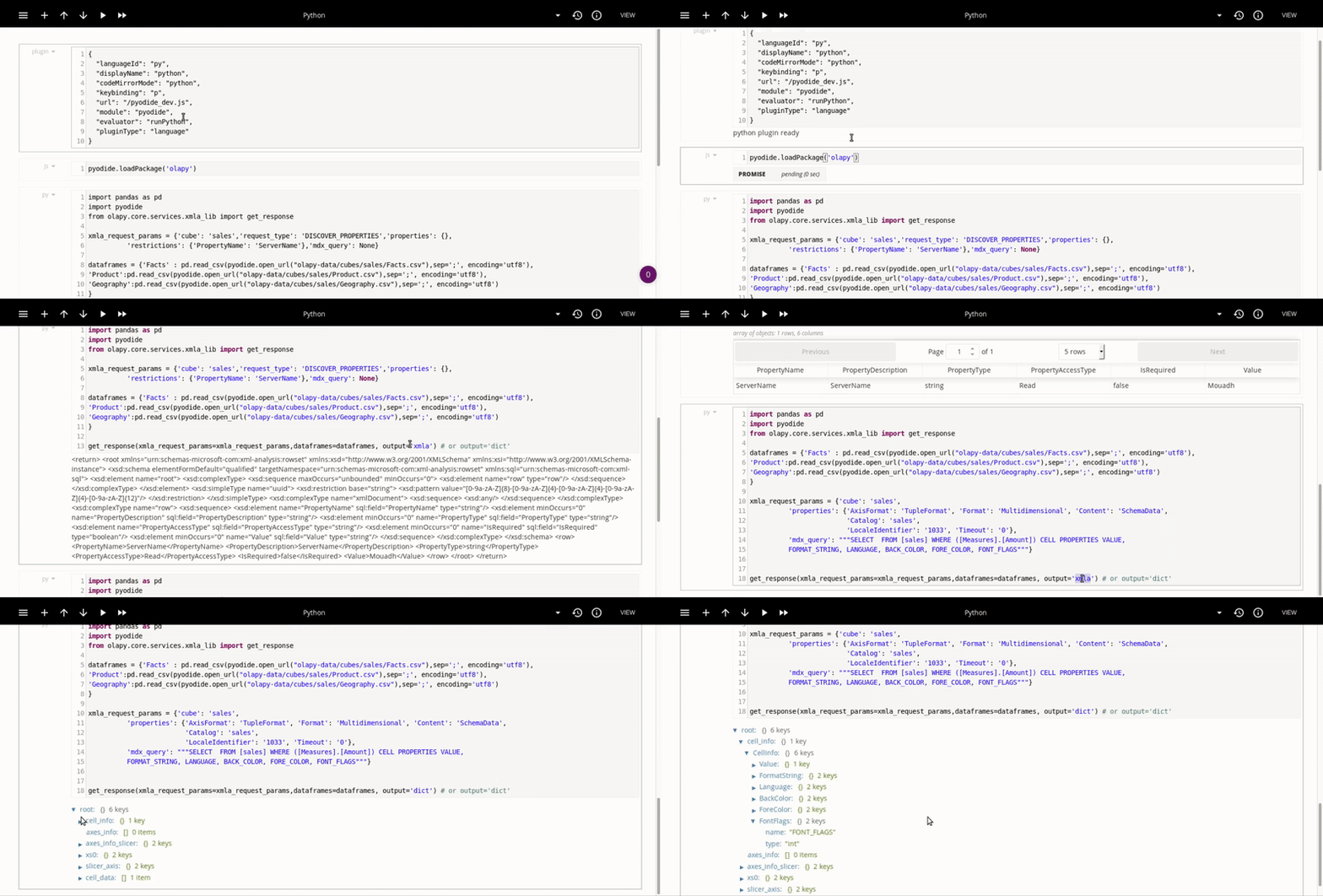
The purpose of OlaPy-Pyodide package is to show you how to use [OlaPy](https://github.com/abilian/olapy) inside your web browser as library
(not XMLA server), thus all computations happens in the browser, with direct access to Web API technologies like the DOM.
Since there's no server side, Sharing a notebook become very easy as passing around a single HTML file.
how could this happens? well, thanks to [iodide](https://github.com/iodide-project/iodide) and
[pyodide](https://github.com/iodide-project/pyodide) projects which feature Python running entirely in the browser, allowing portable and reproducible data science using Python without having to install anything.
### [Online Demo](http://bulma.abilian.com:8000/olapy.html)
Build OlaPy with Pyodide by yourself
------------------------------------
After building [pyodide project](https://github.com/iodide-project/pyodide)
copy the content of [under_packages](https://github.com/abilian/olapy/tree/master/pyodide/build_olapy_by_yourself/under_packages) and [under_build](https://github.com/abilian/olapy/tree/master/pyodide/build_olapy_by_yourself/under_build), under pyodide's build and packages folders
and copy [server.py](https://github.com/abilian/olapy/blob/master/pyodide/build_olapy_by_yourself/server.py) file to pyodide's root folder
next, in pyodide project run:
cd packages
make
finally to test a demo, you should install gunicorn:
pip install gunicorn
and then run the server from pyodide root folder with:
gunicorn -D -w 4 -b 0.0.0.0 -t 300 server:app
and go to [http://localhost:8000/olapy.html](http://localhost:8000/olapy.html)
Add cubes
---------
You can add new cubes under the pyodide build folder, for instance
{PYODIDE_ROOT_DIR}/build/olapy-data/cubes/{YOUR_CUBE_FOLDER}/{YOUR_FILES.csv}
and them from iodide, you pass them to olapy as parameter:
~~~python
import pandas as pd
import pyodide
from olapy.core.services.xmla_lib import get_response
# get cube tables
dataframes = {
'Facts' : pd.read_csv(pyodide.open_url("olapy-data/cubes/my_cube/Facts.csv"),sep=';', encoding='utf8'),
'Table_name_as_you_want1':pd.read_csv(pyodide.open_url("olapy-data/cubes/my_cube/table1.csv"),sep=';', encoding='utf8'),
'Table_name_as_you_want2':pd.read_csv(pyodide.open_url("olapy-data/cubes/my_cube/table2.csv"),sep=';', encoding='utf8')
}
# discover request parameters
xmla_request_params = {
'cube': 'sales',
'request_type': 'DISCOVER_PROPERTIES',
'properties': {},
'restrictions': {'PropertyName': 'ServerName'},
'mdx_query': None,
}
get_response(xmla_request_params=xmla_request_params, dataframes=dataframes, output='xmla')
~~~