https://github.com/acj/fbstatus
fbstatus graphically shows the gokrazy system status on the Linux frame buffer, which is typically available via HDMI when running on a Raspberry Pi or a PC.
https://github.com/acj/fbstatus
Last synced: 5 months ago
JSON representation
fbstatus graphically shows the gokrazy system status on the Linux frame buffer, which is typically available via HDMI when running on a Raspberry Pi or a PC.
- Host: GitHub
- URL: https://github.com/acj/fbstatus
- Owner: acj
- License: apache-2.0
- Fork: true (gokrazy/fbstatus)
- Created: 2022-09-07T01:27:35.000Z (almost 4 years ago)
- Default Branch: main
- Last Pushed: 2022-09-07T01:37:59.000Z (almost 4 years ago)
- Last Synced: 2024-06-20T10:13:50.903Z (almost 2 years ago)
- Language: Go
- Homepage:
- Size: 462 KB
- Stars: 0
- Watchers: 1
- Forks: 0
- Open Issues: 0
-
Metadata Files:
- Readme: README.md
- License: LICENSE
Awesome Lists containing this project
README
# gokrazy framebuffer status (fbstatus)
fbstatus graphically shows the gokrazy system status on the Linux frame buffer,
which is typically available via HDMI when running on a Raspberry Pi or a PC.
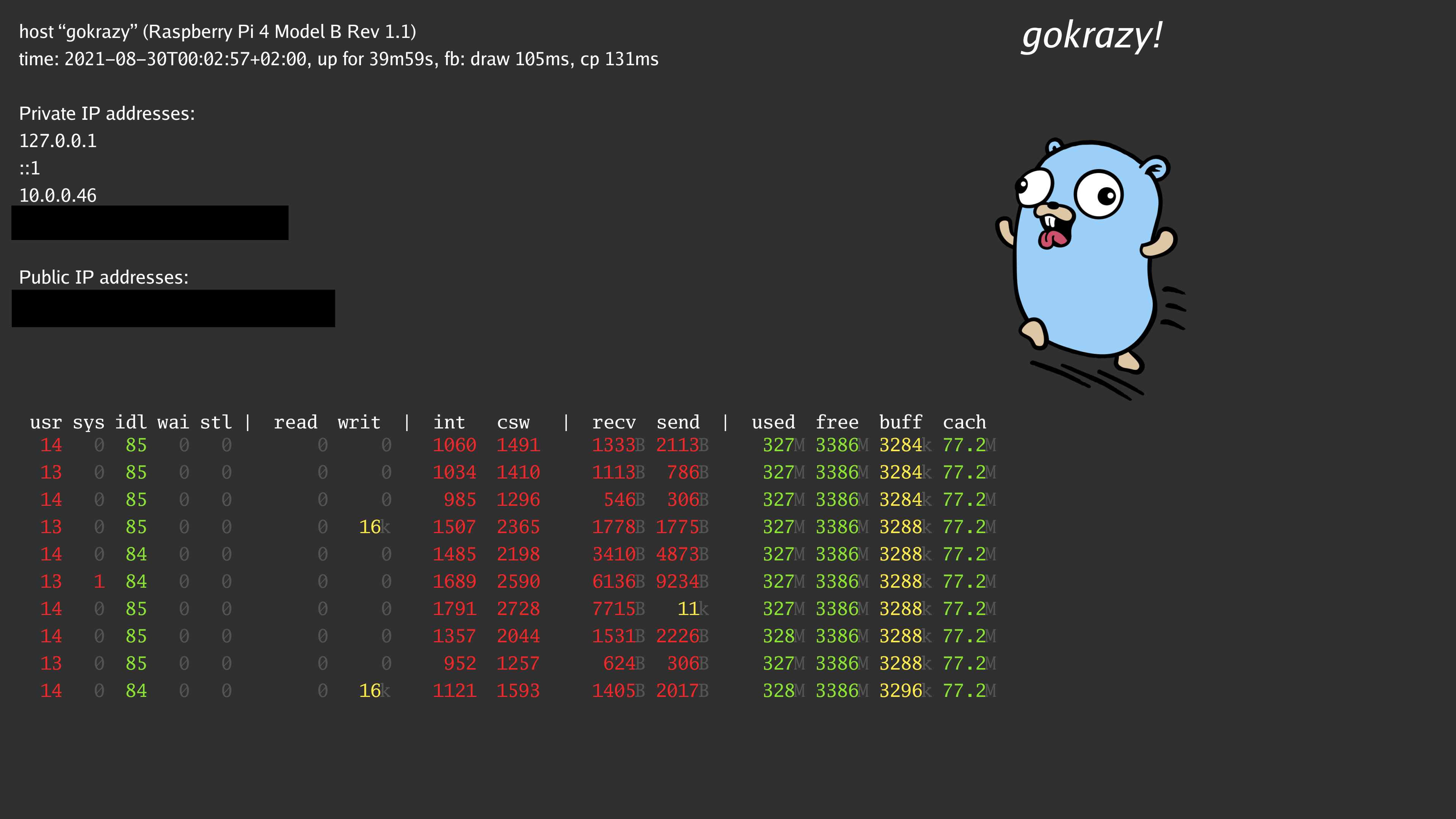
This graphical output is helpful to understand:
1. whether gokrazy booted up correctly
1. whether gokrazy’s NTP client obtained the correct time
1. whether gokrazy’s DHCP client obtained an IP address
1. the current resource usage of the system
## Usage
Please refer to [the gokrazy quickstart](https://gokrazy.org/quickstart/) if you are unfamiliar.
Then, add the fbstatus package to your packer command line:
```
gokr-packer \
-update=yes \
github.com/gokrazy/fbstatus \
github.com/gokrazy/hello \
github.com/gokrazy/serial-busybox
```
After your Raspberry Pi reboots, you should eventually see the graphical output
from the screenshot above on your HDMI monitor.
## TODO
* show ethernet interface(s) plugged-in state somehow?
* show service log messages (stdout, stderr)
* implement different views, switch between the different views via flag (rotate mode, switches every n=60 seconds between views)