https://github.com/acooks/jittertrap
JitterTrap is a measurement and impairment tool for developers of latency-sensitive applications and devices.
https://github.com/acooks/jittertrap
bandwidth jitter network-analysis network-jitter network-latency network-monitoring network-visualization
Last synced: over 1 year ago
JSON representation
JitterTrap is a measurement and impairment tool for developers of latency-sensitive applications and devices.
- Host: GitHub
- URL: https://github.com/acooks/jittertrap
- Owner: acooks
- License: gpl-2.0
- Created: 2014-12-24T23:19:44.000Z (over 11 years ago)
- Default Branch: master
- Last Pushed: 2025-03-30T03:12:58.000Z (over 1 year ago)
- Last Synced: 2025-03-30T04:19:43.845Z (over 1 year ago)
- Topics: bandwidth, jitter, network-analysis, network-jitter, network-latency, network-monitoring, network-visualization
- Language: C
- Homepage: https://www.jittertrap.net
- Size: 6.85 MB
- Stars: 38
- Watchers: 7
- Forks: 14
- Open Issues: 12
-
Metadata Files:
- Readme: README.md
- License: LICENSE
Awesome Lists containing this project
README
## JitterTrap
[](https://scan.coverity.com/projects/4088)
[](https://github.com/acooks/jittertrap/actions/workflows/main.yml)
[](https://codeclimate.com/github/acooks/jittertrap)
JitterTrap is a network measurement and impairment tool for developers of real-time applications and devices.
It has two broad areas of use:
* detection and measurement of unexpected delays, introduced by the device or application under test. That is, **characterising the source behaviour** with respect to throughput, packet rates, jitter.
* introducing and controling known network impairment conditions (eg. delay, jitter, packet loss) to verify the correct operation of the device or application under test. That is, **characterising the behaviour of the destination**, with respect to delay, jitter and loss.
The user interface is implemented as a web application. [Have a look at the demo](http://demo.jittertrap.net) hosted on a t2.micro instance at AWS Sydney. (Performance is highly variable.)
Or try this old demo video:
[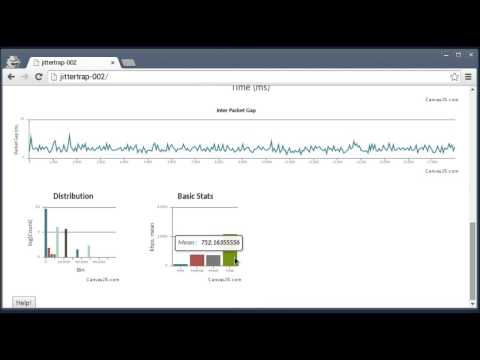](https://youtu.be/7u6xBxz6bFY "Demo video")
Help is available from help@jittertrap.net, or create a github issue.
## Installing JitterTrap
We're aiming to release packages for Fedora, Ubuntu and OpenWRT and **would appreciate help with that**.
## Building JitterTrap
### Dependencies
* [libnl](https://www.infradead.org/~tgr/libnl/) >= 3.2.24
* [libwebsockets](https://libwebsockets.org/index.html) >= 1.6
* [libjansson](http://www.digip.org/jansson/) >= 2.6
#### Fedora
Build dependencies:
sudo dnf install libnl3-devel jansson-devel libwebsockets-devel libpcap-devel
Run-time dependencies:
sudo dnf install libnl3 jansson libwebsockets libpcap
#### Ubuntu
Build dependencies:
sudo apt-get install libnl-3-dev libnl-route-3-dev libnl-genl-3-dev libjansson-dev libwebsockets-dev libncurses5-dev libpcap-dev pkgconf
Run-time dependencies:
sudo apt-get install libnl-3-200 libnl-route-3-200 libnl-genl-3-200 libjansson4 libwebsockets6
### Compiling JitterTrap
Fetch:
git clone https://github.com/acooks/jittertrap.git
Build:
cd jittertrap
make
Run:
sudo ./server/jt-server --port 8080 --resource_path html5-client/output/
Now point your web browser to the user interface, eg. http://localhost:8080/