https://github.com/adeeteya/cupertino_height_picker
This package offers a seamless Cupertino-style height picker, supporting both centimeters (metric) and feet/inches (imperial), providing versatility and precision for users.
https://github.com/adeeteya/cupertino_height_picker
cupertino cupertino-design cupertino-widgets dart dart-package flutter flutter-package flutter-packages flutter-plugin input-picker pub-dev pub-package
Last synced: 10 months ago
JSON representation
This package offers a seamless Cupertino-style height picker, supporting both centimeters (metric) and feet/inches (imperial), providing versatility and precision for users.
- Host: GitHub
- URL: https://github.com/adeeteya/cupertino_height_picker
- Owner: adeeteya
- License: mit
- Created: 2024-07-22T06:44:15.000Z (almost 2 years ago)
- Default Branch: master
- Last Pushed: 2024-09-09T10:42:46.000Z (almost 2 years ago)
- Last Synced: 2025-09-17T23:54:44.283Z (10 months ago)
- Topics: cupertino, cupertino-design, cupertino-widgets, dart, dart-package, flutter, flutter-package, flutter-packages, flutter-plugin, input-picker, pub-dev, pub-package
- Language: Dart
- Homepage:
- Size: 4.64 MB
- Stars: 5
- Watchers: 1
- Forks: 0
- Open Issues: 0
-
Metadata Files:
- Readme: README.md
- Changelog: CHANGELOG.md
- Contributing: CONTRIBUTING.md
- License: LICENSE
- Code of conduct: CODE_OF_CONDUCT.md
- Security: SECURITY.md
Awesome Lists containing this project
README
# 🎚️ Cupertino Height Picker Plugin
[](https://pub.dev/packages/cupertino_height_picker)
A seamless Cupertino-style height picker widget for Flutter.
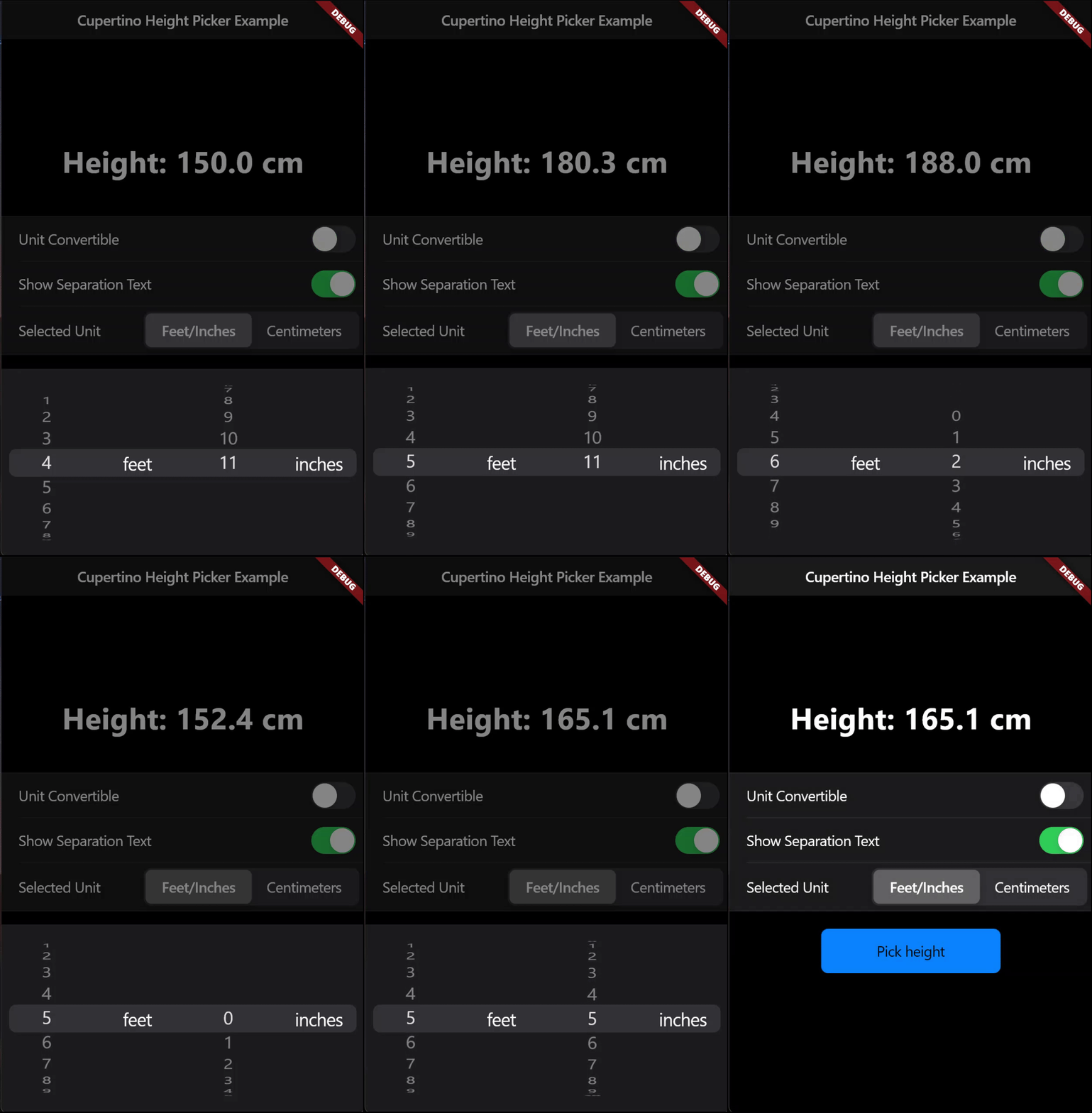
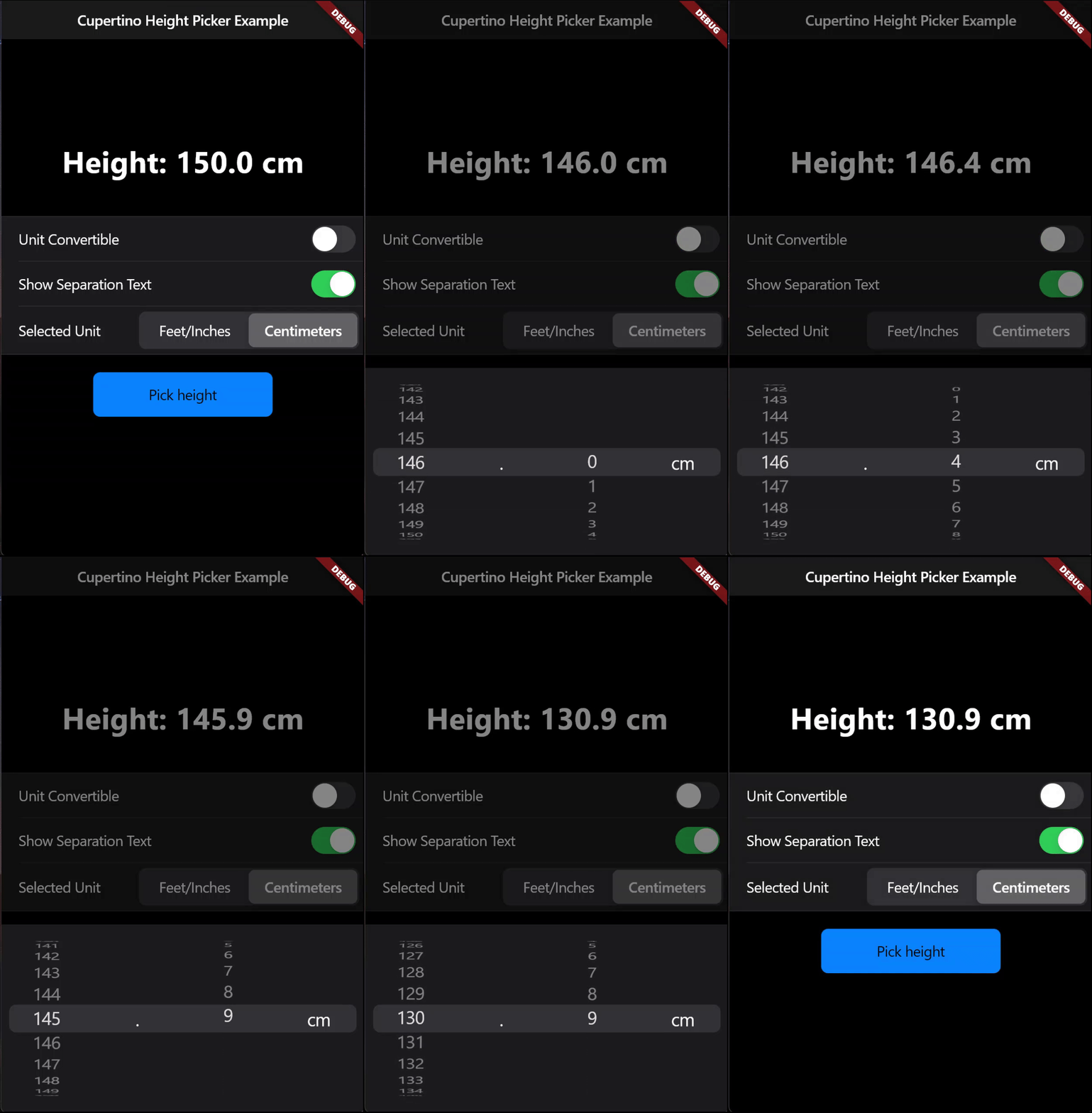
Supports height selection in both centimeters (metric) and feet/inches (imperial), providing versatility and precision for users.
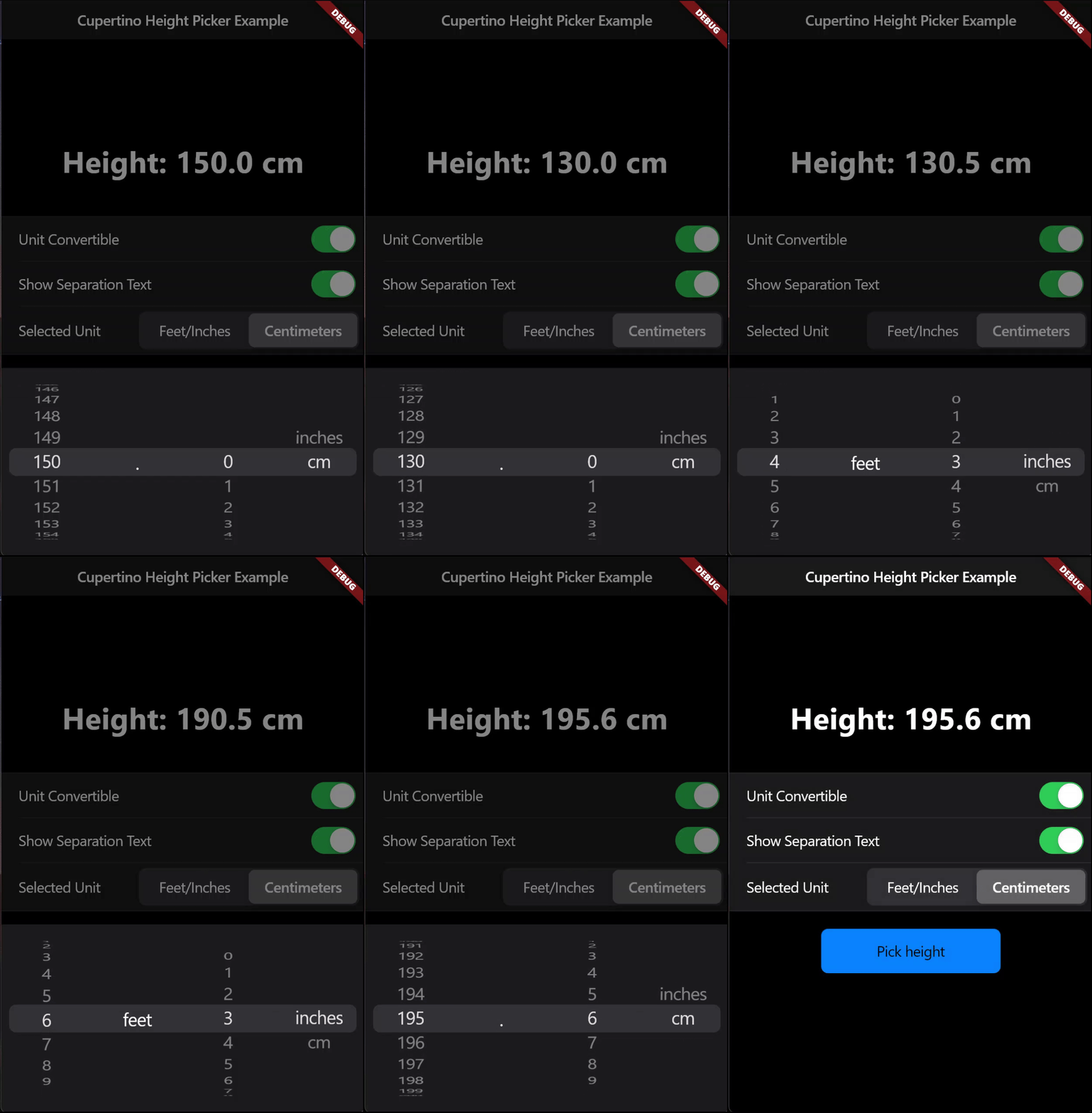
| Imperial System | Metric System | Automatic Unit Conversion |
| :---: | :---: | :---: |
|  |
|  |
|  |
|
## Features
- **Automatic Unit Conversion**: Effortlessly switch between centimeters and feet/inches with automatic conversions.
- **Decimal Value Precision**: Allows for precise height measurements.
- **Cupertino Styled Number Picker**: A clean, intuitive interface consistent with iOS design.
- **Light & Dark Themes:** Built-in support for both light and dark themes, adapting to the user's theme settings.
## Getting started
### 1. Depend on it
Add this to your package's `pubspec.yaml` file:
```yaml
dependencies:
cupertino_height_picker: ^1.0.1
```
### 2. Install it
You can install packages from the command line:
```
$ flutter pub get
```
### 3. Import it
Now in your `Dart` code, you can use:
```dart
import 'package:cupertino_height_picker/cupertino_height_picker.dart';
```
## Usage
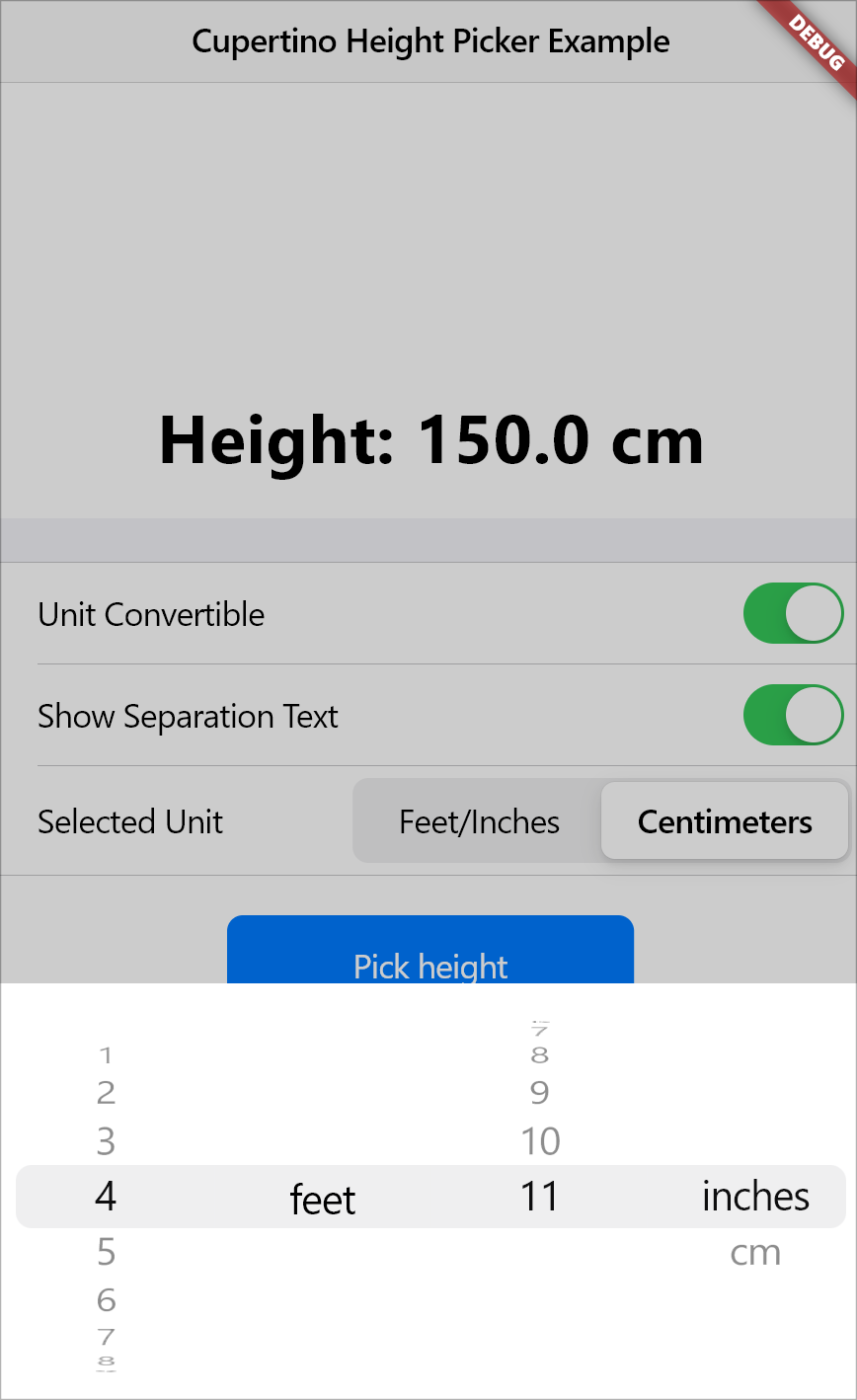
Call the default showCupertinoHeightPicker Function which always returns the height in centimeters and has automatic unit conversion enabled by default
```dart
await showCupertinoHeightPicker(
context: context,
onHeightChanged: (val) {
setState(() {
heightInCm = val;
});
},
);
```
Allow Height to be input only from metric system
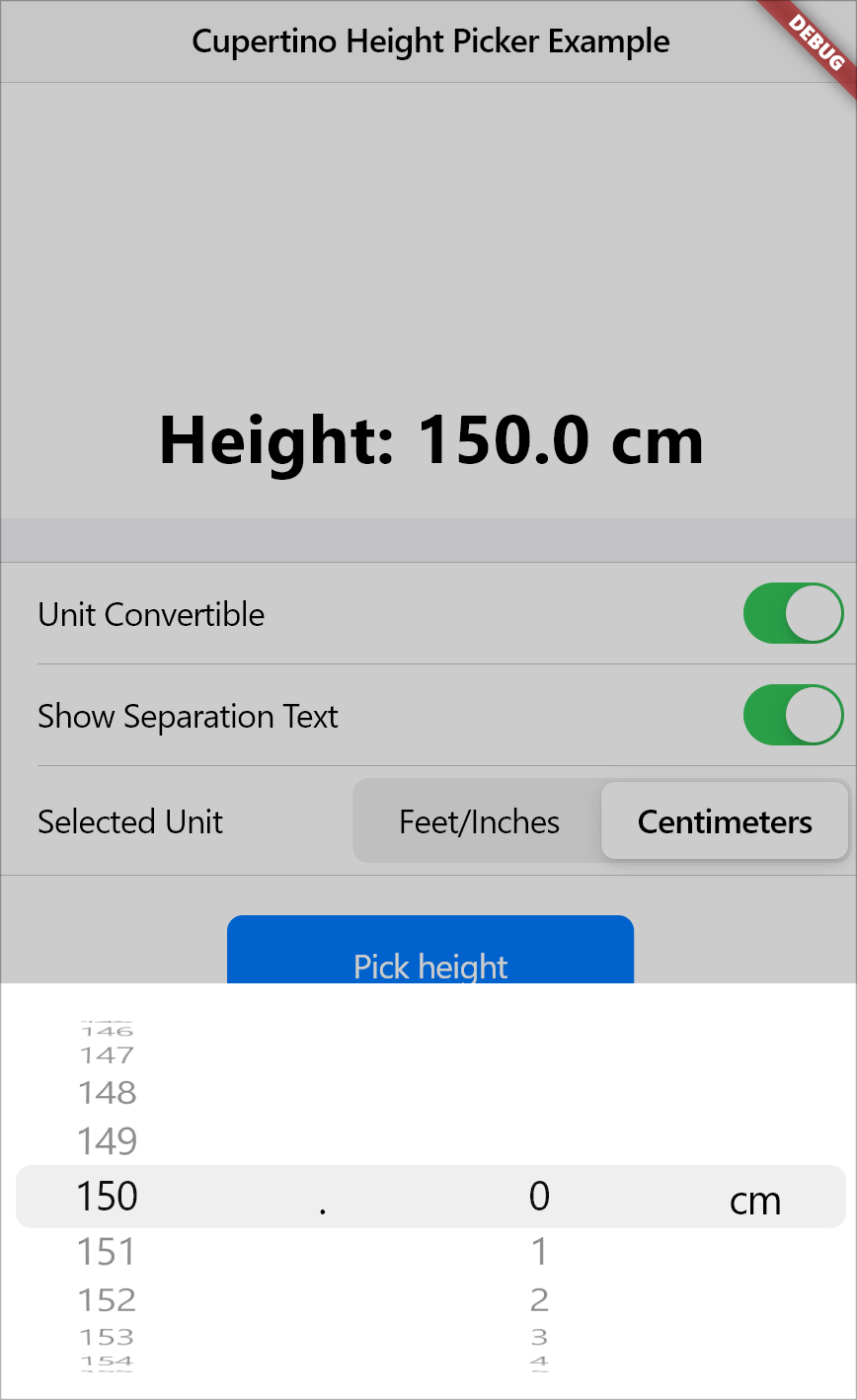
```dart
await showCupertinoHeightPicker(
context: context,
initialSelectedHeightUnit:HeightUnit.cm,
canConvertUnit: false,
onHeightChanged: (val) {
print(val);
},
);
```
Start from a custom initial height and don't show the separation text between feet and inches
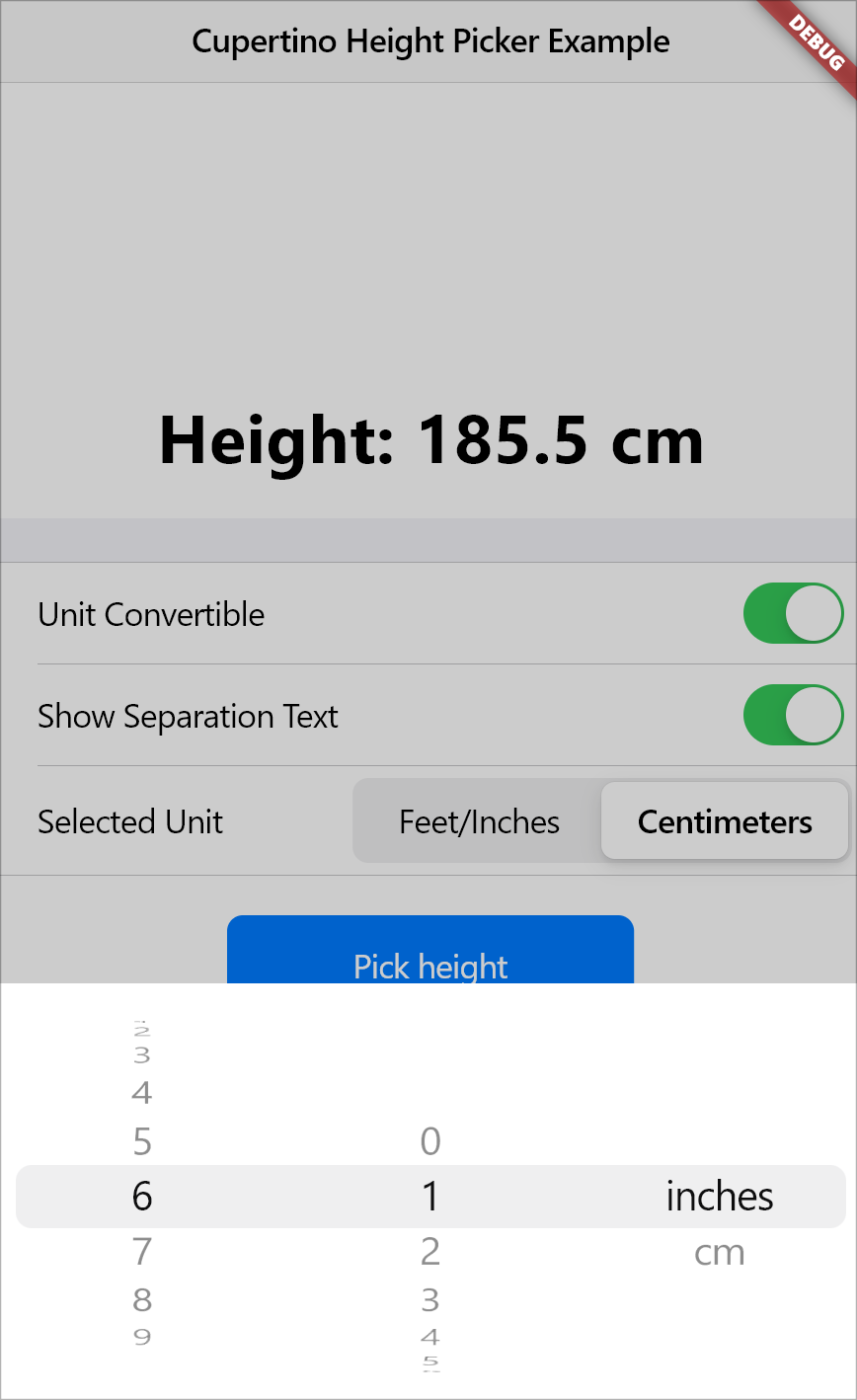
```dart
await showCupertinoHeightPicker(
context: context,
initialHeight: 185.5,
showSeparationText: false,
onHeightChanged: (val) {
print(val);
},
);
```
Customize the Look of the Modal to your liking!
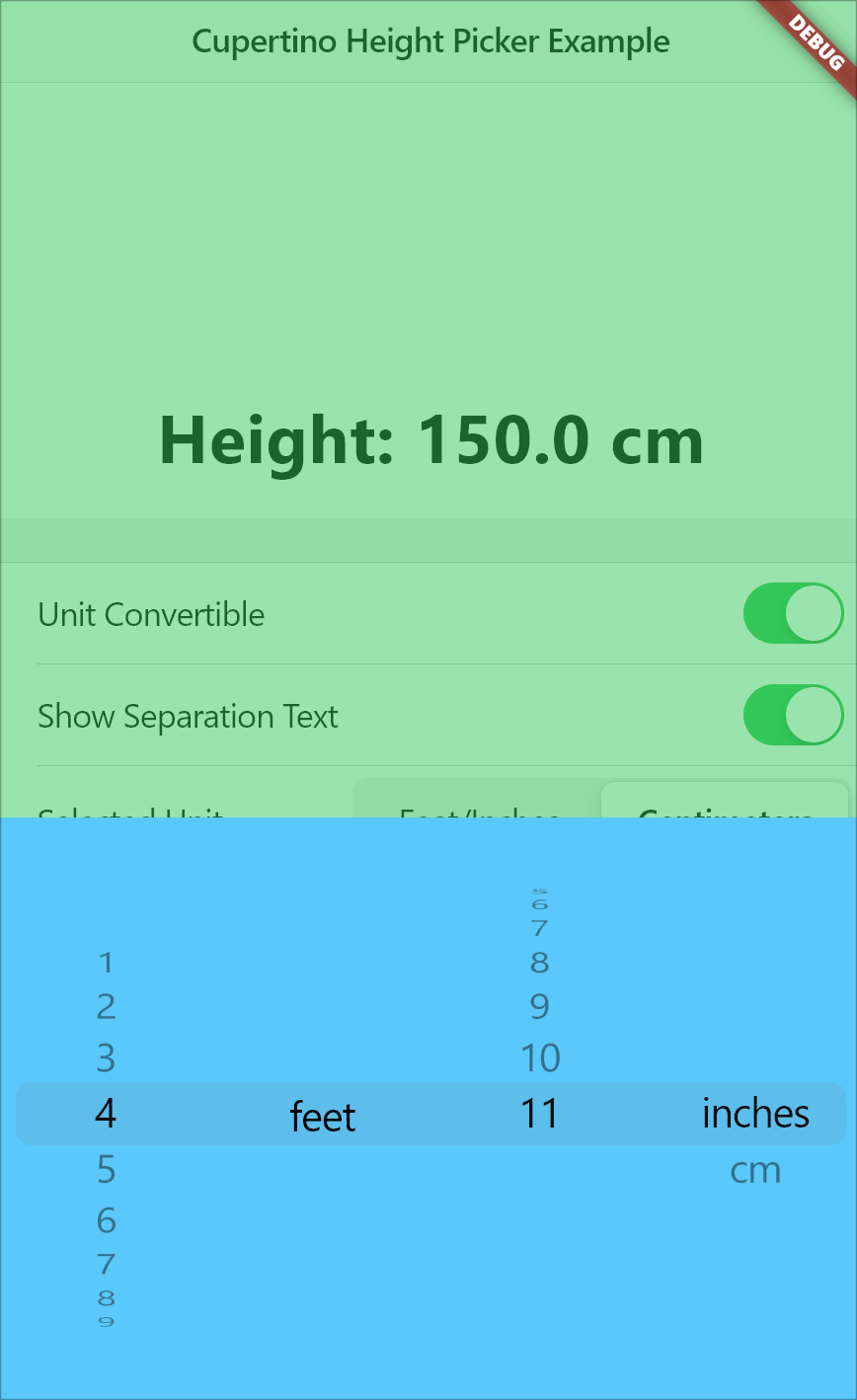
```dart
await showCupertinoHeightPicker(
context: context,
modalHeight: 300,
maxModalWidth: 500,
modalBackgroundColor: CupertinoColors.systemTeal,
barrierColor: CupertinoColors.systemGreen.withOpacity(0.5),
onHeightChanged: (val) {
print(val);
},
);
```
### Parameters
- **context**: (Required) The `BuildContext` object, which is necessary for rendering the height picker within the widget tree.
- **onHeightChanged**: (Required) A callback function that handles height changes when the user scrolls through different height values. The selected height is returned in centimeters.
- **initialHeight**: Sets the default initial height value when the picker is opened. The default is `150.0` cm.
- **initialSelectedHeightUnit**: Specifies the default height unit (either `HeightUnit.inches` or `HeightUnit.cm`) when the picker is opened. The default is `HeightUnit.inches`.
- **canConvertUnit**: A boolean that determines whether the height picker allows conversion between imperial and metric systems. The default is `true`.
- **showSeparationText**: A boolean that controls whether a separation text (e.g., 'feet') or a decimal point text is shown between the two sliders. The default is `true`.
- **modalHeight**: Specifies the height of the modal sheet. The default value is `216.0`.
- **maxModalWidth**: Defines the maximum width of the modal sheet. This is useful for responsiveness on larger screens, such as tablets and laptops. If `null`, the modal takes up the full device width. The default is `null`.
- **modalBackgroundColor**: Defines the background color of the modal sheet. The default is `null`.
- **barrierColor**: Sets the color of the screen behind the modal, allowing for a custom background color with reduced opacity. The default is `kCupertinoModalBarrierColor`.
## Maintainers
[Aditya R](https://www.github.com/adeeteya/)