https://github.com/adityakonda6/automation-testing
🔐 Login Automation Testing - For Any Website This project automates login testing for the Soundbox web application using Java, Selenium WebDriver, TestNG, and Maven. But you can change the url and do the login automation testing for any website
https://github.com/adityakonda6/automation-testing
chromedriver git java maven pom screenshots selenium-java
Last synced: about 1 year ago
JSON representation
🔐 Login Automation Testing - For Any Website This project automates login testing for the Soundbox web application using Java, Selenium WebDriver, TestNG, and Maven. But you can change the url and do the login automation testing for any website
- Host: GitHub
- URL: https://github.com/adityakonda6/automation-testing
- Owner: AdityaKonda6
- Created: 2025-06-30T05:19:18.000Z (about 1 year ago)
- Default Branch: main
- Last Pushed: 2025-06-30T05:45:30.000Z (about 1 year ago)
- Last Synced: 2025-06-30T06:29:22.862Z (about 1 year ago)
- Topics: chromedriver, git, java, maven, pom, screenshots, selenium-java
- Language: HTML
- Homepage: https://github.com/AdityaKonda6/Automation-Testing
- Size: 18.2 MB
- Stars: 0
- Watchers: 0
- Forks: 0
- Open Issues: 0
-
Metadata Files:
- Readme: README.md
Awesome Lists containing this project
README
# 🔐 Login Automation Testing - For Any Website
This project automates login testing for the [Soundbox](https://soundbox.dev.sb.cwdin.com/login) web application using **Java**, **Selenium WebDriver**, **TestNG**, and **Maven**.
But you can change the url and do the login automation testing for any website
---
## ✅ Features
- 🔄 Performs **15 valid login attempts** with different credentials
- ❌ Performs **15 invalid login attempts**
- 📸 Takes **screenshots** for each attempt
- 🧪 Uses **TestNG** for test organization and assertions
- 📂 Stores all screenshots in a `screenshots/` folder
---
## 📁 Project Structure
```
SoundboxLoginTest/
├── drivers/ # ChromeDriver executable
├── screenshots/ # Screenshot output directory
├── src/
│ ├── main/
│ │ └── java/
│ │ └── config/ # Configuration class (e.g., driver path)
│ ├── test/
│ │ ├── java/
│ │ │ ├── pages/ # Page Object Model for Login Page
│ │ │ └── tests/ # Test classes with logic
├── pom.xml # Maven configuration
└── README.md # You're reading it!
```
---
## 🔧 Prerequisites
Ensure the following are installed:
- [Java 17+](https://adoptium.net/) (Tested with Java 21)
- [Apache Maven](https://maven.apache.org/)
- [Google Chrome (latest)](https://www.google.com/chrome/)
- [ChromeDriver](https://sites.google.com/a/chromium.org/chromedriver/downloads) (matching your Chrome version)
> ⚠️ Place the `chromedriver.exe` inside the `drivers/` folder.
---
## 🚀 How to Run
### Step 1: Clone the Repo
```bash
git clone https://github.com/your-username/SoundboxLoginTest.git
cd SoundboxLoginTest
Object[][] validCreds = {
{"user1@example.com", "password1"},
{"user2@example.com", "password2"},
...
};
mvn clean test
| Tool | Version |
| ------------ | ------------------ |
| Java | 17+ (tested on 21) |
| Maven | 3.8+ |
| Selenium | 4.20.0 |
| TestNG | 7.8+ |
| Chrome | 138+ |
| ChromeDriver | Match Chrome |
---
```
✅ 1. Install Java Development Kit (JDK)
🔗 Download: Adoptium Java 17+
⚙️ After installation:
Set environment variable:
JAVA_HOME = C:\Program Files\Eclipse Adoptium\jdk-21 (or your install path)
Add to Path:
%JAVA_HOME%\bin
🔍 Verify:
```
bash
Copy
Edit
java -version
```
✅ 2. Install Apache Maven
🔗 Download: Maven Downloads
📂 Extract and set environment variables:
MAVEN_HOME = C:\apache-maven-3.9.x
Add to Path: %MAVEN_HOME%\bin
🔍 Verify:
```
bash
Copy
Edit
mvn -version
```
✅ 3. Install Google Chrome
🔗 Download Chrome
📌 Make sure it is updated to the latest version
✅ 4. Download Matching ChromeDriver
🔗 Check your Chrome version:
```
Go to chrome://settings/help
```
🔗 Download matching driver:
ChromeDriver Downloads
📁 Place chromedriver.exe in your project’s drivers/ folder
Or add it to the system PATH.
✅ 5. Install an IDE (Optional but Recommended)
💡 Recommended: Visual Studio Code or IntelliJ IDEA Community Edition
✅ 6. Clone the Project from GitHub
```
bash
Copy
Edit
git clone https://github.com/your-username/SoundboxLoginTest.git
cd SoundboxLoginTest
```
✅ 7. Build and Run the Project
```
Open terminal inside project folder:
bash
Copy
Edit
mvn clean test
```
✅ 8. (Optional) Install Git if you don’t have it
🔗 Git Downloads
🧪 Technologies You Now Have Installed
```
| Tool | Purpose |
| --------------------- | ------------------------------------- |
| Java JDK | For compiling and running Java |
| Maven | For managing dependencies and build |
| Chrome | To open and test the website |
| ChromeDriver | Interface between Selenium and Chrome |
| IDE (VSCode/IntelliJ) | Easier coding and debugging |
| Git | Version control and GitHub access |
```
🔎 Troubleshooting Tips
```
| Problem | Fix |
| ------------------------ | ---------------------------------------------------- |
| `NoSuchElementException` | Check if IDs are changing dynamically |
| Chrome doesn't open | Check `chromedriver.exe` version matches Chrome |
| `mvn` not recognized | Check your Maven PATH setup |
| Test not doing anything | Add `Thread.sleep()` or check dynamic loading (AJAX) |
```
If you'd like help adding a GitHub Actions CI workflow or TestNG HTML reporting, just say the word!

## Hey there 👋, I'm [Aditya!]([https://github.com/AdityaKonda6])
[](https://twitter.com/AdityaKonda7)
[](https://www.linkedin.com/in/aditya-adi-konda/)
[](https://www.instagram.com/konda_aditya/)
### Glad to see you here! 
I want to be a Software Developer but I am currently in college studying in IT with a mission to revolutionize how the world hires with AI. 🚀
I have a passion for problem-solving and pioneering first-principle thinking, driven by purpose and fueled by the challenge of finding solutions, with a strong foundation in Java, Python, SQL etc. I've led diverse tech teams covering Middleware, Backend and building scalable products from scratch with the commitment to making a positive impact through technology.
I'm an explorer of new tech, an avid learner, and a problem-solver at heart. When I'm not in code, you'll find me watching tech-related YouTube videos, fueling my curiosity.
Feel free to connect with me @kondaaditya for all things tech or just to say hello! Let's shape the future of tech together. 🌟
Joined Github **3** years ago.
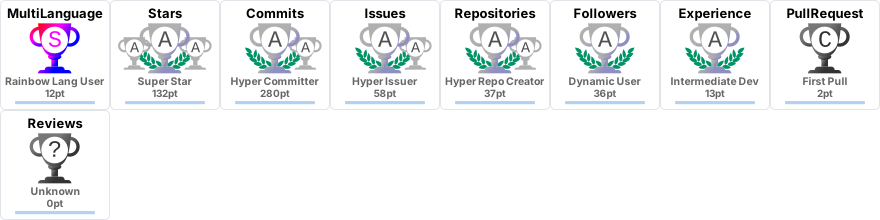
Since then I pushed **20**+ commits, opened **15**+ issues, submitted **3**+ pull requests, created **64**+ gists and contributed to **18**+ public repositories.
Like My Work?



### Talking about Personal Stuff:
- 🛠 I’m currently working with Java, SQL, Springboot, Python etc.
- 🚀 I’m currently exploring ML, Gen AI, etc.
- 💬 Ask me anything [here](https://github.com/AdityaKonda6/MyGitHub-Intro/issues)! I am happy to help.
- 👾 Fun fact: Equal is Not Always Equal in JS.
- 📫 Reach me out: adityakonda04@gmail.com.
### My Absolute Favorites:
- 💻 I love exploring new technologies and building cool stuff.
- 📰 Reading, writing & watching Tech Stuff whenever possible.
- 🍕 Meetups & Tech Events & Hackathons.
### Languages and Tools:











### Projects and Dev Stuffs:
⚡ Github Stats


☄️ Github Streaks

☄️ LeetCode Stats

⚙️ Things I use to get stuff done
-
OS: Windows 10 Home -
Laptop: Lenovo Ideapad 320 -
Browser: Chrome -
Terminal: ZSH: Oh My Zsh (PowerLevel10k) -
Code Editor: VSCode - The best editor out there -
To Stay Updated: Twitter, Product Hunt and Hacker News