https://github.com/adityakonda6/python-app-pipeline
This repository contains the source code for a simple web application built with Python and Flask. The primary purpose of this project is to serve as a practical, hands-on demonstration of a complete, end-to-end Continuous Integration and Continuous Deployment (CI/CD) pipeline built with Jenkins, Docker, and AWS.
https://github.com/adityakonda6/python-app-pipeline
aws aws-ec2 docker flask git jenkins linux python webhook
Last synced: 4 months ago
JSON representation
This repository contains the source code for a simple web application built with Python and Flask. The primary purpose of this project is to serve as a practical, hands-on demonstration of a complete, end-to-end Continuous Integration and Continuous Deployment (CI/CD) pipeline built with Jenkins, Docker, and AWS.
- Host: GitHub
- URL: https://github.com/adityakonda6/python-app-pipeline
- Owner: AdityaKonda6
- Created: 2025-09-03T13:13:01.000Z (11 months ago)
- Default Branch: main
- Last Pushed: 2025-10-01T06:59:53.000Z (10 months ago)
- Last Synced: 2026-04-05T22:36:47.754Z (4 months ago)
- Topics: aws, aws-ec2, docker, flask, git, jenkins, linux, python, webhook
- Language: Dockerfile
- Homepage:
- Size: 12.7 KB
- Stars: 2
- Watchers: 0
- Forks: 0
- Open Issues: 0
-
Metadata Files:
- Readme: README.md
Awesome Lists containing this project
README
# CI/CD Pipeline for a Python Flask Application
## 📖 Project Summary
This project demonstrates a complete, end-to-end Continuous Integration and Continuous Deployment (CI/CD) pipeline for a simple web application built with **Python** and **Flask**. The primary goal is to showcase a fully automated workflow that takes code from a `git push` and deploys it as a live Docker container on an AWS EC2 instance without any manual intervention.
---
## 🏛️ Architecture Diagram
The pipeline follows a logical, event-driven workflow. A `git push` to the main branch initiates a sequence of automated steps, as illustrated below.
**Workflow Breakdown:**
`Git Push` → `GitHub Webhook` → `Jenkins Server` → `Build & Test` → `Build Docker Image` → `Push to Docker Hub` → `Deploy to AWS EC2`
1. **Trigger:** A developer pushes code to the `main` branch on GitHub.
2. **CI Server:** A GitHub Webhook notifies the Jenkins server, which automatically triggers a new pipeline run.
3. **Build & Package:** Jenkins checks out the code, and using the `Dockerfile`, builds a new Docker image containing the Flask application and its dependencies.
4. **Registry:** The newly built image is tagged with a unique identifier and pushed to a Docker Hub repository.
5. **Deployment:** Jenkins securely connects to the production EC2 server, pulls the latest Docker image from Docker Hub, stops the old container, and starts a new one with the updated image.
---
## 🛠️ Technologies Used
This project utilizes a modern DevOps toolchain to achieve full automation.





---
## ⚙️ Setup and Execution (Local)
To run the Python application on your local machine without the pipeline.
### Prerequisites
* Python 3 and `pip` installed.
* `git` installed.
### Installation & Running
1. Clone the repository:
```sh
git clone [https://github.com/AdityaKonda6/python-app-pipeline.git](https://github.com/AdityaKonda6/python-app-pipeline.git)
```
2. Navigate to the project directory:
```sh
cd python-app-pipeline
```
3. Install the required packages:
```sh
pip install -r requirements.txt
```
4. Run the application:
```sh
python app.py
```
5. Open `http://127.0.0.1:80` in your browser.
---
## 💡 Challenges & Solutions
This section documents a key technical challenge encountered during the pipeline setup and the steps taken to resolve it.
### Challenge: Jenkins Failing with Docker "Permission Denied"
A common and critical issue arose where the Jenkins pipeline would consistently fail during the Docker build stage.
* **Problem:** The Jenkins console output showed a clear error: `permission denied while trying to connect to the Docker daemon socket at unix:///var/run/docker.sock`. This indicated that the `jenkins` user, which executes the pipeline, did not have the necessary permissions to interact with the Docker engine.
* **Diagnostic Process:**
1. I connected to the EC2 instance via SSH.
2. I switched from the default user to the `jenkins` user with the command: `sudo su - jenkins`.
3. I then tried to execute a basic Docker command, `docker ps`, to confirm the issue. This command failed with the exact same "permission denied" error, isolating the problem to a user-level permission issue on the host machine, not a flaw in the `Jenkinsfile` or Docker setup itself.
* **Solution:** On Linux systems, the Docker daemon socket is owned by the `root` user and the `docker` group. To allow a non-root user to run Docker commands, they must be added to the `docker` group.
1. I added the `jenkins` user to the `docker` group using the following command:
```sh
sudo usermod -aG docker jenkins
```
2. For the group membership changes to take effect, the Jenkins service needed to be restarted:
```sh
sudo systemctl restart jenkins
```
After restarting, the Jenkins pipeline executed successfully, as the user now had the required permissions to communicate with the Docker socket.
-----
## Hey there 👋, I'm [Aditya!](https://github.com/AdityaKonda6)
[](https://www.linkedin.com/in/aditya-adi-konda/)
[](https://twitter.com/AdityaKonda7)
[](https://www.instagram.com/konda_aditya/)

### Glad to see you here! 
I’m a **2025 IT Graduate** passionate about **DevOps, Cloud, and Software Development** 🚀.
My mission? To **bridge the gap between development and operations**—building scalable systems, automating workflows, and ensuring quality from code to deployment.
With a strong foundation in **Java, SQL, Linux**, and hands-on experience with **CI/CD pipelines, Selenium automation, cloud services, and Android development**, I thrive in solving problems end-to-end—from writing code to deploying it in production.
Recently, at **CWD Limited**, I worked on:
- **Automation Testing Frameworks** (Selenium, Java, Maven)
- **Linux-based system configurations & debugging**
- **Hardware-software integration testing**
- API testing with Postman
…and in the process, strengthened my DevOps skill set.
💡 Curious mind. Fast learner. Always ready to build, break, and rebuild—better.
---
### 🚀 What I’m Working On:
- Building **DevOps projects** (Jenkins, Docker, Kubernetes, AWS, Ansible)
- Enhancing **automation frameworks** for testing & deployment
- Crafting **Android apps** and backend services
- Expanding my **Linux administration** skills
---
### 💼 My Tech Stack:



---

### 📌 Highlights:
- 🛠 Built **dynamic Selenium automation scripts** integrated with Maven
- 🚀 Created & deployed **full-stack and Android applications**
- 🐧 Comfortable with **Linux system administration & shell scripting**
- 📦 Implemented CI/CD workflows for smoother deployments
- ☁️ Learning & applying **cloud infrastructure concepts**
--
### 📫 How to Reach Me:
- Email: **adityakonda04@gmail.com**
- Portfolio: [adityakonda04.vercel.app](https://adityakonda04.vercel.app/)
- LinkedIn: [Aditya Adi Konda](https://www.linkedin.com/in/aditya-adi-konda/)
---
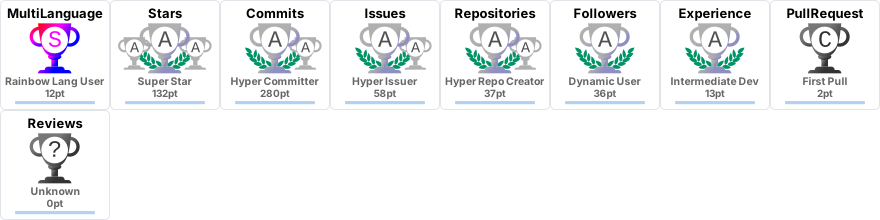
### 📊 GitHub Stats:
⚡ GitHub Stats


🔥 GitHub Streaks

☄️ LeetCode Stats

---
💬 Always open to collaborations, tech discussions, and exploring new opportunities in **DevOps, Cloud, and Software Development**.
Like My Work?


### Show some ❤️ by starring some of the repositories!
### My Portfolio