https://github.com/admtoha/resizable_blocks
This script allows you to add the ability for users to resize specified blocks on your website in an intuitive way: simply by dragging the mouse cursor on the edge or corner of these blocks (or using touch equivalents on mobile devices).
https://github.com/admtoha/resizable_blocks
html-css-javascript resizable
Last synced: 13 days ago
JSON representation
This script allows you to add the ability for users to resize specified blocks on your website in an intuitive way: simply by dragging the mouse cursor on the edge or corner of these blocks (or using touch equivalents on mobile devices).
- Host: GitHub
- URL: https://github.com/admtoha/resizable_blocks
- Owner: admtoha
- License: mit
- Created: 2025-12-14T10:09:17.000Z (6 months ago)
- Default Branch: main
- Last Pushed: 2025-12-28T07:04:19.000Z (5 months ago)
- Last Synced: 2025-12-29T19:46:10.557Z (5 months ago)
- Topics: html-css-javascript, resizable
- Language: JavaScript
- Homepage:
- Size: 65.4 KB
- Stars: 1
- Watchers: 0
- Forks: 1
- Open Issues: 0
-
Metadata Files:
- Readme: README.md
- License: LICENSE
Awesome Lists containing this project
README
# resizable_blocks
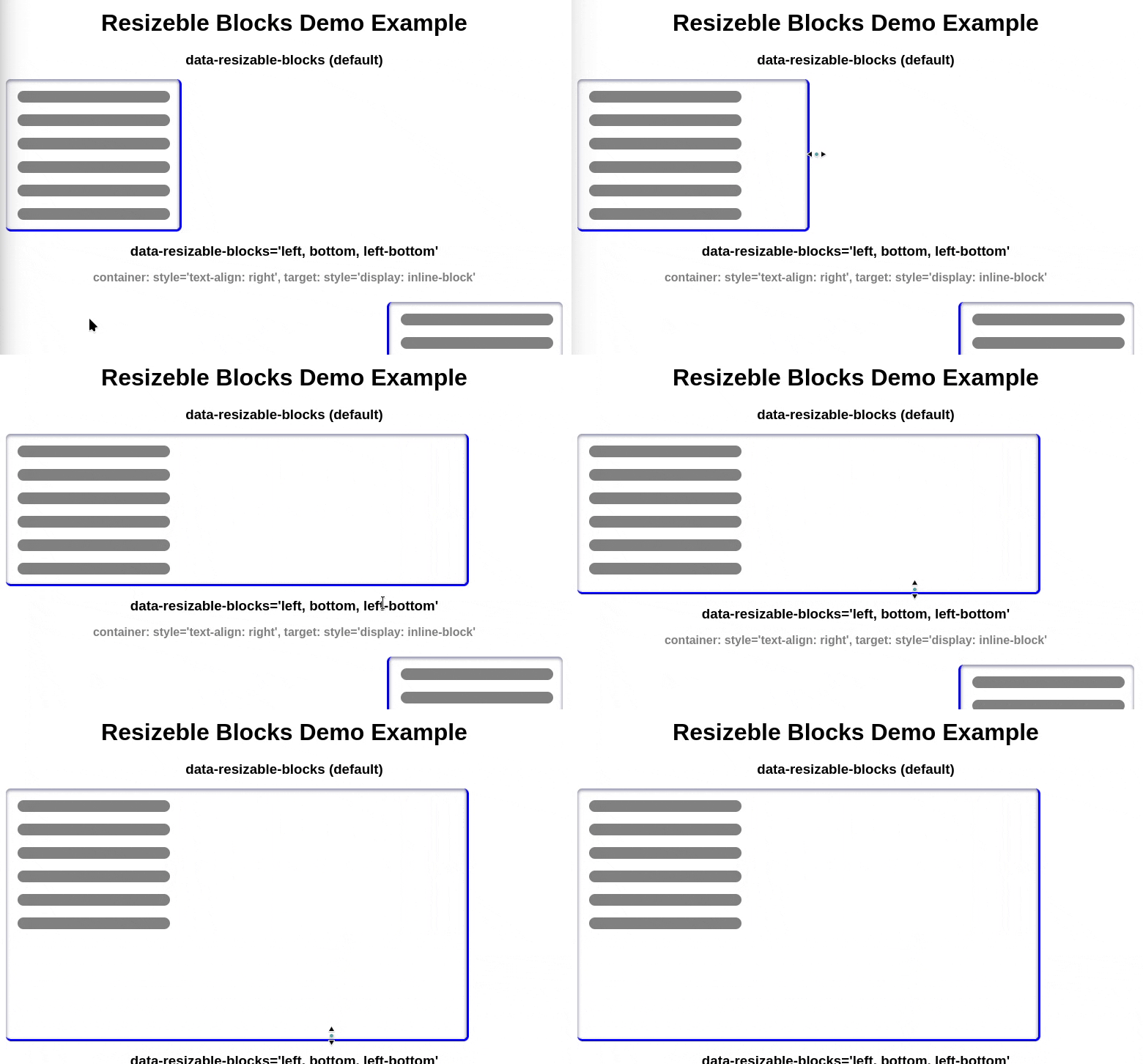
This script allows you to add the ability for users to resize specified blocks on your website in an intuitive way: simply by dragging the mouse cursor on the edge or corner of these blocks (or using touch equivalents on mobile devices).
ver. 2025-12-27
Interactive Demo
https://admtoha.is-a.dev/html/demo_resizable_blocks.html
How to Use
1. Connect the resizable_blocks.js file to your page:
There are several ways to achieve this:
- the classic approach using HTML (don't forget the attribute type="module" )
```html
```
- by connecting an ES module in JavaScript
```javascript
import './resizable_blocks.js';
// or
import make_resizable from './resizable_blocks.js';
// or
const make_resizable = await import('./resizable_blocks.js');
```
2. Specify the target blocks with the data-resizable-blocks attribute and populate its value with options, separated by commas, indicating the active (user-interactive) sides and corners.
Example:
```html
...
```
All available options
- top - top side of the block
- right - right side
- bottom - bottom side
- left - left side
- left-top - left-top corner
- left-bottom - left-bottom corner
- right-top - right-top corner
- right-bottom - right-bottom corner
- active_size: size* - The size (in pixels) of the "active zone" (default: 25). This refers to the size of the interactive space on the edge of the target block.
- remember - enables the ability to remember the block size. This means that upon page reload (or creation of a dynamic block with the same ID), the last height and width values are automatically restored. Requires the target block to have an ID
By default, if no active sides and corners are specified, the value right, bottom, right-bottom is set.
Browser support
Tested in desktop and mobile versions of Firefox and Chrome, and their main derivatives. Unfortunately, browsers in the Safari family could not be tested. (I will check and update this point as soon as possible).
Dynamic page changes are supported
- You can programmatically create a block with the "data-resizable-blocks" attribute and place it on the page, and the script will work perfectly.
```javascript
// Example:
const container = document.createElement('div');
container.id = 'resizable_div';
container.setAttribute('data-resizable-blocks', 'right, remember');
document.body.append(container);
```
- It is also possible to enable the script for blocks already located on the page by setting that attribute for them.
```javascript
// Example:
document.getElementById('resizable_div').setAttribute('data-resizable-blocks', 'right, bottom, remember');
```
- You can disable the script for involved blocks by simply removing the corresponding "data-resizable-blocks" attribute.
```javascript
// Example:
document.getElementById('resizable_div').removeAttribute('data-resizable-blocks');
```
- It is also possible to change the script's behavior "on the fly" by simply changing the value of the "data-resizable-blocks" attribute to a new one.
```javascript
// Example:
document.getElementById('resizable_div').setAttribute('data-resizable-blocks', 'right');
//...
document.getElementById('resizable_div').setAttribute('data-resizable-blocks', 'right, bottom, right-bottom, remember');
```
If necessary, you can directly access the block handling function:
```javascript
make_resizable(node, options)
Arguments:
* node: (HTMLElement) - The target node.
* [options]: (Object) - Options.
* zone_ls: (Array) - List of active zone names (default: ['right', 'right-bottom', 'bottom']).
* active_size: (Number Integer) - Size/width of active zones in pixels (default: 25).
* remember: (Boolean) enables the ability to remember the block size. This means that upon page reload (or creation of a dynamic block with the same ID),
the last height and width values are automatically restored. Requires the target block to have an ID (default: false)
Return:
* (Object) - An object representing the controller, providing the following capabilities:
{
is_on: - (boolean) a flag indicating whether the script is enabled for the target block.
off(): - (function) disables the script.
Takes no arguments. Returns: undefined
on(): - (function) enables the script if it was previously disabled.
Takes no arguments. Returns: undefined
remake(new_options): - (function) replaces the options with new ones, effectively changing the script's behavior according to the new options.
Arguments:
new_options - (Object) the new options; essentially, these are the same options used for the make_resizable()
Return: undefined
}
```