https://github.com/adobe/aem-brackets-extension
Brackets extension for Adobe Experience Manager (AEM) front-end developers with auto-sync and HTL support.
https://github.com/adobe/aem-brackets-extension
aem aem-tools
Last synced: 5 days ago
JSON representation
Brackets extension for Adobe Experience Manager (AEM) front-end developers with auto-sync and HTL support.
- Host: GitHub
- URL: https://github.com/adobe/aem-brackets-extension
- Owner: adobe
- License: apache-2.0
- Created: 2014-07-28T20:04:37.000Z (about 12 years ago)
- Default Branch: master
- Last Pushed: 2024-04-08T12:48:56.000Z (over 2 years ago)
- Last Synced: 2026-04-20T19:50:22.450Z (4 months ago)
- Topics: aem, aem-tools
- Language: JavaScript
- Homepage: https://docs.adobe.com/content/docs/en/dev-tools/aem-brackets.html
- Size: 167 KB
- Stars: 51
- Watchers: 56
- Forks: 21
- Open Issues: 7
-
Metadata Files:
- Readme: README.md
- Contributing: CONTRIBUTING.md
- License: LICENSE
- Code of conduct: CODE_OF_CONDUCT.md
Awesome Lists containing this project
README
# AEM Brackets Extension
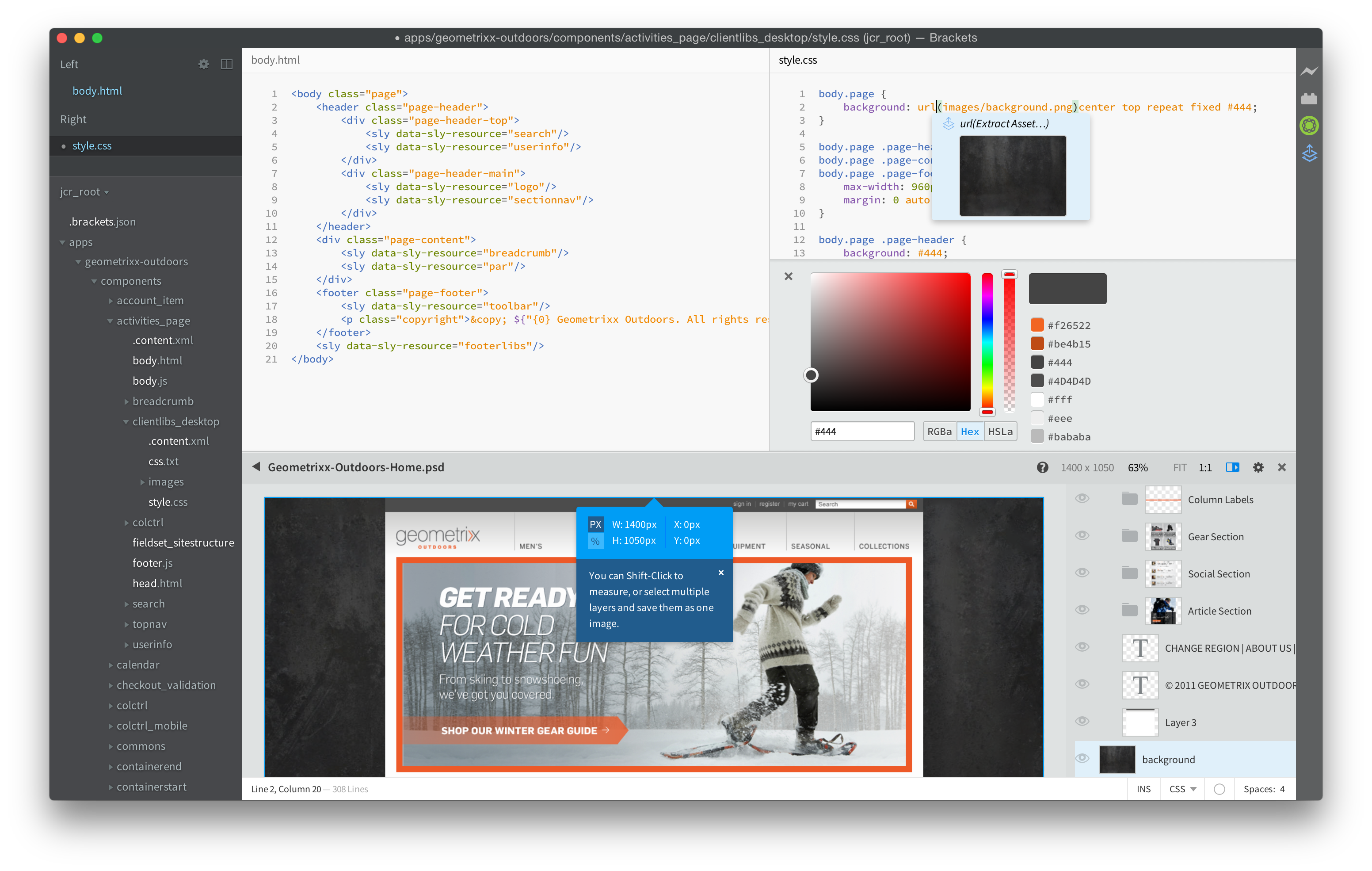
This extension provides a smooth workflow to edit AEM components and client libraries, and leverages the power of the [Brackets](http://brackets.io) code editor, which gives access from within the code editor to Photoshop files and layers. The easy synchronization provided by the AEM Brackets Extension (no Maven or File Vault required) increases developer efficiency and also helps front-end developers with limited AEM knowledge to participate on projects. This extension also provides some [HTL](https://github.com/adobe/htl-spec) support, a template language that takes away the complexity of JSP to make component development easier and more secure.
## Documentation
Please refer to the [documentation page](http://docs.adobe.com/content/docs/en/dev-tools/aem-brackets.html) for instructions on how to install the extension, as well as detailed information about the features.
## Get Started
If you don't have of your own a project with a content-package to try out, you can try out the [HTL TodoMVC Example](https://github.com/Adobe-Marketing-Cloud/aem-htl-sample-todomvc) sample application that was built with the AEM Brackets Extension. Download the ZIP from GitHub, extract the files locally, open the `jcr_root` folder in Brackets, setup the Project Settings, and upload the whole package to your AEM development instance by doing an Export Content Package.
After these steps, you should be able to access the `/content/todo.html` URL on your AEM development instance and you can start doing modifications to the code in Brackets and see how, after doing a refresh in the web browser, the changes were immediately synchronized to the AEM server.
## Known Issues or Limitations
* Embedded content packages are not supported.
## Reporting Bugs
Please report any issues you encounter using GitHub's [issue tracker from](https://github.com/adobe/aem-brackets-extension/issues).
## Development
The AEM Brackets Extension is a Node.js module. The following steps need to be followed if you want to start hacking on new features:
1. install [Node.js](http://nodejs.org/ "node.js") for your platform
2. clone this repository
```bash
git clone git@github.com:adobe/aem-brackets-extension.git
```
3. in the `aem-brackets-extension` folder run
```bash
npm install
grunt
```
## Contributing
Contributions are welcome! Read the [Contributing Guide](CONTRIBUTING.md) for more information.
## Licensing
This project is licensed under the Apache V2 License. See [LICENSE](LICENSE) for more information.