https://github.com/adobix/ind_utils
A command-line tool that simplifies the task of creating files and creating assets images .
https://github.com/adobix/ind_utils
filegenerator folder-structure foldergenerator log logger print size sizes
Last synced: 5 months ago
JSON representation
A command-line tool that simplifies the task of creating files and creating assets images .
- Host: GitHub
- URL: https://github.com/adobix/ind_utils
- Owner: adobix
- License: mit
- Created: 2024-07-05T07:13:48.000Z (about 2 years ago)
- Default Branch: main
- Last Pushed: 2025-02-14T05:16:27.000Z (over 1 year ago)
- Last Synced: 2025-10-22T23:25:22.249Z (9 months ago)
- Topics: filegenerator, folder-structure, foldergenerator, log, logger, print, size, sizes
- Language: Dart
- Homepage: https://pub.dev/packages/ind_utils
- Size: 6.46 MB
- Stars: 3
- Watchers: 1
- Forks: 0
- Open Issues: 0
-
Metadata Files:
- Readme: README.md
- Changelog: CHANGELOG.md
- License: LICENSE
Awesome Lists containing this project
README
🍃 Ind Utils 🍃
A command-line tool that simplifies the task of creating files and creating assets images .
# ind_utils
ind_utils package use this package for Ind_utils package to simplify use for SizedBox, beautiful Log,
creating screens , styles , write assets images file
code.`
### Platform Support
| Android | iOS | macOS | Web | Linux | Windows |
|:-------:|:---:|:-----:|:---:|:-----:|:-------:|
| ✅ | ✅ | ✅ | ✅ | ✅ | ✅ |
## Installation
```yaml
dependencies:
ind_utils: ^2.0.13
```
## Run the generator
- when u will run this cmd you will get
- Here Below 👇👇👇 - First Go that directory where you wanna Create Screen, Controller, Widget .
- To execute the following command:
```
dart pub run ind_utils:screen
```
```
├─ screen/
└─ profile_screen.dart
├─ controller/
└─ profile_controller.dart
├─ repository/
└─ profile_repository.dart
└─ profile_repository_interface.dart
├─ widget
└─ widget_name.dart
├─ model
```
## Run the generator:
- Assets file and Put images in class
- Here 👇👇👇
1. Make sure Stay in Project Directory
2. Go that directory where you wanna Create.
- To execute the following command:
```
dart pub run ind_utils:assets
after it will be ask question like this
Where your wanna create this file: example - lib/src/styles/
```
## Run the generator:
- Styling Code Like App color , EdgeInsets
- Here 👇👇👇 - First Go that directory where you wanna Create This.
- To execute the following command:
```
dart pub run ind_utils:style
```
## Print Type
Just use Like This: You can Print with different Icon just change end type :
```
printLog("Method :", "POST").method;// "⚙️ Method : Get";
OR
PrintLogger.success(message);
```

```
printLog("Api URL:", url).link;//"🔗 Api URL : --> your url"
OR
PrintLogger.error(message);
```

```
printLog("Header :", header).header; //"📝 Header : --> your header"
OR
PrintLogger.warning(message);
```
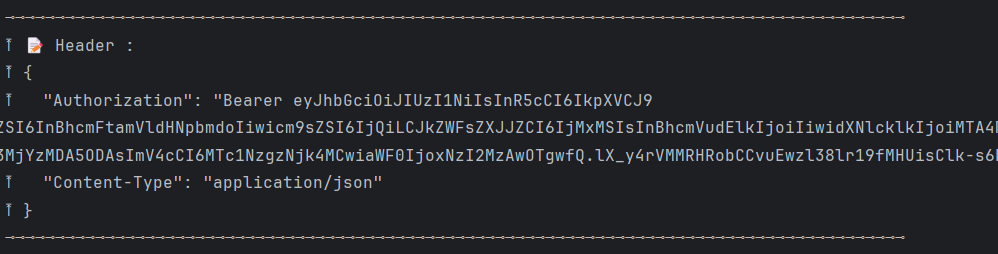
```
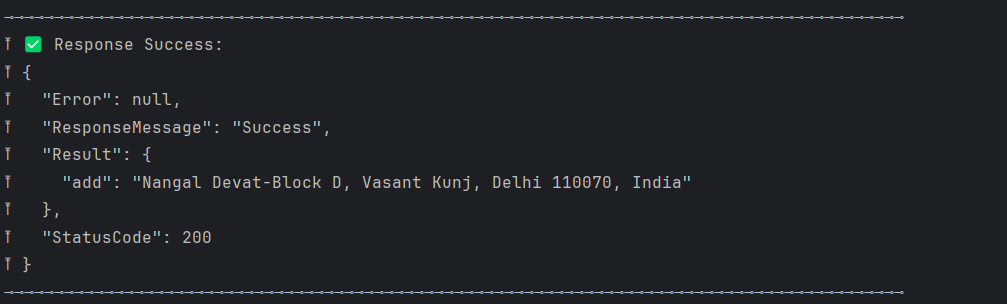
printLog("Response Success: ", response).success; // "✅ Response Success: --> your response"
OR
PrintLogger.denied(message);
```
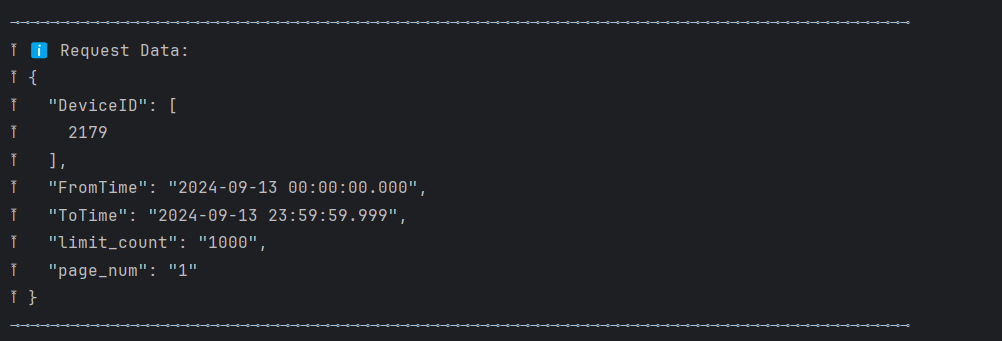
```
printLog("Request Data: ", request).info; // "ℹ️ Request Data:: --> your Request"
```
## Next Goals
- [x] We will Explore More Utils