https://github.com/adrihle/roccocode
My own config of neovim
https://github.com/adrihle/roccocode
developer-tools lua neovim-config nvim web
Last synced: about 2 months ago
JSON representation
My own config of neovim
- Host: GitHub
- URL: https://github.com/adrihle/roccocode
- Owner: adrihle
- Created: 2025-02-04T15:59:07.000Z (over 1 year ago)
- Default Branch: main
- Last Pushed: 2026-02-11T13:10:40.000Z (5 months ago)
- Last Synced: 2026-02-11T14:59:09.961Z (5 months ago)
- Topics: developer-tools, lua, neovim-config, nvim, web
- Language: Lua
- Homepage: https://adrilopez.dev
- Size: 62.5 KB
- Stars: 0
- Watchers: 1
- Forks: 0
- Open Issues: 0
-
Metadata Files:
- Readme: README.md
Awesome Lists containing this project
README
# 🚀 ROCCO.CODE - Not another Neovim config

## ✨ Introduction
Welcome to **ROCCO.CODE**, a finely tuned Neovim configuration built for those who demand speed, flexibility, and an optimized workflow. Designed with **Lua and Lazy.nvim**, this setup is engineered to make web development (and your terminal life) faster, smoother, and just plain badass.
## 💡 The Why
Great tools come from necessity. **ROCCO.CODE** wasn’t built overnight—it’s a reflection of a journey, of refining, tweaking, and pushing through long nights of coding. It’s here to do one thing: **help developers focus on what truly matters—writing great code without friction**.
This project is a nod to persistence, to the ones who keep building, even when things get tough. Inspired by Rocco, my steadfast companion through thick and thin, this is for those who embrace the grind and come out stronger.
## 🚀 Features
✅ **Supercharged Neovim for Web Development**
✅ **Lightning-fast startup**—because patience is overrated
✅ **Lazy.nvim** for streamlined plugin management
✅ **Intuitive keybindings**—your fingers will thank you
✅ **SSH & terminal integrations**—because we do things remotely too
✅ **Enhanced LSP, Treesitter & Autocomplete**
✅ **A sleek UI that doesn’t distract you from the code**
## 📦 Installation
Getting started is a breeze:
```sh
# Backup your existing config (if needed)
mv ~/.config/nvim ~/.config/nvim.backup
# Clone ROCCO.CODE
git clone https://github.com/adrihle/roccocode.git ~/.config/nvim
# Open Neovim and install everything
nvim +Lazy sync +qall
```
## 🏁 Commands
Check with `fm` all the keybinds, or features.
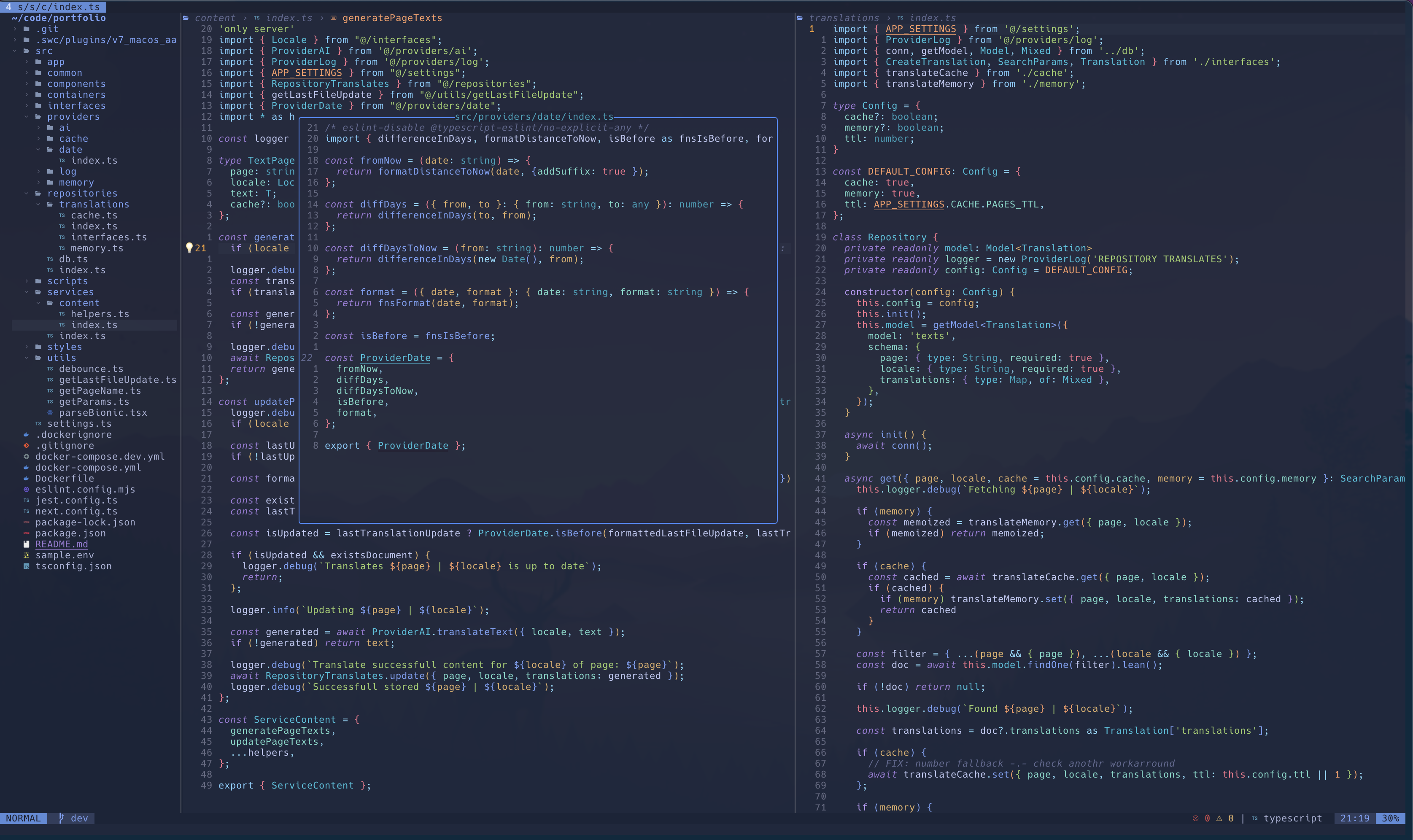
## 🎬 Preview
Want a sneak peek? Here’s what ROCCO.CODE looks like in action:
## 🤝 Contributing
Ideas? Bugs? Want to improve it? Fork the repo, make your changes, and send in a PR. Or just drop a star ⭐ if this made your life easier.
## 📜 License
MIT License—use it, modify it, break it, improve it. Just don’t blame me if your dog learns to code and outshines you.
---
_This project is dedicated to Rocco. Always watching, always inspiring. 🐾_